
1. Introduction
The BOSON Rapid SARS-CoV-2 Antigen Test Card is an FDA EUA Authorized Over-The-Counter (OTC) at-home self-test designed for the rapid qualitative determination of SARS-CoV-2 antigen in anterior nasal swab specimens. This test provides results in 15 minutes, offering a convenient and comfortable method for detecting both symptomatic and non-symptomatic COVID-19 infection.

Image 1.1: The BOSON Rapid SARS-CoV-2 Antigen Test Card product box, indicating 8 tests per kit and results in 15 minutes.
2. Components of the Test Kit
Each BOSON Rapid SARS-CoV-2 Antigen Test Card kit contains the following components:
- Test Cards (individually pouched)
- Sterile Nasal Swabs
- Extraction Buffer Tubes with integrated dropper caps
- Tube Holders (integrated into the box)
- Instructions for Use

Image 2.1: All components included in the BOSON Rapid SARS-CoV-2 Antigen Test Card kit, laid out for clear visibility.
3. Safety Information
Please read all instructions carefully before performing the test. This product is for in vitro diagnostic use only and is authorized for use under an Emergency Use Authorization (EUA) only.
- Keep out of reach of children.
- Do not use the test beyond its expiration date.
- Store the kit at 2°C - 30°C (35.6°F - 86°F).
- Self-testing is recommended for people aged 14 and above.
- Children aged 2 to 14 years should be tested by an adult.
- Follow local guidelines for proper disposal of used test components.
4. Setup
Before beginning the test, ensure you have a clean, flat surface and all kit components are at room temperature. Wash your hands thoroughly with soap and water or use an alcohol-based hand sanitizer before handling the test kit.

Image 4.1: A person opening the cap of an extraction buffer tube, preparing for the test.
5. Operating Instructions
Follow these steps carefully to perform the test:
- Prepare the Extraction Tube: Place the extraction buffer tube into the tube holder provided in the kit box. Unscrew the cap from the tube.
- Collect Nasal Swab Sample: Gently insert the entire soft tip of the sterile swab into one nostril about 1/2 to 3/4 inch (1 to 1.5 cm). Firmly rub the swab in a circular motion against the inside wall of the nostril at least 5 times. Using the same swab, repeat the process for the other nostril.
- Process the Sample: Immediately insert the swab into the extraction buffer tube. Swirl the swab vigorously in the liquid for 10-15 seconds, pressing the swab tip against the bottom and sides of the tube.
- Remove the Swab: While squeezing the tube, remove the swab. Dispose of the swab according to local guidelines.
- Apply Sample to Test Card: Close the cap of the extraction buffer tube. Open the foil pouch and remove the test card. Place the test card on a clean, flat surface. Invert the extraction tube and add 3 drops of the processed sample into the sample well (S) of the test card.
- Wait for Results: Read the results at 15 minutes. Do not read results after 20 minutes, as this may lead to inaccurate readings.

Image 5.1: Proper technique for collecting a nasal swab sample from the nostril.

Image 5.2: The collected nasal swab being inserted and swirled within the extraction buffer tube.

Image 5.3: A person carefully dispensing drops of the processed sample into the designated sample well (S) on the test card.

Image 5.4: A hand holding the test card, displaying a single line at the 'C' (Control) position, indicating a negative result.
6. Interpretation of Results
The test card displays results through lines in the Control (C) and Test (T) regions. Refer to the image below for visual guidance.
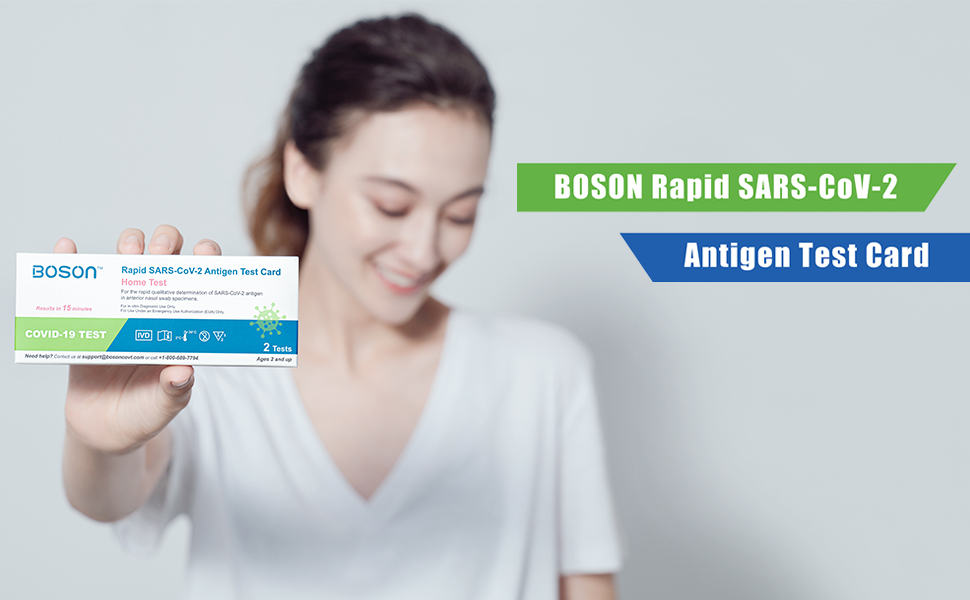
Image 6.1: Visual guide for interpreting test results, showing examples of positive, negative, and invalid outcomes.
- Positive Result: Two colored lines appear. One colored line appears in the control region (C) and another colored line appears in the test region (T). Any faint line in the test region (T) should be considered positive.
- Negative Result: One colored line appears in the control region (C). No colored line appears in the test region (T).
- Invalid Result: No colored line appears in the control region (C). This indicates insufficient sample volume or incorrect procedural techniques. Review the instructions and repeat the test with a new kit. If the problem persists, contact technical support.
7. Maintenance
The BOSON Rapid SARS-CoV-2 Antigen Test Card requires no special maintenance beyond proper storage and disposal.
- Storage: Store the test kit at room temperature between 2°C - 30°C (35.6°F - 86°F). Do not freeze.
- Disposal: Dispose of all used test components, including the test card, swab, and extraction tube, in a biohazard waste bag or according to local regulations for biological waste.
8. Troubleshooting
If you encounter issues during testing, consider the following:
- Invalid Result: If no control line (C) appears, the test is invalid. This could be due to insufficient sample, incorrect procedure, or a faulty test. Repeat the test with a new kit, ensuring all steps are followed precisely.
- No Lines Appear: Ensure enough drops of the sample were added to the sample well (S).
- Difficulty Reading Faint Lines: A faint line in the test region (T) is still considered a positive result. Ensure good lighting when interpreting results.
For persistent issues or questions, please contact customer support.
9. Specifications
| Attribute | Detail |
|---|---|
| Manufacturer | BOSON |
| ASIN | B0B28Z1KFF |
| Package Dimensions | 6.14 x 2.48 x 2.26 inches; 3.84 ounces |
| Date First Available | May 25, 2022 |
10. Warranty and Support
For any questions regarding product warranty, technical support, or assistance with test results, please contact BOSON customer support:
- Email: support@bosoncovt.com
- Phone: +1-800-689-7794
Please refer to the official product packaging or contact customer support for the most current warranty information.


