
1. Introduction
Thank you for choosing the CHWARES CH310B Smart Digital Bathroom Scale. This device is designed to provide accurate measurements of your body weight and various body composition metrics. By utilizing advanced sensor technology and a companion mobile application, it helps you track your health and fitness progress effectively. Please read this manual thoroughly before use to ensure proper operation and to maximize the benefits of your new scale.

Image: The CHWARES CH310B Smart Digital Bathroom Scale displaying various body metrics, alongside a smartwatch and smartphone showing the connected app.
2. Important Safety Information
- Do not use this device if you have a pacemaker or other internal medical device.
- Do not use this device if you are pregnant.
- The scale is not intended for diagnosis or treatment of any medical condition. Consult a healthcare professional for medical advice.
- Place the scale on a hard, flat surface for accurate measurements. Avoid carpets or uneven floors.
- The scale surface can be slippery when wet. Ensure the surface is dry before stepping on.
- Do not jump on the scale or use it for purposes other than weighing.
- Keep the scale away from extreme temperatures, direct sunlight, and damp environments.
- Keep out of reach of children.
3. Package Contents
Please check the package to ensure all items are present:
- CHWARES CH310B Smart Digital Bathroom Scale
- USB Charging Cable
- User Manual
4. Product Overview
The CHWARES CH310B scale features a large LCD display and high-precision sensors for comprehensive body analysis. It measures 15 vital body composition metrics.

Image: The scale's large LCD color display indicating various body metrics and a person demonstrating its use.
4.1 Key Features
- High Precision Sensors: 4 sensors and 4 sensitive electrodes for accurate measurements.
- Large LCD Display: Clear visibility of 8 essential body metrics directly on the scale.
- 15 Body Composition Metrics: Includes weight, BMI, body fat, body water, muscle mass, bone mass, heart rate, and more.
- Rechargeable Battery: Long-lasting battery, one full charge provides approximately 6 months of use.
- Smart App Integration: Syncs with the 'Fitdays' app for detailed tracking and analysis.
- Multiple User Profiles: Supports up to 24 user profiles within the app.

Image: An infographic detailing the 15 body composition metrics measured by the scale.
5. Setup Guide
5.1 Initial Charging
Before first use, ensure the scale is fully charged. Connect the provided USB charging cable to the scale's charging port and a suitable USB power source. The display will indicate charging status.
5.2 App Download and Installation
- Scan the QR code in the manual or search for 'Fitdays' in the Apple App Store (for iOS devices) or Google Play Store (for Android devices).
- Download and install the 'Fitdays' application on your smartphone.
- Register an account and create your user profile within the app.

Image: The 'Fitdays' app interface and download options, demonstrating its use with the scale.
5.3 Bluetooth Pairing
- Ensure Bluetooth is enabled on your smartphone.
- Open the 'Fitdays' app.
- Step onto the scale to activate it. The scale's display will light up.
- The app should automatically detect and connect to the scale. If not, navigate to the 'Device' section in the app and manually add the scale.
5.4 User Profile Creation
Within the 'Fitdays' app, you can create and manage multiple user profiles (up to 24). This allows different family members or friends to track their individual data. The app intelligently identifies the user based on their weight, displaying their specific data.

Image: The 'Fitdays' app supporting multiple user profiles for family and friends.
6. Operation
6.1 Taking a Measurement
- Place the scale on a hard, flat surface.
- Ensure your feet are clean and dry.
- Step onto the scale barefoot, standing still with your feet evenly distributed on the electrodes.
- The scale will display your weight first, then cycle through other metrics.
- Your data will automatically sync to the 'Fitdays' app if your phone is connected via Bluetooth.
6.2 Understanding Display Metrics
The scale's large LCD display shows key metrics directly:
- Weight: Your current body weight.
- Body Fat Rate: Percentage of body fat.
- Body Water Rate: Percentage of body water.
- Body Heart Rate: Your heart rate.
- BMI: Body Mass Index.
- Muscle Mass: Amount of muscle in your body.
- Bone Mass: Amount of bone in your body.
6.3 Using the 'Fitdays' App for Detailed Analysis
The 'Fitdays' app provides a comprehensive view of your health data. It tracks changes over days, weeks, months, and years, presenting them in detailed graphs. You can set goals and monitor your progress for various metrics.
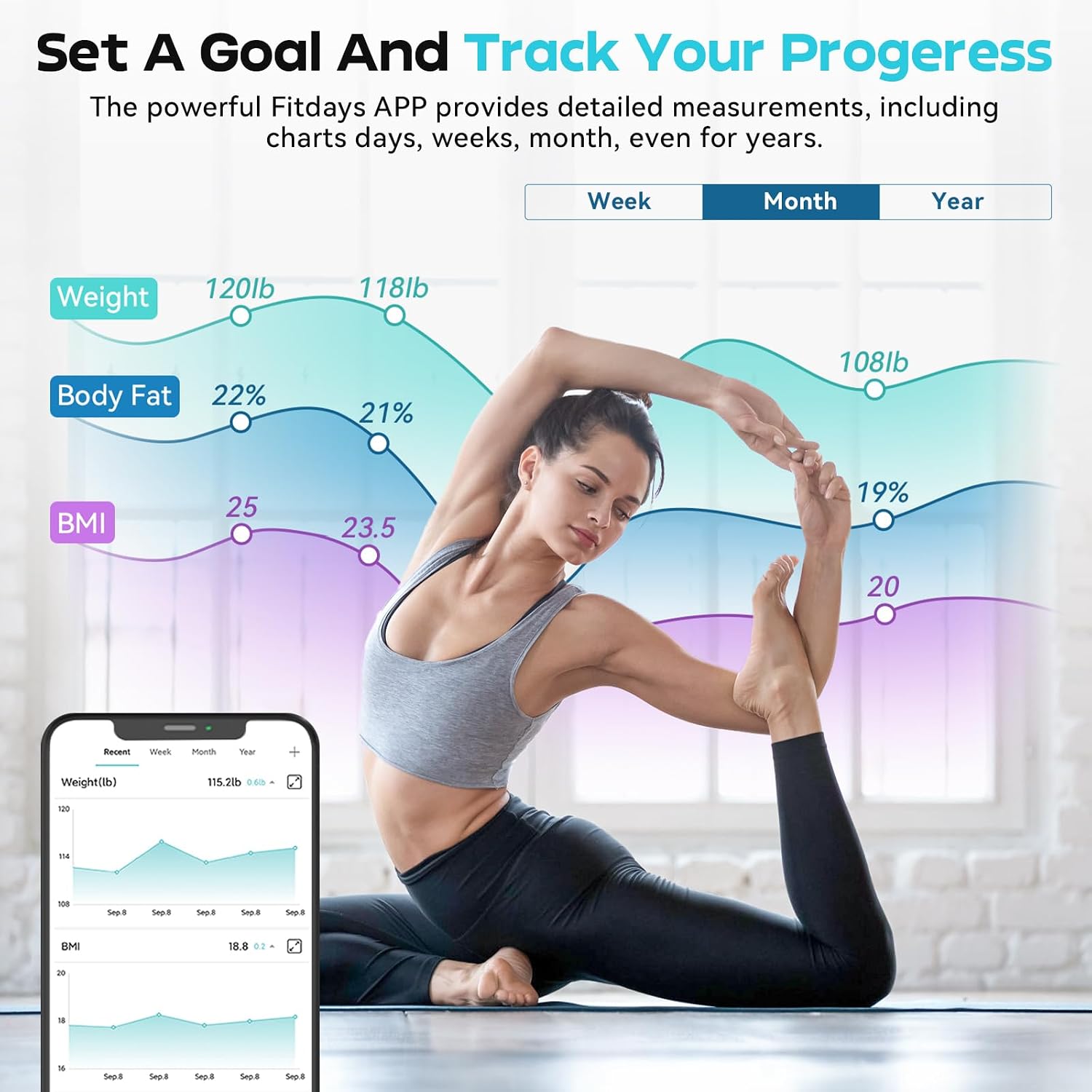
Image: The 'Fitdays' app displaying historical data and progress tracking for weight, body fat, and BMI.
The app also allows synchronization with other popular fitness applications such as Apple Health, Google Fit, Samsung Health, and Fitbit.
6.4 Switching Units
The unit of measurement (lb/kg/st) can be changed by pressing the button located on the underside of the scale.
7. Maintenance
7.1 Cleaning
Wipe the scale surface with a damp cloth and mild detergent. Do not use abrasive cleaners or immerse the scale in water.
7.2 Storage
Store the scale in a cool, dry place. Avoid placing heavy objects on the scale when not in use.
7.3 Battery Care
The scale is rechargeable. When the low-battery indicator appears, recharge the scale using the provided USB cable. A full charge typically lasts for approximately 6 months.
8. Troubleshooting
| Issue | Possible Cause | Solution |
|---|---|---|
| Scale does not turn on. | Low battery. | Charge the scale using the USB cable. |
| Inaccurate readings. | Scale on uneven surface; not standing still; feet not making proper contact. | Place on a hard, flat surface. Stand still with bare feet centered on electrodes. |
| App not connecting to scale. | Bluetooth off; app not open; scale not activated. | Ensure Bluetooth is on. Open 'Fitdays' app. Step on scale to activate. Re-pair if necessary. |
| Body composition data not showing. | Wearing socks/shoes; feet not making full contact with electrodes. | Step on the scale barefoot with clean, dry feet making full contact with all four electrodes. |
| Data mix-up between users. | Multiple users with similar weight. | Ensure each user has a distinct profile in the app. The app uses weight to identify users, so significant weight differences help. Manually assign readings if needed. |
9. Specifications
- Model: CH310B
- Dimensions: 27.79 x 27.79 x 2.69 cm
- Weight: 1.5 kg
- Material: Tempered Glass
- Maximum Weight Capacity: 400 lbs / 180 kg
- Measurement Accuracy: 0.1 lbs / 0.05 kg
- Display Type: LCD (Backlit, Large Display)
- Special Features: Non-Slip Platform, Precision Balanced, Smart Connectivity
- Power Source: Rechargeable Battery (1 AAA battery included for initial setup, but the scale is USB rechargeable)
- Connectivity: Bluetooth
- App Compatibility: Fitdays (iOS & Android), Apple Health, Google Fit, Samsung Health, Fitbit

Image: Diagram illustrating the physical dimensions of the CHWARES CH310B scale.
10. Warranty and Support
CHWARES products are manufactured to high-quality standards. For warranty information, please refer to the documentation included with your purchase or contact CHWARES customer support. If you encounter any issues or have questions regarding your CHWARES CH310B Smart Digital Bathroom Scale, please contact our customer service team for assistance. Contact details can typically be found on the product packaging or the official CHWARES website.
