
NVEESHOX B0B1TYQFXH
NVEESHOX Power Strip Tower Instruction Manual
Model: B0B1TYQFXH
1. Product Overview
The NVEESHOX Power Strip Tower is designed to provide extensive power connectivity and surge protection for multiple electronic devices. It features a vertical tower design to save space and offers a combination of AC outlets and USB charging ports.
- 14-in-1 Connectivity: Equipped with 9 widely-spaced AC outlets and 5 USB ports (including 1 USB-C port) to power up to 14 devices simultaneously.
- All-Round Protection: Features surge protection (1080J), overload protection, short-circuit protection, over-current protection, over-voltage protection, and overheat protection.
- Smart USB Charging: Includes 4 Smart IC USB-A ports and 1 USB-C Power Delivery (PD) port (18W) for efficient charging of various devices.
- Durable Design: Constructed with a 9.8 FT pure copper extension cord and flame-retardant ABS and PC material for enhanced safety.
- Master ON/OFF Switch: A convenient switch on top controls power to all AC and USB ports.
- Space-Saving Flat Plug: A 45° right-angled flat plug prevents obstruction of other wall outlets.
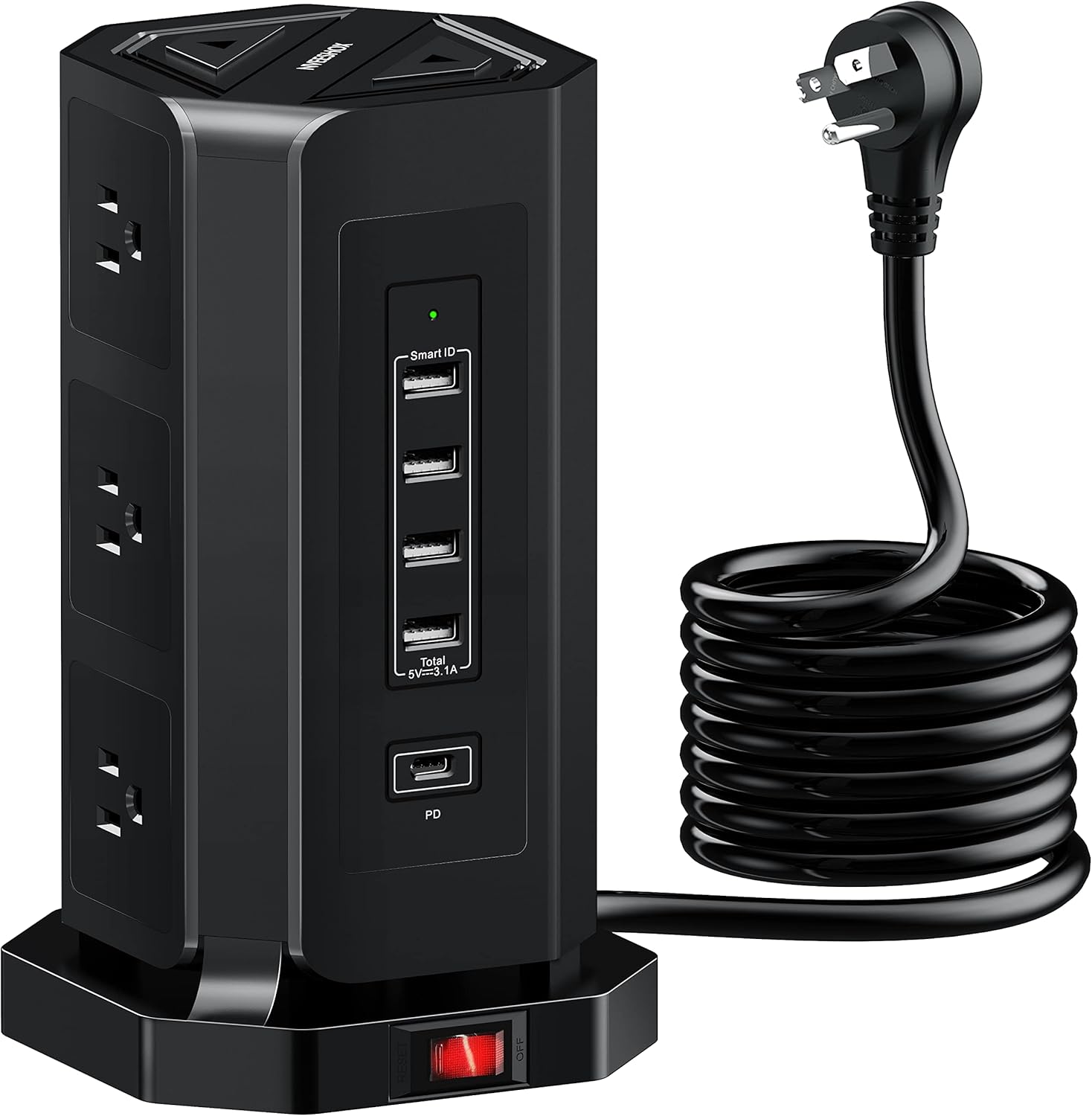
Figure 1: Front view of the NVEESHOX Power Strip Tower, showcasing its compact design and multiple outlets.
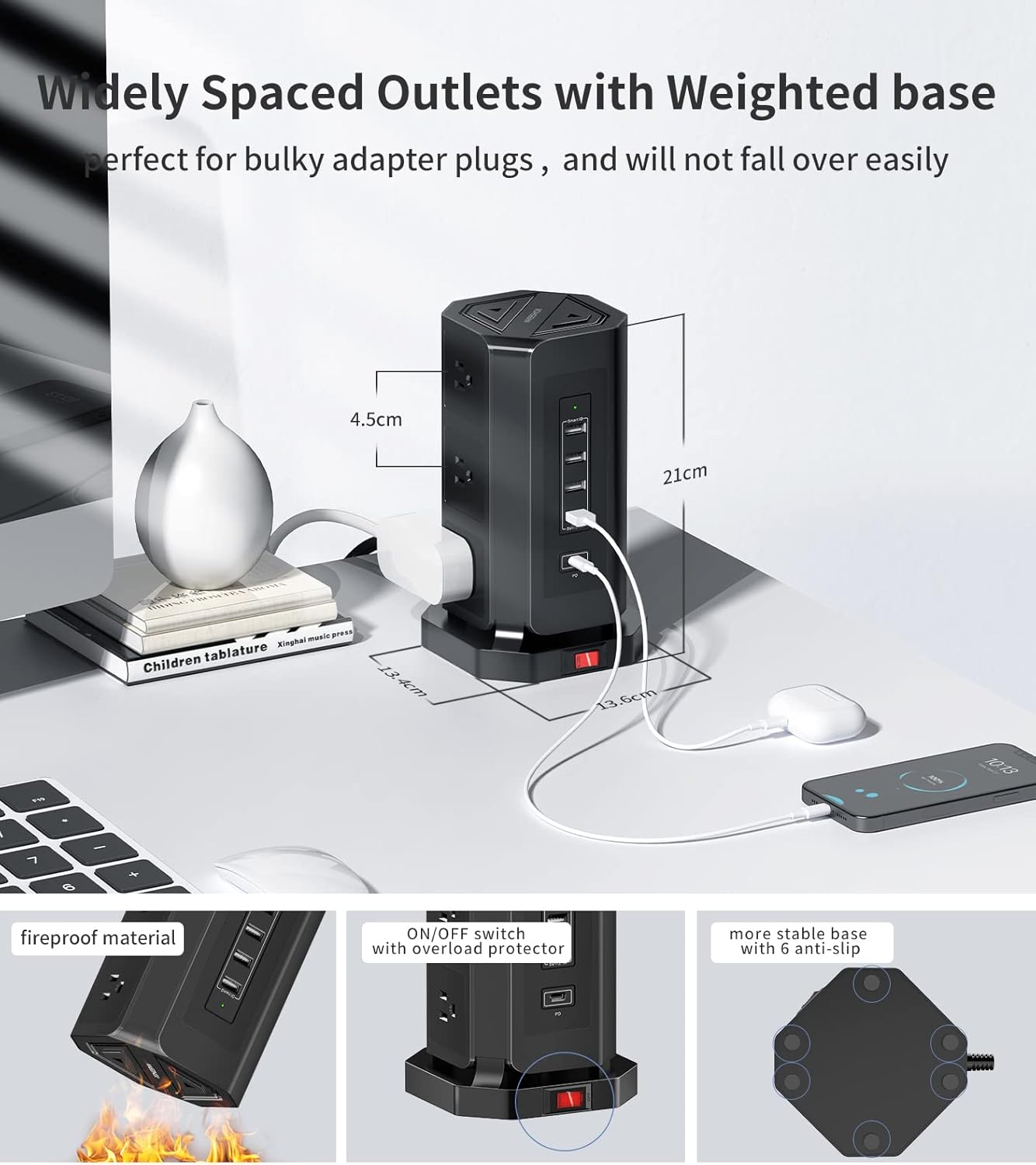
Figure 2: Detailed view highlighting the widely spaced outlets, dimensions, fireproof material, ON/OFF switch with overload protector, and stable anti-slip base.

Figure 3: Diagram illustrating the various safety features, including surge protection, overcharge protection, overcurrent protection, overheat protection, overvoltage protection, and overload protection.
2. Setup
Follow these steps for initial setup of your NVEESHOX Power Strip Tower:
- Unpack: Carefully remove the power strip tower from its packaging.
- Placement: Place the tower on a stable, flat surface in a location where it will not be easily knocked over and where the 10 FT extension cord can reach a wall outlet without strain.
- Connect to Power: Plug the 45° right-angled flat plug into a standard 125V wall outlet. The flat design ensures it does not block adjacent outlets.
- Power On: Press the master ON/OFF switch located on the top of the tower to activate the power outlets and USB ports.

Figure 4: The 45-degree right-angled flat plug designed to fit snugly against the wall and avoid blocking other outlets.
3. Operating Instructions
The NVEESHOX Power Strip Tower is designed for ease of use:
- AC Outlets: Plug your devices into any of the 9 widely-spaced AC outlets. The wide spacing accommodates bulky power adapters without blocking adjacent outlets.
- USB Charging: Connect your USB-powered devices (smartphones, tablets, etc.) to the USB-A or USB-C ports. The Smart IC technology will automatically detect your device and deliver optimal charging current.
- Master Switch: Use the master ON/OFF switch on the top of the tower to conveniently power on or off all connected devices simultaneously. This helps conserve energy when devices are not in use.

Figure 5: The USB-C charging port provides faster charging for compatible devices, as shown with example charging times.
4. Maintenance
To ensure the longevity and safe operation of your power strip tower:
- Cleaning: Disconnect the power strip from the wall outlet before cleaning. Use a dry, soft cloth to wipe the exterior. Do not use liquid cleaners or aerosols.
- Storage: When not in use for extended periods, store the power strip in a cool, dry place away from direct sunlight and moisture.
- Avoid Overloading: Do not exceed the maximum power rating of the power strip. Overloading can trigger the overload protection and potentially damage the unit or connected devices.
- Inspect Regularly: Periodically check the power cord and the unit for any signs of damage, such as frayed wires or cracks. If damage is found, discontinue use immediately.
5. Troubleshooting
If you encounter issues with your NVEESHOX Power Strip Tower, refer to the following common problems and solutions:
- No Power to Devices:
- Ensure the power strip's master ON/OFF switch is pressed to the 'ON' position.
- Check if the power strip is securely plugged into a functioning wall outlet.
- The overload protector may have tripped. Press the reset button (often integrated with the ON/OFF switch or a separate small button) to restore power.
- Device Not Charging via USB:
- Verify that the USB cable is properly connected to both the device and the power strip.
- Try a different USB port or a different USB cable to rule out cable or port issues.
- Ensure the device itself is functioning correctly and not fully charged.
- Overload Protection Tripping Frequently:
- You may be exceeding the power strip's maximum load capacity. Disconnect some devices to reduce the load.
- Refer to the specifications section for the maximum wattage/amperage.
If problems persist after attempting these solutions, please contact NVEESHOX customer support.
6. Specifications
| Feature | Detail |
|---|---|
| Product Dimensions | 9.06 x 5.91 x 5.91 inches |
| Item Weight | 2.23 pounds |
| ASIN | B0B1TYQFXH |
| Brand | NVEESHOX |
| Color | All Black+10 FT |
| Total Power Outlets | 9 AC Outlets |
| USB Ports | 4 USB-A, 1 USB-C (PD 18W) |
| Extension Cord Length | 9.8 FT |
| Voltage | 125 Volts |
| Special Features | Surge Protection, USB Slot, Overload Protection |
7. Warranty & Support
For warranty information, technical support, or any inquiries regarding your NVEESHOX Power Strip Tower, please contact the manufacturer directly. Keep your purchase receipt as proof of purchase for warranty claims.
Additional protection plans may be available for purchase separately to extend coverage beyond the standard manufacturer's warranty. Please refer to your retailer for details on available protection plans.
Related Documents - B0B1TYQFXH
 |
Eaton TLM825USB 8-Outlet Industrial Safety Surge Protector with 2 USB-A Ports Discover the Eaton TLM825USB, an industrial-grade 8-outlet surge protector featuring 2 USB-A charging ports, 25 ft. cord, 1960 joules of protection, and durable metal housing. Ideal for harsh environments, it offers advanced surge suppression, EMI/RFI filtering, and safety features. View detailed specifications, compliance, and warranty information. |
 |
IKEA HAGSTA 3-Way Power Strip with 2 USB-A Outlets User Manual User manual and technical specifications for the IKEA HAGSTA 3-way power strip with 2 USB-A outlets (Model E2305-CN3W2U). Includes safety warnings, usage instructions, care, and technical data. |
 |
Gembird SPG5-U2-5-02 Power Strip with USB Charger - User Manual User manual for the Gembird SPG5-U2-5-02 power strip featuring 5 German Schuko sockets and dual USB charging ports. Includes specifications, safety guidelines, and waste disposal information. |
 |
CILIA E12 European Power Strip User Manual and Safety Instructions Comprehensive guide for the CILIA E12 European Power Strip, detailing technical specifications, usage instructions, safety precautions, and maintenance guidelines. Covers safe connection, device insertion, overload prevention, and care to ensure optimal performance and user safety. |
 |
PRO-ELEC Surge Protected Extension Lead - Safety and Operation Guide Comprehensive guide for the PRO-ELEC Surge Protected Extension Lead, detailing essential safety precautions, operational instructions, and responsible disposal of electrical equipment. |
 |
ACT AC2455 Power Strip Quick Install Guide Concise guide for the ACT AC2455 Power Strip with On/Off Switch and Flat Plug, detailing quick installation and safety information. |
Ask a question about this manual
Ask about setup, troubleshooting, compatibility, parts, safety, or missing instructions. Manuals+ will review the question and use this page’s manual context to help answer it.