
Product Overview
These ULTRA PARTS OEM replacement TV stand legs are designed to provide a stable and secure base for your television. They are specifically compatible with the Samsung 82" Class 6 Series LED 4K UHD Smart Tizen TV, model UN82TU6950FXZA. The design ensures a better viewing experience by elevating the television to an optimal height.
The stand legs are constructed from high-quality alloy steel for durability and stability. No screws are required for installation, simplifying the setup process.

Image: Front view of the two replacement TV stand legs, showing their general shape and design.
Important Safety Information
- Always ensure the television is securely mounted to the stand legs to prevent tipping.
- Do not place heavy objects on the television or the stand legs, as this can compromise stability and safety.
- Ensure the television is placed on a flat, stable surface that can support its weight.
- Keep children and pets away from the television during installation and ensure the setup is stable before leaving unattended.
Package Contents
Verify that all components are present in the package:
- 2 x TV Stand Legs (Left and Right)
Note: Mounting screws are not required for the installation of these stand legs.
Setup Instructions
Follow these steps to correctly install the TV stand legs:
- Prepare the TV: Carefully place your Samsung UN82TU6950FXZA television face down on a soft, clean, and flat surface to prevent screen damage. Ensure the surface is large enough to support the entire TV.
- Identify Left and Right Legs: The stand legs are typically marked for left (L) and right (R) sides. Identify the correct leg for each side of the TV. Refer to the markings on the legs themselves.
- Align the Legs: Locate the corresponding slots on the back of your television. Align the attachment arm of one stand leg with the slot on the TV.
- Insert and Secure: Gently push the stand leg into the slot until it clicks securely into place. Ensure there is no gap between the leg and the TV. Repeat this process for the other leg.
- Verify Stability: Once both legs are installed, carefully lift the TV and place it upright on your desired surface. Gently test the stability of the TV by lightly pushing on the top corners. The TV should not wobble.
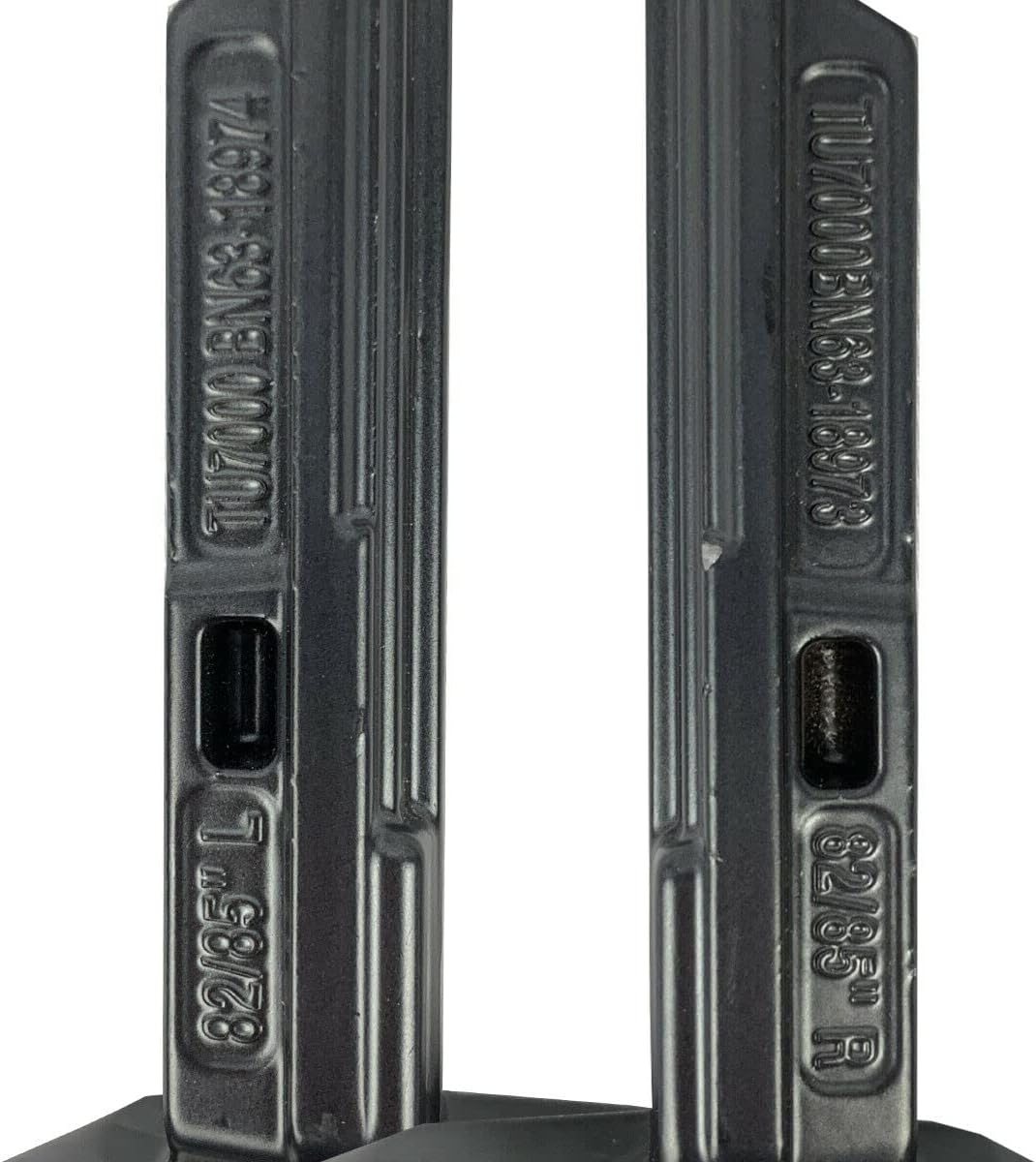
Image: Close-up view of the TV stand leg's attachment point, showing engraved model numbers (TU7000 BN68-18974) and side indicators (82/85" L for Left).

Image: A single TV stand leg viewed from the side, highlighting the rectangular attachment mechanism that slides into the TV's slot.

Image: Side view of two TV stand legs, showing how they are inserted into the television's base, providing a stable support structure.
Important: These legs are designed for specific Samsung TV models. Double-check your TV model number (UN82TU6950FXZA) to ensure compatibility before installation.
Operating Instructions
Once installed, the TV stand legs require no specific operation. Ensure the television is placed on a flat, level, and sturdy surface to maintain stability. Avoid moving the television frequently without proper support to prevent accidental dislodgement of the legs or damage to the TV.
Maintenance
- Cleaning: Wipe the stand legs with a soft, dry cloth to remove dust. For stubborn marks, a slightly damp cloth can be used, followed by immediate drying. Avoid abrasive cleaners or solvents.
- Regular Inspection: Periodically check the connection points between the legs and the TV to ensure they remain secure and free from damage.
- Storage: If removing the legs for storage, keep them in a safe place to prevent bending or damage.
Troubleshooting
- TV is Unstable/Wobbles:
- Ensure both stand legs are fully inserted and clicked into their respective slots on the TV.
- Verify that the TV is placed on a completely flat and level surface.
- Confirm that these stand legs are indeed compatible with your specific TV model (UN82TU6950FXZA). Incompatible legs will not fit correctly or provide adequate support.
- Legs Do Not Fit:
- Double-check your TV model number against the compatible model listed in this manual (UN82TU6950FXZA).
- Ensure you are attempting to insert the correct left (L) and right (R) legs into their designated slots.
- Inspect the TV's slots and the leg's attachment points for any obstructions or damage.
Specifications
| Brand | ULTRA PARTS |
| Compatible TV Model | Samsung 82" Class 6 Series LED 4K UHD Smart Tizen TV (UN82TU6950FXZA) |
| Part Numbers | BN68-18974 / BN68-18973 |
| Color | Black |
| Material | Alloy Steel |
| Number of Pieces | 2 |
| Assembly Required | Yes (No screws required) |
Warranty Information
This product is covered by a 30-day manufacturer's warranty from the date of purchase. This warranty covers defects in materials and workmanship under normal use. It does not cover damage resulting from misuse, accident, modification, or unauthorized repair.
Please retain your proof of purchase for any warranty claims.
Customer Support
If you have any questions regarding the installation, compatibility, or performance of your ULTRA PARTS TV stand legs, please contact our customer service team. We are available to provide professional assistance and ensure your satisfaction.
For support, please refer to the contact information provided by your retailer or visit the ULTRA PARTS Store on Amazon.