
1. Product Overview
The Horoper DX6 is a versatile, USB rechargeable LED flashlight designed for detailed appraisal of jade, jewelry, and other items. It features a double-headed design with six distinct light sources to accommodate various identification needs. Constructed from durable stainless steel and aluminum alloy, it is built for reliability and portability.

Image 1.1: The Horoper DX6 flashlight and its included USB charging cable.
2. Package Contents
- 1 x Horoper DX6 Jade Appraisal Flashlight
- 1 x USB Charging Cable
3. Setup
3.1 Initial Charging
Before first use, fully charge the flashlight. Connect the included USB cable to the flashlight's USB port and to a standard USB power source (e.g., computer, wall adapter). The built-in battery will begin charging. An indicator light may show charging status (refer to device for specific indicator behavior).
3.2 Device Orientation
The DX6 flashlight features a double-headed design. Each end contains different light sources. Familiarize yourself with the location of the power buttons and the USB charging port, typically located on the central body of the flashlight.

Image 3.1: Detail of the flashlight's control panel and USB charging port.
4. Operating Instructions
4.1 Powering On/Off
Press and hold one of the power buttons located on the side of the flashlight to turn it on. Press and hold again to turn it off.
4.2 Changing Light Modes
The DX6 offers six light sources across its double heads: Yellow, White, Red, Violet, and Blue. Some colors have high and low intensity modes.
- Yellow Light: High and Low intensity modes.
- White Light: High and Low intensity modes.
- Red Light: High and Low intensity modes.
- Violet Light: High and Low intensity modes.
- Blue Light: Single mode.
To cycle through the light modes and intensities, short press the power button after turning the flashlight on. Each press will switch to the next available mode or intensity. The flashlight's double heads allow for different light sources to be used for specific appraisal tasks.
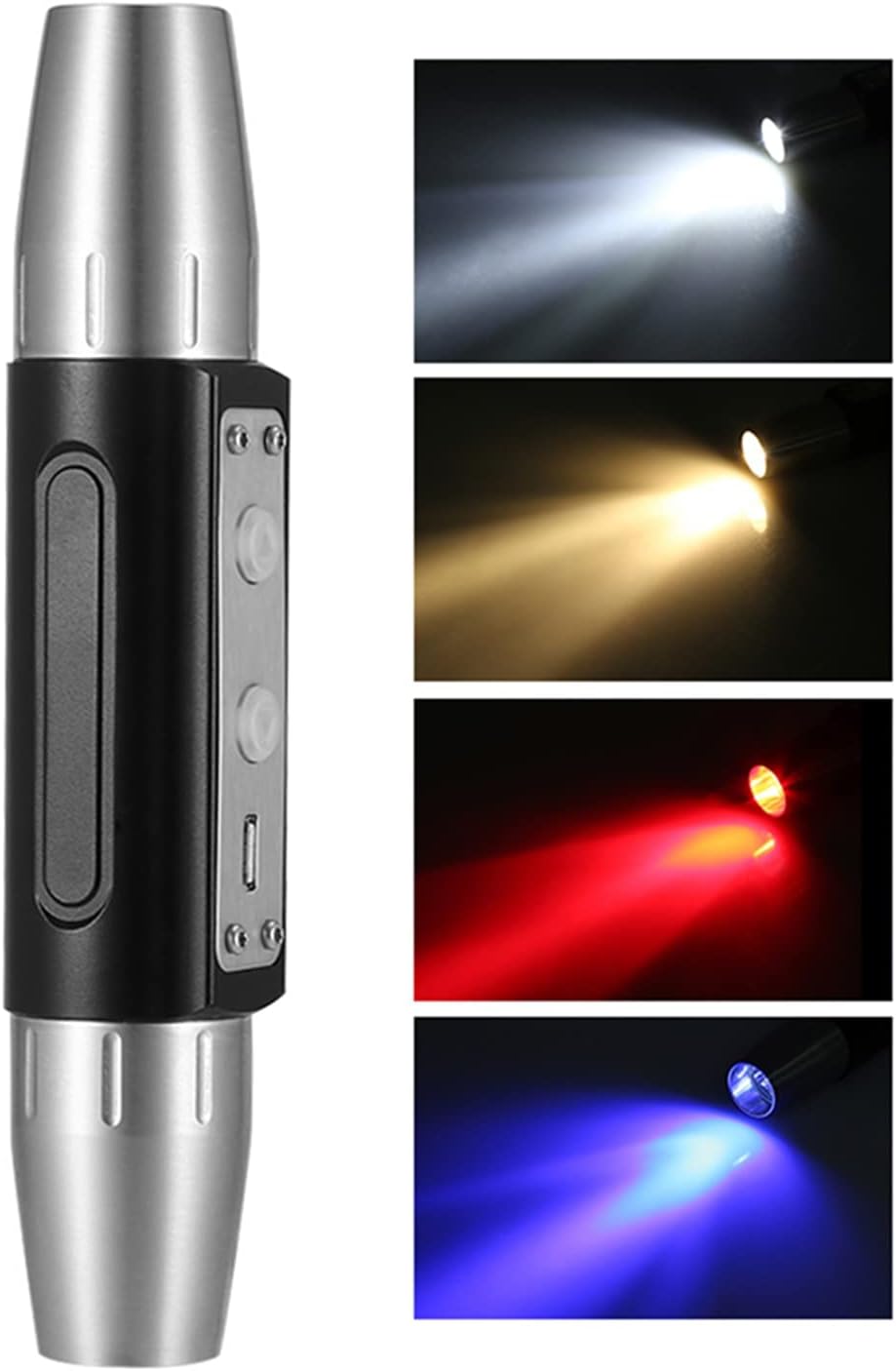
Image 4.1: Examples of the different light colors emitted by the DX6 flashlight.

Image 4.2: The double-headed design allows for versatile illumination during appraisal.

Image 4.3: The red light mode provides specific illumination for certain materials.

Image 4.4: The blue light mode is useful for detecting specific properties in objects.
4.3 Applications
The Horoper DX6 is suitable for:
- Jewelry and jade identification and appraisal.
- Currency checking.
- General outdoor lighting.
- Camping and emergency use.
5. Maintenance
5.1 Cleaning
Wipe the flashlight body with a soft, dry cloth. Avoid using abrasive cleaners or solvents that could damage the finish or internal components.
5.2 Storage
Store the flashlight in a cool, dry place away from direct sunlight and extreme temperatures. If storing for extended periods, ensure the battery is partially charged (around 50%) to prolong its lifespan.
5.3 Battery Care
The built-in battery is designed with a power system to prevent overload and excessive discharge. To maintain battery health, avoid completely draining the battery frequently and recharge it when the light output diminishes.
6. Troubleshooting
6.1 Flashlight Not Turning On
- Ensure the battery is charged. Connect the flashlight to a USB power source and allow it to charge for at least 30 minutes before attempting to turn it on again.
- Verify that the power button is being pressed and held correctly.
6.2 Light Output is Dim or Inconsistent
- The battery may be low. Recharge the flashlight fully.
- Ensure the light heads are clean and free from obstructions.
6.3 Charging Issues
- Try a different USB cable or power adapter to rule out faulty accessories.
- Ensure the USB port on the flashlight is clean and free of debris.
If problems persist, please contact customer support for further assistance.
7. Specifications
| Item Type | Jade Flashlight |
| Material | Stainless Steel + Aluminum Alloy |
| Power | 8W |
| Light Source | 6 LED (Double Heads) |
| Light Colors | Yellow, White, Red, Violet, Blue |
| Modes | Yellow (High - Low), White (High - Low), Red (High - Low), Violet (High - Low), Blue (Single) |
| Battery | Built-in Rechargeable Battery |
| Charging Type | USB Port |
| Size | Approx. 14.7 x 3 x 3 cm (5.8 x 1.2 x 1.2 inches) |
| Weight | Approx. 280g (9.9 oz) |
Note: Product appearance may vary slightly between new and old production models, but functionality remains consistent.

Image 7.1: Visual comparison of new and old model variations of the DX6 flashlight.
8. Warranty Information
Specific warranty details for the Horoper DX6 flashlight are not provided in this manual. For information regarding warranty coverage, terms, and conditions, please refer to the product packaging, the seller's policy, or contact the manufacturer directly.
9. Support
For technical support, product inquiries, or assistance with your Horoper DX6 flashlight, please contact the seller through your purchase platform or visit the official Horoper store page on Amazon: