
1. Introduction
This user manual provides essential information for the safe and efficient operation of your Instarter RGB Ring Light 61W, Model 23127. This device is designed to provide versatile lighting for photography, videography, live streaming, and makeup applications, featuring adjustable brightness, color temperature, and RGB effects. Please read this manual thoroughly before use and retain it for future reference.
1.1 What's in the Box
- 1x Ring Light with Diffuser
- 1x Smartphone and Tablet Holder
- 1x Ball Head
- 1x Carrying Bag
- 1x Power Adapter
- 1x Lamp Tripod
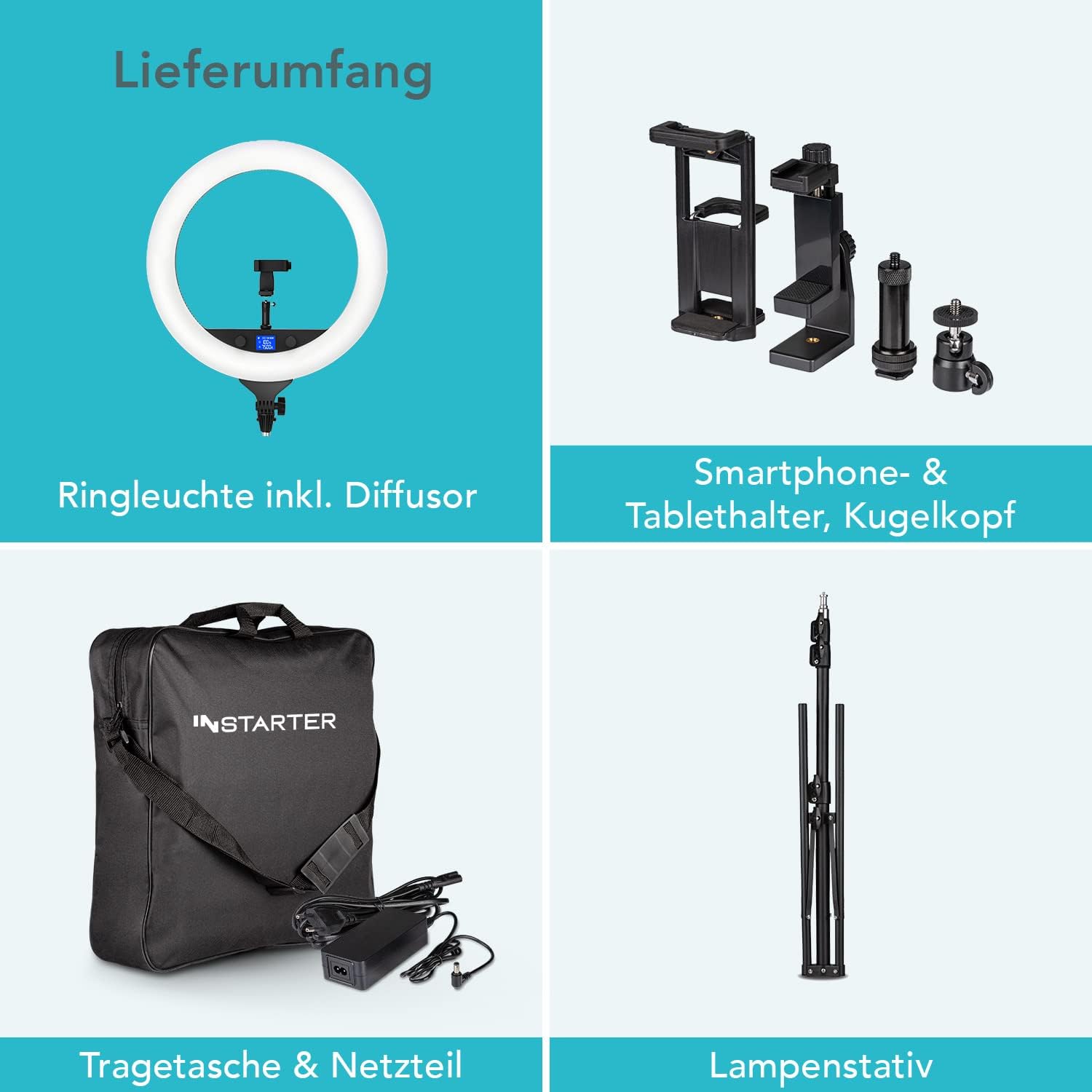
Image: Overview of included components: ring light with diffuser, smartphone/tablet holder, ball head, carrying bag, power adapter, and lamp tripod.
2. Safety Information
- Do not expose the device to water or excessive humidity.
- Use only the provided power adapter.
- Avoid direct eye exposure to the LED light.
- Keep out of reach of children.
- Do not attempt to disassemble or repair the unit yourself. Contact qualified service personnel.
- Ensure the tripod is stable before mounting the ring light and accessories.
3. Setup
- Assemble the Tripod: Extend the tripod legs to a stable position. Adjust the height as needed using the locking mechanisms.
- Attach the Ring Light: Mount the ring light onto the top of the tripod. Secure it firmly.
- Install Ball Head and Holders: Attach the ball head to the ring light's mounting point. Then, attach the smartphone or tablet holder to the ball head. Adjust the angle and orientation as desired. The ring light also features three cold shoe mounts for additional accessories.
- Connect Power: Plug the power adapter into the ring light's power input and then into a suitable electrical outlet.

Image: The Instarter RGB Ring Light fully assembled on its tripod, ready for use.
4. Operating Instructions
4.1 Power On/Off
Locate the power switch on the ring light and toggle it to the 'ON' position to power on the device. Toggle to 'OFF' to power off.
4.2 Manual Controls
The ring light features two integrated control dials on the front panel for direct adjustments:
- Brightness Control: Rotate the designated dial to adjust the light intensity from 1% to 100%.
- Color Temperature Control: Rotate the other dial to adjust the color temperature from 3200K (warm light) to 7500K (cool light).
The front LCD screen displays real-time parameters for brightness, color temperature, and other settings.

Image: Close-up of the ring light's front panel, highlighting the LCD display and control dials for brightness and color temperature.
4.3 App Control (Instarter Spectar LED)
For advanced control and features, download the
Ask a question about this manual
Ask about setup, troubleshooting, compatibility, parts, safety, or missing instructions. Manuals+ will review the question and use this page’s manual context to help answer it.