
Introduction
This manual provides essential information for the safe and efficient use of your Samsung Galaxy Z Flip 3 5G SM-F711U smartphone. Please read these instructions carefully before operating your device to ensure optimal performance and longevity. The Samsung Galaxy Z Flip 3 5G features a unique foldable design, advanced camera capabilities, and a convenient cover screen.
What's in the Box
Upon unboxing your Samsung Galaxy Z Flip 3 5G SM-F711U, verify that the following items are included:
- Samsung Galaxy Z Flip 3 5G SM-F711U Device
- USB Cable
Note: As a renewed product, accessories may not be original but are compatible and fully functional. The product may come in a generic box.
Setup
1. Charging the Device
Before initial use, fully charge your device. Connect the provided USB cable to the phone's charging port and to a compatible power adapter (sold separately) or a computer's USB port. The device supports 15W fast charging.

Image: The Samsung Galaxy Z Flip 3 5G SM-F711U in its unique partially folded state, displaying both the main flexible screen and the external cover screen. The device is shown in a lavender color.
2. Inserting a SIM Card
Locate the SIM card tray on the side of the device. Use the SIM ejector tool (if provided, or a small paperclip) to open the tray. Insert your Nano-SIM card into the tray with the gold contacts facing down. Gently push the tray back into the slot until it clicks into place.
3. Powering On and Initial Setup
Press and hold the Power/Side key until the Samsung logo appears. Follow the on-screen prompts to complete the initial setup, including language selection, Wi-Fi connection, Google account setup, and data transfer (if applicable).
Operating Instructions
Folding and Unfolding the Device
The Galaxy Z Flip 3 5G is designed to fold and unfold. To unfold, gently open the device until the main screen is fully extended. To fold, gently close the device until it clicks into its compact form. Avoid applying excessive force when folding or unfolding.
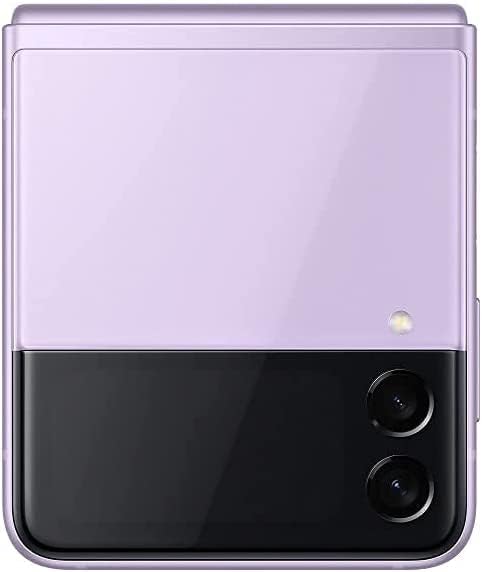
Image: The Samsung Galaxy Z Flip 3 5G SM-F711U in its folded, compact state, viewed from the back. The dual camera module and the cover screen are visible on the upper half.
Flex Mode
Flex Mode allows the device to be partially folded and stand on its own. This is ideal for hands-free video calls, watching content, or taking photos. When partially folded, the content on the main screen adapts, often displaying controls on the bottom half and content on the top half.
Camera Features
The Galaxy Z Flip 3 5G offers various camera functionalities:
- Super Steady: Enhances video stability, limited to 1080p resolution at 30fps.
- Portrait Mode: Creates studio-like portraits with enhanced AI processing, allowing adjustments to background and lighting effects.
- Hyper-Lapse and Auto Framing: Features designed to simplify capturing dynamic shots and keeping subjects in frame.
- Hands-Free Photography: Utilize Flex Mode to position the phone for self-portraits or group photos without needing a tripod.
Cover Screen Functionality
The external cover screen displays essential information without needing to unfold the phone. You can view notifications, check the time, date, and weather. Some quick actions may also be accessible directly from the cover screen.
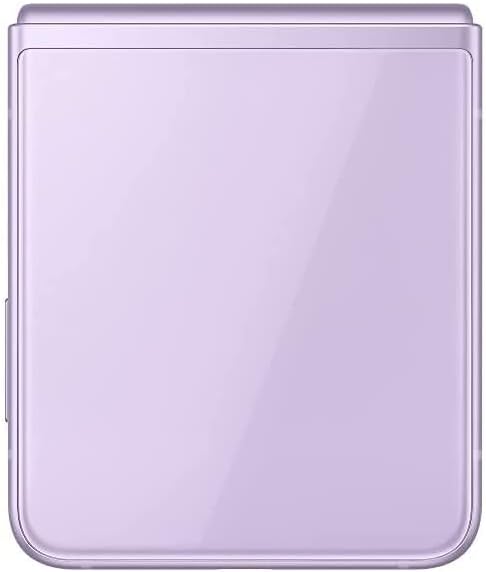
Image: The Samsung Galaxy Z Flip 3 5G SM-F711U in its folded, compact state, viewed from the front. The external cover screen is visible, along with the dual camera lenses.
Multitasking
The device allows you to launch and use up to two applications simultaneously on the main display, enhancing productivity.
Connectivity
The Galaxy Z Flip 3 5G supports 5G network connectivity for faster data speeds and Wi-Fi for local network access.
Maintenance
- Cleaning: Use a soft, lint-free cloth to clean the device. Avoid harsh chemicals or abrasive materials.
- Software Updates: Regularly check for and install software updates to ensure optimal performance, security, and access to new features.
- Battery Care: To prolong battery life, avoid extreme temperatures and do not leave the device fully charged or fully discharged for extended periods.
- Screen Protection: The flexible display requires careful handling. Avoid pressing hard on the screen with sharp objects. Keep the device free from dust and debris when folded.
- Water Resistance: The device is water-resistant. However, it is not waterproof. Avoid submerging it in water or exposing it to high-pressure water jets.
Troubleshooting
If you encounter issues with your device, consider the following steps:
- Restart Device: A simple restart can resolve many minor software glitches.
- Check for Updates: Ensure your device's software is up to date.
- Clear Cache: Clearing the cache of problematic apps can often resolve performance issues.
- Factory Reset: As a last resort, you may perform a factory reset. Back up all important data before proceeding, as this will erase all data on the device.
- Contact Support: If issues persist, refer to the support section for further assistance.
Specifications
Key technical specifications for the Samsung Galaxy Z Flip 3 5G SM-F711U:
| Feature | Detail |
|---|---|
| Model Number | SM-F711U |
| Dimensions (Unfolded) | 2.95 x 6.54 x 0.27 inches (Width x Height x Thickness) |
| Dimensions (Folded) | 2.95 x 3.40 x 0.63 inches (Width x Height x Thickness) |
| Main Display | 6.7" Dynamic AMOLED 2X Infinity Flex Display, Adaptive 120Hz |
| Cover Display | 1.9" Super AMOLED |
| RAM | 8 GB |
| Operating System | Android |
| Battery Capacity | 3300 mAh (typical) |
| Connectivity | 5G, Wi-Fi |
| Camera Features | Front, Rear (Dual) |
| Form Factor | Flip |
| Color | Lavender |

Image: A technical diagram illustrating the dimensions of the Samsung Galaxy Z Flip 3 5G SM-F711U, both folded and unfolded, with measurements in millimeters for the main screen, cover screen, and device thickness.
Warranty Information
This product is a renewed device. Warranty coverage is typically provided by the Amazon-qualified supplier who inspected, tested, and cleaned the product. Please refer to your purchase documentation or contact the seller directly for specific warranty terms and conditions. Samsung's original manufacturer warranty may not apply to renewed products.
Support
For technical assistance, troubleshooting, or warranty claims related to your renewed Samsung Galaxy Z Flip 3 5G SM-F711U, please contact the Amazon-qualified supplier from whom you purchased the device. You may also visit the official Samsung support website for general product information and software updates, though specific support for renewed devices should first be directed to your seller.