
1. Product Overview
The TealKoo 5-in-1 HDMI Switch allows you to connect up to five HDMI source devices to a single HDMI display. This device supports high-resolution video and audio formats, providing a convenient solution for managing multiple media inputs.

Image: The TealKoo 5-in-1 HDMI Switch unit and its accompanying remote control.
Key Features:
- 5-in-1 HDMI Connectivity: Connects up to five HDMI source devices to one HDMI display, eliminating the need for frequent cable swapping.
- High Resolution Support: Supports 4K@30Hz and 1920×1080@60Hz resolutions, including HDR, Dolby, Dolby Atmos, and UHD video for a premium viewing experience.
- Fast and Stable Transmission: Offers 16 Gbit/s bandwidth with gold-plated connectors for optimal signal transfer without lag or quality loss.
- Plug and Play Operation: No external drivers required. Features automatic input detection with priority (Input 1 > Input 2 > Input 3 > Input 4 > Input 5).
- Wide Compatibility: Compatible with various HDMI devices such as PCs, Xbox consoles, PlayStation consoles, Blu-ray players, streaming devices, and outputs to HD TVs, monitors, and projectors.
- Multiple Switching Methods: Switch inputs using the manual button on the device or the included IR remote control.
2. Package Contents
Please verify that all items are present in your package:
- TealKoo 5-in-1 HDMI Switch Unit
- IR Remote Control
- USB Power Cable (DC/5V)
- User Manual (This document)
3. Product Diagram
Familiarize yourself with the ports and indicators on your HDMI switch.

Image: Detailed diagram showing the front and back panels of the HDMI switch with all ports and indicators labeled.
Front Panel:
- DC/5V Power Port: Connect the USB power cable here.
- Power Indicator: Illuminates when the device is powered on.
- Switch Button: Press to manually cycle through HDMI inputs.
- Input Indicators (1-5): LEDs that show which HDMI input is currently active.
- IR Receiver: Receives signals from the remote control.
Back Panel:
- HDMI Inputs (IN 1 - IN 5): Connect your source devices (e.g., game console, Blu-ray player).
- HDMI Output (OUTPUT): Connect to your display device (e.g., TV, monitor, projector).
4. Setup Instructions
4.1 Connecting Your Devices
- Connect your HDMI display (TV, monitor, projector) to the OUTPUT port on the HDMI switch using an HDMI cable.
- Connect your HDMI source devices (e.g., PC, Xbox, PS4/PS5, Blu-ray player) to the IN 1 through IN 5 ports on the HDMI switch using HDMI cables.

Image: Visual guide for connecting up to five input devices to the HDMI switch and one output device (TV).
4.2 Powering the Switch
For optimal performance and stability, especially with high-bandwidth devices or longer HDMI cables, it is recommended to power the switch using the provided USB power cable.
- Connect the small end of the USB power cable to the DC/5V Power Port on the HDMI switch.
- Connect the other end of the USB power cable to a 5V USB power adapter (not included) or a USB port on your TV/PC.
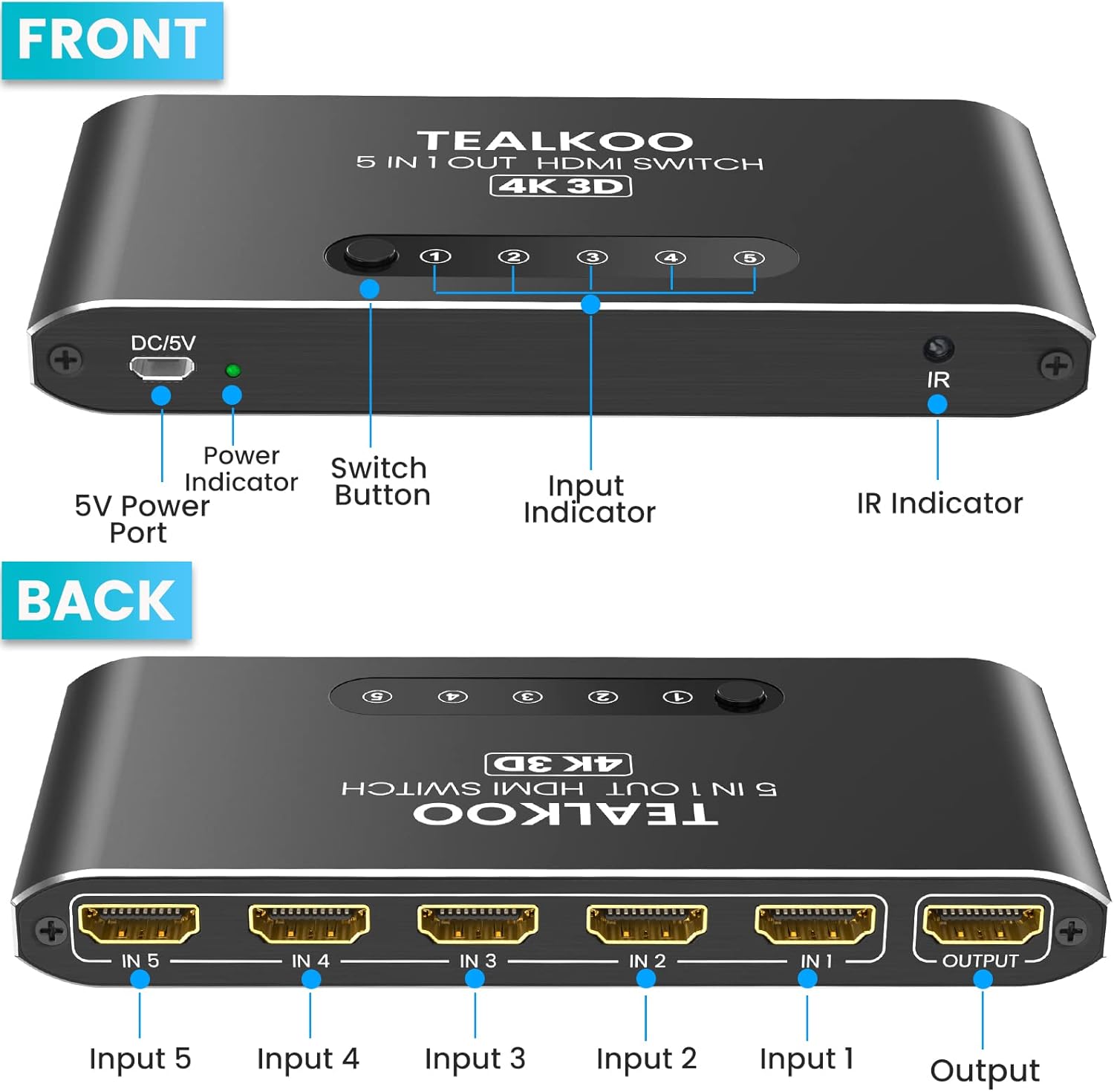
Image: Illustrates connecting the USB power cable to the DC/5V port on the HDMI switch.
5. Operating Instructions
5.1 Switching Inputs
You have three methods to switch between your connected HDMI devices:

Image: Depicts the two primary methods for switching inputs: manual button and remote control.
- Manual Button: Press the Switch Button on the front panel of the HDMI switch to cycle through the inputs (IN 1 to IN 5). The corresponding LED indicator will light up.
- Remote Control: Use the included IR remote control. Point the remote towards the IR receiver on the switch.
- Press the numbered buttons (1-5) to directly select an input.
- Press the AUTO button to enable automatic switching or cycle through inputs.
- Press the ON/OFF button to power the switch on or off.
- Automatic Switching: The switch can automatically detect and switch to an active HDMI source. If multiple sources are active, it will prioritize inputs in the order: Input 1 > Input 2 > Input 3 > Input 4 > Input 5.
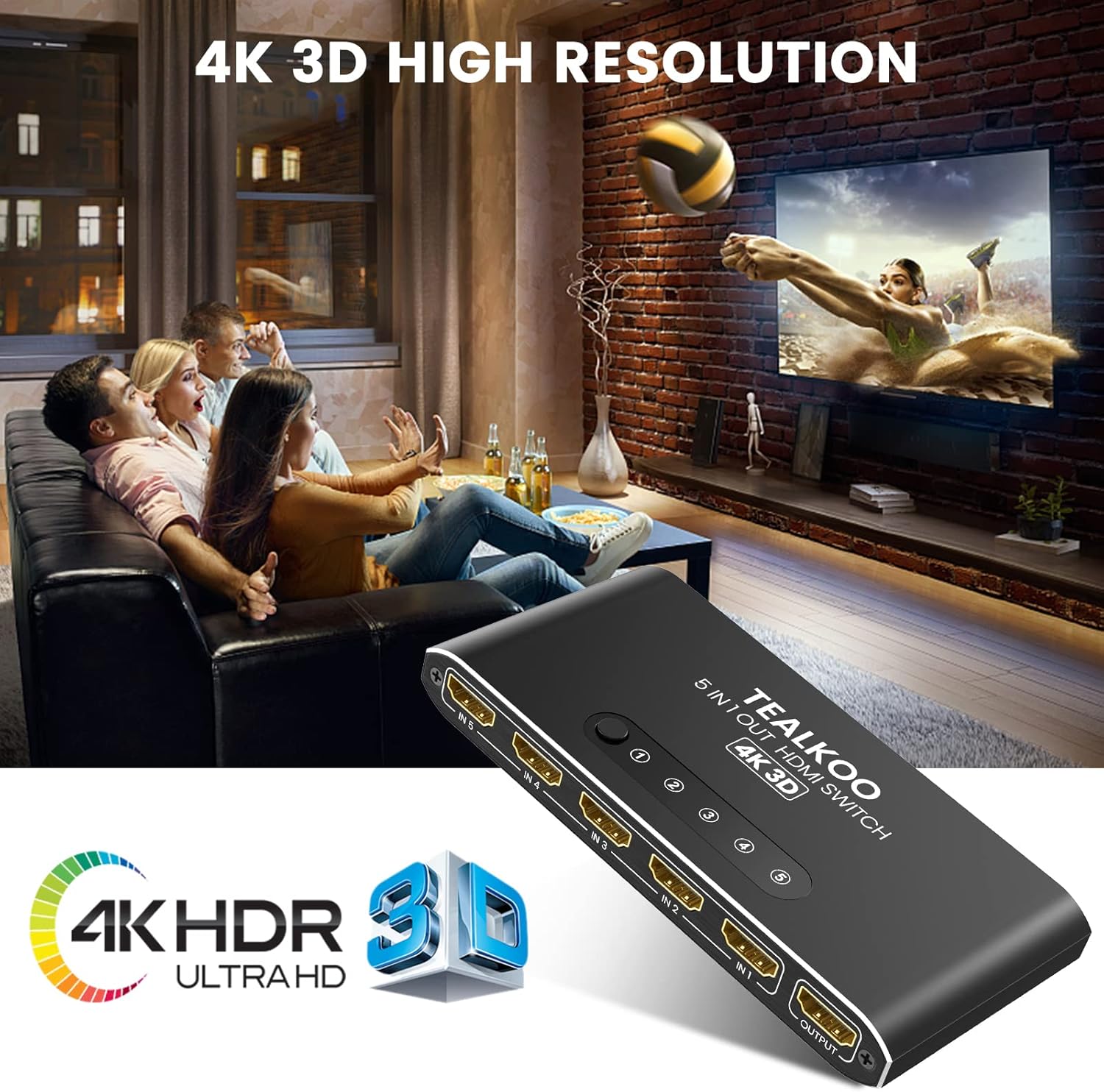
Image: Demonstrates the high-resolution 4K 3D output capability of the switch.
6. Compatibility
The TealKoo HDMI Switch is designed for broad compatibility with a wide range of HDMI-enabled devices.
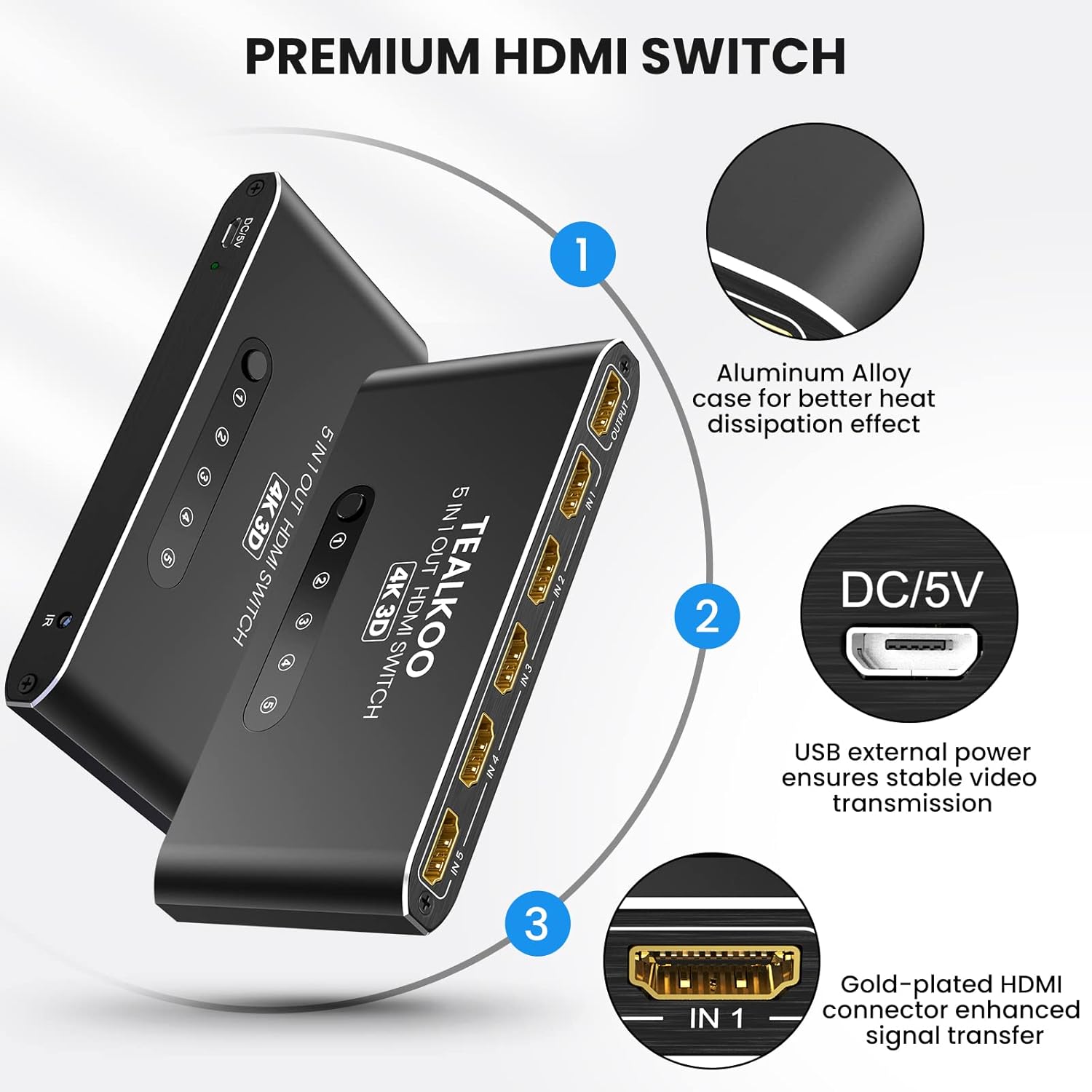
Image: Shows examples of compatible input devices (Laptops, PCs, PS5/PS4/PS3, Streaming Devices, Xbox One, Nintendo Switch, DVD Players) and output devices (HD TV, Monitor, Projector).
Compatible Input Devices:
- PCs, Laptops
- Gaming Consoles (Xbox 360, Xbox One, PS3, PS4, PS5, Nintendo Switch)
- Blu-ray/DVD Players
- Streaming Devices (Roku Stick, Chromecast, Apple TV, Fire TV Stick)
- Other HDMI-enabled devices
Compatible Output Devices:
- HD Televisions
- Monitors
- Projectors
The switch is HDCP compatible and supports audio formats including LPCM7.1, DTS7.1 DSD, Dolby TrueHD, and DTS-HD.
7. Maintenance
To ensure the longevity and optimal performance of your HDMI switch, follow these maintenance guidelines:
- Cleaning: Gently wipe the device with a soft, dry cloth. Do not use liquid cleaners or abrasive materials.
- Storage: Store the switch in a cool, dry place away from direct sunlight and extreme temperatures.
- Handling: Avoid dropping the device or subjecting it to strong impacts.
- Cable Management: Ensure HDMI cables are not excessively bent or strained, as this can damage the cables or ports.
8. Troubleshooting
If you encounter issues with your HDMI switch, please refer to the following table for common problems and solutions.
| Problem | Possible Cause | Solution |
|---|---|---|
| No signal or black screen on display. |
|
|
| Remote control not working. |
|
|
| Intermittent signal or flickering. |
|
|
| Automatic switching not working as expected. |
|
|
9. Specifications
Detailed technical specifications for the TealKoo 5-in-1 HDMI Switch.
| Brand | TealKoo |
| Model | 5-in-1 HDMI Switch |
| Color | Silver |
| Connections | HDMI |
| Special Features | 4K, HD, 3D, HDR |
| Compatible Devices | DVD Player, PC, Projector, Xbox, PS3/PS4/PS5, Streaming Devices, Nintendo Switch |
| Battery Composition (Remote) | Lithium-polymer |
| Connector Type | HDMI |
| Cable Type | HDMI |
| Number of Ports | 5 Inputs, 1 Output |
| Resolution Support | 4K@30Hz, 1920x1080@60Hz |
| Bandwidth | 16 Gbit/s |
| Audio Support | LPCM7.1, DTS7.1 DSD, Dolby TrueHD, DTS-HD |
| HDCP Compatible | Yes |
10. Warranty and Support
This product is covered by a warranty that includes a return and exchange service for quality issues within 12 months from the date of purchase.
For further assistance or to claim warranty service, please contact TealKoo customer support through your retailer or the official TealKoo website.