
Introduction
This manual provides essential information for the proper use and care of your NN BEN NEVIS Kids Digital Sport Watch. Designed for children aged 5-12, this watch features a fitness tracker, alarm clock, and stopwatch, all without requiring a smartphone connection or app.

A close-up view of the black and pink NN BEN NEVIS Kids Digital Sport Watch, showcasing its digital display and cat ear design.
Key Features
- Integrated step counting, stopwatch, calories, and mileage tracking.
- No smartphone or app connection required.
- USB rechargeable with powerful battery life (approximately 15 days).
- Silent vibrating alarm for discreet reminders.
- Lightweight, soft, and flexible silicone band.
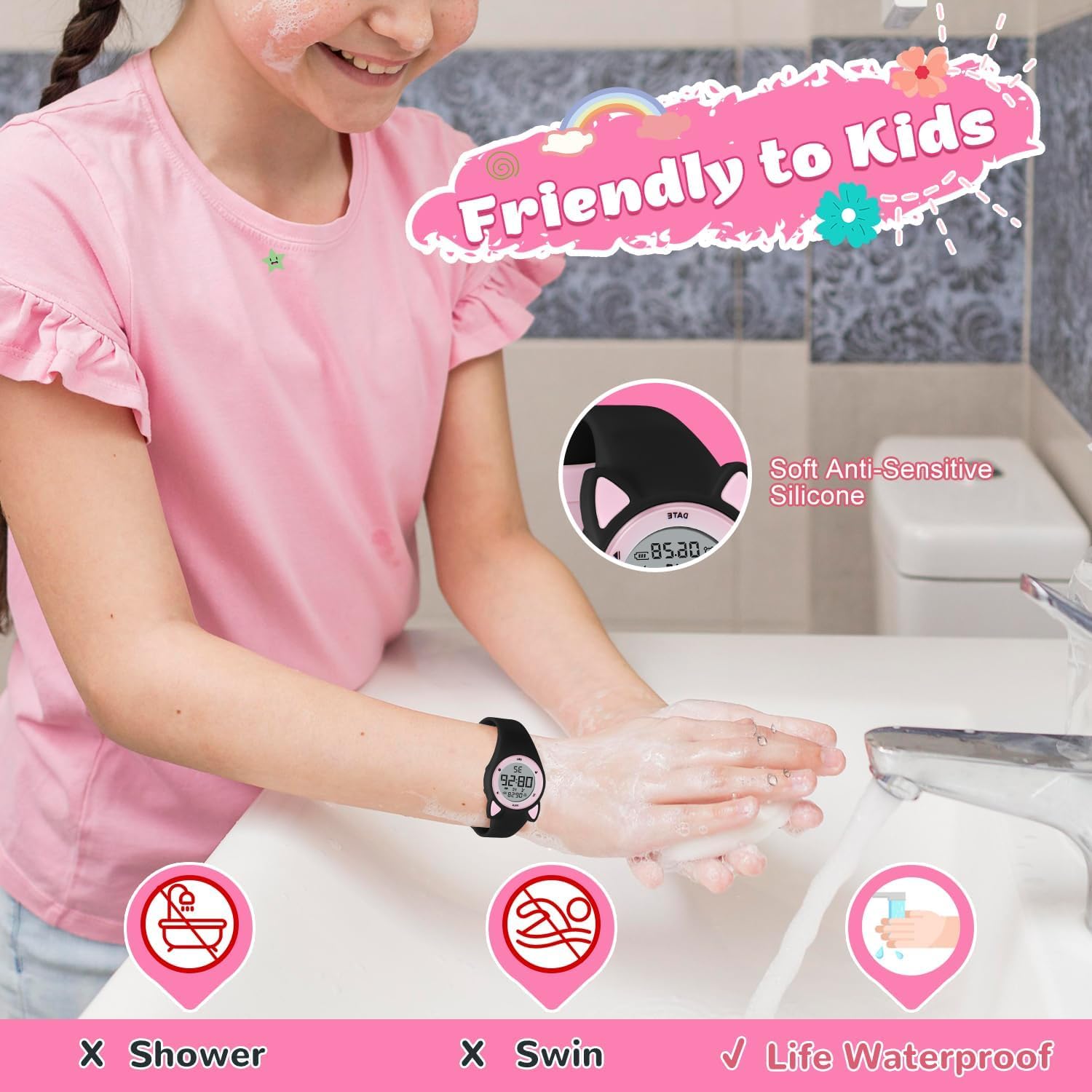
- 5 ATM water-resistant for daily activities like hand washing and rain.

An illustration highlighting the watch's features including date/time, two alarm clocks, bright light display, pedometer, USB charging port, daily waterproof, soft strap, calories, stopwatch timing, and distance tracking.
Setup Guide
Initial Charge
Before first use, fully charge the watch. The watch module can be removed from the wristband for direct USB charging. Simply pull one end of the band to reveal the USB connector.
A demonstration of how to remove the watch module from the band and plug it directly into a USB port for charging.

The watch module detached from its band, showing its integrated USB charging port, being plugged into a wall adapter. This illustrates the direct USB charging method.
Setting Time and Date
Refer to the watch's display for current time and date. Use the side buttons to navigate and set the correct time and date. The light button (often on the side) can illuminate the display for easier viewing.

A detailed view of the watch's digital screen, displaying the current time, date, and battery indicator.
Operating Instructions
Fitness Tracking (Pedometer, Distance, Calories)
The watch automatically tracks steps, calculates distance, and estimates calories burned. Press the appropriate side button (often marked with a running figure) to cycle through these metrics on the display.

An image showing a child wearing the watch while playing tennis, accompanied by graphical representations of steps, distance in meters, and calories burned, indicating the fitness tracking capabilities.
Stopwatch
Activate the stopwatch function by pressing the designated button. Use it to time activities or events accurately.
Silent Vibrating Alarm
Set up to two vibrating alarms to remind children about study time, rest, or other activities without disturbing others. This feature is ideal for school environments or shared spaces.
A child waking up, illustrating the silent vibrating alarm feature for wake-up reminders.
Care and Maintenance
Waterproofing
The watch is 5 ATM water-resistant, suitable for washing hands, facial washing, and rain. Do not wear it while swimming, in hot baths, or in saunas, as this can damage the watch.

An image demonstrating the watch's daily waterproofing for handwashing and rain, explicitly showing it is not suitable for showering or swimming.
Cleaning
Wipe the watch clean with a soft, damp cloth. Avoid harsh chemicals or abrasive materials that could damage the finish or screen.
Troubleshooting
If you encounter any issues with your watch, please refer to the following common solutions:
Watch Not Keeping Accurate Time
If the watch does not keep accurate time, ensure it is fully charged. Re-set the time and date as per the "Setting Time and Date" instructions in the Setup Guide.
Display Not Lighting Up
If the display does not light up, check the battery level and recharge the watch if necessary. Ensure the light button is pressed correctly and firmly.
Charging Issues
If the watch is not charging, ensure the watch module is correctly inserted into a functional USB port. Try a different USB adapter or a different USB port (e.g., on a computer) to rule out issues with the power source.
Product Specifications
| Feature | Detail |
|---|---|
| Brand | NN BEN NEVIS |
| Model Number | 2024 |
| Package Dimensions | 5.94 x 2.72 x 1.38 inches |
| Item Weight | 2.89 ounces |
| Department | unisex-child |
| Clasp Type | Tang Buckle |
| Water Resistance | 5 ATM (suitable for hand washing, facial washing, rain; not for swimming, hot baths, saunas) |
| Battery Life | Approximately 15 days |
| Charging Method | USB direct charge |
Warranty and Support
For any product inquiries, technical support, or warranty claims, please contact NN BEN NEVIS customer service through the retailer where the product was purchased. Please retain your proof of purchase for warranty validation.
Visit the official NN BEN NEVIS Store for more information and product updates:


