
1. Product Overview
The J-Style Smart Watch is a versatile health and fitness tracker designed to monitor various aspects of your well-being. Featuring a 1.78-inch AMOLED display, it offers comprehensive health monitoring capabilities including heart rate, blood oxygen (SpO2), sleep patterns, and 24-hour body temperature. It also supports multiple sports modes and provides smart notifications, making it an ideal companion for an active lifestyle.
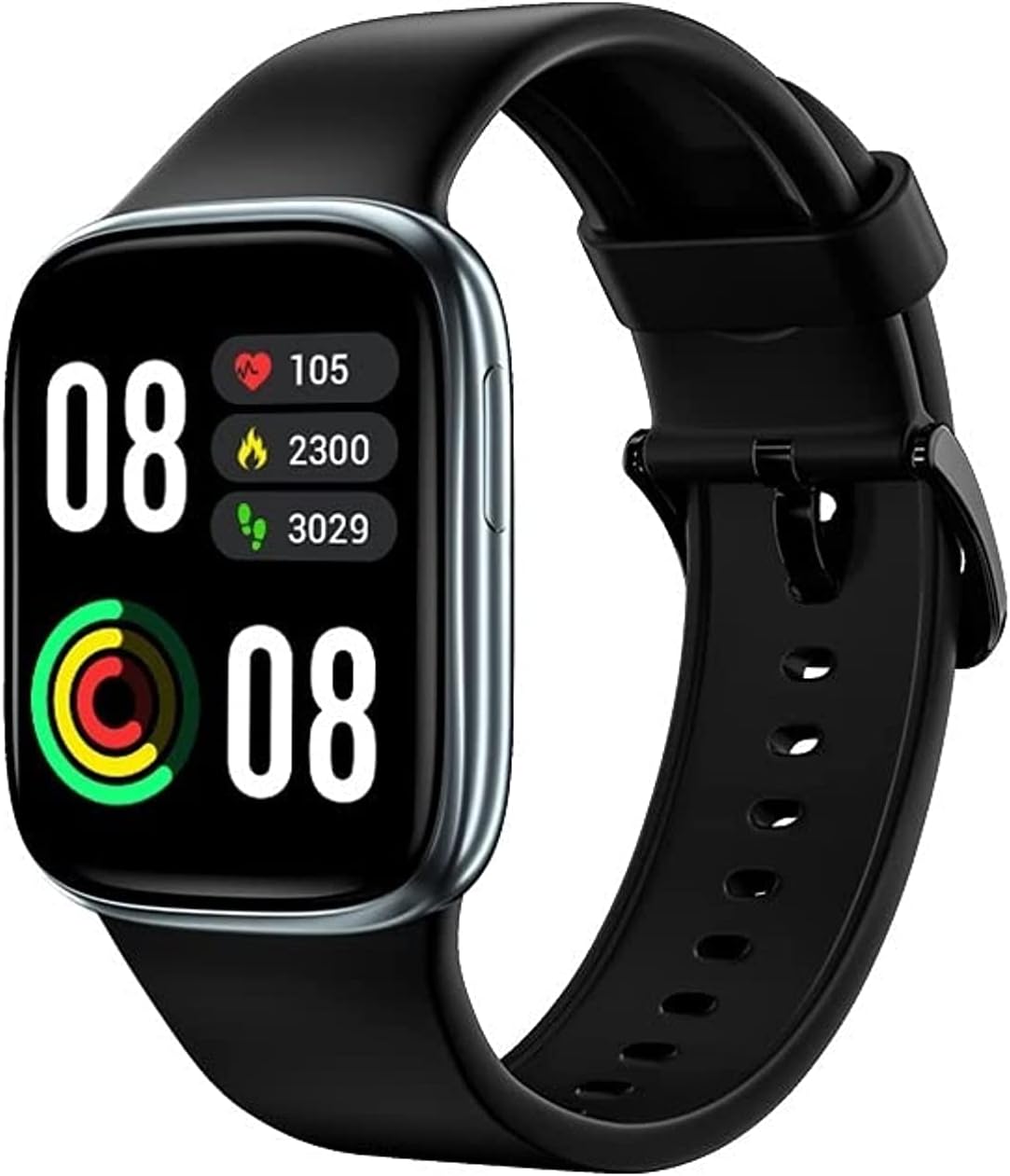
Figure 1.1: Front view of the J-Style Smart Watch, showcasing its display with health data.

Figure 1.2: The J-Style Smart Watch featuring a 1.78-inch AMOLED display and stylish metallic housing.
2. Key Features
- 1.78" AMOLED Large Screen Display: Provides clear and vibrant visuals for all information.
- 24-Hour Heart Rate Monitoring: Continuously tracks heart rate with alerts for abnormal readings.
- Blood Oxygen (SpO2) Monitor: Measures blood oxygen levels, beneficial for high-pressure or low-oxygen environments.
- 24-Hour Body Temperature Monitor: High-accuracy sensor for continuous temperature tracking.
- Sleep Monitor: Tracks sleep patterns without disturbance.
- 18 Sports Modes: Comprehensive activity tracking for various exercises.
- Female Health Tracking: App-based period tracking with advance notifications.
- Smart Notifications: Receives alerts for calls, texts, and social media from connected smartphones.
- 5ATM Waterproof: Suitable for swimming and water activities up to 50 meters.
- Bluetooth 5.0 Connectivity: Ensures stable and low-energy connection with compatible devices.

Figure 2.1: Visual representation of the J-Style Smart Watch's core features.
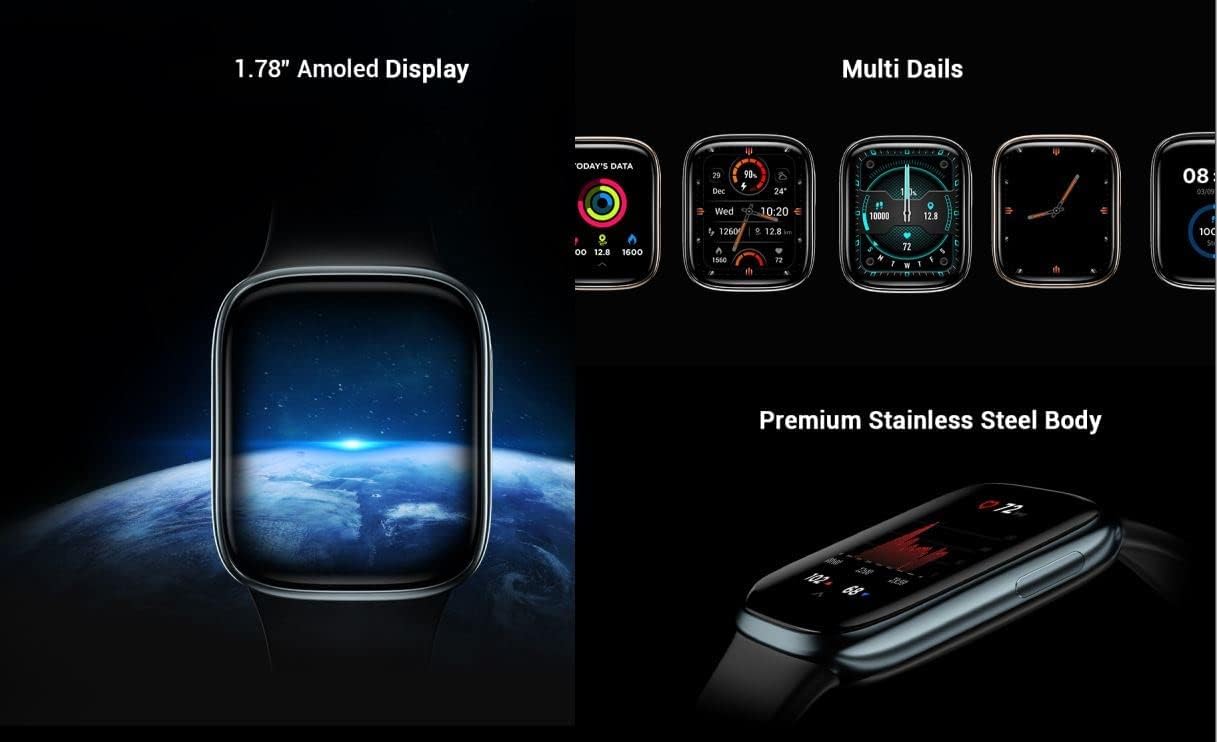
Figure 2.2: The watch's 1.78-inch AMOLED display, customizable watch faces, and premium stainless steel body.
3. Setup Guide
3.1. Unboxing and Initial Charge
Upon opening the package, ensure all components are present: the J-Style Smart Watch, charging cable, and this user manual. Before first use, fully charge the device. Connect the magnetic charging cable to the charging points on the back of the watch and plug the USB end into a compatible power adapter (not included) or a computer USB port. The watch display will indicate charging status.

Figure 3.1: The J-Style Smart Watch packaging.
3.2. App Installation and Pairing
To unlock the full functionality of your J-Style Smart Watch, download the companion application on your smartphone. The watch is compatible with Android 5.1 or above and iOS 9.0 or above. Search for the official J-Style app in your device's app store (Google Play Store for Android, Apple App Store for iOS).
- Download and install the J-Style application.
- Open the app and follow the on-screen instructions to create an account or log in.
- Ensure Bluetooth is enabled on your smartphone.
- In the app, navigate to the device pairing section and select your J-Style Smart Watch from the list of available devices.
- Confirm the pairing request on both your watch and smartphone.
4. Operating Instructions
4.1. Basic Navigation
The J-Style Smart Watch features a touch-sensitive display and a side button for navigation.
- Swipe Up/Down: Scroll through menus and notifications.
- Swipe Left/Right: Access quick functions or different data screens.
- Tap: Select an item or confirm an action.
- Side Button: Press to return to the home screen or wake the display. Long press for power options.
4.2. Health Monitoring Functions
The watch provides continuous and on-demand health data.
- Heart Rate: The watch continuously monitors your heart rate. Access the heart rate interface on the watch to view real-time data and historical graphs in the app. Alerts are provided for abnormal readings.
- Blood Oxygen (SpO2): Navigate to the SpO2 measurement screen on the watch. Remain still during measurement for accurate results.
- Body Temperature: The watch monitors your body temperature continuously. View the current temperature on the home screen or dedicated temperature interface.
- Sleep Monitoring: Wear the watch to bed for automatic sleep tracking. Data on sleep stages and quality can be viewed in the companion app.

Figure 4.1: 24-hour continuous heart rate monitoring and abnormal heart rate alerts.

Figure 4.2: High accuracy SpO2 monitoring feature.

Figure 4.3: Sleep monitoring and 24-hour body temperature monitoring features.
4.3. Sports Modes
The J-Style Smart Watch supports 18 different sports modes. To start an activity, navigate to the Sports section on your watch, select your desired activity (e.g., running, cycling), and tap to begin. The watch will track relevant metrics such as duration, distance, calories burned, and heart rate during your workout.
4.4. Notifications and Connectivity
Once paired with your smartphone, the watch can receive notifications for calls, messages, and social media alerts. Ensure the J-Style app has the necessary permissions on your phone to access notifications.

Figure 4.4: The watch's ability to stay connected and display various app notifications.
Note: The watch can display notifications but cannot be used to answer calls or reply to messages directly.
5. Maintenance
- Cleaning: Regularly clean your watch and strap with a soft, damp cloth. Avoid using harsh chemicals or abrasive materials.
- Charging: Use only the provided charging cable. Ensure the charging contacts are clean and dry before charging.
- Storage: When not in use for extended periods, store the watch in a cool, dry place.
- Water Exposure: While 5ATM waterproof, avoid exposing the watch to hot water, steam, or high-pressure water jets. Dry the watch thoroughly after exposure to water.
6. Troubleshooting
- Watch not turning on: Ensure the watch is fully charged. If it still doesn't turn on, try connecting it to the charger for at least 30 minutes.
- Cannot pair with phone:
- Ensure Bluetooth is enabled on your phone.
- Make sure the watch is within Bluetooth range (typically 10 meters).
- Restart both your phone and the watch.
- Check if the J-Style app is updated to the latest version.
- If previously paired, try unpairing and re-pairing the device.
- Inaccurate health readings:
- Ensure the watch is worn snugly on your wrist, not too tight or too loose.
- Clean the sensor on the back of the watch.
- Remain still during measurements for best accuracy.
- Notifications not appearing:
- Verify that the J-Style app has notification access permissions on your phone.
- Ensure the app is running in the background.
- Check notification settings within the J-Style app.
7. Specifications
| Feature | Detail |
|---|---|
| Model Number | 2166 |
| Display | 1.78" AMOLED |
| Connectivity | Bluetooth 5.0 |
| Operating System | Android (compatible with Android 5.1+ and iOS 9.0+) |
| Water Resistance | 5ATM (up to 50 meters) |
| Health Monitoring | Heart Rate, Blood Oxygen (SpO2), Body Temperature, Sleep |
| Sports Modes | 18+ modes |
| Dimensions | 10 x 7.8 x 5.8 cm (Package) |
| Weight | 140 g (Package) |
| Manufacturer | J-Style |
8. Warranty and Support
For warranty information and customer support, please refer to the documentation included with your purchase or contact the retailer. Keep your proof of purchase for warranty claims.
For further assistance or technical inquiries, please visit the official J-Style website or contact their customer service department.