
1. Introduction
Thank you for choosing the KAYSUDA J11 Stereo Bluetooth 5.0 UV Protection Sunglasses. These smart audio glasses combine stylish eyewear with advanced Bluetooth technology, offering hands-free calling and high-quality stereo music playback. Featuring polarized lenses for UV protection, they are designed for comfort and convenience in various outdoor activities. This manual provides essential information for proper setup, operation, and maintenance of your device.
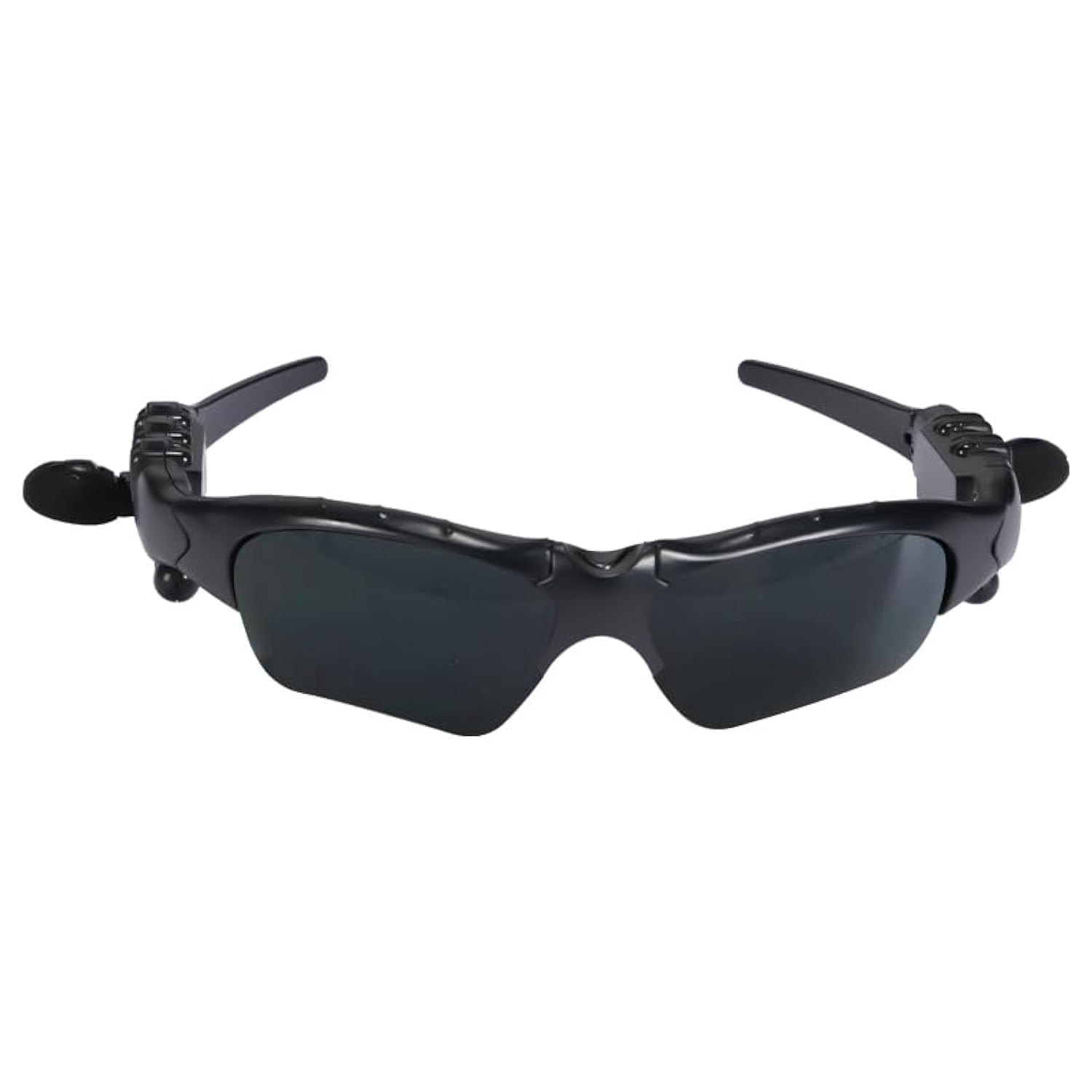
KAYSUDA J11 Stereo Bluetooth Sunglasses, front view.
2. Safety Information
- Do not expose the device to extreme temperatures, direct sunlight for prolonged periods, or high humidity.
- Avoid dropping or subjecting the sunglasses to strong impacts.
- Keep the device away from water and liquids to prevent damage, despite its water resistance level.
- Do not attempt to disassemble, repair, or modify the device yourself. Contact customer support for assistance.
- Use only the provided charging cable and a compatible power adapter.
- Ensure the volume is at a safe level to protect your hearing, especially when using the audio features.
3. Package Contents
Please check the package for the following items:
- KAYSUDA J11 Stereo Bluetooth Sunglasses
- Charging Cable
- Cleaning Cloth
- Additional Lenses (if included in your specific package)
4. Product Overview
Familiarize yourself with the components and controls of your KAYSUDA J11 sunglasses.

Diagram showing the location and function of buttons: Volume Up/Previous Song, Switch/Pause, Volume Down/Next Song, Charging/USB port, Hydraulic Telescopic Rod, and Stereo Earphone.
- Volume Plus / Previous Song Button: Press briefly to increase volume. Press and hold to go to the previous song.
- Switch / Pause Button: Press briefly to play/pause music or answer/end calls. Press and hold to power on/off.
- Volume Down / Next Song Button: Press briefly to decrease volume. Press and hold to go to the next song.
- Charging / USB Port: Connect the charging cable here to charge the device.
- Hydraulic Telescopic Rod: Allows adjustment of the ear speakers for a comfortable fit.
- Stereo Earphone: Delivers audio directly to your ears.
5. Setup
5.1. Charging the Sunglasses
Before first use, fully charge your sunglasses. Connect the provided charging cable to the Charging/USB port on the sunglasses and the other end to a USB power source (e.g., computer, wall adapter). The charging indicator light will show the charging status. A full charge typically takes approximately 2 hours.
5.2. Bluetooth Pairing
To connect your sunglasses to a mobile phone, tablet, or other Bluetooth-enabled device:
- Ensure the sunglasses are powered off.
- Press and hold the Switch / Pause Button until the indicator light flashes blue and red alternately, indicating pairing mode.
- On your mobile device, enable Bluetooth and search for available devices.
- Select "KAYSUDA J11" (or similar name) from the list of found devices.
- Once connected, the indicator light on the sunglasses will flash blue slowly or turn off, depending on the model.
- If prompted for a password, enter "0000".
The sunglasses will automatically attempt to reconnect to the last paired device when powered on.

Diagram illustrating Bluetooth 5.0 technology benefits, including long endurance, faster transmission, and compatibility.
6. Operating Instructions
6.1. Power On/Off
- Power On: Press and hold the Switch / Pause Button for approximately 3 seconds until the indicator light flashes blue.
- Power Off: Press and hold the Switch / Pause Button for approximately 3 seconds until the indicator light flashes red and then turns off.
6.2. Music Playback
- Play/Pause: Briefly press the Switch / Pause Button.
- Volume Up: Briefly press the Volume Plus Button.
- Volume Down: Briefly press the Volume Down Button.
- Next Song: Press and hold the Volume Down Button.
- Previous Song: Press and hold the Volume Plus Button.
6.3. Hands-Free Calling
- Answer Call: Briefly press the Switch / Pause Button when an incoming call rings.
- End Call: Briefly press the Switch / Pause Button during a call.
- Reject Call: Press and hold the Switch / Pause Button for 2 seconds when an incoming call rings.
- Redial Last Number: Double-press the Switch / Pause Button when not on a call.
6.4. Adjusting Ear Speakers
The ear speakers are designed with a hydraulic telescopic rod and can rotate 270 degrees. Adjust them to find the most comfortable and effective listening position for your ears.

Close-up view of the 16.2mm moving coil speaker, highlighting its design for clear audio.
6.5. Lens Handling
The lenses are foldable for convenience. When not in use, you can fold the lenses up without needing to remove the entire glasses. If your model includes interchangeable lenses, refer to the specific instructions for lens replacement (not detailed in this general manual).

Images of interchangeable lenses in dark gray and brown, demonstrating customization options.
7. Maintenance
7.1. Cleaning
- Use the provided cleaning cloth to gently wipe the lenses and frame.
- For stubborn smudges, use a lens cleaning solution specifically designed for eyewear.
- Avoid using abrasive materials or harsh chemicals, as they can damage the lenses and frame.
7.2. Storage
- When not in use, store the sunglasses in their protective case to prevent scratches and damage.
- Store in a cool, dry place away from direct sunlight and extreme temperatures.
8. Troubleshooting
If you encounter issues with your KAYSUDA J11 sunglasses, refer to the following common problems and solutions:
- Device will not power on: Ensure the battery is charged. Connect to a power source and try again after a few minutes.
- Cannot pair with Bluetooth device:
- Ensure the sunglasses are in pairing mode (indicator light flashing blue and red).
- Make sure Bluetooth is enabled on your mobile device.
- Move the sunglasses closer to your device (within 10 meters).
- Turn off and on both the sunglasses and your mobile device, then try pairing again.
- No sound or low sound:
- Check the volume level on both the sunglasses and your connected device.
- Ensure the sunglasses are properly connected to your device.
- Adjust the ear speakers for optimal positioning.
- Poor call quality:
- Ensure you are within Bluetooth range of your connected device.
- Check for environmental interference.
- Ensure the microphone is not obstructed.
- Charging issues: Ensure the charging cable is securely connected and the power source is working. Try a different USB port or adapter.
If the problem persists, please contact customer support.
9. Specifications
Key technical specifications for the KAYSUDA J11 Stereo Bluetooth Sunglasses:

Image summarizing product parameters.
| Model Name | J11 |
| Bluetooth Protocol | 5.0 |
| Battery Capacity | 180 mAh (Lithium Polymer) |
| Charging Time | Approximately 2 hours |
| Music Playback Time | 5-8 hours |
| Talk Time | Up to 6 hours |
| Standby Time | 6-10 days |
| Speaker Size | 16.2 mm moving coil |
| Transmission Range | Up to 10 meters (33 feet) |
| Lens Type | Polarized, UV Protection |
| Weight | 0.12 kg |
| Water Resistance Level | Waterproof (general resistance, not for submersion) |
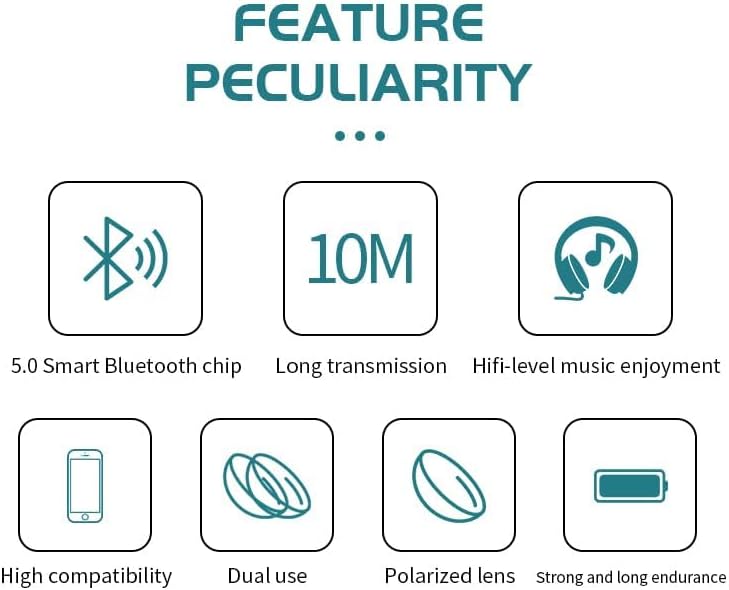
Icons representing key features: Bluetooth 5.0 chip, 10m transmission, Hi-fi music, high compatibility, dual use, polarized lens, strong endurance.
10. Warranty Information
KAYSUDA products come with a limited warranty. Please refer to the warranty card included in your package or contact customer support for detailed information regarding warranty terms and conditions.
11. Customer Support
For any questions, technical assistance, or warranty claims, please contact KAYSUDA customer support through the retailer's platform or the contact information provided with your product. Our support team is available to assist you.