
1. Introduction
The Idletech BC-1100 is a high-speed, business-grade currency counter designed for efficient cash handling. This machine provides accurate bill counting and incorporates multiple detection methods for counterfeit currency. It is suitable for various business environments requiring reliable money processing.
Important Note: The Idletech BC-1100 machine counts the number of notes and can calculate a total value based on a user-selected single denomination. It does not automatically recognize the denomination of mixed notes.

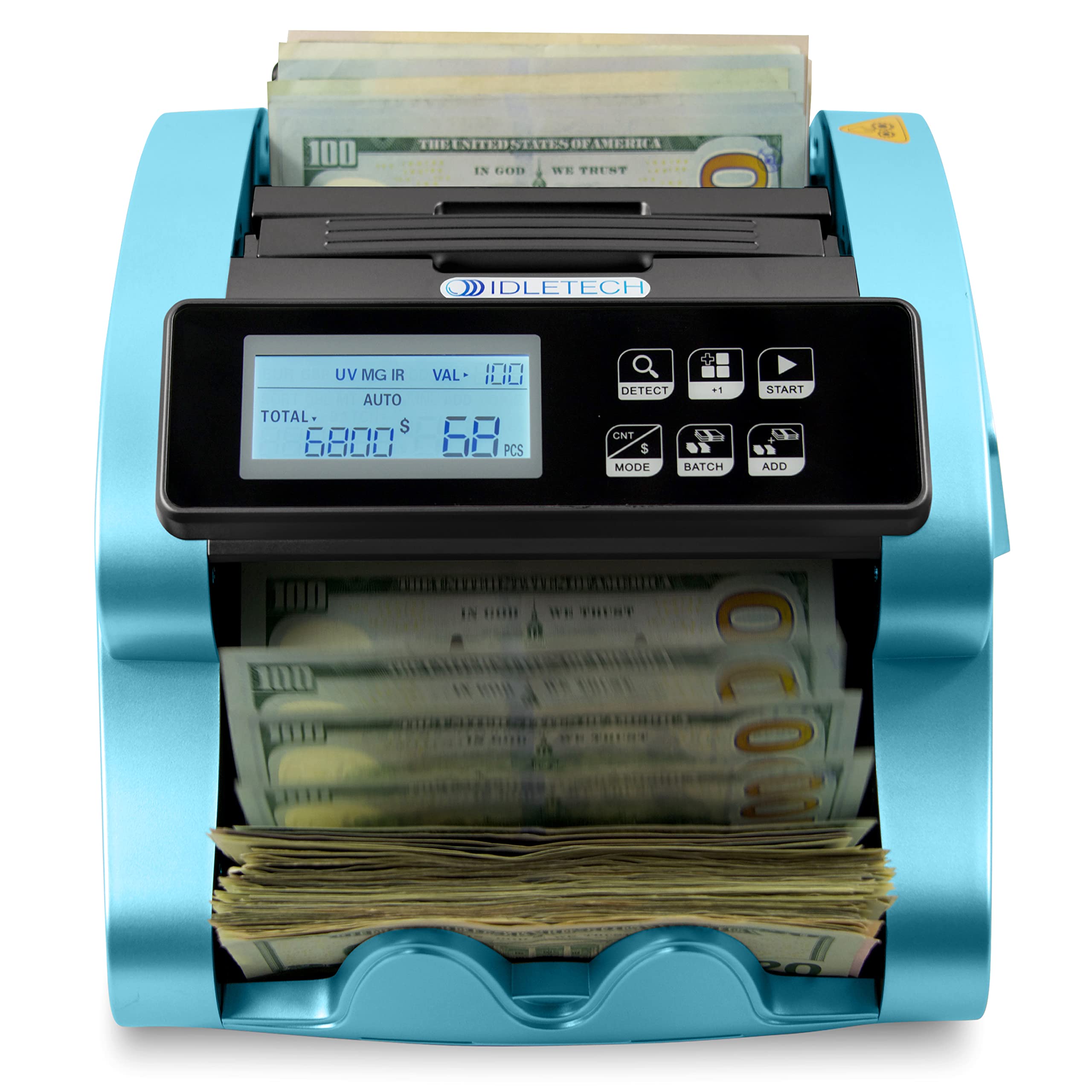
This image shows the Idletech BC-1100 money counter actively processing US dollar bills, demonstrating its function in a typical operational setting.
2. Package Contents
Please verify that all items are present in the package:
- Idletech BC-1100 Money Counter Machine
- Power Cord
- External Display (if included with your model)
- User Manual (this document)
- Cleaning Brush (recommended for maintenance)
3. Product Overview
Familiarize yourself with the components of the Idletech BC-1100 money counter:
This image displays the Idletech BC-1100 money counter with its main parts clearly labeled. These include the hopper for loading bills, the feed gap adjuster, a carrying handle, the touch panel for controls, an LCD screen displaying count information, the stacker for collected bills, and indicators for smooth feeding and static discharge. The display also shows selected denomination, number of counted bills, and total value.
- Hopper: Area where bills are loaded for counting. Capacity: 200 notes.
- Feed Gap Adjuster: Mechanism to adjust the gap for different bill conditions.
- Carrying Handle: For easy transportation of the machine.
- Touch Panel: Control interface for selecting modes and functions.
- LCD Screen: Displays counting results, selected modes, and error messages.
- Stacker: Area where counted bills are collected. Capacity: 200 notes.
- External Display: Provides a secondary view of the counting results.
4. Setup
- Unpacking: Carefully remove the money counter from its packaging. Retain packaging for future transport or storage.
- Placement: Place the machine on a stable, flat, and dry surface, away from direct sunlight or heat sources. Ensure adequate ventilation.
- Power Connection: Connect the power cord to the machine's power input and then plug it into a standard electrical outlet.
- Power On: Press the power switch, usually located on the rear or side of the machine. The LCD screen should illuminate.
- External Display (Optional): If your model includes an external display, connect it to the designated port on the machine.
5. Operating Modes
The BC-1100 offers several operating modes to suit different counting needs. Use the buttons on the touch panel to select your desired mode.

This image shows a user loading bills into the hopper of the Idletech BC-1100, illustrating the initial step for advanced money handling operations.
5.1. COUNT Mode
This is the standard mode for counting the number of banknotes, checks, or tickets. The machine will display the total quantity of items counted.
- Press the COUNT button.
- Place the bills neatly into the hopper.
- The machine will automatically start counting. The total count will be displayed on the LCD screen.
5.2. VALUE Mode (Single Denomination Calculation)
In VALUE mode, you select a single denomination, and the machine calculates the total monetary value by multiplying the number of counted bills by the chosen denomination. The machine does not automatically identify mixed denominations.
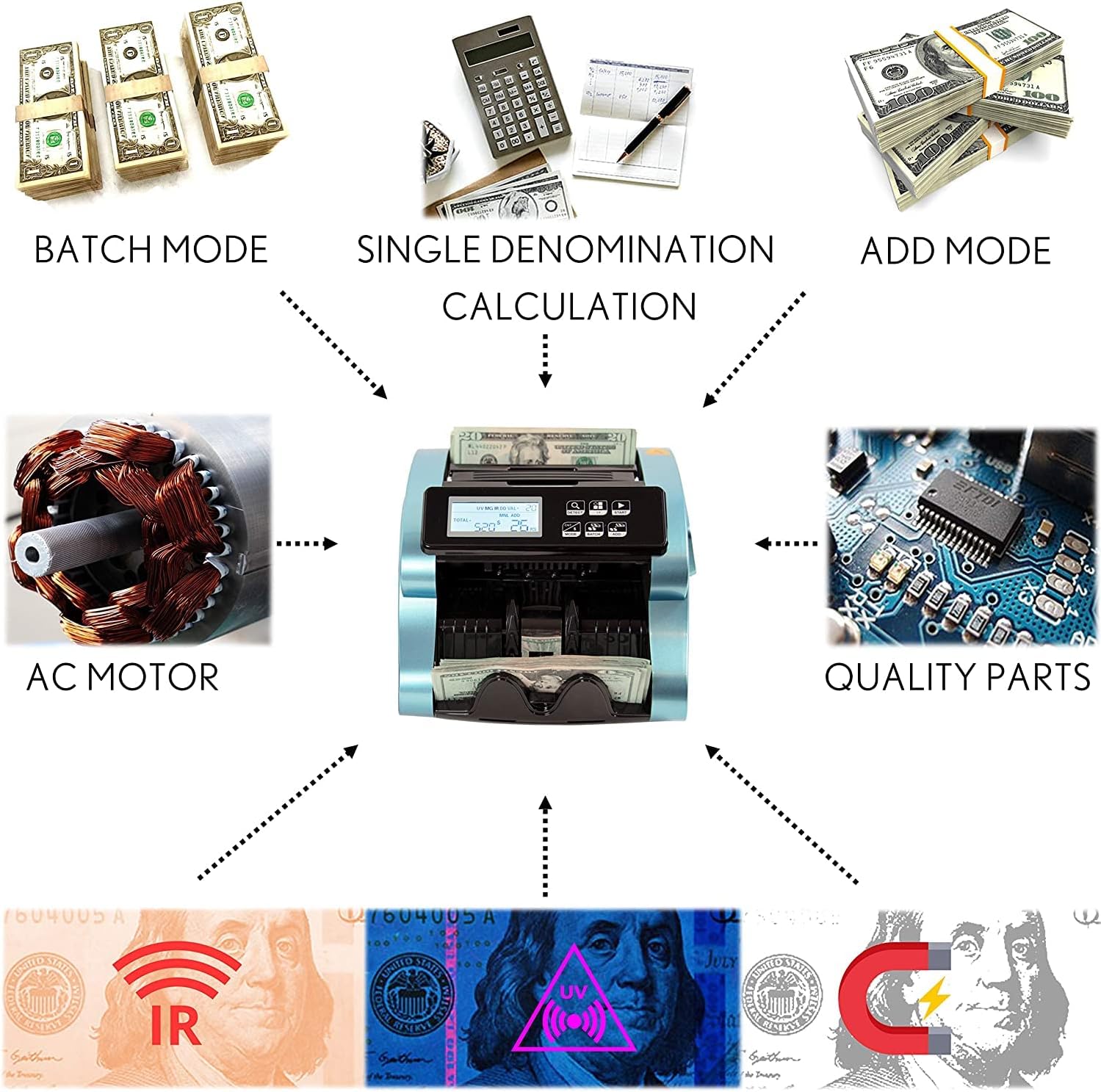
This diagram illustrates the key operational features of the Idletech BC-1100, including Batch Mode, Single Denomination Calculation, and Add Mode. It also highlights internal components like the AC Motor and Quality Parts, alongside detection methods such as Infrared (IR), Ultraviolet (UV), and Magnetic (MG).
- Press the VALUE button.
- Use the denomination selection buttons (e.g., $1, $5, $10, $20, $50, $100) to choose the denomination of the bills you are counting.
- Place the bills of the selected single denomination into the hopper.
- The machine will count the bills and display both the quantity and the calculated total value.
5.3. ADD Mode
ADD mode allows the machine to keep a running total of all previous counts. This is useful for counting large volumes of bills in multiple batches.
- Press the ADD button.
- Perform your first count (in COUNT or VALUE mode).
- After the first batch, place the next batch of bills into the hopper. The machine will add the new count to the previous total.
- Repeat as necessary. The cumulative total will be displayed.
5.4. BATCH Mode
BATCH mode allows you to count bills into predetermined batch sizes. The machine will stop counting once the set batch quantity is reached.
- Press the BATCH button.
- Use the numerical buttons or preset batch buttons to set the desired batch quantity (e.g., 10, 20, 50, 100).
- Place the bills into the hopper. The machine will count until the batch quantity is met, then pause.
- Remove the batch, and the machine will automatically resume counting the next batch.
5.5. Combined Modes (e.g., ADD + BATCH)
Some modes can be used simultaneously. For example, activating ADD and BATCH modes will allow you to count bills into batches while maintaining a running total of all batches counted.
- To activate combined modes, press the respective mode buttons. The LCD screen will indicate active modes.
6. Counterfeit Detection
The Idletech BC-1100 is equipped with multiple detection technologies to identify suspect counterfeit bills. When a suspect bill is detected, the machine will typically stop, display an error code, and the suspect bill will be the last one in the stacker or the first one in the hopper, depending on the detection type.
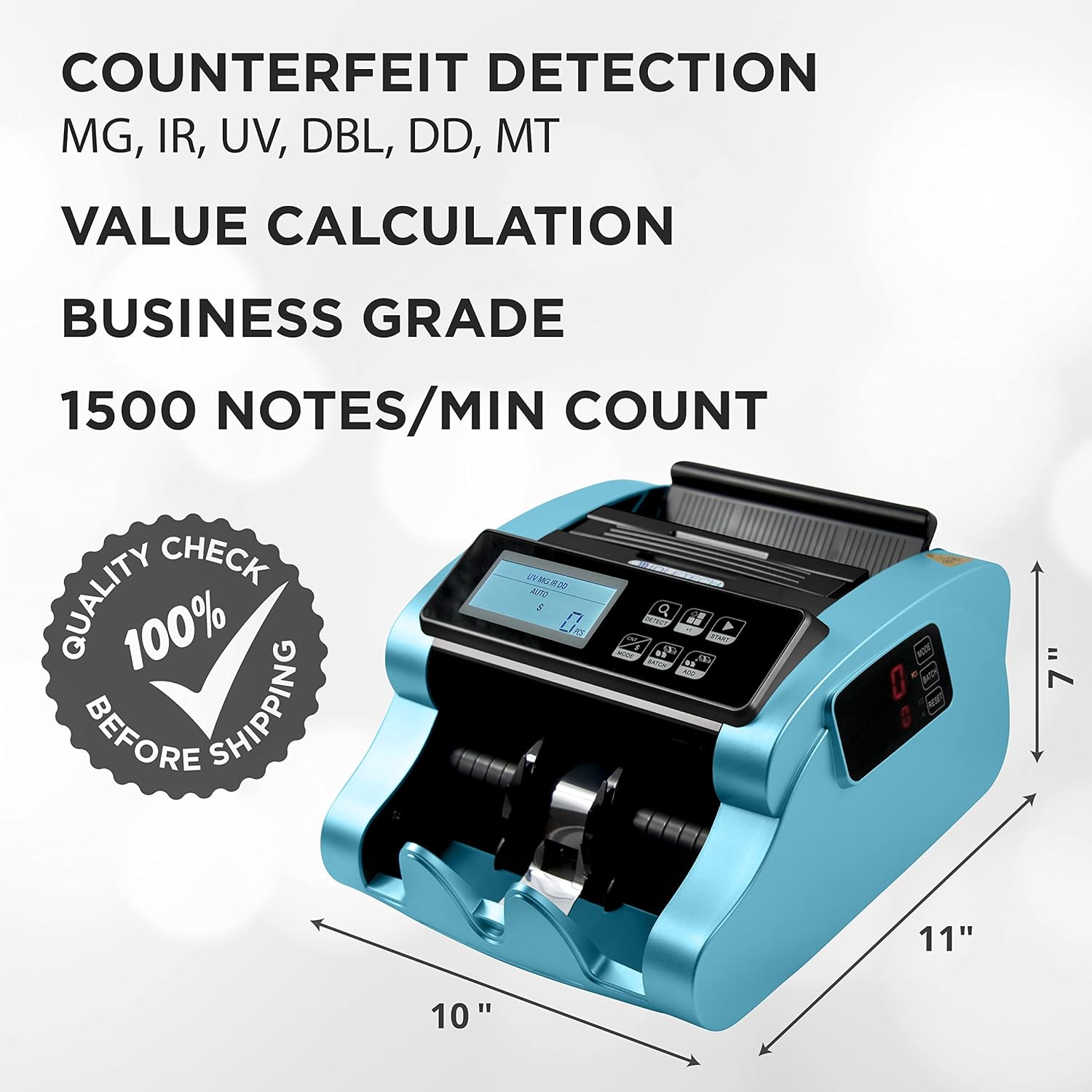
This image emphasizes the counterfeit detection features of the Idletech BC-1100, including Magnetic (MG), Infrared (IR), Ultraviolet (UV), Double (DBL), Denomination Difference (DD), and Metal Thread (MT) detections. It also notes the machine's business-grade quality and a counting speed of 1500 notes per minute, along with its physical dimensions.
- UV (Ultraviolet) Detection: Checks for the presence of UV security features embedded in genuine banknotes.
- MG (Magnetic) Detection: Verifies the magnetic ink patterns present on genuine currency.
- IR (Infrared) Detection: Scans for infrared security features and ensures consistent paper thickness.
- DBL (Double Note) Detection: Identifies instances where two bills are stuck together and fed as one.
- Half Note Detection: Detects bills that are torn or cut in half.
- CHN (Chain Note) Detection: Identifies bills that are linked together end-to-end.
- DD (Dimension Detection): Checks for discrepancies in bill dimensions.
When a suspect bill is detected, remove it and press the RESET or START button to resume counting the remaining bills.
7. Maintenance
Regular maintenance ensures optimal performance and longevity of your Idletech BC-1100 money counter.
7.1. Cleaning
- Power Off: Always turn off and unplug the machine before cleaning.
- Dust Removal: Use a soft brush or compressed air to remove dust and paper residue from the hopper, stacker, and internal sensors. Pay special attention to the feed rollers and detection sensors.
- Exterior Cleaning: Wipe the exterior surfaces with a soft, damp cloth. Do not use abrasive cleaners or solvents.
- Sensor Cleaning: Gently clean the UV, MG, and IR sensors with a cotton swab lightly dampened with isopropyl alcohol. Allow to dry completely before use.
7.2. General Care
- Avoid placing heavy objects on the machine.
- Do not expose the machine to extreme temperatures or humidity.
- Ensure bills are free from foreign objects (paper clips, staples) before counting to prevent damage.
8. Troubleshooting
This section addresses common issues you might encounter. For problems not listed here, please contact customer support.
| Problem | Possible Cause | Solution |
|---|---|---|
| Machine does not power on. | Power cord not connected; power switch off; power outlet issue. | Ensure power cord is securely connected. Turn on the power switch. Test the outlet with another device. |
| Bills jam frequently. | Bills not neatly stacked; worn bills; foreign objects; dirty rollers; incorrect feed gap. | Straighten bills before loading. Remove worn or damaged bills. Check for and remove foreign objects. Clean feed rollers. Adjust the feed gap. |
| Inaccurate counting. | Dusty sensors; bills not properly aligned; worn feed rollers. | Clean all sensors. Ensure bills are neatly stacked and aligned in the hopper. Consider replacing feed rollers if heavily worn. |
| Counterfeit detection errors. | Dirty sensors; bills with unusual features; very new or very old bills. | Clean UV, MG, and IR sensors. Verify suspect bills manually. Some genuine bills might trigger false positives due to condition. |
| Machine stops unexpectedly. | Error detection (e.g., double note, half note, counterfeit); sensor blockage. | Check the LCD for error codes. Remove the detected bill/object. Press RESET/START to clear the error and resume. |
9. Specifications
| Feature | Detail |
|---|---|
| Model Number | BC-1100 |
| Brand | Idletech |
| Counting Speed | 1500 notes per minute |
| Hopper Capacity | 200 notes |
| Stacker Capacity | 200 notes |
| Detection Methods | UV (Ultraviolet), MG (Magnetic), IR (Infrared), DBL (Double Note), Half Note, CHN (Chain Note), DD (Dimension Detection) |
| Display | LCD, External Display |
| Power Source | AC Motor Power |
| Dimensions (Approx.) | 10" (L) x 11" (W) x 7" (H) |
| Manufacturer | Robert Adell Corp. |
| ASIN | B09ZXSYLJD |
| Date First Available | 10 May 2022 |
10. Warranty and Support
For warranty information or technical support, please refer to the documentation provided with your purchase or contact Idletech customer service directly. Contact details are typically available on the manufacturer's official website or on the product packaging.
When contacting support, please have your model number (BC-1100) and purchase date ready.