
1. Introduction
This manual provides comprehensive instructions for the installation, operation, and maintenance of your SPADE Dual Dash Camera (Model: DC300). This device is designed to record both front and interior views of your vehicle in 1080P resolution, offering crucial evidence in the event of an accident and enhancing overall driving safety. It features IR Night Vision, wide-angle lenses, G-Sensor, Loop Recording, Motion Detection, and Parking Monitor functionalities.

Image: The SPADE Dual Dash Camera, showing its main unit, integrated interior camera, and suction cup mount. The interior camera can rotate for optimal positioning.
2. Package Contents
Please verify that all items listed below are included in your package. If any items are missing or damaged, please contact customer support.
- SPADE Dual Dash Camera (Model: DC300)
- Suction Cup Mount
- Dual Car Charger with Built-in Mini USB Cable
- USB Data Cable
- User Manual
- Warranty Card
- Wiping Cloth
- Reset Pin

Image: All components included in the SPADE Dash Cam package: the dash cam unit, suction cup mount, car charger, USB data cable, user manual, warranty card, wiping cloth, and reset pin.
3. Setup and Installation
3.1 Inserting the Micro SD Card
The dash camera requires a Micro SD card (not included) for recording. It supports up to 256GB. Ensure the card is formatted correctly before first use.
- Locate the Micro SD card slot on the side of the dash camera.
- Insert the Micro SD card with the gold contacts facing the back of the camera until it clicks into place.
- Once powered on, navigate to the camera's settings menu and select the "Format" option to format the SD card. This ensures compatibility and optimal performance.

Image: A close-up view of the dash camera highlighting the Micro SD card slot, indicating support for cards up to 256GB. The Micro SD card is not included with the product.
3.2 Mounting the Dash Camera
- Clean the chosen area on your windshield thoroughly to ensure a strong suction.
- Attach the suction cup mount to the dash camera.
- Press the suction cup firmly against the windshield and flip the lever to secure it. Position the camera to ensure a clear view for both the front and interior lenses, avoiding obstruction of your driving view.
3.3 Power Connection
- Connect the Mini USB end of the car charger cable to the dash camera's power input.
- Plug the other end of the car charger into your vehicle's 12V power outlet (cigarette lighter socket).
- Route the cable neatly along the windshield and dashboard to avoid interference with driving.
4. Operating Instructions
4.1 Automatic Recording
The dash camera will automatically power on and begin recording when your vehicle's ignition is turned on and power is supplied to the camera. Recording will stop and the camera will power off shortly after the ignition is turned off.
4.2 Dual 1080P Recording
The SPADE Dash Cam simultaneously records both the front road view (170° wide angle) and the vehicle's interior (140° wide angle) in Full HD 1080P resolution. This provides comprehensive coverage for various driving scenarios.
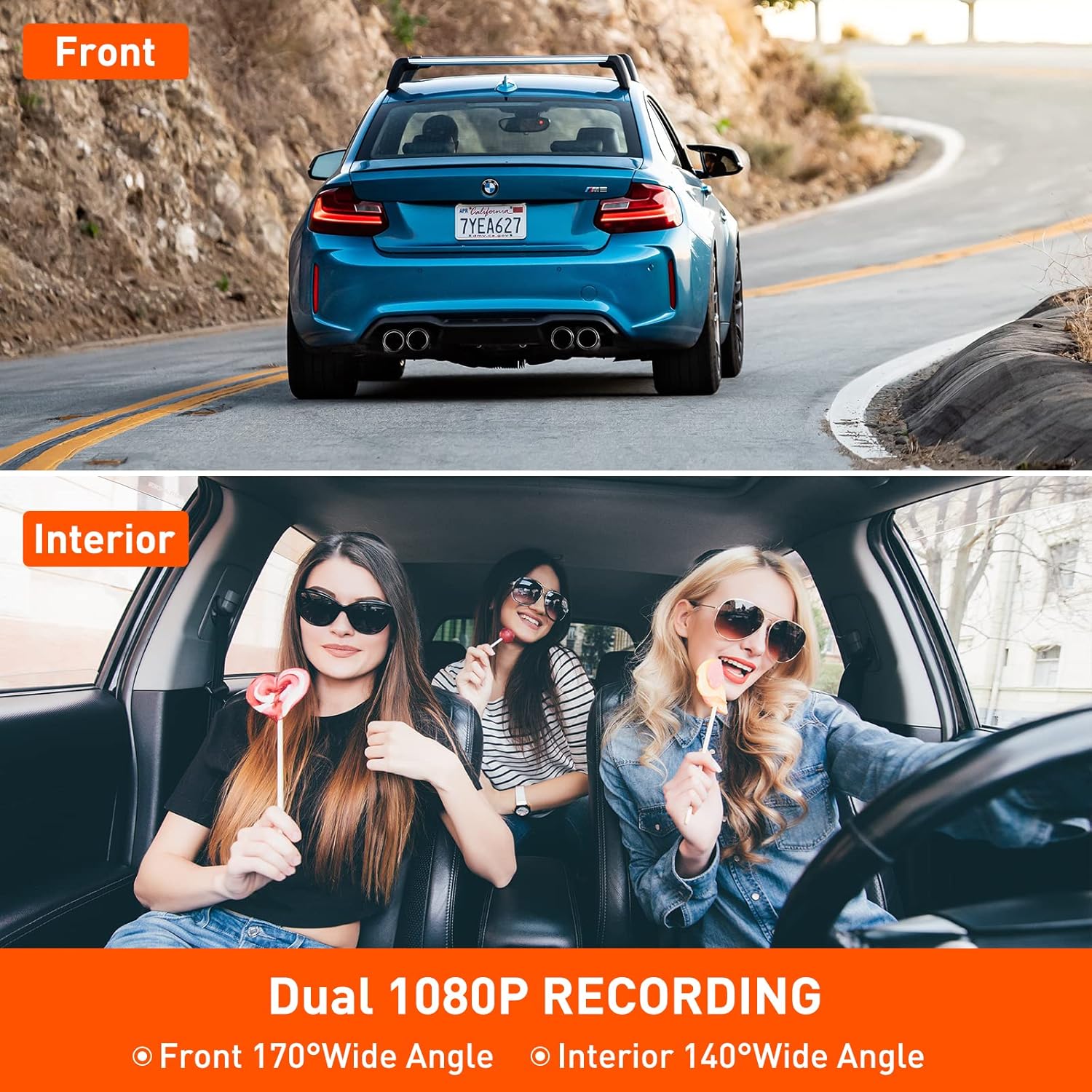
Image: The dash camera screen showing a split view of the front road and the car interior, illustrating its dual 1080P recording capability with 170° front and 140° interior wide angles.
4.3 Super Infrared Night Vision
Equipped with 4 infrared (IR) lights and HDR technology, the interior camera captures clear video even in low-light or dark conditions. This feature is particularly beneficial for night driving or professional drivers.
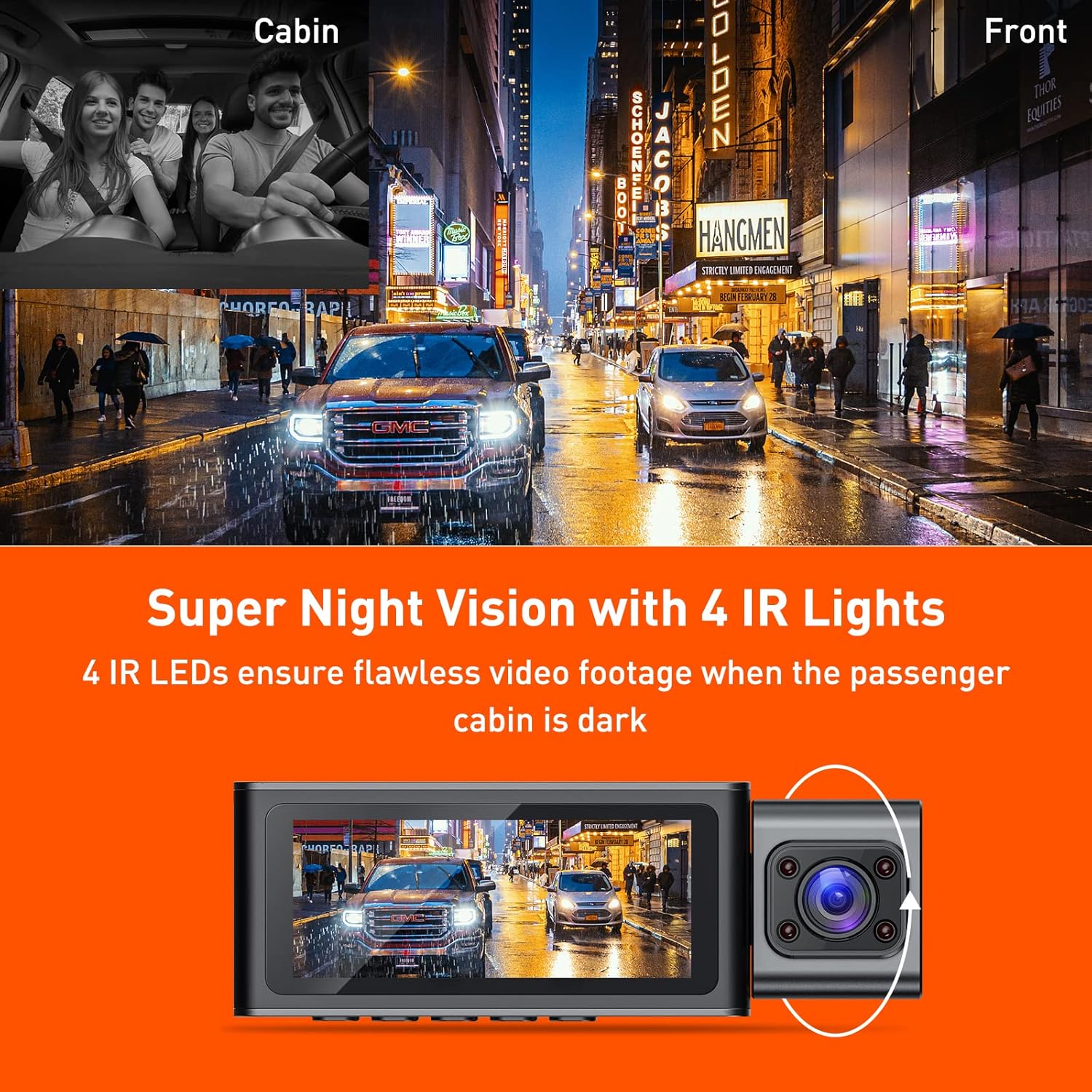
Image: A visual representation of the dash cam's Super Night Vision feature, showing how 4 IR LEDs ensure clear video footage of the passenger cabin even in darkness.
4.4 G-Sensor (Emergency Lock)
The built-in G-Sensor detects sudden movements or collisions. When activated, it automatically locks the current video footage to prevent it from being overwritten, securing critical evidence.

Image: An illustration depicting the G-Sensor functionality, showing a simulated accident scenario where the dash cam automatically locks the recording to protect evidence.
4.5 Loop Recording
When the Micro SD card reaches its storage limit, the loop recording feature automatically overwrites the oldest unlocked footage with new recordings. This ensures continuous recording without manual intervention.
4.6 Motion Detection & Parking Monitor
These features provide surveillance when your vehicle is parked. The dash cam will enter standby mode and automatically start recording if motion is detected by the front camera or if an impact/collision is detected (G-Sensor activation). For 24-hour parking monitoring, the camera requires a hardwire kit (not included) or connection to an external battery.

Image: A diagram explaining the 24-hour dual parking mode, which includes collision detection, motion detection, and low bitrate recording to monitor the vehicle when parked.
5. Maintenance
- Cleaning: Use the provided wiping cloth or a soft, dry cloth to clean the camera lenses and screen. Avoid abrasive cleaners.
- SD Card Management: Regularly format your Micro SD card (at least once a month) to maintain optimal performance and prevent data corruption. Back up important footage before formatting.
- Temperature: Avoid exposing the dash camera to extreme temperatures for extended periods, as this can affect battery life and component integrity.
- Firmware Updates: Check the manufacturer's website periodically for firmware updates to ensure your device has the latest features and bug fixes.
6. Troubleshooting
| Problem | Possible Cause / Solution |
|---|---|
| Camera does not power on automatically. |
|
| Recording stops or footage is corrupted. |
|
| Poor video quality at night. |
|
| Buttons are unresponsive. |
|
7. Specifications
| Feature | Detail |
|---|---|
| Model | DC300 |
| Display Size | 3.16 Inches IPS Screen |
| Video Capture Resolution | 1080p (Front & Interior) |
| Front Camera Viewing Angle | 170 Degrees |
| Interior Camera Viewing Angle | 140 Degrees |
| Special Features | G-Sensor, Loop Recording, Night Vision (4 IR LEDs), Motion Detection, Parking Monitor |
| Storage | Supports Micro SD Card up to 256GB (not included) |
| Connectivity | USB |
| Mounting Type | Windshield Mount / Dashboard Mount |
| Product Dimensions | 2.54 x 2.54 x 2.54 cm; 331 g |
8. Warranty and Customer Support
SPADE offers 7*24 hours technical support for this product. If you encounter any issues or have questions regarding your dash camera, please do not hesitate to contact our customer service team. Refer to the included Warranty Card for specific warranty terms and conditions.
For support, please visit our official website or contact us via the details provided on your Warranty Card.