1. Introduction
Thank you for choosing the Belifu TENS EMS Unit. This device is designed to provide effective pain relief and muscle stimulation through electrical impulses. It combines Transcutaneous Electrical Nerve Stimulation (TENS) for pain management and Electrical Muscle Stimulation (EMS) for muscle conditioning. Please read this manual thoroughly before use to ensure safe and proper operation.

Image: The Belifu TENS EMS Unit, showing the main device, electrode pads, and a storage bag.
2. Safety Precautions
WARNING: Consult your physician before using this device, especially if you have pre-existing medical conditions, are pregnant, have a pacemaker, or any implanted electronic device. Do not use on broken skin, open wounds, or over cancerous lesions. Keep out of reach of children.
- Do not use while driving or operating heavy machinery.
- Do not place pads on the head, face, neck, or across the chest.
- Discontinue use if you experience any adverse reactions or discomfort.
- This device is not intended to diagnose, treat, cure, or prevent any disease.
3. Package Contents
Please check the package for the following items:
- 1 x Belifu TENS EMS Unit
- 10 x Self-adhesive Electrode Pads (various sizes)
- 2 x Electrode Cables
- 1 x USB Charging Cable
- 1 x Storage Bag
- Cable Ties
- User Manual (English, French, German, Italian, Spanish)

Image: All included accessories for the Belifu TENS EMS Unit, neatly arranged.
4. Product Features
- 24 TENS EMS Combination Modes: Offers a wide range of massage functions including acupuncture, scraping, tapping, deep shiatsu, and cupping.
- Effective Pain Relief & Muscle Stimulation: Stimulates sensory nerves for pain relief and aids in muscle development.
- Memory Function: Remembers the last selected time and mode for convenience.
- Dual Independent Channels: Allows for different modes and intensity levels to be applied simultaneously to two different body areas.
- 20 Intensity Levels: Provides precise control over stimulation intensity.
- Rechargeable & Durable Battery: Long-lasting battery with up to 20 hours of standby time and a battery indicator.
- Upgraded Self-Adhesive Electrode Pads: High-quality pads for superior stickiness and reusability.
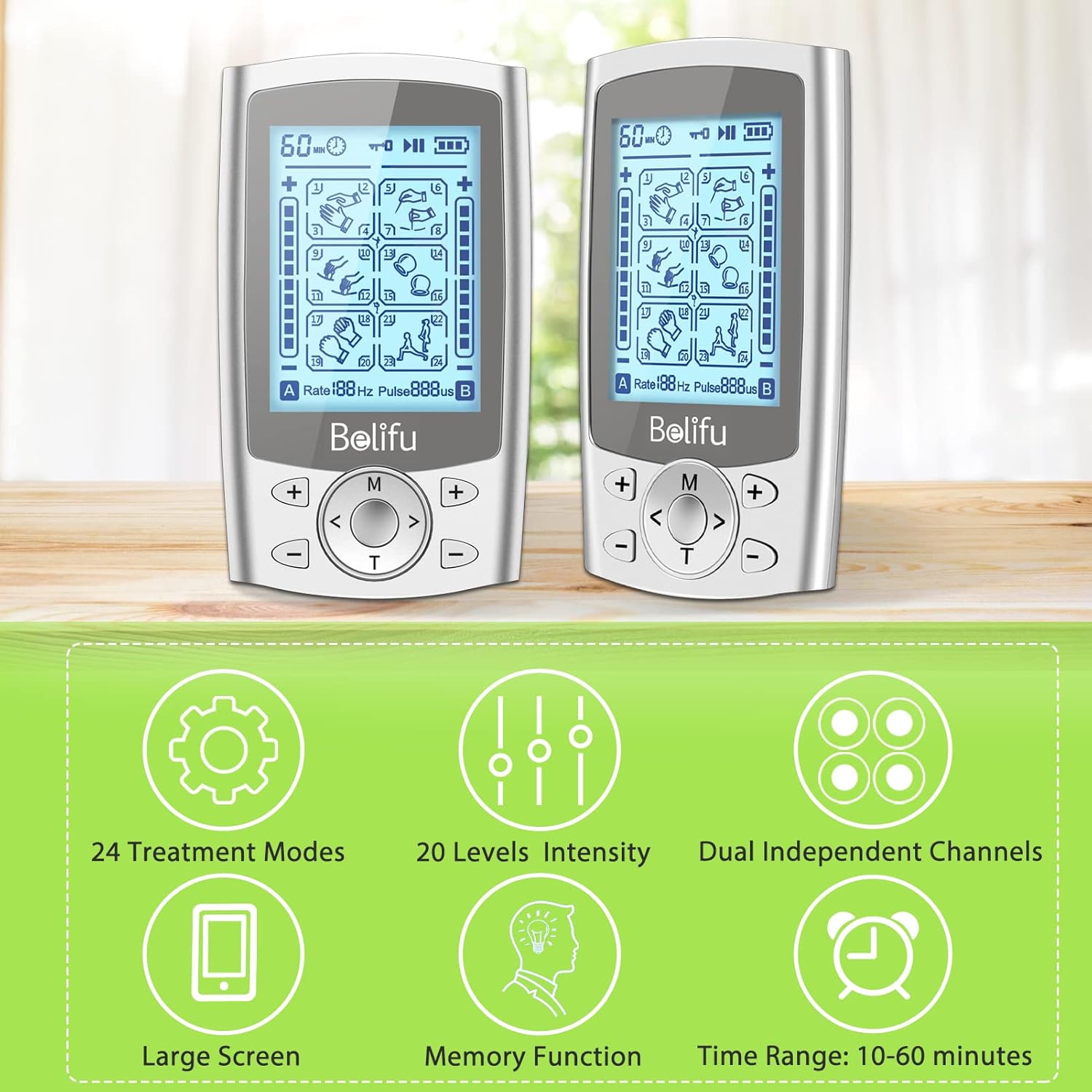
Image: Visual representation of the key features of the Belifu TENS EMS Unit.

Image: Illustrates the distinct functions of TENS (Pain Relief) and EMS (Muscle Management).
5. Device Overview
Image: A detailed diagram of the Belifu TENS EMS Unit, labeling its various components such as the switch button, charging port, display icons (paused, battery, locked), mode selection key, pause/unlock button, intensity controls for channels A and B, time key, and connection ports for channels A and B.
- Switch Button: Power ON/OFF.
- Charging Port: USB port for charging the device.
- Display Screen: Shows mode, intensity, time, battery status, and channel information.
- Mode Selection Key (M): Cycles through the 24 treatment modes.
- Pause/Unlock Button (T): Pauses the treatment or unlocks the screen.
- Intensity Buttons (+/-): Adjusts intensity for Channel A and Channel B independently.
- Time Key: Sets the treatment duration.
- Channel A/B Connection Ports: Connect electrode cables for dual-channel operation.
6. Setup
- Charge the Device: Before first use, fully charge the unit using the provided USB cable and a compatible USB power adapter (not included). The battery indicator on the screen will show charging status.
- Connect Electrode Cables: Insert the pin connectors of the electrode cables into the Channel A and/or Channel B ports on the top of the device.
- Attach Electrode Pads: Connect the electrode pads to the other end of the cables. Ensure the pads are clean and the adhesive is intact.
- Prepare Skin: Clean and dry the skin area where the pads will be placed. Remove any lotions, oils, or dirt to ensure proper adhesion and conductivity.
- Apply Electrode Pads: Firmly press the electrode pads onto the desired treatment area. Ensure the pads are not touching each other.

Image: A user demonstrating the application of electrode pads to different body parts, highlighting the dual independent channel capability for simultaneous treatment of leg and shoulder pain.
7. Operating Instructions
- Power On: Slide the switch button on the top of the device to the 'ON' position. The screen will light up.
- Select Mode: Press the 'M' (Mode) button to cycle through the 24 available treatment modes. Observe the mode icon on the screen.
- Set Time: Press the 'T' (Time) button to adjust the treatment duration (e.g., 10-60 minutes).
- Adjust Intensity: Use the '+' and '-' buttons for Channel A and Channel B independently to increase or decrease the intensity. Start with the lowest intensity and gradually increase until you feel a comfortable, strong sensation. Avoid increasing intensity to an uncomfortable level.
- Pause/Unlock: During treatment, you can press the 'T' button to pause the session or unlock the screen if it has locked automatically.
- End Treatment: The device will automatically shut off when the set time expires. You can also manually turn off the device by sliding the switch button to 'OFF'.
8. Maintenance and Care
- Cleaning the Device: Wipe the unit with a soft, damp cloth. Do not use abrasive cleaners or immerse the device in water.
- Electrode Pad Care: After each use, place the electrode pads back on their protective film. If pads lose stickiness, clean them gently with a damp cloth or replace them.
- Storage: Store the device and accessories in the provided storage bag in a cool, dry place, away from direct sunlight and extreme temperatures. Use the cable ties to keep electrode wires organized.
- Battery: Recharge the device regularly, even if not in frequent use, to maintain battery health.

Image: Illustrates the included cable ties for organizing wires, the portable storage bag, and the upgraded self-adhesive electrode pads, emphasizing convenience and improved stickiness.
9. Troubleshooting
| Problem | Possible Cause | Solution |
|---|---|---|
| Device does not turn on. | Low battery; Device not switched on. | Charge the device; Ensure the ON/OFF switch is in the 'ON' position. |
| No sensation or weak sensation. | Pads not adhering well; Intensity too low; Cables not connected properly. | Ensure pads are firmly on skin; Increase intensity gradually; Check cable connections to device and pads. |
| Pads are not sticking. | Skin is oily/dirty; Pads are worn out. | Clean and dry skin before application; Replace old pads with new ones. |
| Screen is locked. | Automatic screen lock engaged. | Press the 'T' (Time/Unlock) button to unlock the screen. |
10. Specifications
- Model Number: AS8012b
- Power Source: Rechargeable Lithium-polymer battery
- Channels: Dual Independent Channels
- Modes: 24 TENS EMS Combination Modes
- Intensity Levels: 20 Levels
- Treatment Time: Adjustable (10-60 minutes)
- Dimensions: Approximately 10.5 x 8.2 x 7.8 cm (Package)
- Weight: Approximately 380 grams (Package)
11. Warranty and Support
Belifu products are manufactured with quality and care. For specific warranty information, please refer to the documentation included with your purchase or contact Belifu customer support directly. If you encounter any issues or have questions regarding your Belifu TENS EMS Unit, please reach out to our customer service team for assistance.
Contact information can typically be found on the product packaging or the official Belifu website.