
1. Introduction
Thank you for choosing the GEEKTOP A7 Arcance Cylinder 4 Bluetooth Speaker. This manual provides essential information for setting up, operating, and maintaining your speaker. Please read it carefully to ensure optimal performance and longevity of your device.
2. Product Features
- Hi-Fi Stereo Sound with Enhanced Bass: Features proprietary code and custom algorithms for 3 switchable DSP sound modes, delivering clear audio without distortion.
- IPX7 Waterproof Rating: Designed for outdoor use, resistant to water immersion, making it suitable for beaches, pools, and rainy conditions.
- Dynamic LED Light Modes: Integrated lights synchronize with music rhythm, enhancing the audio-visual experience.
- Bluetooth 5.0 Connectivity: Ensures stable connection with devices up to 60 feet (approximately 18 meters).
- True Wireless Stereo (TWS) Function: Allows pairing two speakers for a dual 48W stereo sound experience.
- Extended Battery Life: Provides over 24 hours of playtime on a single charge (at moderate volume levels).
- Multiple Playback Options: Supports Bluetooth, TF card (up to 32GB), and AUX input.
- Built-in Microphone: Enables hands-free calling.
- Voice Assistant Support: Compatible with Siri, Alexa, and other voice assistants.
3. Package Contents
Please check the package for the following items:
- GEEKTOP A7 Arcance Cylinder 4 Bluetooth Speaker
- USB-C Charging Cable
- Quick Start Guide
4. Product Overview

This image displays the GEEKTOP A7 Arcance Cylinder 4 Bluetooth speaker, highlighting its IPX7 waterproof design with water splashing around it. The speaker features a black mesh grille, a colorful LED light ring at the top, and clearly visible control buttons on the side, including power, volume, and playback controls.
Control Buttons and Ports:
- Power Button: Press and hold to turn on/off. Short press to change LED light modes.
- Volume Up (+): Increase volume.
- Volume Down (-): Decrease volume.
- Play/Pause Button (►⏸): Play/pause music, answer/end calls.
- Mode Button (M): Switch between Bluetooth, TF Card, and AUX modes.
- USB-C Charging Port: For charging the speaker.
- TF Card Slot: Insert a Micro SD card for music playback.
- AUX-in Port: Connect external audio devices via a 3.5mm audio cable.
5. Setup
5.1 Initial Charging
Before first use, fully charge the speaker. Connect the provided USB-C charging cable to the speaker's charging port and the other end to a USB power adapter (not included). The charging indicator light will show charging status and turn off when fully charged.

A detailed view of the speaker's USB-C charging port, along with icons for USB-C, Micro SD, and AUX input, indicating its various connection options.
5.2 Powering On/Off
- To Power On: Press and hold the Power button for 2-3 seconds until you hear an audible prompt and the LED lights illuminate.
- To Power Off: Press and hold the Power button for 2-3 seconds until you hear an audible prompt and the LED lights turn off.
6. Operating Instructions
6.1 Bluetooth Pairing
- Ensure the speaker is powered on and in Bluetooth mode (indicated by a flashing blue LED). If not, short press the 'M' (Mode) button to switch to Bluetooth mode.
- On your mobile device, enable Bluetooth and search for available devices.
- Select "GEEKTOP A7" from the list of devices.
- Once paired, the speaker will emit an audible confirmation, and the blue LED will stop flashing.

This image shows the speaker in both vertical and horizontal orientations, alongside a smartphone displaying a music interface. Icons below indicate features like Bluetooth, Micro SD, HD Mic, IPX7 Waterproof, Hands-free call, and Auxiliary circuit, illustrating its versatile connectivity options.
6.2 True Wireless Stereo (TWS) Pairing
To achieve a stereo sound experience, you can pair two GEEKTOP A7 Arcance Cylinder 4 speakers together.
- Ensure both speakers are powered on and disconnected from any Bluetooth devices.
- On one speaker (this will be the primary speaker), double-press the Play/Pause button. The speaker will enter TWS pairing mode.
- The primary speaker will automatically search for and connect to the secondary speaker.
- Once connected, both speakers will emit an audible confirmation.
- Now, connect your mobile device to the primary speaker via Bluetooth as described in section 6.1.

This image illustrates two speakers wirelessly connected, projecting sound waves to create a 360-degree immersive surround sound experience. People are shown enjoying the audio, suggesting a shared listening environment.
6.3 LED Light Modes
The speaker features dynamic LED lights. Short press the Power button to cycle through different light modes or to turn the lights off.
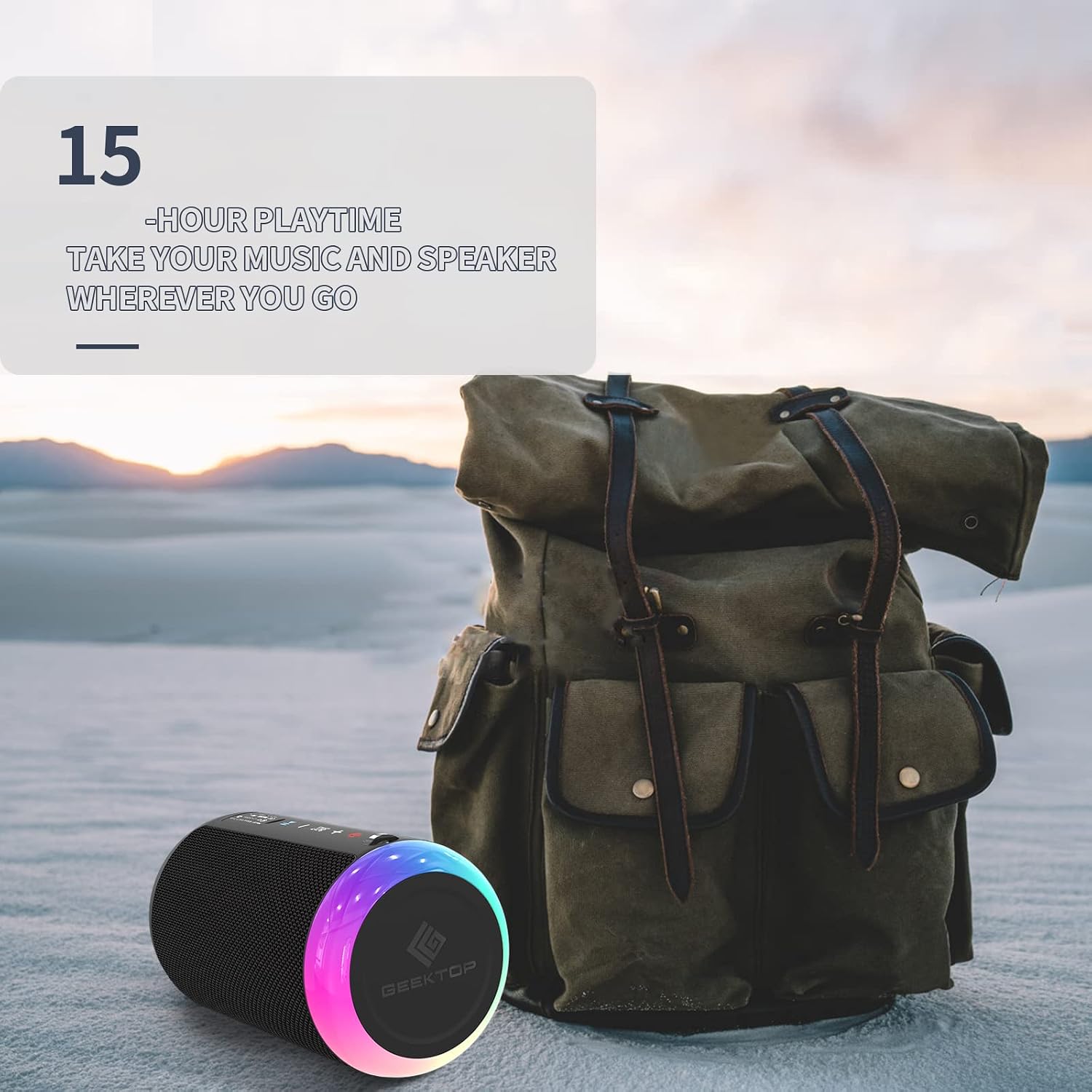
The speaker is depicted outdoors with a backpack in the background, emphasizing its portability and the dynamic LED light feature. The text overlay indicates '15-hour playtime', highlighting its battery endurance for outdoor adventures.
6.4 Music Playback
- Play/Pause: Short press the Play/Pause button.
- Volume Up: Short press the '+' button.
- Volume Down: Short press the '-' button.
- Next Track: Long press the '+' button.
- Previous Track: Long press the '-' button.
6.5 Hands-Free Calling
When connected to your smartphone via Bluetooth:
- Answer Call: Short press the Play/Pause button.
- End Call: Short press the Play/Pause button during a call.
- Reject Call: Long press the Play/Pause button.
- Activate Voice Assistant: Double-press the Play/Pause button.

Multiple scenarios are depicted: a person saying 'Hi, Siri', another making a hands-free call, and a group in a meeting with the speaker. This highlights the speaker's compatibility with voice assistants and its built-in microphone for communication.
6.6 TF Card Mode
Insert a Micro SD (TF) card with MP3/WMA/WAV/FLC/APE audio files into the TF card slot. The speaker will automatically switch to TF card mode and begin playback. Use the playback controls as described in section 6.4.
6.7 AUX Mode
Connect an external audio device (e.g., MP3 player, laptop) to the speaker's AUX-in port using a 3.5mm audio cable. The speaker will automatically switch to AUX mode. Control playback from your connected device.
7. Charging
When the battery is low, the speaker will emit an audible warning. Connect the USB-C charging cable to the speaker and a power source. The charging indicator will show the charging status. A full charge typically takes a few hours.
8. Maintenance

The speaker is shown partially submerged in water, demonstrating its IPX7 waterproof capability. A person on a surfboard is visible in the background, suggesting outdoor and water-related use.
- Cleaning: Wipe the speaker with a soft, damp cloth. Do not use harsh chemicals or abrasive cleaners.
- Water Resistance: While IPX7 rated, ensure the charging port cover is securely closed before exposing the speaker to water. Do not intentionally submerge for extended periods or expose to high-pressure water jets.
- Storage: Store the speaker in a cool, dry place away from direct sunlight and extreme temperatures.
- Battery Care: To prolong battery life, avoid fully discharging the battery frequently. Charge the speaker regularly, even if not in use for extended periods.
9. Troubleshooting
| Problem | Possible Cause | Solution |
|---|---|---|
| Speaker does not power on | Low battery; Power button not pressed correctly | Charge the speaker fully; Press and hold the Power button for 2-3 seconds. |
| No sound | Volume too low; Device not paired; Incorrect mode selected | Increase volume on speaker and device; Re-pair Bluetooth; Ensure correct mode (Bluetooth, TF, AUX) is selected. |
| Bluetooth pairing fails | Speaker not in pairing mode; Device too far; Interference | Ensure speaker LED is flashing; Move device closer; Turn off other Bluetooth devices. |
| TWS pairing fails | Speakers already paired to other devices; Incorrect TWS pairing steps | Disconnect speakers from all devices; Follow TWS pairing steps precisely. |
| Poor sound quality | Low battery; Device too far; Obstructions | Charge the speaker; Move device closer; Remove obstructions between speaker and device. |
10. Specifications
| Feature | Detail |
|---|---|
| Model Name | A7 Arcance Cylinder 4 |
| Wireless Communication Technology | Bluetooth 5.0 |
| Power Source | Battery Powered (2 Lithium-ion batteries included) |
| Speaker Output Power | 48 Watts (Max) |
| Connectivity Technology | Auxiliary, TF Card, Bluetooth |
| Water Resistance | IPX7 |
| Dimensions (L x W x H) | 7.62 x 7.62 x 15.24 cm (3 x 3 x 6 inches) |
| Weight | 531 grams (1.17 lbs) |
| Compatible Devices | Phones, MP3 players, TV, Laptops (supports SD card) |
| Special Features | Hi-Fi Stereo Sound, Rich Bass, Universal Compatibility, Built-in Microphone, Wireless Stereo Function, Portable, LED Lights |
11. Safety Information
- Do not expose the speaker to extreme temperatures (hot or cold) or high humidity.
- Keep the speaker away from direct heat sources, open flames, or strong magnetic fields.
- Do not disassemble, repair, or modify the speaker yourself. This may void the warranty and pose safety risks.
- Avoid dropping or subjecting the speaker to strong impacts.
- Keep out of reach of children.
- Dispose of the speaker and its battery responsibly according to local regulations.
12. Warranty and Support
GEEKTOP products are designed for reliability and performance. For warranty information or technical support, please refer to the contact details provided with your purchase or visit the official GEEKTOP website. Please retain your proof of purchase for warranty claims.