
Introduction
This manual provides essential instructions for the safe and efficient operation, maintenance, and troubleshooting of your GE Profile Opal 2.0 Countertop Nugget Ice Maker. Please read this manual thoroughly before using the appliance and retain it for future reference.
The GE Profile Opal 2.0 is designed to produce chewable nugget ice and features WiFi connectivity for smart control via the SmartHQ app.
Important Safety Information
Always follow basic safety precautions when using electrical appliances to reduce the risk of fire, electric shock, and injury to persons.
- Read all instructions before using the appliance.
- Do not touch moving parts.
- Do not operate any appliance with a damaged cord or plug, or after the appliance malfunctions or has been damaged in any manner.
- Do not immerse cord, plug, or any part of the appliance in water or other liquids.
- Use only potable water for ice production.
- Unplug the appliance before cleaning or performing any maintenance.
- Keep children away from the appliance.
What's in the Box
Upon unpacking, ensure all components are present:
- Ice Maker Unit
- Drip Tray
- Ice Scoop
Note: A side tank accessory may be sold separately and is not included as standard.
Setup Guide
1. Placement
Place the ice maker on a flat, stable surface away from direct sunlight and heat sources. Ensure adequate ventilation around the unit.

Image: The GE Profile Opal 2.0 Nugget Ice Maker in black stainless steel, ready for countertop placement.
2. Initial Cleaning
Before first use, clean the water reservoir and ice bin with a mild soap solution and rinse thoroughly. Follow the cleaning cycle instructions detailed in the Maintenance section.
3. Filling the Water Reservoir
Open the lid and fill the water reservoir with potable water up to the MAX fill line. Do not overfill.
4. Power Connection
Plug the ice maker into a grounded electrical outlet (120 Volts).
5. WiFi Connectivity (SmartHQ App)
Download the SmartHQ app on your smartphone. Follow the in-app instructions to connect your Opal 2.0 ice maker to your home WiFi network. This enables remote monitoring, scheduling, and automatic software updates.

Image: A user interacting with the SmartHQ app on a smartphone, displaying ice maker status and controls, with the ice maker visible in the background.
Operating Instructions
1. Starting Ice Production
Press the Power button on the control panel to begin ice production. The unit will start making ice, with the first batch typically ready in under 10 minutes.
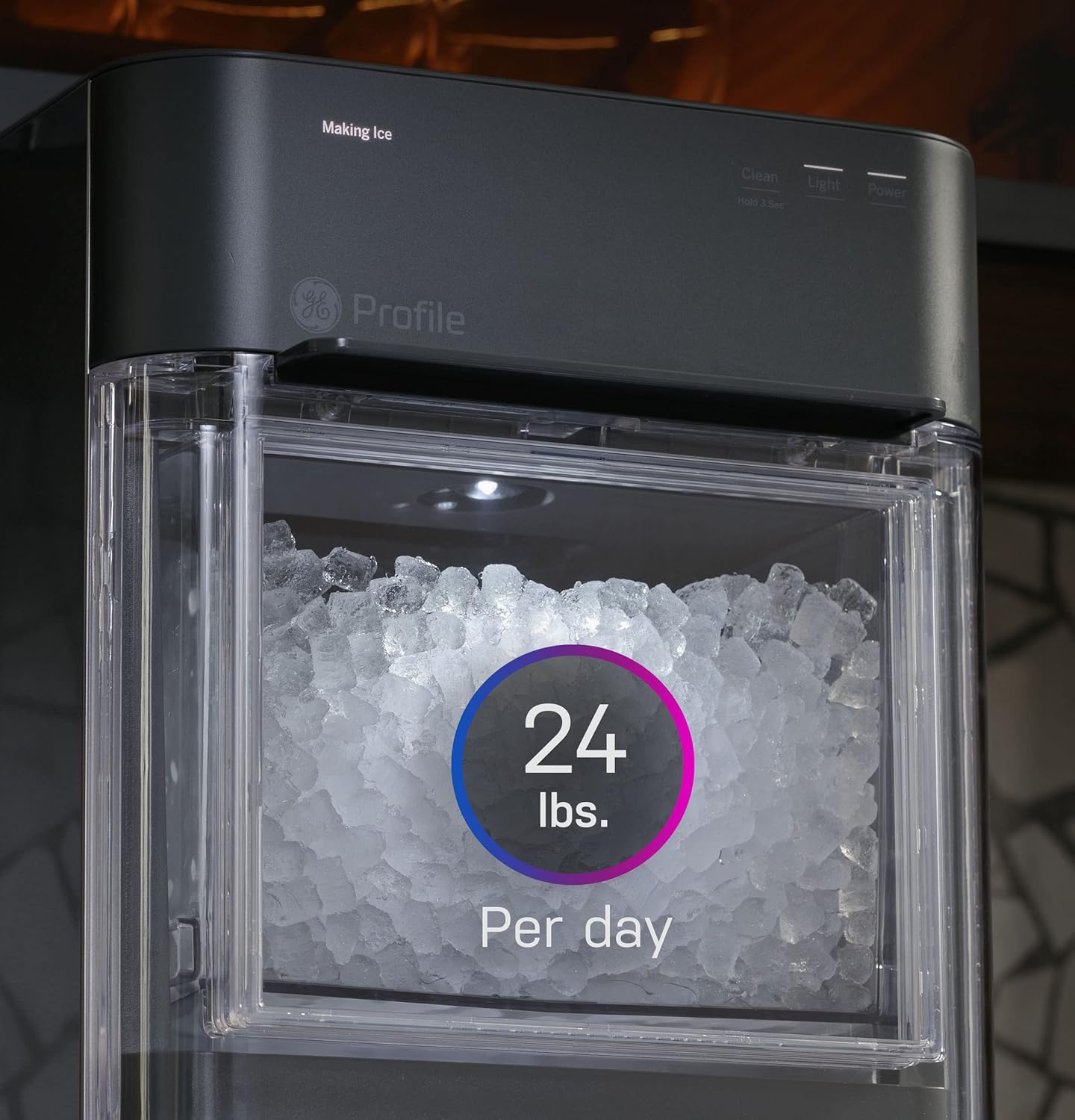
Image: The ice maker's clear bin filled with nugget ice, indicating a daily production capacity of 24 lbs.
2. Ice Storage and Recirculation
The ice maker produces up to 1.6 pounds of ice per hour and has a storage capacity of 3 pounds. As ice melts, the water recirculates back into the reservoir to be used for new ice production, ensuring continuous supply.

Image: A hand opening the clear ice bin of the GE Profile Opal 2.0, revealing the nugget ice inside.
3. Smart Features (SmartHQ App & Voice Control)
Utilize the SmartHQ app to:
- Monitor the ice maker's status.
- Schedule ice production.
- Receive automatic software updates.
The ice maker also supports voice commands through Alexa or Google integration for convenient control.
Maintenance
Regular cleaning is crucial for maintaining the performance and longevity of your ice maker. It is recommended to clean the unit at least once a month, or more frequently depending on usage and water quality.
1. Cleaning Cycle
To initiate a cleaning cycle:
- Ensure the unit is unplugged and allowed to defrost overnight if ice has accumulated.
- Drain the unit completely. Locate the two hoses at the back of the unit. If a side tank is attached, disconnect it. Otherwise, unhook the hoses from their plug on top of the machine and direct them into a sink to drain.
- Once drained, reattach the hoses.
- Fill the reservoir with a mixture of hot water and a cleaning solution (e.g., a small amount of bleach or a manufacturer-recommended descaling solution).
- Plug in the unit. Press and hold the Clean button (next to the Power button) for 3 seconds until the Clean light illuminates.
- Allow the cleaning cycle to complete. Run the cycle multiple times if necessary.
- After cleaning, drain the unit again as described in step 2.
- Rinse the unit by filling the reservoir with fresh water and running a short cycle, then draining. Repeat until no cleaning solution odor remains.
Note: Always ensure all cleaning solution is thoroughly rinsed from the unit before resuming ice production.

Image: The GE Profile Opal 2.0 Ice Maker shown alongside an optional side tank accessory, which can increase water capacity.
2. Exterior Cleaning
Wipe the exterior surfaces with a soft, damp cloth. Do not use abrasive cleaners or solvents.
Troubleshooting
If your ice maker is not functioning as expected, consult the following common issues and solutions:
| Problem | Possible Cause | Solution |
|---|---|---|
| No ice production / "Add Water" indicator on | Water reservoir is empty or low. Pump malfunction. | Fill the water reservoir to the MAX line. Ensure the pump is operating correctly; if not, contact customer support. |
| Ice tastes or smells unusual | Unit requires cleaning. Residual cleaning solution. | Perform a thorough cleaning cycle as described in the Maintenance section. Rinse thoroughly with fresh water. |
| Machine making unusual noises (squealing, banging) | Internal component issue. | Unplug the unit and contact GE Appliances customer support for assistance. |
| Unit leaking water | Drain hoses improperly connected or damaged. Internal leak. | Check drain hose connections. If leaking persists, contact customer support. |
If the problem persists after attempting these solutions, please contact GE Appliances customer support.
Specifications
- Model Name: GE Profile Opal 2.0 Nugget Ice Maker
- Product Dimensions: 17.5 x 10.5 x 16.5 inches
- Weight: 35 Pounds
- Ice Production Capacity: Up to 38 pounds per day (under optimal conditions)
- Ice Storage Capacity: 3 Pounds
- Voltage: 120 Volts
- Connectivity: WiFi (SmartHQ App compatible)
- Manufacturer: GE Appliances
Warranty and Support
For warranty information, product registration, or technical support, please refer to the official GE Appliances website or contact their customer service directly. Details regarding specific warranty terms and conditions are typically provided with your purchase documentation.
Manufacturer: GE Appliances
It is recommended to keep your purchase receipt for warranty claims.


