
1. Introduction
The TV · EARS Wireless Speaker System 5.8 GHz, Model 21290, is designed to provide clear, amplified television audio directly to the user. This system enhances dialogue, reduces background noise, and offers a portable listening experience without disturbing others in the room. It operates on a 5.8 GHz wireless frequency, ensuring a stable connection and long range.
Key features include:
- Voice Clarifying Technology: Enhances dialogue for improved speech intelligibility.
- Noise Cancellation: Directs sound to you, minimizing distractions.
- Built-in Rechargeable Battery: Provides up to 10 hours of wireless audio.
- Easy-to-Use Controls: Large, clearly marked dials for simple operation.
- Universal Compatibility: Works with most analog and digital televisions.
- No Wi-Fi Required: Simple plug-and-play setup.
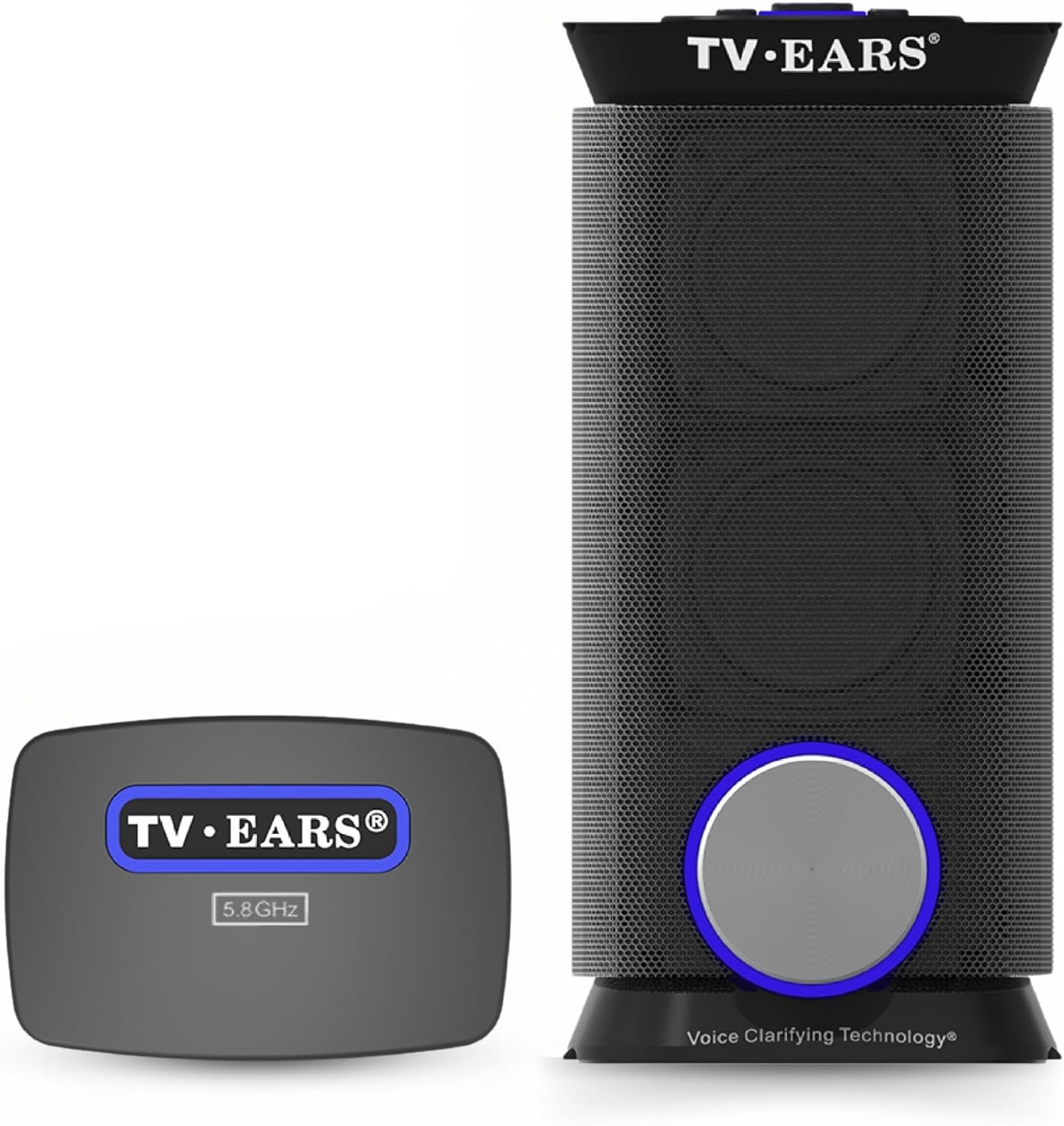
Image 1.1: The TV · EARS Wireless Speaker and its 5.8 GHz Transmitter.
2. Package Contents
Please verify that all the following items are included in your package:
- TV · EARS Wireless Speaker
- 5.8 GHz Transmitter
- Speaker Power Adapter
- Transmitter Power Adapter
- Optical Audio Cable
- 3.5mm Audio Cable
- RCA to 3.5mm Adapter Cable
- User Manual (this document)

Image 2.1: All components included in the TV · EARS Wireless Speaker System.
3. Setup Guide
Follow these steps to set up your TV · EARS Wireless Speaker System:
- Power Off TV & Unbox: Turn off your television and carefully unbox all components of the TV · EARS system.
- Connect to Back of Your TV:
- For Digital TVs (Optical): Connect one end of the optical audio cable to your TV's optical audio output port and the other end to the OPTICAL input on the TV · EARS transmitter.
- For Analog TVs (3.5mm or RCA): Connect one end of the 3.5mm audio cable to your TV's headphone jack or audio output. Connect the other end to the ANALOG input on the TV · EARS transmitter. If your TV has RCA audio outputs (red and white ports), use the provided RCA to 3.5mm adapter cable.
Image 3.1: Connection options for digital (optical) and analog (3.5mm) TVs.
- Connect to Transmitter: Ensure the audio cable from your TV is securely connected to the appropriate input on the transmitter. Connect the transmitter's power adapter to the DC IN 12V port on the transmitter and plug it into a wall outlet.
- Mount to Back of TV (Optional): The transmitter includes an adhesive tab for optional mounting to the back of your TV. Remove the sticky tab cover and press the transmitter firmly onto a clean, flat surface on the TV's back.
- Adjust TV Audio Settings: Access your TV's audio settings menu. If you are using a digital optical connection, ensure the TV's audio output format is set to "PCM Audio". Some TVs default to "Dolby Digital," which may not be compatible with the TV · EARS system.
- Fully Charge Before Initial Use: Connect the speaker's power adapter to the speaker's charging port and plug it into a wall outlet. Allow approximately 4 hours for a full charge before the first use. The charging indicator light will show the charging status.
4. Operating Instructions
Once set up, operating your TV · EARS Wireless Speaker is straightforward:
4.1 Controls Overview

Image 4.1: Top view of the TV · EARS speaker with labeled controls.
- On/Off + Volume Dial: The large circular dial on the front of the speaker controls power and volume. Turn clockwise to power on and increase volume; turn counter-clockwise to decrease volume and power off.
- Mode Toggle Buttons: Located on the top of the speaker, these buttons allow you to switch between audio modes:
- Theater Sound: Provides a rich, full audio experience, ideal for music or action scenes.
- Voice Clarifying: Optimizes audio frequencies to make dialogue clearer and easier to understand, reducing background noise.
- Mute Button: Press this button on the top of the speaker to temporarily silence the audio. Press again to resume sound.
- Headphone Input: A 3.5mm jack on the back of the speaker allows for private listening with wired headphones.
- USB Charging Ports (USB 2.0 & USB-C): Located on the top, these ports can be used to charge mobile devices or compatible TV · EARS 5.8 Digital Headsets.
4.2 Charging and Battery Life
The TV · EARS Wireless Speaker features a built-in rechargeable battery, providing up to 10 hours of continuous wireless TV audio on a full charge. Use the provided speaker power adapter to recharge the unit. The USB charging ports on top of the speaker can also be used to charge other compatible devices.
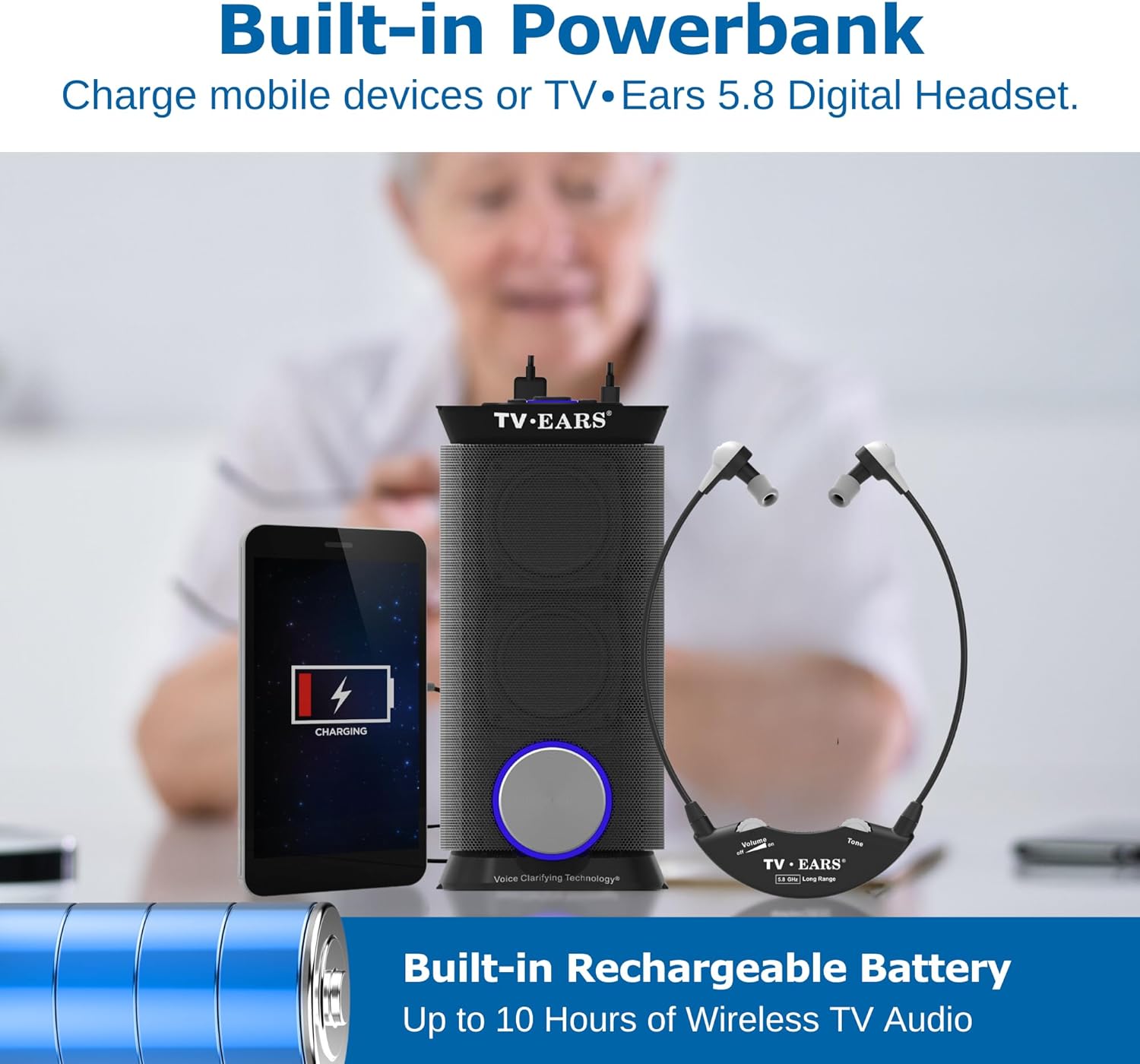
Image 4.2: The TV · EARS speaker with its built-in power bank functionality.
5. Maintenance
Proper care and maintenance will ensure the longevity of your TV · EARS Wireless Speaker System:
- Cleaning: Wipe the speaker and transmitter with a soft, dry cloth. Do not use liquid cleaners, abrasive materials, or solvents, as these can damage the finish or internal components.
- Storage: When not in use for extended periods, store the system in a cool, dry place away from direct sunlight and extreme temperatures.
- Battery Care: For optimal battery performance and lifespan, avoid fully discharging the speaker frequently. Recharge the speaker when the low battery indicator is active.
- Environmental Conditions: This product is designed for indoor use only. Avoid exposure to moisture, rain, or excessive humidity.
6. Troubleshooting
If you encounter issues with your TV · EARS Wireless Speaker System, refer to the following common problems and solutions:
| Problem | Possible Solution |
|---|---|
| No sound from the speaker. |
|
| Distorted sound or static. |
|
| Speaker not charging. |
|
| Echo effect when TV speakers are also on. |
|
7. Specifications
Technical specifications for the TV · EARS Wireless Speaker System Model 21290:
| Feature | Detail |
|---|---|
| Model Name | 21290 |
| Speaker Type | Wireless Long Range Speaker |
| Special Features | Theater Sound, Voice Clarifying Technology |
| Recommended Use | For Televisions |
| Compatible Devices | Television |
| Product Dimensions | 2"D x 10"W x 3"H |
| Item Weight | 4.6 pounds |
| Maximum Range | 100 Feet |
| Wireless Communication Technology | Wireless (UHF) 5.8 GHz |
| Speaker Size | 6.22 Inches |
| Power Source | Battery Powered |
| Charging Time | 4 Hours |
| Speaker Maximum Output Power | 10 Watts |
| Audio Output Mode | Voice, Theater |
| Indoor/Outdoor Usage | Indoor |
8. Warranty Information
The TV · EARS Wireless Speaker System Model 21290 includes an extended warranty. For detailed information regarding the terms, conditions, and duration of your warranty, please refer to the warranty card or documentation included in your product packaging. You may also contact TV · EARS customer support for further clarification.
9. Customer Support
For technical assistance, troubleshooting not covered in this manual, or warranty claims, please contact TV · EARS customer support. You can typically find contact information on the official TV · EARS website or on the product packaging.
We recommend having your product model number (21290) and purchase date available when contacting support to expedite assistance.