
1. Introduction
Thank you for choosing the YXQUA LP-216302 USB Rechargeable Flashlight & Camping Lantern. This versatile device combines a powerful flashlight with a 360° COB camping lantern, offering multiple light modes and a power bank function. Designed for portability and durability, it is an essential tool for outdoor activities, emergencies, and everyday use. Please read this manual thoroughly before use to ensure proper operation and maintenance.
2. Safety Information
- Do not look directly into the LED light when it is on, as it may cause temporary vision impairment.
- Keep out of reach of children.
- Do not disassemble, modify, or attempt to repair the device. This may void the warranty and pose a safety risk.
- Use only the provided or certified USB cables for charging.
- Avoid exposing the device to extreme temperatures, direct sunlight for prolonged periods, or highly corrosive environments.
- The device is IPX4 water-resistant, meaning it is protected against splashing water from any direction. Do not submerge the device in water.
3. Package Contents
- YXQUA LP-216302 Flashlight & Camping Lantern
- USB Charging Cable
- User Manual
4. Product Features
- High Brightness: Equipped with 50 LED bulbs and upgraded headlamp chips, providing up to 500 lumens.
- 360° COB Light: Features a COB light with 3000-9000K color temperature for wide-area illumination.
- 2-in-1 Design: Functions as both a handheld flashlight and a compact camping lantern with a metal hook for hanging.
- 6 Light Modes: Includes Headlight (100%, 50%), COB White Light (100%, 50%), and COB Warm Light (100%, 50%).
- Rechargeable: Built-in Lithium-Ion battery, fully charged via USB in approximately 2 hours, offering 3-10 hours of use depending on mode.
- Power Bank Function: Integrated USB output port allows charging of mobile devices in emergencies.
- IPX4 Water Resistant: Protected against splashing water.
- Durable Construction: Made from aluminum for lightweight and robust performance.
5. Product Overview

Figure 1: YXQUA LP-216302 Flashlight and Camping Lantern. This image shows the overall design of the product, highlighting its dual functionality as a flashlight and a lantern.
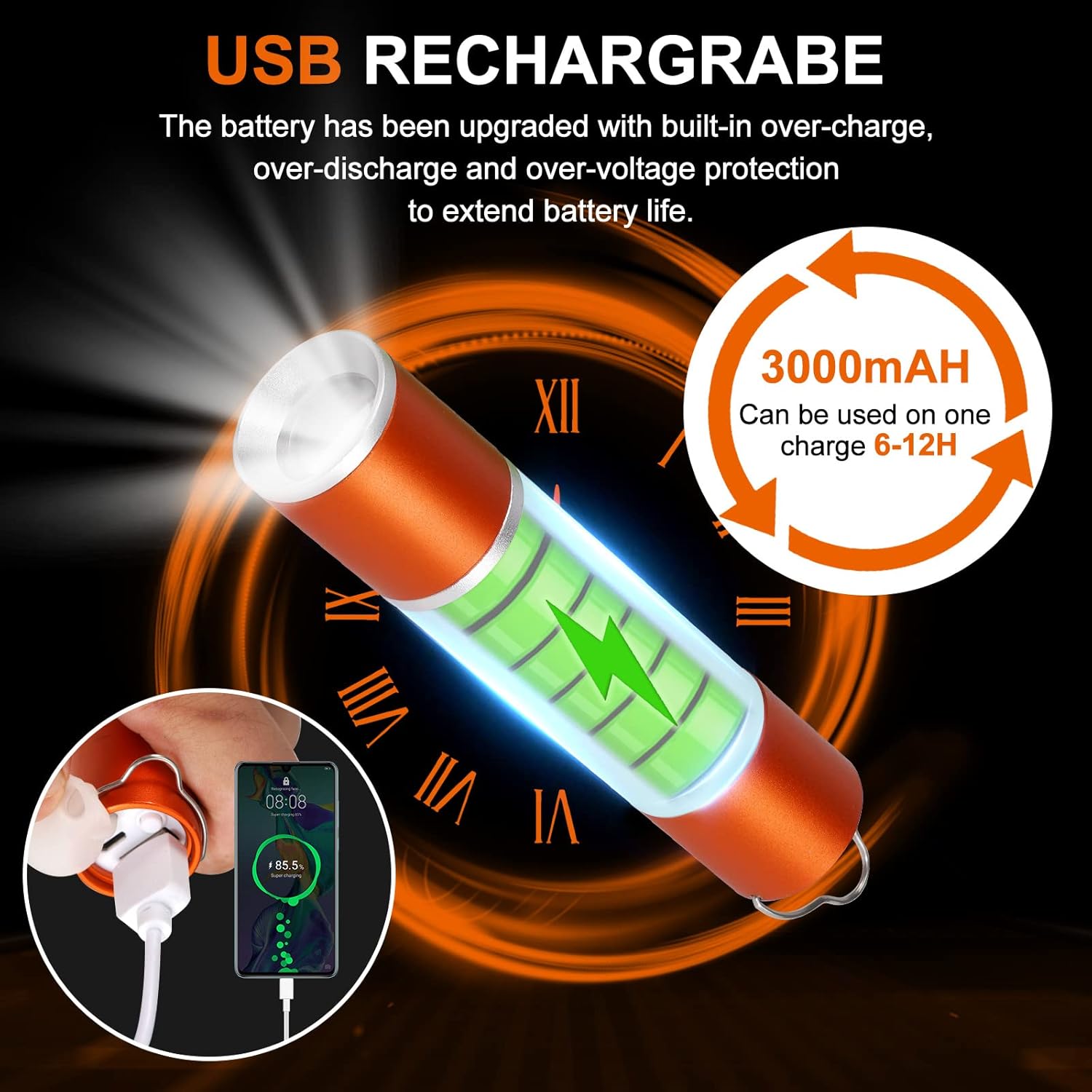
Figure 2: USB Charging and Output Ports. This image illustrates the location of the USB input for charging the device and the USB output for using it as a power bank.

Figure 3: Flashlight Spotlight and Side Lantern Modes. This image demonstrates the difference between the focused front spotlight and the wide-area side lantern illumination.
6. Setup
6.1 Initial Charge
Before first use, fully charge the device. Connect the provided USB charging cable to the device's input port and to a USB power source (e.g., wall adapter, computer USB port). The charging indicator light will show the charging status. A full charge typically takes about 2 hours.
Figure 4: Charging the Device. This image shows the flashlight connected to a USB power source for charging.
7. Operating Instructions
7.1 Power On/Off and Mode Selection
The YXQUA LP-216302 features 6 light modes. Use the power button to cycle through modes and turn the device off.
- Short Press: Press the power button briefly to cycle through the 6 light modes in the following order:
- Headlight 100% brightness (approx. 2-3 hours runtime)
- Headlight 50% brightness (approx. 3-4 hours runtime)
- COB White Light 100% brightness (approx. 3-4 hours runtime)
- COB White Light 50% brightness (approx. 8-9 hours runtime)
- COB Warm Light 100% brightness (approx. 3-4 hours runtime)
- COB Warm Light 50% brightness (approx. 8-9 hours runtime)
- Long Press to Turn Off: To turn off the light from any mode, press and hold the power button for approximately 2-3 seconds.
- Quick Turn Off: Alternatively, after cycling through all modes, wait 5-8 seconds, then click the button again to turn off the light.

Figure 5: Light Modes and Operation. This diagram illustrates the different light modes and how to switch between them using short presses and turn off using a long press.
7.2 Using as a Power Bank
The device can be used to charge other USB-powered devices in an emergency.
- Ensure the flashlight has sufficient charge.
- Connect your mobile device's charging cable to the USB output port on the flashlight.
- Charging will begin automatically.

Figure 6: Emergency Phone Charging. This image shows the flashlight being used to charge a smartphone via its USB output port.
7.3 Flashlight and Lantern Functionality
The YXQUA LP-216302 offers both a focused beam and a wide-area lantern light.
- Flashlight Mode: The front LED provides a concentrated beam for long-distance illumination (up to 150 meters / 500 feet).
- Lantern Mode: The side COB light emits a 360° diffused light, ideal for lighting up tents, rooms, or work areas. Use the integrated metal hook to hang the lantern for overhead lighting.

Figure 7: Camping Lantern Use. This image shows the device functioning as a lantern, illuminating the inside of a tent.

Figure 8: Illumination Capabilities. This image illustrates the maximum distance of the flashlight beam and the area covered by the lantern mode.
8. Maintenance
- Cleaning: Wipe the device with a soft, damp cloth. Do not use abrasive cleaners or solvents.
- Storage: Store the device in a cool, dry place away from direct sunlight and extreme temperatures. If storing for extended periods, charge the battery every 3-6 months to maintain battery health.
- Water Resistance: The IPX4 rating protects against splashes. Ensure the USB port cover is securely closed to maintain water resistance. Do not immerse in water.
9. Troubleshooting
| Problem | Possible Cause | Solution |
|---|---|---|
| Light does not turn on. | Battery is depleted. | Charge the device fully using the USB cable. |
| Light is dim. | Low battery or incorrect mode. | Recharge the device. Cycle through modes to select a brighter setting. |
| Device not charging. | Faulty cable, power source, or port. | Try a different USB cable or power adapter. Ensure the cable is securely connected. |
| Power bank function not working. | Low battery or incompatible device. | Ensure the flashlight is sufficiently charged. Verify your device is compatible with USB charging. |
10. Specifications
| Feature | Detail |
|---|---|
| Model Number | LP-216302 |
| Brand | YXQUA |
| Light Source Type | LED (Light Emitting Diode) |
| Maximum Light Output | 500 Lumens |
| Battery Type | Lithium-Ion (internal, rechargeable) |
| Charging Time | Approx. 2 hours (via USB) |
| Runtime | 3-10 hours (depending on mode) |
| Water Resistance | IPX4 (Water Resistant) |
| Material | Aluminum |
| Item Weight | 4.6 ounces |
| Package Dimensions | 5.35 x 1.73 x 1.54 inches |
| Special Features | Lightweight, Portable, Rechargeable, Power Bank Function |
11. Official Product Video
Video 1: YXQUA Portable LED Camping Lantern with 6 Light Modes. This video demonstrates the physical features, light modes, and various applications of the YXQUA LP-216302 flashlight and camping lantern.
12. Warranty and Support
This product comes with a standard manufacturer's warranty. For detailed warranty information, technical support, or customer service inquiries, please refer to the contact information provided on the product packaging or the official YXQUA website. Please retain your proof of purchase for warranty claims.