
1. Introduction
This manual provides essential information for the safe and efficient operation of your EDECOA 2500W Pure Sine Wave Power Inverter. This device converts 12V DC power from your battery into 220V AC power, suitable for a wide range of electronic devices and appliances. It features a remote control with an LCD screen for convenient monitoring and control.

Figure 1: EDECOA 2500W Pure Sine Wave Power Inverter.
2. Safety Information
Please read all safety instructions carefully before installation and operation. Failure to follow these instructions may result in electric shock, fire, or serious injury.
- Proper Ventilation: Ensure the inverter is installed in a well-ventilated area to prevent overheating.
- Correct Voltage: Verify that the input voltage (12V DC) matches your battery system and the output voltage (220V AC) is suitable for your appliances. Connecting a 24V input to a 12V inverter will cause immediate damage.
- Secure Connections: All connections must be tight and secure to prevent arcing and overheating.
- Avoid Overload: Do not exceed the inverter's continuous power rating of 2500W. The peak power is 5000W.
- Environmental Conditions: Avoid exposing the inverter to moisture, direct sunlight, or extreme temperatures.
Integrated Protections:
The inverter is equipped with multiple safety features to protect both the device and connected appliances:
- Overload Protection: Prevents damage from excessive power draw.
- Overheating Protection: Activates cooling fans and may shut down if internal temperature exceeds safe limits.
- Short Circuit Protection: Safeguards against short circuits in the output.
- Overvoltage Protection: Protects against excessively high input voltage.
- Undervoltage Protection: Prevents battery over-discharge by shutting down when battery voltage is too low.
- Reverse Polarity Protection: Guards against incorrect battery terminal connections.

Figure 2: Multi-protection features of the EDECOA inverter.
3. Package Contents
Upon unpacking, please ensure all items listed below are present and in good condition:
- EDECOA 2500W Pure Sine Wave Power Inverter
- Remote Control with LCD Screen
- Premium Battery Cables (M8, 25mm², 600mm length)
- RJ45 Cable (4m length)
- Connection Parts and Accessories

Figure 3: Included components in the EDECOA inverter package.
4. Setup
Follow these steps for proper installation of your EDECOA inverter:
- Choose a Location: Select a dry, cool, and well-ventilated area for the inverter. Ensure there is sufficient space around the unit for airflow.
- Connect Battery Cables: Connect the supplied premium battery cables to the inverter's DC input terminals. Ensure the positive (+) cable (red) connects to the positive terminal and the negative (-) cable (black) connects to the negative terminal. Then, connect the other ends to your 12V battery, observing correct polarity. Tighten all connections securely.
- Remote Control Connection: Connect the RJ45 cable from the remote control to the designated port on the inverter.
- Power On: Once all connections are secure, switch on the inverter using the power button on the unit or the remote control.
Battery Compatibility:
The inverter is compatible with various 12V battery types, including:
- Lead-Acid Batteries
- AGM Batteries
- Gel Batteries
- Lithium Batteries

Figure 4: Inverter features including USB charging and continuous power output.

Figure 5: Important note on choosing between 12V and 24V systems. Ensure your inverter matches your battery voltage.
5. Operating Instructions
The EDECOA inverter is designed for user-friendly operation. Here are key operational aspects:
Powering On/Off:
The inverter can be powered on or off using the switch on the unit itself or via the remote control. The remote control allows for convenient operation from a distance.
Remote Control with LCD Display:
The remote control features an LCD screen that provides real-time monitoring of critical parameters:
- Battery Level
- Input Voltage (DC)
- Output Voltage (AC)
- Output Frequency
- Output Wattage (Load)
- Cooling Fan Status
- Protection Indicators (High Voltage, Low Voltage, Overload, Temperature)
Video 1: Demonstration of the remote control's LCD display showing various operational parameters and protection alerts.
ECO Mode:
Activate ECO mode to optimize battery life. In this mode, the inverter reduces static power loss, consuming less than 15W in standby. This feature is particularly beneficial for applications like RVs or solar systems where battery conservation is crucial.
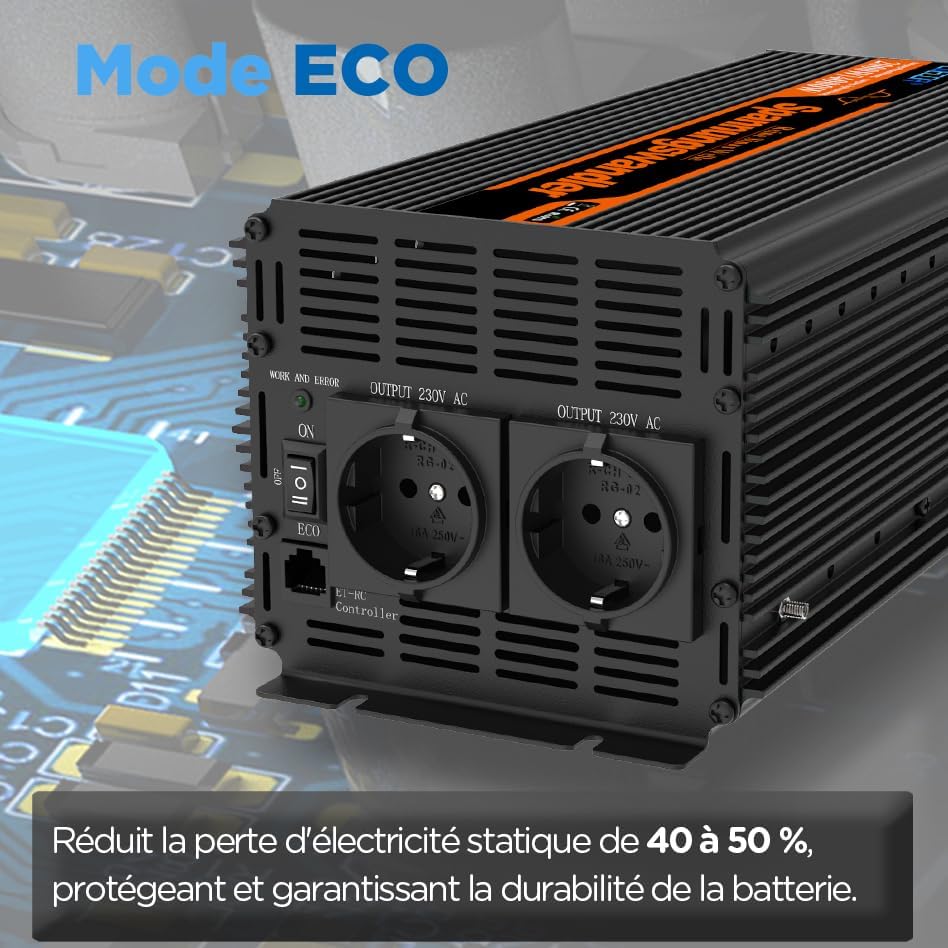
Figure 6: ECO Mode reduces static power loss by 40% to 50%, protecting and ensuring battery durability.
USB Charging Ports:
The inverter includes two USB ports (5V/2.1A) for fast charging of compatible devices such as smartphones and tablets.
Video 2: Demonstration of the inverter in use, powering a coffee machine outdoors, highlighting its practical application.
6. Key Features
The EDECOA 2500W Pure Sine Wave Inverter offers advanced features for reliable power conversion:
- Pure Sine Wave Output: Provides clean and stable AC power, identical to grid power, which is crucial for sensitive electronics, motors, and compressors. This prevents damage and ensures optimal performance for devices like medical equipment, laptops, and home appliances.
- High Efficiency: Achieves 92% conversion efficiency from 12V DC to 230V AC.
- High Power Output: Delivers 2500W continuous power and 5000W peak power, suitable for demanding loads.
- Galvanic Isolation: Features galvanic isolation between DC and AC, ensuring a clean current without interference.
- Smart Chip Technology: Incorporates a smart chip for enhanced control and protection.
- Thermal Controlled Cooling Fans: Equipped with intelligent cooling fans that activate only when the internal temperature reaches 45°C, maintaining optimal operating temperature and reducing noise.

Figure 7: Visual comparison of Pure Sine Wave (smooth) and Modified Sine Wave (stepped) outputs.

Figure 8: Examples of appliances that can be powered by the inverter. Consider the total wattage when choosing your inverter.
7. Specifications
| Specification | Value |
|---|---|
| Brand | EDECOA |
| Recommended Uses | Caravan, Home, Vehicle |
| Power Source | DC Power Supply |
| Power | 2500 Watts |
| Battery Capacity | 200 Amp-hours |
| Model Name | Convertisseur pur sinus 2500w 12v 220v |
| Color | Black |
| Product Dimensions (L x W x H) | 30L x 15W x 12.5H centimeters |
| Voltage | 12 Volts (DC), 230 Volts (AC) |
| Total Number of Outlets | 2 |
| Power in Watts | 2500 Watts |
| Input Voltage | 12 Volts (DC) |
| Output Power | 2500 Watts |
| Power Efficiency | Greater than 90% |
| Output Voltage | 230 Volts (AC) |
| Display Type | Digital |
| Peak Output Power | 5000 Watts |
| Inverter Power (VA) | 2500 |
| Electrical Output Waveform | Pure Sine Wave |
| Frequency | 50 Hz |
| Spare Parts Availability | 2 Years |
| Item Weight | 4.3 Kilograms |
8. Maintenance
To ensure the longevity and optimal performance of your EDECOA inverter, follow these maintenance guidelines:
- Keep Clean: Regularly clean the exterior of the inverter with a dry cloth. Ensure ventilation openings are free from dust and debris.
- Check Connections: Periodically inspect all electrical connections (battery cables, output cables) to ensure they are tight and free from corrosion.
- Monitor Cooling Fans: The intelligent cooling system activates fans above 45°C. Ensure the fans are not obstructed and are operating correctly.
- Storage: If storing the inverter for an extended period, disconnect it from the battery and store it in a cool, dry place.
9. Troubleshooting
The inverter is designed to alert you to potential issues through alarms and indicators on the remote control and app. Refer to the display for specific error codes or messages.
- Alarm Sounds Constantly: If the alarm sounds continuously, check the remote control display for specific protection warnings (e.g., low voltage, overload, overheating). Address the underlying issue (e.g., charge battery, reduce load, ensure ventilation).
- No Output Power: Verify that the inverter is switched on, battery connections are secure, and the battery has sufficient charge. Check for any active protection warnings.
- Overload Protection Triggered: Reduce the total wattage of connected appliances. The inverter will automatically attempt to restart once the load is within limits.
- Overheating Protection Triggered: Ensure the inverter has adequate ventilation. Clear any obstructions from the cooling fans. Allow the unit to cool down before resuming operation.
If you encounter persistent issues not resolved by these steps, please contact customer support.
10. Warranty and Support
The EDECOA 2500W Pure Sine Wave Power Inverter comes with a 2-Year Limited Warranty. This warranty covers defects in materials and workmanship under normal use.
For warranty claims, technical assistance, or further inquiries, please refer to the contact information provided with your purchase or visit the official EDECOA website.