
1. Introduction
Thank you for choosing the DINOSTRIKE Dual Dock PS5 Controller Charger Station. This device is designed to efficiently charge two PlayStation 5 DualSense controllers simultaneously, providing a convenient and organized charging solution. Please read this manual carefully before use to ensure proper operation and to maximize the lifespan of your product.
2. Safety Information
- Keep the charging station away from water, moisture, and high temperatures.
- Do not attempt to disassemble, repair, or modify the device.
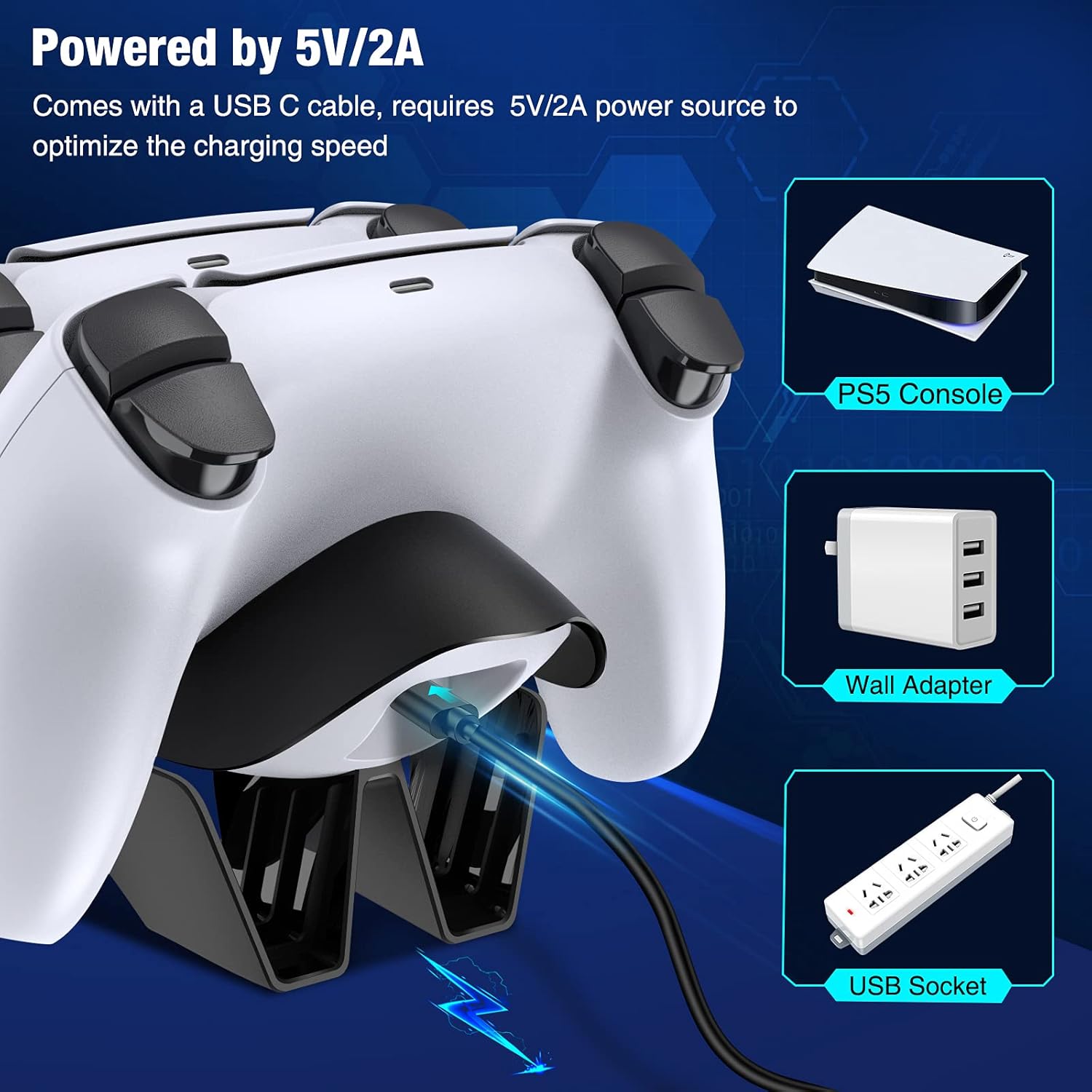
- Use only the provided USB-C cable and a compatible 5V/2A power adapter.
- Avoid dropping or subjecting the device to strong impacts.
- Keep out of reach of children.
- Unplug the charger when not in use for extended periods.
3. Package Contents
Verify that all items are present in your package:
- 1 x DINOSTRIKE Dual Dock PS5 Controller Charging Station
- 1 x USB-C Charging Cable
4. Product Features
- Fast Charging: Charges two PS5 DualSense controllers simultaneously, achieving a full charge in approximately 2.5-3 hours with a 5V/2A power supply.
- LED Indicator: Clear visual indication of charging status for each controller.
- Intelligent Charging Protection: Built-in chip provides protection against overcharging, over-voltage, over-current, short-circuit, and overheating.
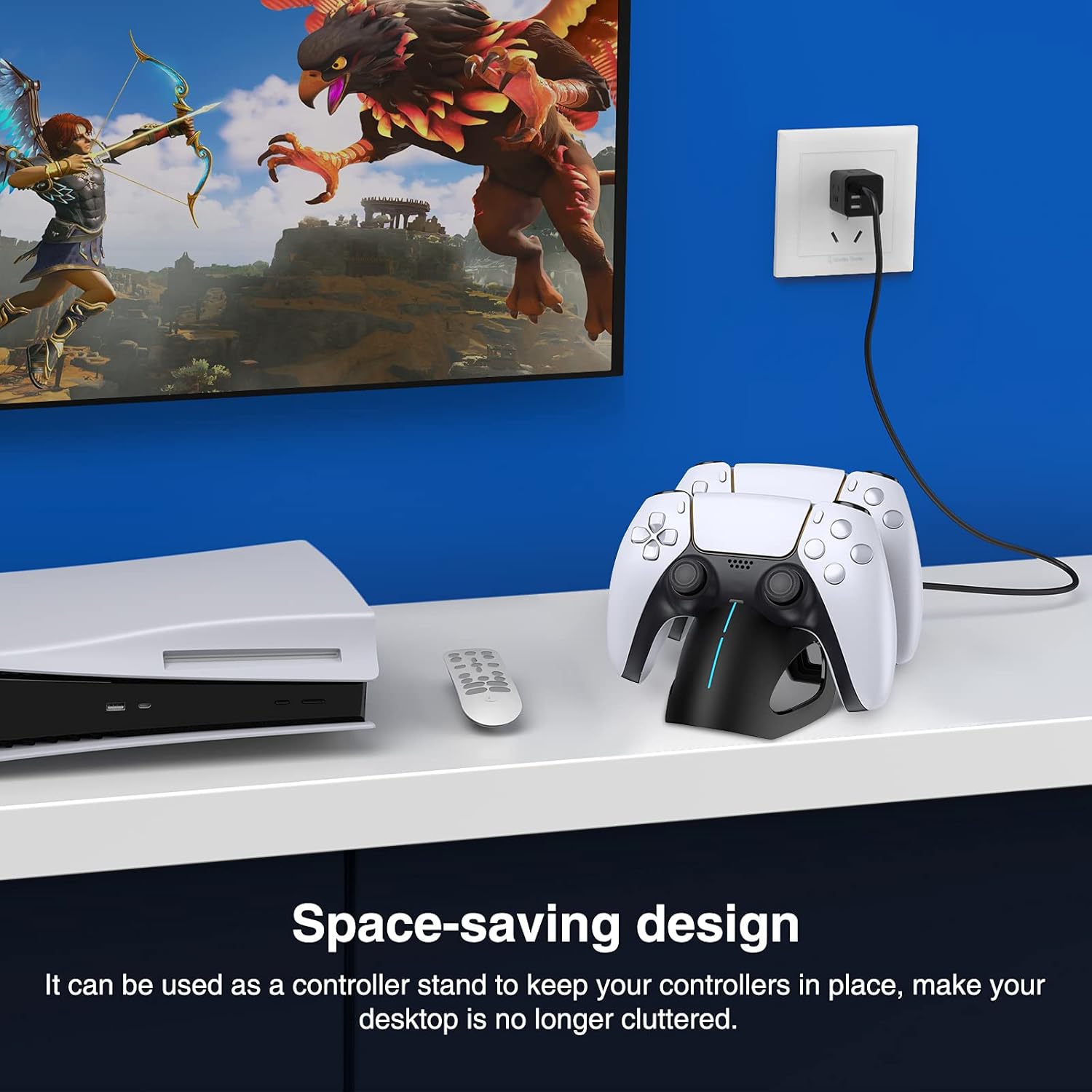
- Space-Saving Design: Functions as a controller stand, keeping your gaming area organized.
5. Setup
- Connect Power: Insert the USB-C end of the provided charging cable into the charging station.
- Power Source: Connect the USB-A end of the cable to a 5V/2A power source. This can be a PS5 console USB port, a wall adapter, or a USB socket. For optimal charging speed, a 5V/2A power source is recommended.
6. Operating Instructions
6.1 Charging Controllers
- Ensure the charging station is connected to a power source.
- Align the charging port of your PS5 DualSense controller with the connector on the charging dock.
- Gently place the controller onto the dock until it securely connects. The LED indicator on the charging station will illuminate to show the charging status.
- You can charge one or two controllers simultaneously.

6.2 LED Indicator Status
The LED indicator on the front of the charging station provides clear feedback on the charging process:
- Red Light: Indicates that the controller is currently charging.
- Blue Light: Indicates that the controller is fully charged.

6.3 Intelligent Protection
The built-in intelligent chip automatically stops charging once controllers are fully charged, preventing overcharging and protecting your controllers from potential damage. This ensures the longevity of your controllers and the charging station.
7. Maintenance
- Cleaning: Use a soft, dry cloth to wipe the surface of the charging station. Do not use liquid cleaners or abrasive materials.
- Storage: When not in use, store the charging station in a cool, dry place away from direct sunlight.
- Handling: Always handle the device gently to avoid damage to the charging ports or internal components.

8. Troubleshooting
- Controller not charging:
- Ensure the charging station is properly connected to a 5V/2A power source.
- Verify that the controller is correctly seated on the dock and making proper contact with the charging pins.
- Try using a different USB port or power adapter.
- Test with a different PS5 controller if available.
- Slow charging:
- Ensure your power source provides at least 5V/2A output. Lower power output will result in slower charging.
- Avoid charging in extremely hot environments.
- LED indicator not working:
- Check the power connection to the charging station.
- Ensure the controller is properly docked.
9. Specifications
| Brand | DINOSTRIKE |
| Model Number | B09YY3YP2M |
| Compatible Devices | PS5 DualSense Controllers |
| Input Voltage | 5V |
| Input Current | 2A (Recommended) |
| Wattage | 10 watts |
| Charging Time | Approx. 2.5-3 hours (for two controllers) |
| Connector Type | USB-C (input) |
| Material | Plastic |
| Special Features | Charging Indicator, Fast Charging, Overcharge Protection |
10. Warranty and Support
This product comes with a standard manufacturer's warranty. For specific warranty details, please refer to the documentation included with your purchase or contact the retailer. If you encounter any issues or require technical assistance, please contact DINOSTRIKE customer support through your purchase platform or the official brand website.