
1. Introduction
This manual provides detailed instructions for the A ALPS Kids Digital Sport Watch, Model T6F. Please read this guide thoroughly to understand the watch's features, setup, and operation. This watch is designed for children aged 5-12, offering fitness tracking, an alarm clock, and a stopwatch without requiring a smartphone app connection.
2. Product Overview
The A ALPS Kids Digital Sport Watch is a durable and user-friendly device. It features a lightweight ABS case, a soft silicone watchband, and a clear LED display. The watch is designed to be worn comfortably by children and includes several useful functions.
2.1 Key Features
- Fitness Tracker: Tracks steps, calories, and mileage without needing a smartphone app.
- Silent Vibration Alarm: Two sets of alarms to remind children for study or rest without disturbing others.
- USB Direct Charging: Integrated USB interface for convenient charging with any standard USB adapter.
- 50M Waterproof: Suitable for handwashing, rain, and splashes. Not recommended for swimming.
- Stopwatch: For timing activities.
- Date/Time Display: Clear digital display of current date and time.
- Eye Protection at Night: Designed for comfortable viewing in low light.

Image 2.1: Overview of the watch and its key features, including date/time, waterproofing, eye protection, step counting, USB charging, calorie monitoring, movement distance, stopwatch, and alarm clocks.
3. Setup
3.1 Initial Charging
Before first use, fully charge the watch. The watch features a built-in USB interface for direct charging. Simply remove the strap from one side to reveal the USB connector and plug it into any standard USB adapter (e.g., smartphone charger, computer USB port, power bank).
- Charging Time: Approximately 2 hours for a full charge.
- Battery Life: Up to 15+ days on a single charge with typical usage.

Image 3.1: The watch's integrated USB connector allows for convenient charging by plugging directly into a USB port.
3.2 Power On/Off
The watch typically powers on automatically when charged. To power off or on, refer to the specific button functions described in the operation section. (Note: Specific button functions are not detailed in the provided product information, general instructions are given.)
4. Operating Instructions
The watch typically has one or two buttons for navigation and setting. Pressing the button(s) will cycle through modes and allow adjustments.
4.1 Setting Time and Date
- Press and hold the main button (usually the only button or the bottom button) until the time display starts flashing.
- Press the button repeatedly to adjust the hour.
- Press and hold again to switch to minute setting, then press repeatedly to adjust minutes.
- Repeat this process for setting the date (month, day, year) if applicable.
- Once all settings are complete, press and hold the button to save and exit the setting mode.
4.2 Using the Alarm Clock
The watch features a silent vibration alarm, ideal for school or quiet environments.
- Cycle through modes by short-pressing the button until you reach the alarm setting mode (often indicated by an alarm icon).
- Press and hold the button to enter alarm time adjustment.
- Adjust the hour and minute using short presses, similar to setting the time.
- Confirm and save by pressing and holding the button.
- Ensure the alarm is activated (an alarm icon should be visible on the display).

Image 4.1: The silent vibration alarm feature ensures discreet reminders for children, suitable for use in classrooms or dormitories.
4.3 Using the Stopwatch
The stopwatch function allows for timing various activities.
- Cycle through modes by short-pressing the button until you reach the stopwatch mode.
- Press the button once to start the stopwatch.
- Press again to pause/resume.
- To reset, press and hold the button while the stopwatch is paused.
4.4 Fitness Tracking
The watch automatically tracks steps, calculates calories burned, and estimates mileage. No app connection is required; data is displayed directly on the watch.
- Step Counting: The watch counts steps taken throughout the day.
- Calorie Monitoring: Estimates calories burned based on activity.
- Mileage: Calculates distance covered.
- To view fitness data, cycle through the watch modes until the step, calorie, or distance display appears.

Image 4.2: The watch tracks daily activity, including steps, distance, and calories, encouraging an active lifestyle for children.
5. Maintenance
5.1 Waterproofing Guidelines
The A ALPS Kids Digital Sport Watch is rated 50M waterproof. This means it is resistant to water splashes, rain, and can be worn during handwashing.
- Do NOT press any buttons while the watch is submerged in water.
- Do NOT wear the watch during swimming, diving, or showering with hot water.
- Exposure to steam or hot water can damage the waterproof seals.
- After contact with water, wipe the watch dry with a soft cloth.
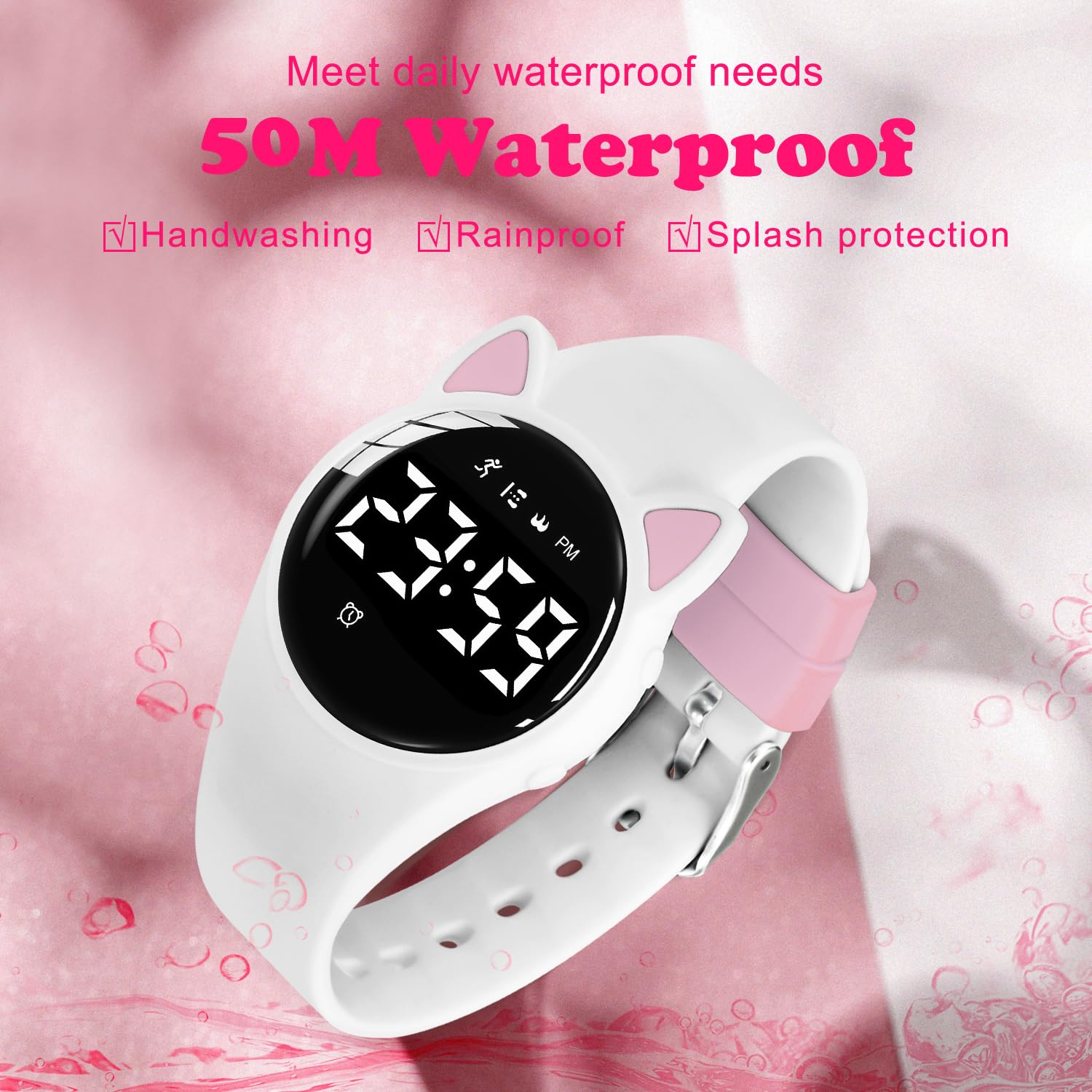
Image 5.1: The watch is designed to withstand daily water exposure such as handwashing and rain, but should not be submerged for extended periods or used during swimming.
5.2 Cleaning
To clean the watch, wipe it gently with a soft, damp cloth. Avoid using harsh chemicals or abrasive materials, as these can damage the watch's finish or components.
6. Troubleshooting
| Problem | Possible Solution |
|---|---|
| Watch not turning on | Ensure the watch is fully charged. Connect it to a USB power source for at least 2 hours. |
| Display is dim or blank | Charge the watch. If the issue persists, contact customer support. |
| Time/Date is incorrect | Refer to Section 4.1 to manually set the time and date. |
| Fitness tracker not recording | Ensure the watch is worn correctly on the wrist. Movement data is typically reset daily. |
| Alarm not vibrating | Check if the alarm is activated in the settings. Ensure the battery is not critically low. |
7. Specifications
| Feature | Detail |
|---|---|
| Model Number | T6F |
| Movement Type | Digital |
| Display Screen | LED |
| Strap Material | Silica gel |
| Waterproof Level | 50M Waterproof |
| Watch Weight | 33g |
| Battery Capacity | 65mAh |
| Product Dimensions | 1 x 1 x 1 cm (approximate, as per product data) |
| Item Weight | 68 g (packaged weight) |
| Included Components | Watch Band |

Image 7.1: Detailed specifications and dimensions of the A ALPS Kids Digital Sport Watch, including dial size, strap width, and wrist circumference range.
8. Warranty and Support
For any questions regarding your A ALPS Kids Digital Sport Watch, Model T6F, please contact the seller directly through your purchase platform. They will be able to provide assistance with product inquiries, troubleshooting, and warranty information.
Please retain your proof of purchase for any warranty claims.