
Introduction
This manual provides comprehensive instructions for the FamiSym Portable Sound Machine. It covers setup, operation, maintenance, troubleshooting, and product specifications to ensure optimal use and longevity of your device. Please read this manual thoroughly before using the product.
Safety Information
For your child's safety, always supervise them while using this product. Ensure the battery compartment is securely closed. Keep batteries out of reach of children. Do not expose the device to water or excessive moisture. Do not attempt to disassemble or repair the device yourself.
Product Features
- 34 Soothing Sounds: Includes Brown Noise, Pink Noise, Fan Sounds, Nature Sounds, Lullabies, Fetal Heart, and Shushing Sounds.
- Customizable Nightlight: Features gentle amber night light and LED ambient lighting with customizable colors and brightness. Can be used independently of sound.
- Rechargeable & Portable: 2000mAh battery provides over 15 hours of use on a single charge. Compact design (3.5'' diameter, 6.5 ounces) for easy travel.
- Timer and Memory Function: Offers timer options (30, 60, 90 minutes) and remembers previous settings for sound, light, and volume.
- Versatile Use: Suitable for babies, kids, and adults, effectively masking background noise for improved sleep and focus.

Front view of the FamiSym Portable Sound Machine, showcasing its top panel with control buttons for sound, light, timer, and volume, and the illuminated base.

The FamiSym Portable Sound Machine positioned on a bedside table, providing soothing sounds and a gentle night light while a mother feeds her baby.

The FamiSym Portable Sound Machine on a nightstand next to a sleeping adult, illustrating its use for deep, restful sleep.

A child sleeping peacefully with the FamiSym Portable Sound Machine on a nearby table, highlighting its customizable color ambient light and lullabies.

The FamiSym Portable Sound Machine next to a sleeping baby in a tent, demonstrating its long battery life and portability for outdoor use.

A mother and baby sleeping soundly with the FamiSym Portable Sound Machine nearby, emphasizing its benefit for both adults and children.
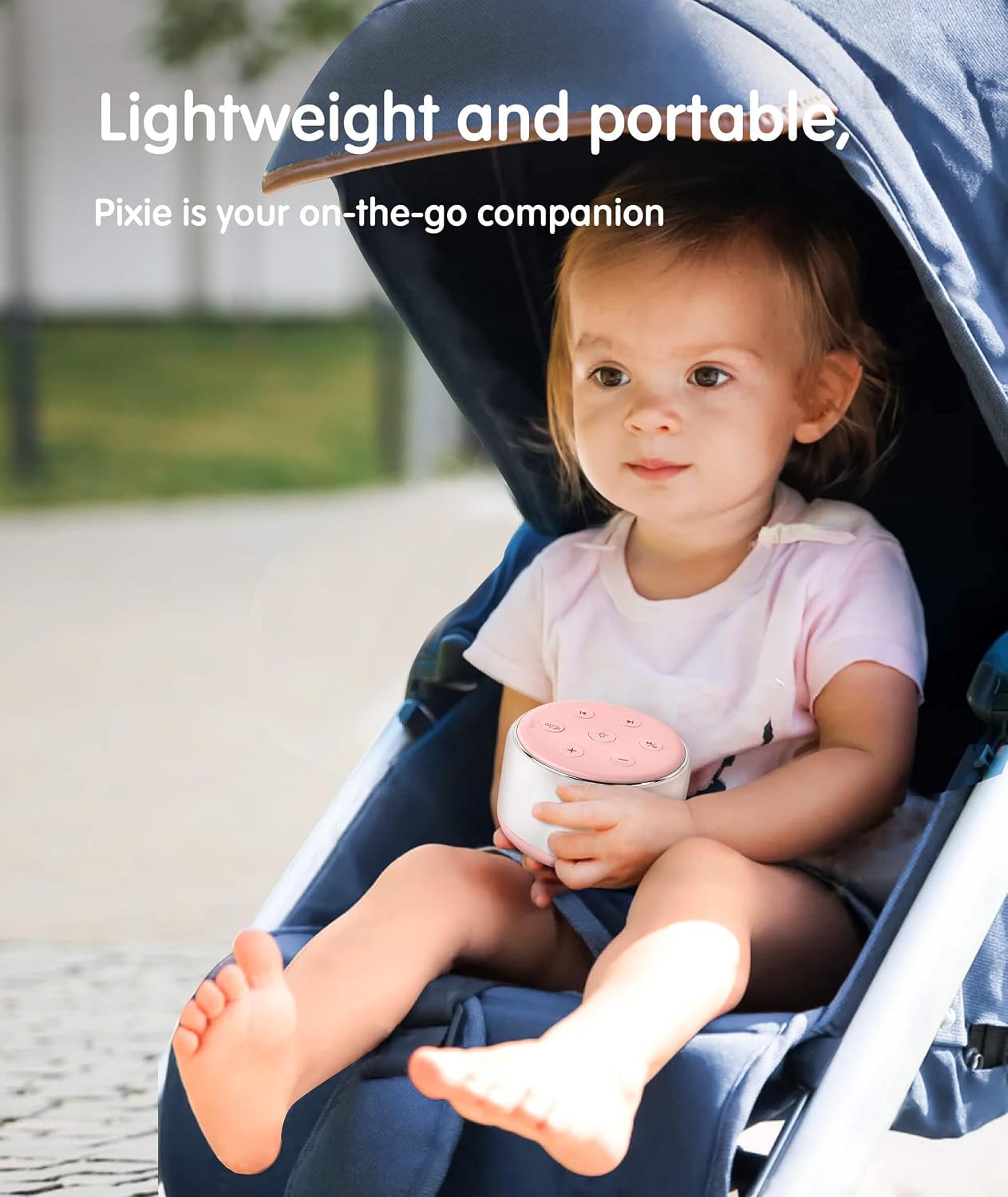
A child in a stroller holding the FamiSym Portable Sound Machine, illustrating its lightweight and portable design for on-the-go use.

The FamiSym Portable Sound Machine emitting a warm, amber light, showcasing one of its nightlight options.

The FamiSym Portable Sound Machine in its white color variant, displaying its compact and sleek design.
Setup
Initial Charging
Before first use, fully charge the FamiSym Portable Sound Machine using the provided USB cable. The charging port is located at the bottom of the device.
Powering On
Press and hold the power button (usually indicated by a power symbol) on the top panel to turn the device on.
Operating Instructions
Sound Selection
The FamiSym Sound Machine offers 34 soothing sounds. Use the "previous track" and "next track" buttons (usually left and right arrows) on the top panel to cycle through the available sounds.
Available Sounds:
- White Noise
- Pink Noise
- Brown Noise
- Fan Sounds
- Lullabies
- Thunderstorm
- Rain
- Ocean Waves
- Brook
- Birdsong
- Summer Night
- Campfire
- Wind
- Train
- Little Star
- Heartbeat
- Shushing
- Hair Dryer

An illustration displaying the various sound categories available on the FamiSym Portable Sound Machine, including white noise, nature sounds, and lullabies.
Volume Adjustment
Use the "+" and "-" buttons on the top panel to increase or decrease the volume to your desired level.
Nightlight Control
Press the light bulb icon button to turn the nightlight on or off. Continue pressing to cycle through different light colors and brightness levels. The nightlight can be used independently of the sound function.

An image highlighting the versatile nightlight options of the FamiSym Portable Sound Machine, including adjustable brightness, color-breathing mode, warm amber light, and 7-color ambient light.
Timer Function
The device features a timer for automatic shut-off. Long press the timer button (indicated by a clock icon with "30, 60, 90" minutes) to set the timer for 30, 60, or 90 minutes. The indicator light will turn off for continuous playback.

An image demonstrating the convenient timer and playback options of the FamiSym Portable Sound Machine, with settings for 30, 60, or 90 minutes, and continuous playback.
Memory Function
The FamiSym Sound Machine automatically retains your previous settings for sound, light, and volume when powered off, ensuring a hassle-free experience upon next use.

The FamiSym Portable Sound Machine ready for use upon power-on, automatically recalling previous sound, light, and volume settings.
Maintenance
Cleaning
To clean the device, gently wipe the exterior with a soft, dry cloth. Do not use abrasive cleaners or immerse the device in water.
Storage
Store the sound machine in a cool, dry place away from direct sunlight and extreme temperatures when not in use for extended periods.
Troubleshooting
No Sound
- Ensure the device is powered on.
- Check the volume level using the "+" button.
- Verify the battery is charged.
Light Not Working
- Press the light bulb button to activate the nightlight.
- Ensure the device has sufficient battery charge.
Device Not Charging
- Check if the USB cable is securely connected to both the device and the power source.
- Try a different USB port or power adapter.
Short Battery Life
- Ensure the device is fully charged before use.
- Continuous use of high volume or bright light settings may reduce battery life.
Specifications
| Feature | Detail |
|---|---|
| Product Dimensions | 3.4 x 3.4 x 2 inches |
| Weight | 8.47 ounces |
| Model Number | Famisym-201-pink |
| Batteries | 1 Lithium Ion battery (included) |
| Power Source | Battery Powered |
| Brand | Famisym |
| Color | Pink |
| Material | Plastic |
| Manufacturer | FAMISYM |
| First Available | April 25, 2022 |

A diagram illustrating the compact dimensions of the FamiSym Portable Sound Machine, measuring 3.5 inches in diameter and 2.1 inches in height.
Warranty and Support
The FamiSym Portable Sound Machine comes with a 365-night warranty. For any inquiries or support, please contact FamiSym customer service through the retailer or manufacturer's official channels.
A detailed User Guide is also available for download: User Guide (PDF).

