
Famisym MBZ201
FamiSym White Noise Sound Machine User Manual
Model: MBZ201
Brand: Famisym
Introduction
The FamiSym White Noise Sound Machine is a versatile device designed to create a calming environment for improved sleep for babies, children, and adults. It combines 34 soothing sounds with a customizable nightlight, offering portability and ease of use. This manual provides essential information for the safe and effective operation of your device.
Key features include: 34 soothing sounds (Brown Noise, Pink Noise, Fan Sounds, Nature Sounds, Lullabies, Fetal Heart, Shushing Sounds), customizable amber and LED ambient nightlight, 2000mAh rechargeable battery for over 15 hours of use, compact design (3.5'' diameter, 6.5 ounces), and timer/memory functions.
Safety Information
- Do not use near water or in excessively humid environments.
- Supervise children when they are handling the device.
- Use only the correct voltage for charging to prevent damage or hazard.
- Avoid prolonged exposure to loud sound levels to prevent hearing damage.
- Keep the device away from heat sources and direct sunlight.
- Do not attempt to disassemble or repair the device yourself. Contact customer support for assistance.
Setup
Your FamiSym Sound Machine comes with a built-in rechargeable Lithium Ion battery. Before first use, it is recommended to fully charge the device.
- Locate the USB-C charging port on the side of the device.
- Connect the provided USB-C cable to the device and plug the other end into a compatible USB power adapter (not included).
- The indicator light will show charging status (e.g., solid blue when fully charged).
- Once fully charged, the device is ready for use.

Figure 1: FamiSym White Noise Sound Machine with various light colors.
Operating Instructions
The FamiSym Sound Machine features intuitive touch controls on its top surface.
Power On/Off & Sound Playback
- To power on, press and hold the Power/Play/Pause button (usually indicated by a play/pause icon with a power symbol). The device will automatically retain previous sound, light, and volume settings upon power-on.
- Press the Power/Play/Pause button once to play or pause the current sound.
- To power off, press and hold the Power/Play/Pause button.
Sound Selection
- Use the "Previous Sound" (left arrow) and "Next Sound" (right arrow) buttons to cycle through the 34 available soothing sounds.
- Sounds include: White Noises, Pink Noise, Brown Noise, Fan Sounds, Lullabies, Thunderstorm, Rain, Ocean Waves, Brook, Birdsong, Summer Night, Campfire, Wind, Train, Little Star, Heartbeat, Shushing, and Hair Dryer.

Figure 2: Overview of the 34 selected soothing sounds.
Volume Control
- Press the "+" button to increase the volume.
- Press the "-" button to decrease the volume.
Nightlight Operation
- Press the light bulb icon button to turn the nightlight on or off.
- Press the "RGB" button (usually with a clock icon) to cycle through different light colors (e.g., warm amber, 7-color ambient light).
- The nightlight can be used independently without sound playback.

Figure 3: Versatile nightlight options for different preferences.
Timer Function
- Press and hold the "Timer" button (usually with a clock icon) to set an auto-off timer for 30, 60, or 90 minutes.
- The indicator light will confirm the selected timer setting.
- For continuous playback, cycle through the timer options until no timer is selected.
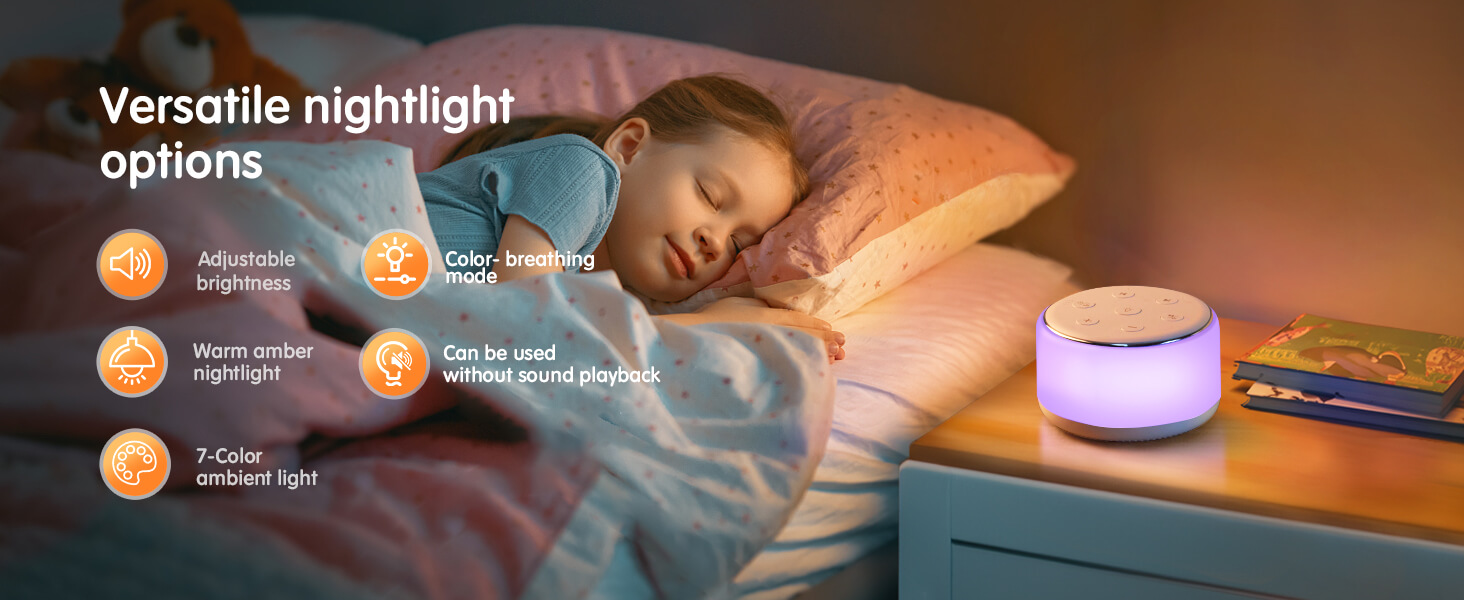
Figure 4: Convenient timer and playback options.
Portability
The compact and lightweight design of the FamiSym Sound Machine makes it an ideal on-the-go companion. It fits easily in diaper bags or backpacks, perfect for travel, stroller use, car seats, or even for power naps at the office.

Figure 5: Portable design for on-the-go use.
Maintenance
- To clean the device, wipe it with a soft, dry cloth. Do not use abrasive cleaners or immerse in water.
- Store the device in a cool, dry place when not in use.
Troubleshooting
- Device not turning on: Ensure the battery is charged. Connect to a power source and try again.
- No sound: Check the volume level using the "+" button. Ensure the device is not paused.
- Light not working: Press the light bulb icon button to toggle the light. If still not working, ensure the device is charged.
- Short battery life: Ensure the device is fully charged before use. Reduce volume or light brightness to extend battery life.
Specifications
| Product Dimensions | 3.4 x 3.4 x 2 inches; 8.11 ounces |
| Item Model Number | MBZ201 |
| Batteries | 1 Lithium Ion batteries required (included) |
| Material | Plastic |
| Power Source | Battery Powered |
| Manufacturer | FAMISYM |
| Country of Origin | China |
Support
For detailed information or further assistance, please refer to the official User Guide available as a PDF document.
Official Product Videos
Watch these official videos from the seller for more insights into the FamiSym White Noise Sound Machine.
Small Portable Night Light and Sound Machine
This video provides a concise overview of the FamiSym White Noise Sound Machine, highlighting its compact size, night light features, and sound capabilities. It demonstrates the device's portability and ease of use in various settings.
FamiSym White Noise Sound Machine Review!
This review video offers a detailed look at the FamiSym White Noise Sound Machine, showcasing its features and benefits from a user's perspective. It covers sound quality, light options, and overall functionality.
Related documentsMBZ201


Ask a question about this manual
Ask about setup, troubleshooting, compatibility, parts, safety, or missing instructions. Manuals+ will review the question and use this page’s manual context to help answer it.