
Samsung NE63A6511SS
User Manual for Samsung NE63A6511SS Electric Range
Model: NE63A6511SS
Brand: Samsung
1. Introduction
This manual provides essential information for the safe and efficient operation of your Samsung NE63A6511SS 6.3 Cu. Ft. Stainless Smart Freestanding Electric Range. This appliance features an elevated design, Air Fry functionality, Wi-Fi connectivity, convection cooking, and rapid boil elements, all within a fingerprint-resistant stainless steel finish.

Figure 1: Front view of the Samsung NE63A6511SS Electric Range, showcasing its stainless steel finish and large oven window.
2. Safety Information
Always adhere to basic safety precautions when using this appliance to reduce the risk of fire, electric shock, or injury to persons.
- Read all instructions before using the appliance.
- Ensure proper installation and grounding by a qualified technician.
- Do not leave children unattended near the range.
- Never use the appliance for warming or heating the room.
- Wear proper apparel; loose-fitting or hanging garments should never be worn while using the appliance.
- Do not repair or replace any part of the appliance unless specifically recommended in the manual. All other servicing should be referred to a qualified technician.
- Always turn off all controls and disconnect power before cleaning or servicing.
3. Setup and Installation
3.1 Unboxing and Placement
Carefully remove the range from its packaging. Ensure all packing materials are removed. Place the range in its intended location, ensuring adequate clearance from walls and cabinets as per local building codes and the installation guide (sold separately).
3.2 Electrical Connection
This electric range requires a dedicated electrical circuit. Consult a qualified electrician for proper installation and connection to ensure compliance with all electrical codes. The appliance is designed for freestanding installation.

Figure 2: Side view of the electric range, illustrating its freestanding design and dimensions.
4. Operating Instructions
4.1 Control Panel Overview
The control panel features intuitive touch controls and rotary knobs for precise temperature and function selection. The digital display shows time, temperature, and selected settings.

Figure 3: Detailed view of the control panel, showing knobs for burners and touch controls for oven functions like Air Fry, Bake, Broil, and Self Clean.
4.2 Cooktop Operation
The ceramic glass cooktop features multiple heating elements, including Rapid Boil zones for quick heating. Turn the corresponding knob to activate and adjust the heat level for each burner.
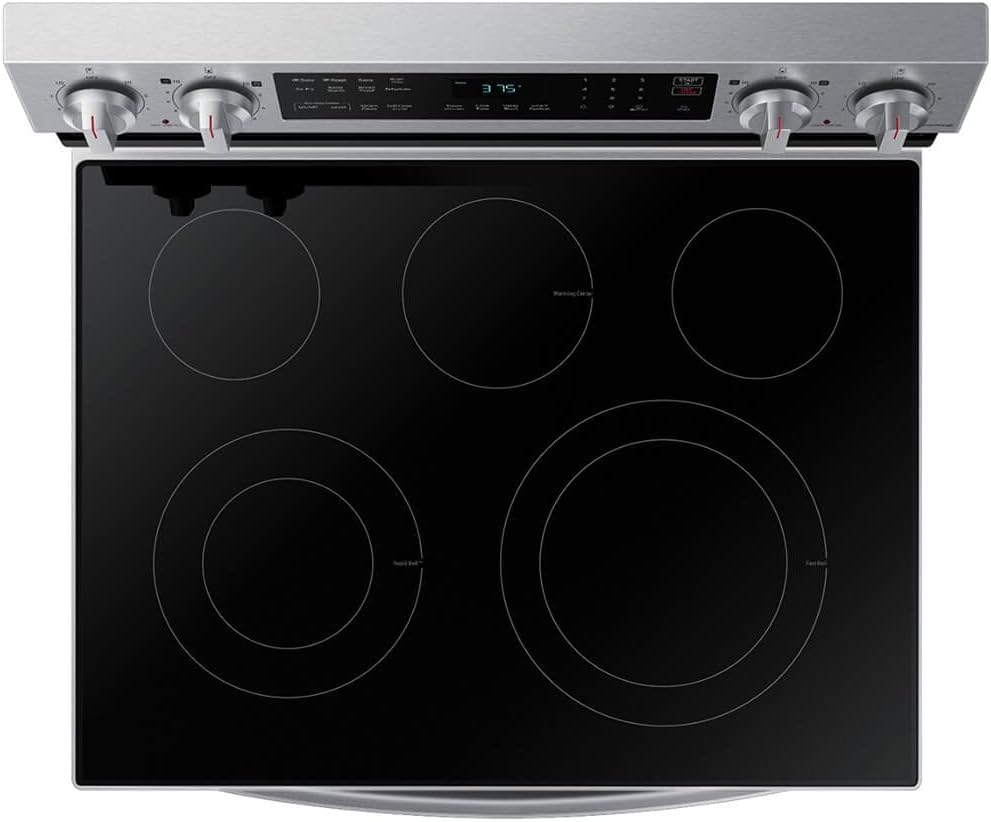
Figure 4: Overhead view of the cooktop, highlighting the various burner sizes and the Rapid Boil markings.
4.3 Oven Functions
The 6.3 Cu. Ft. oven offers a variety of cooking modes:
- Bake: Standard baking for various dishes.
- Broil: For searing and browning.
- Air Fry: Utilizes convection heating for crispy results with less oil.
- Convection Bake/Roast: Circulates hot air for even cooking and faster results.
- Keep Warm: Maintains food temperature without further cooking.
- Bread Proof: Provides a low-temperature environment for rising dough.
- Dehydrate: For drying fruits, vegetables, and herbs.

Figure 5: The oven interior with adjustable racks, demonstrating the spacious 6.3 cubic feet capacity.
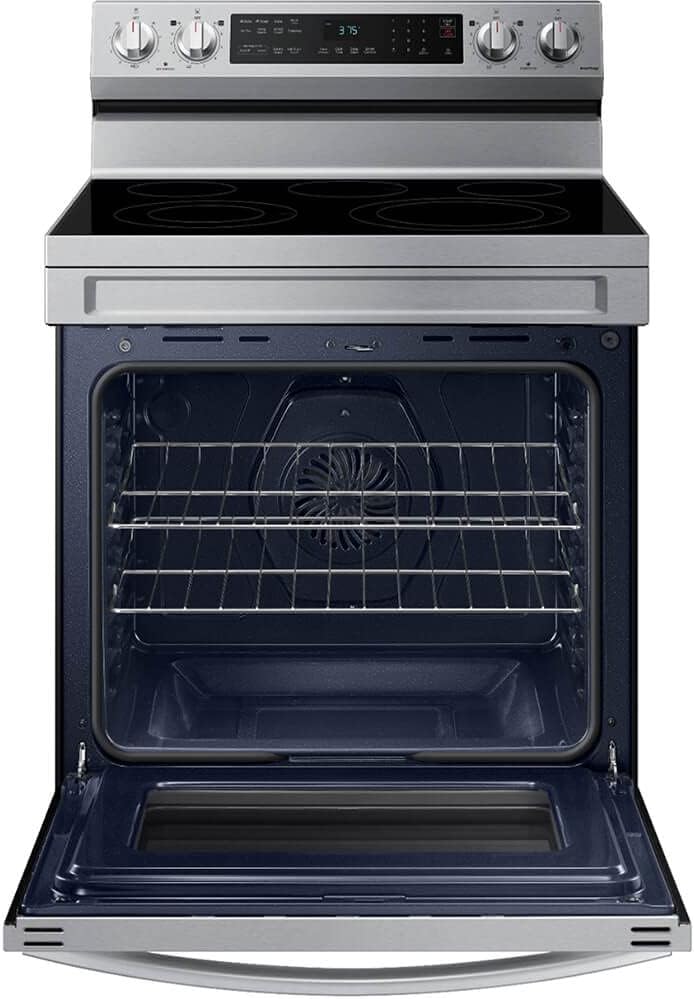
Figure 6: View of the convection fan located at the back of the oven, which ensures even heat distribution.
4.4 Wi-Fi Connectivity
Connect your range to your home Wi-Fi network to enable smart features. This allows for remote monitoring and control of oven functions via the Samsung SmartThings app on your smartphone. Refer to the SmartThings app instructions for detailed setup and usage.
5. Maintenance and Cleaning
5.1 Cooktop Cleaning
Allow the ceramic glass cooktop to cool completely before cleaning. Use a ceramic cooktop cleaner and a non-abrasive pad to remove spills and stains. For stubborn residue, a razor scraper may be used carefully.
5.2 Oven Cleaning
The oven features a Self Clean cycle for heavy soil and a Steam Clean option for light soil. Follow the instructions on the control panel for initiating these cycles. For manual cleaning, use mild soap and water on interior surfaces once the oven has cooled.
5.3 Exterior Cleaning
Clean the stainless steel exterior with a soft cloth and a stainless steel cleaner. The fingerprint-resistant finish helps reduce smudges, but regular wiping will maintain its appearance.

Figure 7: The convenient storage drawer located beneath the oven, ideal for storing bakeware.
6. Troubleshooting
Before calling for service, review the following common issues and their solutions:
| Problem | Possible Cause | Solution |
|---|---|---|
| Range does not operate. | Power cord not plugged in; circuit breaker tripped; power outage. | Ensure power cord is securely plugged in. Check household circuit breaker/fuse box. Verify power supply to your home. |
| Oven not heating properly. | Incorrect temperature setting; oven door not closed completely. | Verify temperature setting. Ensure oven door is fully closed and not obstructed. |
| Cooktop element not heating. | Control knob not set correctly; element malfunction. | Ensure the control knob is turned to the desired heat setting. If issue persists, contact service. |
| Wi-Fi connection issues. | Incorrect Wi-Fi password; router issues; range too far from router. | Re-enter Wi-Fi password. Restart your home router. Move range closer to router or use a Wi-Fi extender. |
For issues not listed here or if problems persist, please contact Samsung customer support.
7. Specifications
| Feature | Detail |
|---|---|
| Brand | Samsung |
| Model Name | NE63A6511SS |
| Capacity | 6.3 Cubic Feet |
| Installation Type | Freestanding |
| Product Dimensions (W x D x H) | 30.5 x 33.5 x 50.5 inches |
| Item Weight | 172 pounds |
| Color | Stainless Steel |
| Material Type | Stainless Steel |
| Fuel Type | Electric |
| Control Console | Touch |
| Heating Elements | 4 |
| Burner Type | Sealed |
| Drawer Type | Broiler, Baking |
8. Warranty and Support
For warranty information and customer support, please refer to the warranty card included with your product or visit the official Samsung website. You can also find support resources and contact information via the Samsung Store on Amazon or by searching for "Customer Support" on Amazon's product page for this model.
Always ensure you have your model number (NE63A6511SS) and serial number ready when contacting support.
Ask a question about this manual
Ask about setup, troubleshooting, compatibility, parts, safety, or missing instructions. Manuals+ will review the question and use this page’s manual context to help answer it.