
1. Introduction
This manual provides essential instructions for the safe and effective use of your Dexpt ADP195123T 240W AC Charger. This power adapter is designed to provide reliable power to compatible Dell Precision series laptops and workstations. Please read this manual thoroughly before use and retain it for future reference.
2. Safety Information
Your Dexpt AC Charger is a UL Listed product, meaning it has met stringent safety requirements. To ensure safe operation and prevent damage to your device or personal injury, please observe the following:
- Use the charger only with compatible devices as specified in this manual.
- Do not expose the charger to water, moisture, or extreme temperatures.
- Avoid dropping or subjecting the charger to severe impact.
- Do not attempt to disassemble or modify the charger.
- Ensure proper ventilation around the charger during use to prevent overheating.
- Unplug the charger from the power outlet when not in use or during electrical storms.
- Keep out of reach of children.

Image Description: An image titled "Superior Safety" showing four icons representing different protection features: Overvoltage Protection (a 'V' with a checkmark), Overcurrent Protection (a wavy line with a checkmark), Short Circuit Protection (a circuit diagram with a checkmark), and Overheating Protection (a thermometer with a checkmark). Below the icons, the charger and power cord are visible on a light blue surface.
3. Package Contents
Upon opening your package, please verify that all components are present and undamaged:
- 1 x Dexpt ADP195123T 240W AC Power Adapter
- 1 x UL Listed Power Cord

Image Description: A top-down view of the Dexpt 240W AC charger unit and its accompanying power cord. The charger is a black rectangular block, and the power cord consists of two parts: one connecting to the wall outlet and the other connecting to the charger's output port, ending in a barrel connector.
4. Setup Instructions
Follow these steps to properly connect your AC charger to your laptop or workstation:
- Verify Compatibility: Before connecting, ensure your device requires a 19.5V output and has a compatible barrel connector. Refer to your device's original power adapter or specifications for voltage and connector type.
- Connect Power Cord to Adapter: Plug the C13 end of the UL Listed power cord into the corresponding port on the Dexpt AC power adapter.
- Connect Adapter to Wall Outlet: Plug the standard AC plug of the power cord into a functional wall outlet.
- Connect Adapter to Device: Carefully insert the barrel connector from the adapter into the power input port of your Dell Precision laptop or workstation.
- Confirm Charging: Once connected, your device should indicate that it is charging.
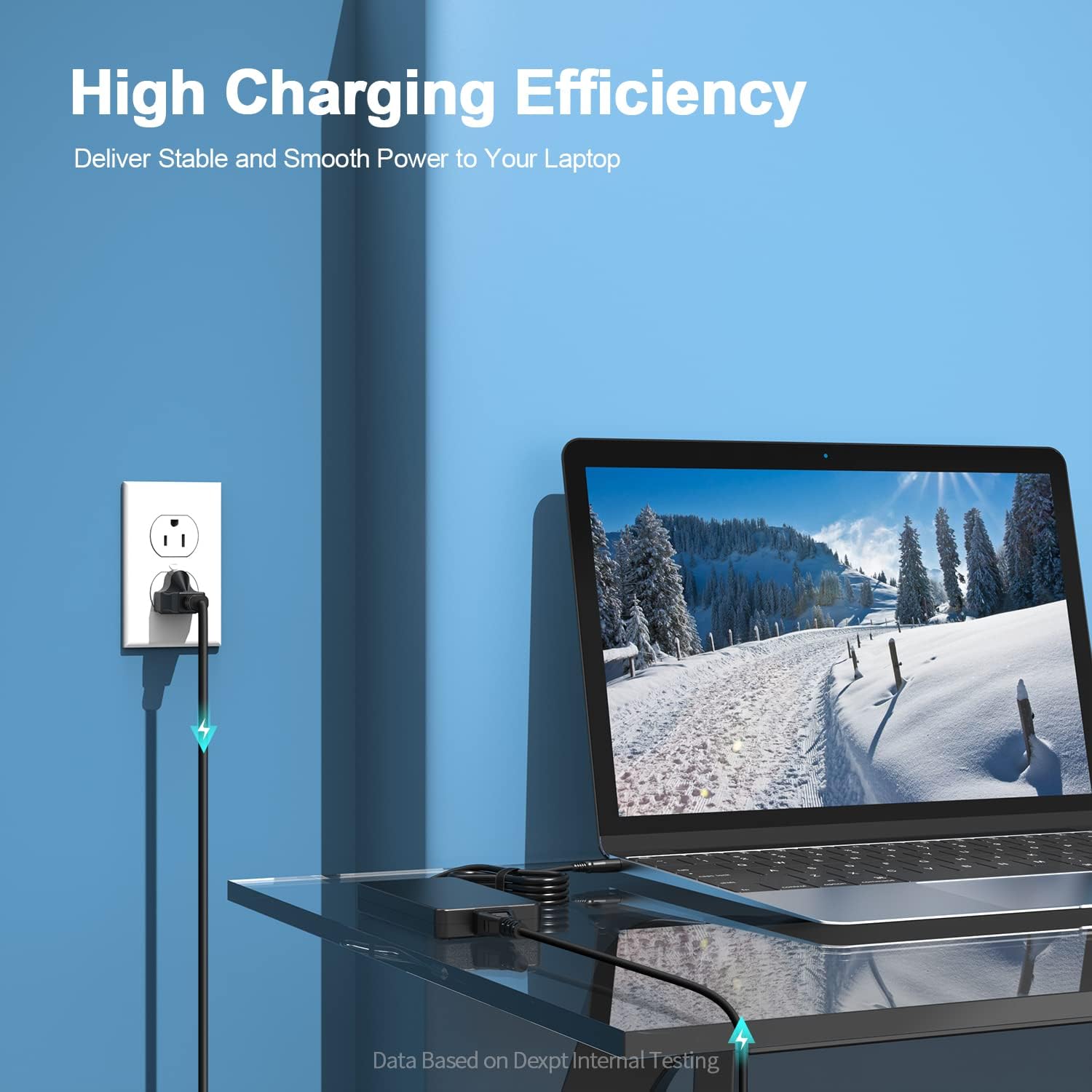
Image Description: A laptop is shown on a desk, connected to the Dexpt charger, which is then plugged into a wall outlet. Blue lightning bolt icons illustrate the flow of power, emphasizing high charging efficiency. The setup demonstrates a typical charging scenario.

Image Description: A multi-panel diagram titled "Connector Compatibility Check." Step 1 shows a laptop. Step 2 shows a close-up of a round tip barrel connector. Step 3 displays a table of VOLTS, AMPS, WATTS, and COMPATIBLE status (green check for 180W, 200W, 230W; red X for 280W), and an image of a laptop's underside with power input specifications highlighted (Input: 19.5V === 12.3A, 230W). A warning states: "Do not use on notebooks with rated power exceeding 230 watts. If the above three conditions are met, it is right."
5. Operating Instructions
Once connected, the charger will automatically begin supplying power to your device. The charger is designed for continuous use, but it is recommended to disconnect it when the device is fully charged or not in use for extended periods.
- Power Output: The charger provides a maximum output of 19.5V, 12.3A, totaling 240W. It is also compatible with devices requiring 19.5V, 9.23A (180W).
- Input Voltage: The charger operates within an input voltage range of 100-240V, making it suitable for international use with appropriate plug adapters (not included).
- Compatibility: This charger is compatible with Dell Precision 3260 D16U001 Compact Fixed Workstations, and Dell Precision 7670, 7770, P114F001, P115F001, 7680, and 7780 series laptops.
6. Maintenance
To ensure the longevity and optimal performance of your Dexpt AC charger, follow these maintenance guidelines:
- Cleaning: Disconnect the charger from both the power outlet and your device before cleaning. Use a soft, dry cloth to wipe the surface. Do not use liquid cleaners or solvents.
- Storage: When not in use, store the charger in a cool, dry place, away from direct sunlight and extreme temperatures. Avoid tightly wrapping the cables to prevent damage.
- Cable Care: Do not bend, twist, or pull the cables excessively. Inspect the cables periodically for any signs of wear, fraying, or damage. If damage is observed, discontinue use immediately.

Image Description: The Dexpt AC charger and its power cord are shown neatly coiled on a blue circular platform, emphasizing its portability and ease of storage. The image is titled "Superb Portability."
7. Troubleshooting
If you encounter issues with your Dexpt AC charger, refer to the following common problems and solutions:
| Problem | Possible Cause | Solution |
|---|---|---|
| Device not charging. |
|
|
| Charger is hot during use. |
|
|
8. Specifications
| Brand | Dexpt |
| Model Number | ADP195123T |
| Input Voltage Range | 100-240V |
| Output Voltage | 19.5V |
| Output Amperage | 12.3A |
| Output Wattage | 240W (Compatible with 180W devices) |
| Connector Type | Barrel Connector |
| Item Weight | 2.25 pounds |
| Package Dimensions | 11.6 x 6.7 x 2 inches |
| Safety Certification | UL Listed |
| Compatible Devices | Dell Precision 3260 D16U001, 7670, 7770, P114F001, P115F001, 7680, 7780 Laptops/Workstations |

Image Description: The Dexpt AC charger is positioned next to a laptop, with dimensions (3.20 inches and 2.80 inches) overlaid on the image, highlighting its compact design. The image is titled "Compact Design."
9. Warranty and Support
Dexpt stands behind the quality of its products. Your purchase includes:
- 30-Day Replacement Guarantee: Within 30 days of purchase, we offer a no-questions-asked replacement guarantee.
- 360-Day Quality Guarantee: A 360-day quality guarantee is provided by the manufacturer.
- Customer Support: We provide 24-hour online support. If you encounter any problems or have questions, please contact us for assistance.
For support, please refer to the contact information provided with your product packaging or visit the official Dexpt store on Amazon: Dexpt Amazon Store.