
Introduction
Welcome to your new GARAGE STOP Wireless Garage Door Opener Keypad. This manual provides detailed instructions for the installation, programming, operation, and maintenance of your keypad. This keypad is designed for use with Linear (MDTK) garage door opener systems.
What's Included

Image showing the GARAGE STOP Wireless Keypad, programming guide, mounting screws, and a 9V battery.
- GARAGE STOP Wireless Keypad
- 9V Battery
- Mounting Screws and Anchors
- Programming Instructions Guide
Setup and Installation
Battery Installation
- Remove the six small screws located on the back of the keypad to access the battery compartment.
- Insert the included 9V battery, ensuring correct polarity.
- Replace the back cover and securely fasten it with the screws.
Mounting the Keypad
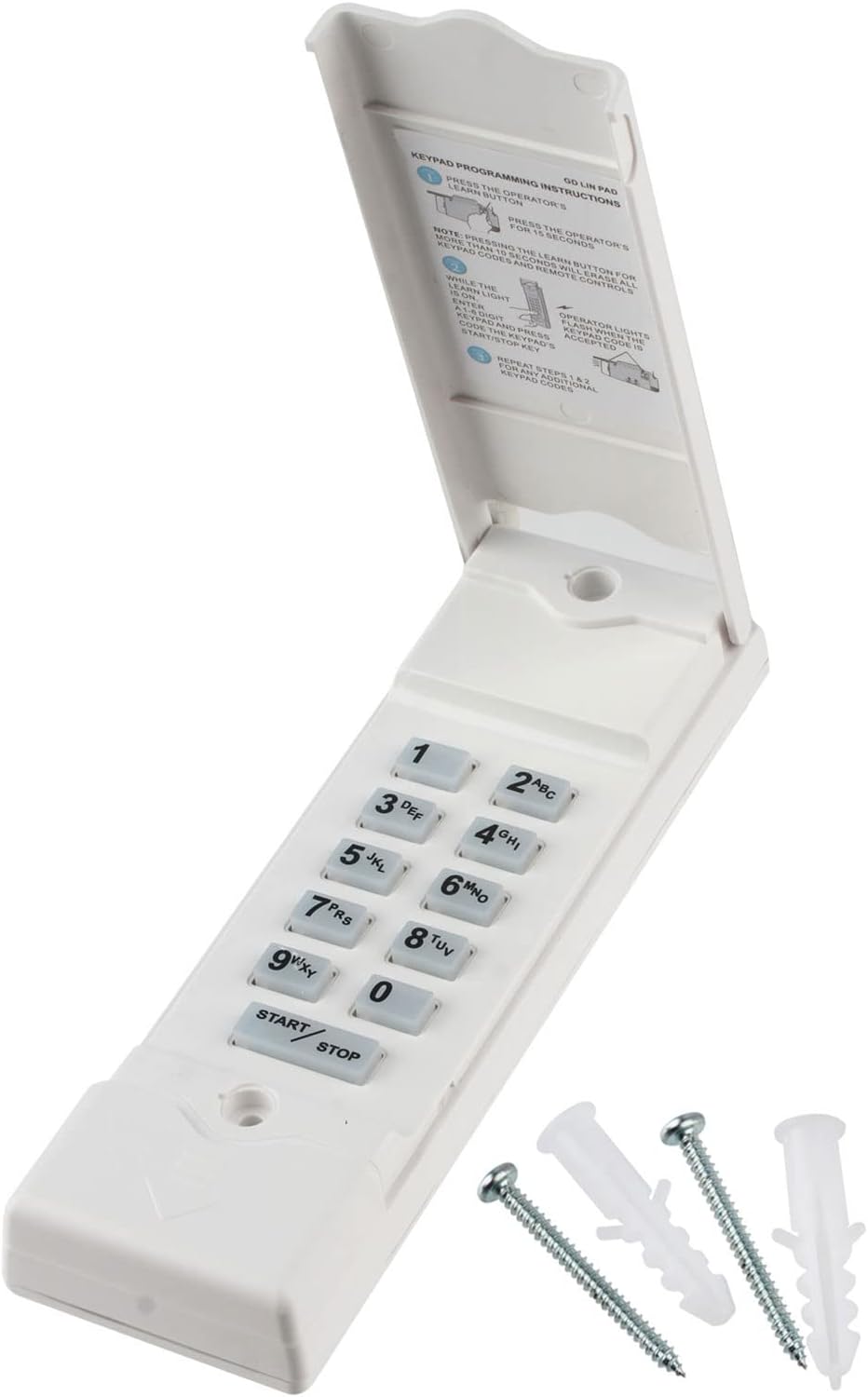
Image of the GARAGE STOP Wireless Keypad with mounting screws and anchors.
- Select a suitable location on your garage door frame or an adjacent wall. Ensure the location is within comfortable reach and, if possible, protected from direct, prolonged sunlight.
- Using the provided mounting screws and anchors, securely attach the keypad to the chosen surface.
Programming Instructions
Pairing with your Garage Door Opener
This keypad is self-programmable and compatible with Linear (MDTK) garage door opener systems. A detailed programming video and instructions are typically provided with your purchase. The general steps are as follows:
- Locate the 'Learn' or 'Smart' button on your garage door opener motor unit. This button is usually found on the back or side of the motor housing.
- Press and immediately release the 'Learn' button. The indicator light on the motor unit will illuminate, signaling it is ready to receive a new code.
- Within 30 seconds of pressing the 'Learn' button, enter your desired 1 to 6 digit Personal Identification Number (PIN) on the keypad.
- Press the 'START/STOP' button on the keypad. The garage door opener light should flash or the motor unit should click, indicating successful programming.
- Test the keypad by entering your PIN and pressing 'START/STOP'. The garage door should activate.
If you encounter difficulties, refer to the specific programming guide included with your keypad or consult the GARAGE STOP customer support.
Operating Instructions
To open or close your garage door using the keypad:
- Lift the protective cover of the keypad.
- Enter your programmed 1 to 6 digit PIN.
- Press the 'START/STOP' button.
The garage door will begin to open or close. You can press the 'START/STOP' button again at any time to stop the door's movement. The keypad features backlit keys for improved visibility in low-light conditions.
Maintenance
Battery Replacement
When the keypad's backlight dims, or if the keypad becomes unresponsive or operates inconsistently, it may be time to replace the 9V battery. Follow the battery installation steps outlined in the 'Setup and Installation' section.
Cleaning
Clean the keypad surface with a soft, damp cloth. Avoid using abrasive cleaners, solvents, or harsh chemicals, as these can damage the keypad's finish or internal components.
Troubleshooting
Keypad Not Responding
- Check Battery: Ensure the 9V battery is properly installed and has sufficient charge. Replace if necessary.
- Range: Verify the keypad is within effective operating range of your garage door opener.
- Reprogram: Attempt to re-program the keypad following the 'Programming Instructions' section.
Intermittent Operation / Sun Exposure
If the keypad experiences intermittent operation, particularly during periods of direct sunlight, it may be affected by extreme heat. Consider relocating the keypad to a shaded area or installing a small cover to shield it from direct sun exposure. Prolonged exposure to direct sunlight can impact electronic performance.
Specifications
| Feature | Detail |
|---|---|
| Manufacturer | GARAGE STOP |
| Part Number | 785-4212026 |
| Item Weight | 6.4 ounces |
| Package Dimensions | 7.56 x 2.91 x 1.22 inches |
| Item Model Number | 785-4212026 |
| Batteries | 1 Lithium Metal battery required (included) |
| Color | One |
| Installation Method | Screw In |
| Item Package Quantity | 1 |
| Certification | FCC |
| Special Features | Ergonomic |
| Battery Cell Type | Lithium Metal |
| Compatible Devices | Garage Door |
Warranty and Support
For warranty information or technical support regarding your GARAGE STOP Wireless Garage Door Opener Keypad, please refer to the specific documentation included with your purchase. You may also contact GARAGE STOP customer service through their official website or designated support channels for assistance.