
1. Introduction
Thank you for choosing the JZMATECH RGB Gaming XL Mouse Pad. This manual provides essential information for setting up, operating, and maintaining your new mouse pad. Designed for gamers and office professionals, this large mouse pad features vibrant RGB lighting, a smooth surface for precise mouse movements, and a non-slip base for stability.

Image: The JZMATECH RGB Gaming XL Mouse Pad showcasing its illuminated edges and a rolled-up version of the pad, highlighting its flexibility.
2. Safety Information
- Do not expose the mouse pad to excessive moisture or liquids. If liquid is spilled, immediately disconnect the USB cable and allow it to dry completely before reconnecting.
- Avoid bending or folding the mouse pad excessively, as this may damage the internal LED wiring.
- Keep out of reach of children and pets.
- Use only with standard USB ports (5V).
3. Setup
Setting up your JZMATECH RGB Gaming XL Mouse Pad is quick and easy:
- Unroll the mouse pad and place it on a flat, stable surface.
- Locate the USB cable attached to the mouse pad's control module.
- Plug the USB connector into an available USB port on your computer, laptop, or USB hub.
- The mouse pad is plug-and-play; no additional drivers are required for installation. The RGB lighting will illuminate automatically.

Image: A detailed view of the USB connection and the RGB control button, indicating its plug-and-play functionality and 1.8m cable length.
4. Operating the RGB Lighting
The JZMATECH RGB Gaming XL Mouse Pad features 14 lighting modes and 7 static LED colors, allowing you to customize your setup. The control button is located on the side of the mouse pad's USB module.
- Turn On: Short press the RGB control button.
- Switch Lighting Modes: Short press the RGB control button repeatedly to cycle through the 14 lighting modes. These include various dynamic effects and static color options.
- Turn Off: Long press the RGB control button for approximately 3 seconds.
The mouse pad has a memory function that will recall your last selected brightness and mode when you power it on again.
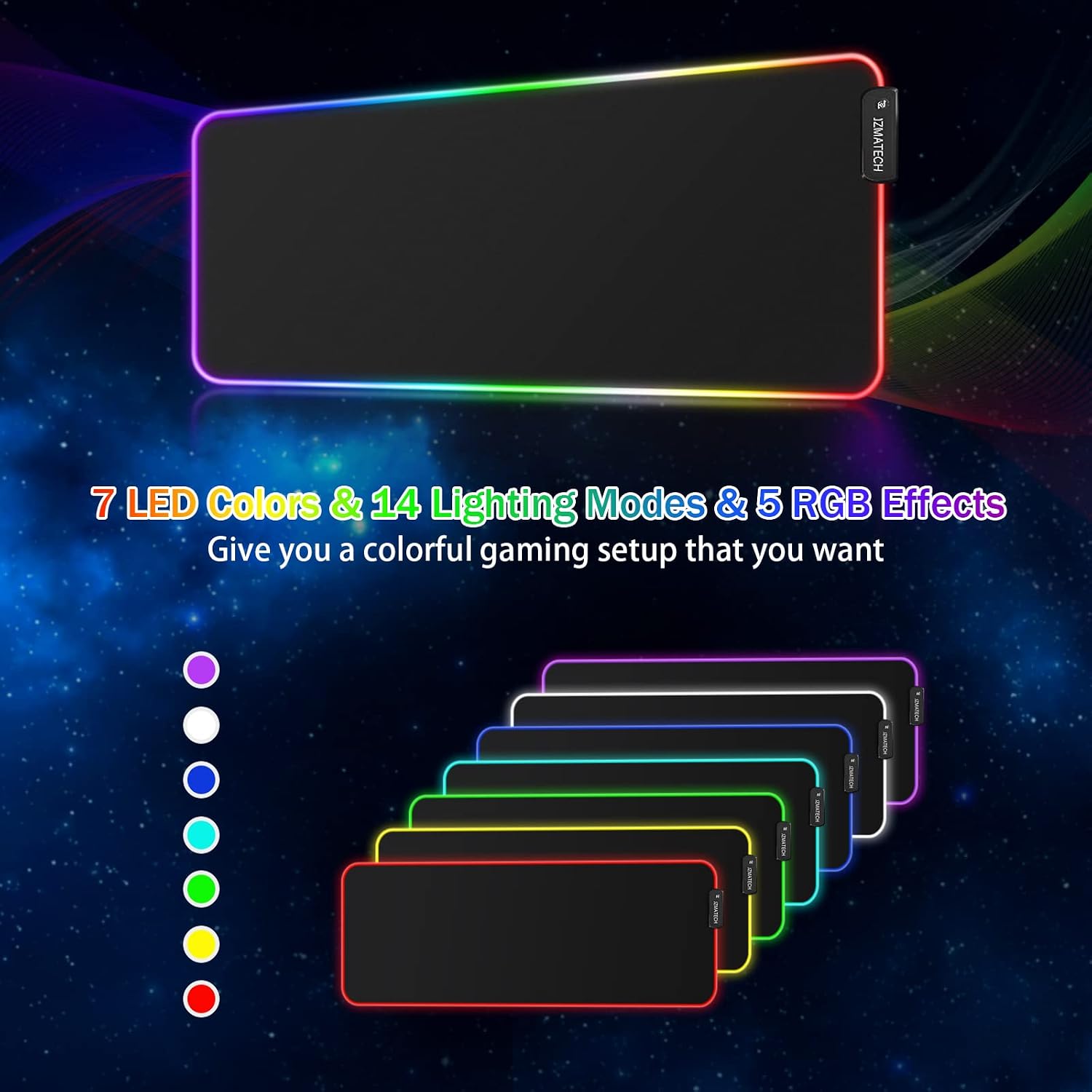
Image: An illustration detailing the 7 static LED colors and the variety of 14 lighting modes, including dynamic RGB effects, available on the mouse pad.
5. Maintenance
To ensure the longevity and performance of your mouse pad, follow these simple maintenance guidelines:
- Cleaning: The surface of the mouse pad is designed to be easy to clean. If spills occur, simply wipe the affected area with a damp cloth. Avoid using harsh chemicals or abrasive cleaners.
- Storage: When not in use, the mouse pad can be rolled up for convenient storage without deforming.

Image: A visual representation of a hand moving a mouse smoothly across the micro-textured cloth surface, emphasizing precision and ease of movement.
6. Troubleshooting
If you encounter any issues with your JZMATECH RGB Gaming XL Mouse Pad, please refer to the following common solutions:
- Lights not turning on:
- Ensure the USB cable is securely plugged into a working USB port.
- Try plugging the mouse pad into a different USB port or a different computer to rule out port issues.
- Short press the RGB control button to turn it on.
- Lights flickering or inconsistent:
- Check the USB connection for looseness.
- Ensure the USB port provides sufficient power. Try a different port, especially a direct port on your computer rather than a hub.
- Mouse not tracking smoothly:
- Ensure the mouse pad surface is clean and free of debris.
- Check your mouse's sensor for any obstructions.
If the problem persists after trying these steps, please contact customer support.
7. Specifications
| Feature | Detail |
|---|---|
| Model | SBD-001-JZ |
| Dimensions | 800 x 300 x 3 mm (31.5 x 11.8 x 0.12 inches) |
| Weight | 610 grams |
| Lighting Modes | 14 (including 7 static colors: Red, Blue, Green, Purple, Cyan, Yellow, White) |
| Connectivity | USB Wired |
| Cable Length | 1.8 meters |
| Material | Ultra-fine woven fiber surface, Natural rubber non-slip base |
| Special Features | Memory function for lighting mode, Wrist support, Anti-slip base, Water-resistant surface |
| Durability | 10 Million click lifespan (control button) |

Image: The mouse pad displayed with a keyboard and mouse, illustrating its extra-large size (80cm x 30cm) and the transparent nylon rope for enhanced brightness.

Image: A magnified view of the non-slip rubber base texture, designed to firmly grip the desk and prevent movement during use.
8. Warranty and Support
All JZMATECH products undergo thorough inspection before shipment to ensure quality. If you have any questions, concerns, or require assistance with your RGB Gaming XL Mouse Pad, please do not hesitate to contact us through the Amazon platform where you made your purchase. Our customer support team is ready to assist you.
Please refer to your Amazon order details for specific warranty information applicable to your region.