
1. Introduction
The SJCAM SJ8 Dual Screen Action Camera is a versatile and robust device designed for capturing high-quality video and photos in various environments. Featuring 4K video recording, a 12MP sensor, and a unique dual-screen design, it is ideal for sports, travel, and everyday adventures. This manual provides essential information for setting up, operating, maintaining, and troubleshooting your SJ8 Dual Screen camera.

Figure 1.1: SJCAM SJ8 Dual Screen Action Camera
This image displays the SJCAM SJ8 Dual Screen Action Camera from an angled front perspective, showcasing its main lens and the front display screen.
2. Getting Started
2.1 Package Contents
Please verify that all items listed below are included in your package. If any items are missing or damaged, contact your retailer.
- SJCAM SJ8 Dual Screen Action Camera
- Battery
- USB Cable
- Waterproof Housing
- Mounting Accessories (various clips, bases, screws)
- Cleaning Cloth
- User Manual (this document)

Figure 2.1: Included Accessories
This image shows a selection of accessories that come with the SJCAM SJ8 Dual Screen Action Camera, including the waterproof housing, various mounts, a USB cable, and cleaning supplies.
2.2 Camera Layout
Familiarize yourself with the camera's buttons, ports, and screens.

Figure 2.2: Front View
This image provides a direct front view of the SJCAM SJ8 Dual Screen camera, highlighting the main lens and the smaller front display.

Figure 2.3: Dual Screen View
This image showcases both the front and rear screens of the SJCAM SJ8 Dual Screen camera, emphasizing its unique dual-display feature.

Figure 2.4: Side View
This image shows the side of the SJCAM SJ8 Dual Screen camera, clearly displaying the power button.
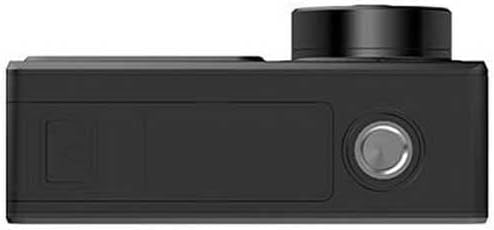
Figure 2.5: Top View
This image presents a top-down view of the SJCAM SJ8 Dual Screen camera, showing the shutter button and speaker grille.
2.3 Battery Installation
The SJ8 Dual Screen camera uses a rechargeable A battery (included).
- Locate the battery compartment door on the bottom of the camera.
- Slide the latch to open the door.
- Insert the battery with the contacts facing the correct direction, as indicated inside the compartment.
- Close the battery compartment door firmly until it latches securely.
2.4 MicroSD Card Installation
A MicroSD card (not included) is required to store photos and videos. The camera supports MicroSD cards up to 128GB (Class 10 or UHS-I recommended).
- Locate the MicroSD card slot, typically next to the battery compartment or on the side.
- Insert the MicroSD card with the gold contacts facing down, pushing it gently until it clicks into place.
- To remove, push the card in again until it clicks, then release, and it will spring out.
2.5 Charging the Battery
Before first use, fully charge the camera battery.
- Connect the camera to a USB power source (e.g., computer, wall adapter) using the provided USB cable.
- The charging indicator light will illuminate.
- The light will turn off or change color when charging is complete.
3. Basic Operation
3.1 Power On/Off
- To power on: Press and hold the Power/Mode button (located on the side) for a few seconds until the screen illuminates.
- To power off: Press and hold the Power/Mode button again until the camera shuts down.
3.2 Mode Switching
Briefly press the Power/Mode button to cycle through different modes (e.g., Video, Photo, Playback, Settings).
3.3 Recording Video
In Video mode, press the Shutter/OK button (on top) to start recording. Press it again to stop recording.

Figure 3.1: 4K 60FPS Video Capture
This image illustrates the SJCAM SJ8 Dual Screen camera's capability to capture high-resolution 4K video at 60 frames per second, as demonstrated by a paraglider soaring over a scenic landscape.
3.4 Taking Photos
In Photo mode, press the Shutter/OK button to take a picture.
3.5 Using Dual Screens
The SJ8 Dual Screen features a main rear touch screen and a smaller front screen. The front screen is ideal for vlogging and selfies, allowing you to frame yourself accurately.
- The rear screen is the primary interface for settings and playback.
- The front screen typically mirrors the live view, useful for self-recording.

Figure 3.2: Front Screen in Use
This image shows the SJCAM SJ8 Dual Screen camera being held in hands, with the front screen displaying a live view, useful for self-recording or vlogging.
4. Advanced Features
4.1 WiFi Connectivity & SJCAM Zone App
Connect your SJ8 Dual Screen to the SJCAM Zone app on your smartphone for remote control, live preview, and easy sharing of content.
- Download the SJCAM Zone app from your device's app store.
- On the camera, enable WiFi in the settings menu.
- On your smartphone, connect to the camera's WiFi network (SSID and password displayed on camera screen).
- Open the SJCAM Zone app to control your camera.

Figure 4.1: WiFi Connectivity
This image depicts a smartphone wirelessly connected to the SJCAM camera, illustrating the convenience of WiFi connectivity for remote control and file transfer.
4.2 Various Video Modes
The camera offers multiple video modes to suit different shooting scenarios, including:
- Normal Video: Standard recording.
- Time-lapse: Captures frames at set intervals to create a sped-up video.
- Slow Motion: Records at a high frame rate for smooth slow-motion playback.
- Loop Recording: Overwrites oldest footage, useful for dashcam functionality.
4.3 Night Vision
The SJ8 Dual Screen is equipped with features that enhance low-light performance, allowing for clearer capture in challenging lighting conditions, including night vision capabilities.

Figure 4.2: Night City Capture
This image demonstrates the camera's ability to capture clear footage in low-light conditions, showcasing a vibrant night city skyline.
4.4 Waterproof Usage
When enclosed in its waterproof housing, the SJ8 Dual Screen camera is suitable for underwater activities, protecting it from water and dust.

Figure 4.3: Underwater Use
This image shows a person swimming underwater, with the SJCAM camera in its waterproof housing, highlighting its suitability for aquatic environments.
4.5 High Quality Internal Dual Microphone
The camera features high-quality internal dual microphones designed to capture clear audio, enhancing the overall video recording experience.

Figure 4.4: Audio Recording Capability
This image features the SJCAM camera with an audio waveform overlay, visually representing its high-quality internal dual microphone system for clear sound capture.
5. Maintenance
5.1 Cleaning the Camera
- Use a soft, lint-free cloth to clean the camera body and screens.
- For the lens, use a specialized lens cleaning cloth and solution. Avoid touching the lens with your fingers.
- Ensure the camera is dry before closing any ports or compartments.
5.2 Battery Care
- Store batteries in a cool, dry place.
- Do not expose batteries to extreme temperatures.
- If storing for extended periods, charge the battery to about 50% capacity.
5.3 Storage
When not in use, store the camera in a protective case to prevent scratches and damage. Remove the battery if storing for a long time.
6. Troubleshooting
This section addresses common issues you might encounter with your SJCAM SJ8 Dual Screen camera.
| Problem | Possible Cause | Solution |
|---|---|---|
| Camera does not power on | Low battery; Battery not inserted correctly; Firmware issue | Charge the battery; Reinsert battery; Reset camera (if applicable) |
| Cannot record video/take photos | No MicroSD card; MicroSD card full/corrupted; Incorrect mode | Insert MicroSD card; Format/replace MicroSD card; Switch to correct mode |
| WiFi connection issues | Incorrect password; App not updated; Interference | Verify password; Update SJCAM Zone app; Try connecting in a different location |
| Poor image/video quality | Dirty lens; Low light; Incorrect settings | Clean the lens; Use appropriate lighting; Adjust resolution/settings |
7. Specifications
Detailed technical specifications for the SJCAM SJ8 Dual Screen Action Camera.
| Feature | Detail |
|---|---|
| Model Number | SJ8DS-BK |
| Video Capture Resolution | Up to 4K |
| Photo Sensor Technology | Other (12MP) |
| Screen Size | 2.33 Inches (main), 1.3 Inches (front) |
| Connectivity Technology | USB, Wi-Fi |
| Flash Memory Type | Micro SD |
| Maximum Focal Length | 3.08 Millimeters |
| Maximum Aperture | 2 f |
| Video Capture Format | MP4 |
| Supported Audio Format | AAC |
| Special Features | Anti-Shake, Dual Screen Design, Night Vision |
| Item Weight | 10.9 ounces |
| Product Dimensions | 1.1 x 9.7 x 6.5 inches |
| Batteries | 1 A battery required (included) |
8. Warranty and Support
For warranty information, technical support, or service inquiries, please contact SJCAM customer support directly. Refer to the official SJCAM website or your purchase documentation for specific warranty terms and contact details.
No official product videos were found in the provided data.


