Introduction
Thank you for choosing Instiwitt K71 Pink True Wireless Earbuds. These earbuds are designed to provide a high-fidelity audio experience with active noise cancellation, a comfortable fit, and extended battery life. This manual will guide you through the setup, operation, and maintenance of your new earbuds to ensure optimal performance and longevity.
What's in the Box
- 1 * Wireless Earbuds
- 1 * Charging Case
- 1 * Instruction Manual
- 1 * USB-C Charging Cable
- 1 * Package Box
Product Overview

Image: The Instiwitt K71 pink true wireless earbuds shown alongside their matching cat-design charging case. The earbuds are visible outside the case, and the open case reveals the charging contacts.

Image: A detailed diagram illustrating the tactile control area on the earbud, the headphone and microphone light, and the charging case power indicator. Below the diagram, icons represent various touch control functions such as Voice Assistant (Siri), Pause/Play, Previous/Next track, Answer/Reject call, and Volume Up/Down.
Setup
Charging the Earbuds and Case
Before first use, ensure both the earbuds and the charging case are fully charged. Place the earbuds into the charging case. The earbuds will begin charging when the red light comes on. The charging case has a 350mAh battery capacity and can provide an additional 5 full charges for the earbuds.
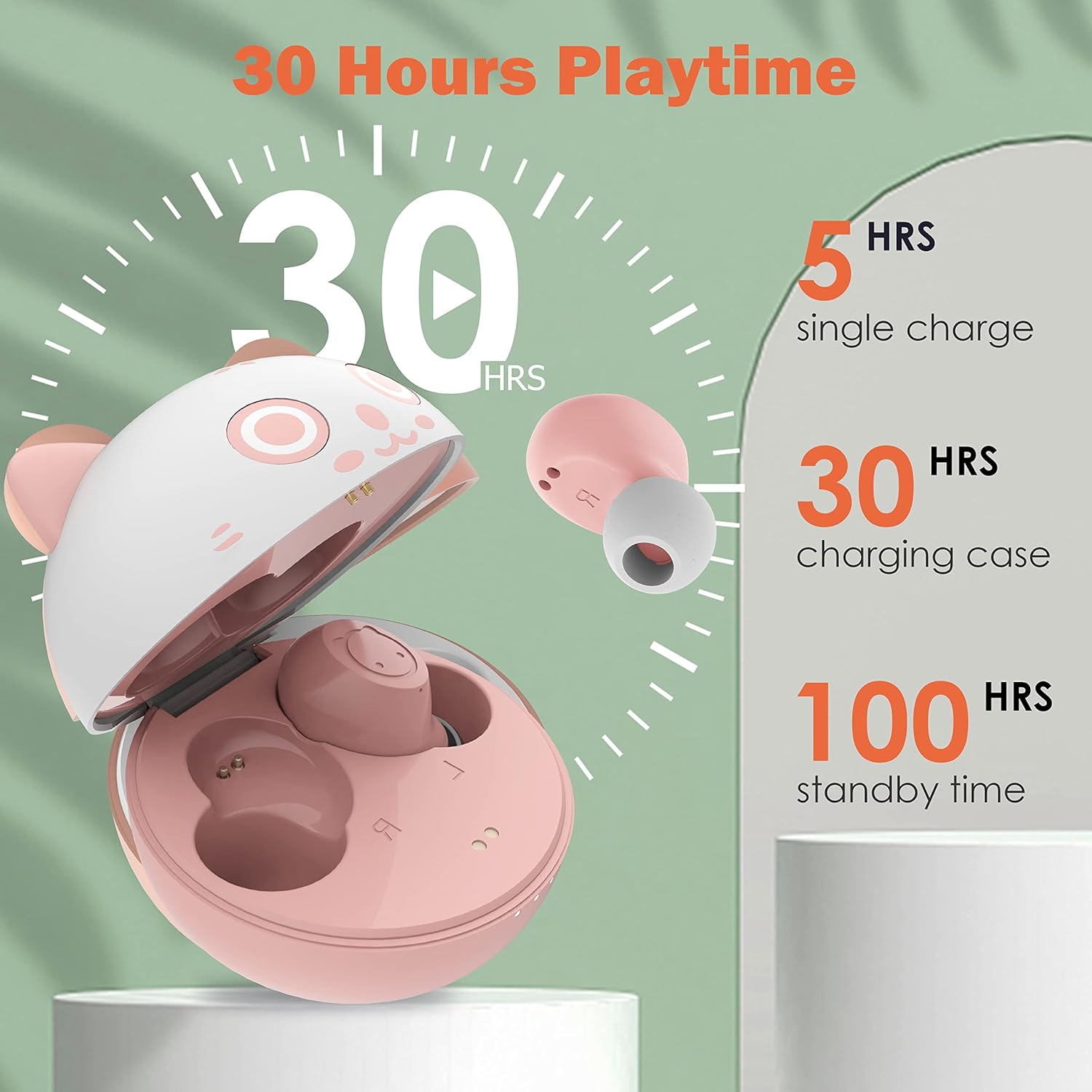
Image: A graphic illustrating the battery life of the earbuds and charging case. It shows 5 hours of playtime on a single charge, 30 hours total with the charging case, and 100 hours of standby time.
To charge the case, connect the provided USB-C cable to the charging port on the case and a power source. The charging time for both the earbuds and the carrying case is approximately 1.5 hours.

Image: The portable cat-design charging case is shown with a USB-C cable plugged into its charging port, indicating its wired charging capability. The earbuds are also depicted separately, highlighting the compact and portable nature of the system.
Pairing with a Device
- Remove both wireless earbuds from the charging case. They will automatically power on and enter pairing mode.
- On your device (smartphone, tablet, etc.), turn on the Bluetooth function.
- Search for available Bluetooth devices.
- Select "K71" or "IUS-HR-K71" from the list to connect.
- Once connected, you will hear a confirmation tone, and the earbuds will be ready for use.
Operating Instructions
Touch Controls
The Instiwitt K71 earbuds feature intuitive touch controls on each earbud. Refer to the diagram in the Product Overview section for visual guidance.
- Play/Pause: Quick tap 2 times on the left or right earbud.
- Answer/End Call: Quick tap 2 times on the left or right earbud.
- Reject Call: Long press for 2 seconds on the left or right earbud.
- Voice Assistant (Siri): Quick tap 3 times on the left earbud.
- Switch Music/Game Modes: Quick tap 3 times on the right earbud.
- Previous Song: Long press the left earbud once.
- Next Song: Long press the right earbud once.
- Decrease Volume: Single tap the left earbud once.
- Increase Volume: Single tap the right earbud once.

Image: A visual representation of the smart touch controls on the earbud. It shows icons for play/pause, previous/next track, Siri voice assistant, and call control, indicating the various functions accessible via touch.
Features and Performance
Sound Quality
These music headphones are equipped with exquisite 6mm speakers and composite diaphragms, providing strong bass, stunning treble, and clear midrange. They are designed for sound and music enthusiasts, supporting both mono and stereo modes. Each earbud has a built-in microphone for clear calls, with noise reduction technology ensuring your voice is transmitted clearly.

Image: An exploded view diagram of an earbud, showcasing its internal components that contribute to clear stereo sound. This includes the driver, diaphragm, and other acoustic elements.
Durability and Comfort
The mini wireless earbuds feature a cartoon design, are lightweight, and ergonomically designed to disperse pressure, ensuring a comfortable and secure fit. They are IPX6 sweatproof, making them ideal for sports, running, cycling, yoga, gym activities, and more, without interference from sweat or light splashes.

Image: A woman painting outdoors while wearing the earbuds, with text overlay highlighting the "Ultra-Light Design" and a graphic of a feather, emphasizing the lightweight nature of the earbuds.
Troubleshooting
- Earbuds not pairing with device: Ensure both earbuds are removed from the case and are powered on. Turn off and on your device's Bluetooth. Forget the device from your Bluetooth list and try pairing again. Ensure earbuds are charged.
- Only one earbud working: Place both earbuds back into the charging case, close the lid, wait a few seconds, then take them out again. This often resets the connection between the two earbuds. If the issue persists, try resetting the earbuds (refer to manufacturer's website for specific reset instructions if not covered here).
- No sound: Check the volume level on both your device and the earbuds. Ensure the earbuds are properly connected to your device. Try playing audio from a different application or source.
- Charging issues: Ensure the charging cable is securely connected to both the case and the power source. Check if the charging contacts on the earbuds and inside the case are clean and free of debris. Try a different charging cable or power adapter.
- Poor sound quality/intermittent connection: Ensure there are no obstructions between the earbuds and your device. Move closer to your device to reduce interference. Avoid using the earbuds in environments with strong electromagnetic interference.
Specifications
| Feature | Detail |
|---|---|
| Model Name | IUS-HR-K71 |
| Connectivity Technology | Wireless, Bluetooth |
| Bluetooth Version | 5.1 |
| Bluetooth Range | 10 Meters |
| Noise Control | Active Noise Cancellation |
| Battery Life (Earbuds) | 4 Hours (single charge) |
| Total Playtime (with case) | 40 Hours |
| Charging Time | 1.5 Hours (earbuds & case) |
| Water Resistance Level | IPX6 Sweatproof |
| Control Method | Touch |
| Material | Plastic |
| Item Weight | 3.53 ounces (100 Grams) |
| Product Dimensions | 2.36 x 2.36 x 1.57 inches |
Maintenance
To ensure the longevity and optimal performance of your Instiwitt K71 earbuds, follow these maintenance guidelines:
- Cleaning: Regularly clean the earbuds and charging case with a soft, dry, lint-free cloth. For stubborn dirt, slightly dampen the cloth with water. Do not use harsh chemicals or abrasive materials.
- Charging Contacts: Periodically inspect and gently clean the charging contacts on both the earbuds and inside the charging case to ensure a good connection.
- Storage: When not in use, store the earbuds in their charging case to protect them from dust and damage. Store in a cool, dry place away from direct sunlight and extreme temperatures.
- Avoid Water Exposure: While IPX6 sweatproof, avoid submerging the earbuds in water or exposing them to heavy rain. Dry them thoroughly if they get wet.
- Battery Care: To preserve battery life, avoid fully discharging the earbuds and case frequently. Charge them regularly, even if not in constant use.
Warranty and Support
For information regarding warranty coverage, technical support, or service, please refer to the official Instiwitt website or contact their customer service directly. Keep your purchase receipt as proof of purchase for any warranty claims.


