
1. Introduction
Thank you for choosing the JouSecu 5MP PoE Security Camera. This manual provides detailed instructions for the installation, operation, and maintenance of your new security camera. Please read this manual thoroughly before using the product to ensure proper setup and functionality. This camera is designed as an additional or replacement unit for specific JouSecu PoE NVR security systems (Models: N2441, N2440, N2482) and cannot be used as a standalone device.
2. Safety Information
- Ensure all power connections are secure and correct before operation.
- Do not expose the camera to extreme temperatures outside its operating range (-20°C to 50°C / -4°F to 122°F).
- Avoid direct exposure to strong light sources, which may cause image distortion or damage to the sensor.
- Do not attempt to disassemble or modify the camera. This will void the warranty and may cause damage.
- Use only compatible JouSecu PoE NVR systems with this camera.
- Keep the camera and its components out of reach of children.
3. Package Contents
Please check the package carefully to ensure all items are present and in good condition.
- 1 x JouSecu 5MP PoE Bullet Security Camera (Model: 1AC-C45N)
Note: This package only includes one PoE camera. The NVR system and other accessories are sold separately or are part of a complete JouSecu security system.
4. Product Overview
The JouSecu 5MP PoE Security Camera is a high-performance bullet-style camera designed for both indoor and outdoor surveillance. It features a durable metal shell and IP66 waterproof rating, ensuring reliable operation in various weather conditions.

Figure 4.1: JouSecu 5MP PoE Bullet Security Camera (Model: 1AC-C45N)
This image displays the white bullet-style security camera with the "JouSecu" logo on its side. The camera features a dark front panel with three infrared LEDs and a central lens, designed for clear surveillance.
Key Features:
- 5MP HD Image: Provides 2880x1620 resolution for clear and detailed video footage, day or night.
- 4mm Lens & 60° Angle of View: Offers a focused field of view suitable for various monitoring needs.
- Power Over Ethernet (PoE): Simplifies installation by transmitting video, audio, and power through a single network cable.
- IR Night Vision: Equipped with 4 pcs 850nm IR LED Array, providing night vision up to 60ft (18 meters).
- IP66 Waterproof Rating: Designed for robust performance in outdoor environments, resistant to dust and strong jets of water.
- Durable Metal Shell: Enhanced corrosion resistance for long-lasting outdoor use.
- Motion Detection & Instant Alerts: Supports app push notifications and email alerts upon detecting motion.
5. Setup and Installation
This camera is designed for easy plug-and-play integration with compatible JouSecu PoE NVR systems (N2441, N2440, N2482).
5.1 Site Selection
Choose a location that provides the desired viewing angle and is within the range of your PoE NVR system. Consider areas that offer protection from direct impact or vandalism, while ensuring clear line of sight.

Figure 5.1: IP66 Waterproof Rating for Outdoor Use
This image illustrates the camera's IP66 waterproof capability, showing it mounted outdoors with rain falling. Icons below indicate suitability for outdoor, raining, snowing, and insolation (sun exposure) conditions, highlighting its durability.
5.2 Mounting the Camera
- Prepare the Mounting Surface: Ensure the surface (wall or ceiling) is sturdy enough to support the camera.
- Mark Drill Holes: Use the camera's mounting base as a template to mark the positions for drilling.
- Drill Holes: Drill pilot holes at the marked positions. Insert wall anchors if mounting on drywall or masonry.
- Secure the Camera: Attach the camera's mounting base to the surface using the provided screws.
- Adjust Angle: Loosen the adjustment screws on the camera body to set the desired viewing angle, then tighten them to secure the position.
5.3 Connecting to PoE NVR System
The JouSecu 5MP PoE camera utilizes Power over Ethernet (PoE) for simplified connectivity.
- Connect Ethernet Cable: Plug one end of a standard Ethernet cable (Cat5e or Cat6 recommended) into the PoE port on the camera.
- Connect to NVR: Plug the other end of the Ethernet cable into an available PoE port on your compatible JouSecu NVR (Models: N2441, N2440, N2482).
- Power On NVR: Ensure your NVR system is powered on. The camera will receive power and data through the single Ethernet cable.
- Automatic Detection: The NVR system should automatically detect and configure the new camera. If the camera does not appear, refer to the troubleshooting section or the NVR's user manual.
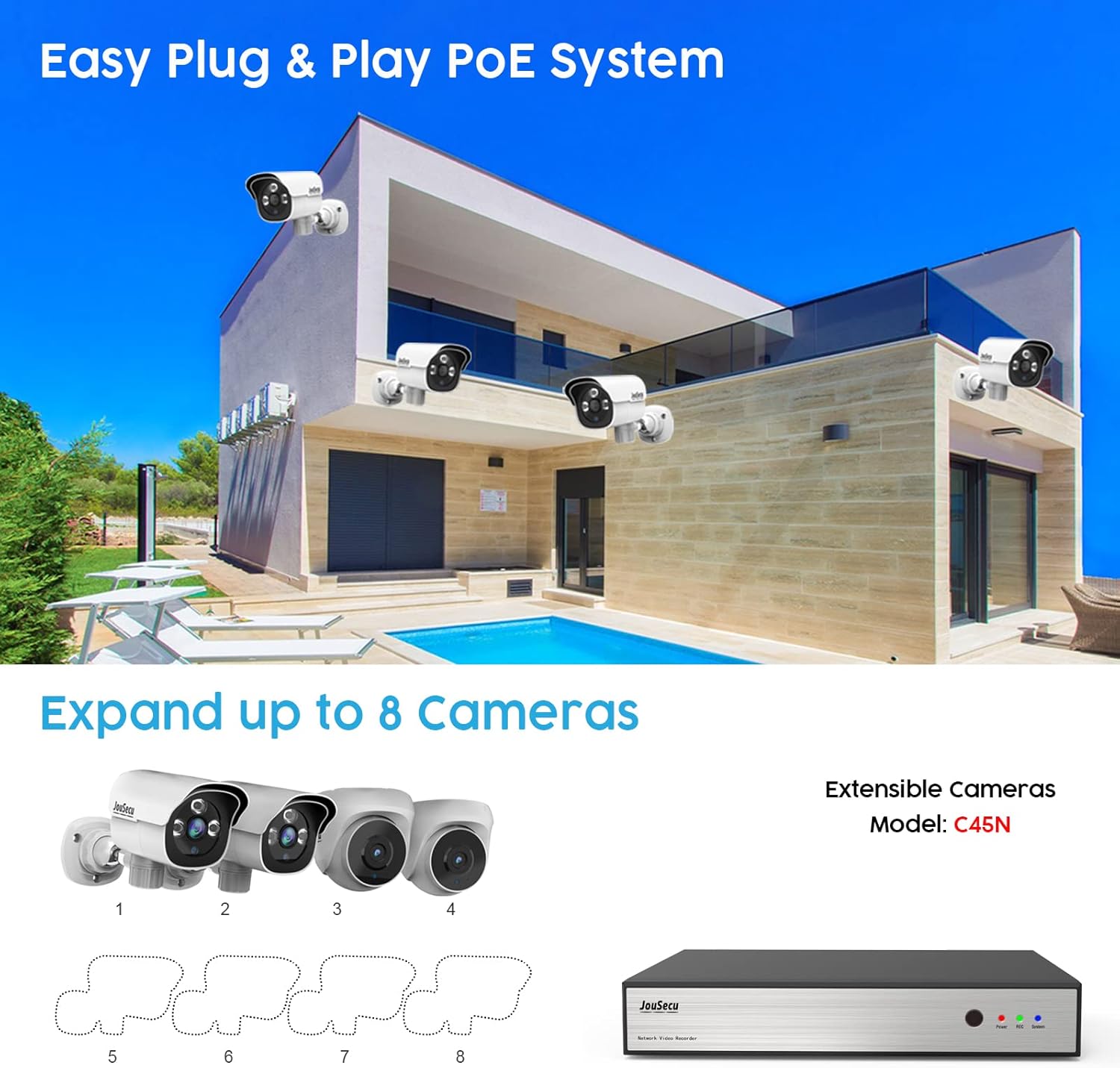
Figure 5.2: Easy Plug & Play PoE System Setup
This image depicts a house with multiple JouSecu cameras installed, illustrating an "Easy Plug & Play PoE System." It shows how the system can "Expand up to 8 Cameras" with extensible cameras (Model: C45N) connecting to a JouSecu NVR unit.
6. Operating Instructions
Once connected to your JouSecu NVR, the camera's video feed will be accessible through the NVR's interface, connected monitor, or via the JouSecu mobile application/PC software.
6.1 Viewing Live Feed
- Via NVR Monitor: Connect a monitor to your NVR. The live feed from all connected cameras will be displayed.
- Via Mobile App: Download the official JouSecu app (refer to your NVR manual for app details). Add your NVR system to the app to view live feeds remotely.
- Via PC Software: Install the JouSecu PC client software (refer to your NVR manual). Add your NVR system to the software for desktop viewing and management.
6.2 Night Vision
The camera automatically switches to night vision mode in low-light conditions, utilizing its infrared LEDs to provide clear black-and-white images up to 60 feet.

Figure 6.1: 5MP Super HD Day and Night Vision Comparison
This image presents a split view comparing the camera's performance during day and night. The "Day" side shows a vibrant color image of a house and garden, while the "Night" side displays a clear black-and-white infrared image of the same scene, demonstrating the 5MP Super HD clarity in both conditions.
6.3 Motion Detection & Alerts
Configure motion detection settings through your NVR system or the JouSecu app/software. When motion is detected, the system can trigger various alerts:
- App Push Notifications: Receive instant alerts on your smartphone.
- Email Notifications: Get email alerts with snapshots of the event.
- Recording: The NVR will automatically begin recording when motion is detected.

Figure 6.2: Motion Detection & Instant Alerts in Action
This image shows a person delivering a package, with a JouSecu camera mounted above. A smartphone screen in the foreground displays a push notification: "Person detected from Front Door," illustrating the camera's motion detection and instant alert capabilities.
7. Maintenance
Regular maintenance ensures optimal performance and longevity of your JouSecu camera.
- Cleaning the Lens: Gently wipe the camera lens with a soft, clean cloth. For stubborn dirt, use a lens cleaning solution designed for optical surfaces. Avoid abrasive materials or harsh chemicals.
- Checking Connections: Periodically inspect the Ethernet cable and connections for any signs of wear, corrosion, or damage. Ensure they are securely plugged in.
- Firmware Updates: Check the JouSecu official website or your NVR's settings for any available firmware updates. Keeping firmware updated can improve performance and add new features.
- Environmental Check: Although the camera is IP66 waterproof, regularly check for any obstructions (e.g., spiderwebs, leaves) that might block the view or interfere with the infrared LEDs.
8. Troubleshooting
If you encounter issues with your JouSecu 5MP PoE Camera, please refer to the following common solutions:
| Problem | Possible Cause | Solution |
|---|---|---|
| Camera not displaying video / "Not working" |
|
|
| Poor image quality (Day) |
|
|
| Poor night vision |
|
|
| Motion detection not working or false alarms |
|
|
For further assistance, please contact JouSecu customer support.
9. Specifications
| Feature | Detail |
|---|---|
| Model Name | 1AC-C45N |
| Effective Still Resolution | 5 MP (2880x1620) |
| Lens | 4mm |
| Angle of View | 60° |
| Connectivity Technology | Wired (PoE) |
| Compatible Devices | JouSecu PoE NVR Security System (Models: N2441, N2440, N2482) |
| Indoor/Outdoor Usage | Indoor, Outdoor |
| International Protection Rating | IP66 Waterproof |
| Night Vision Range | Up to 60 feet (18 meters) |
| Material | Metal |
| Power Source | Corded Electric (PoE) |
| Operating Voltage | 12 Volts (via PoE) |
| Item Dimensions (L x W x H) | 7.3 x 4.2 x 3 inches (18.5 x 10.7 x 7.6 cm) |
| Item Weight | 1.34 pounds (0.61 kg) |
| Operating Temperature | -20°C to 50°C (-4°F to 122°F) |
| Included Components | 1 x PoE Camera |
10. Warranty and Support
JouSecu is committed to providing high-quality products and excellent customer service.
- Warranty: This product comes with a one-year quality warranty from the date of purchase. Please retain your proof of purchase for warranty claims.
- Technical Support: JouSecu offers lifetime technical support for this product. If you have any questions, require assistance with setup, or encounter any issues not covered in this manual, please do not hesitate to contact our support team.
- Contact Information: For support, please visit the official JouSecu website or refer to the contact details provided with your NVR system.


