
Introduction
Dive into an immersive audio experience with the Sony WH-1000XM5, a pair of top-tier noise canceling headphones. Equipped with dual processors controlling 8 microphones, these headphones offer unparalleled noise cancellation and superior call quality. Experience the brilliance of sound quality, meticulously crafted with the new Integrated Processor V1. Whether you're a casual listener or an audiophile, the Sony WH-1000XM5's superior sound quality will take your audio experience to a whole new level. Enjoy the ultimate comfort with the ultra-comfortable, lightweight design featuring soft fit leather. These headphones ensure extended wear without discomfort, whether you're working, traveling, or just relaxing.
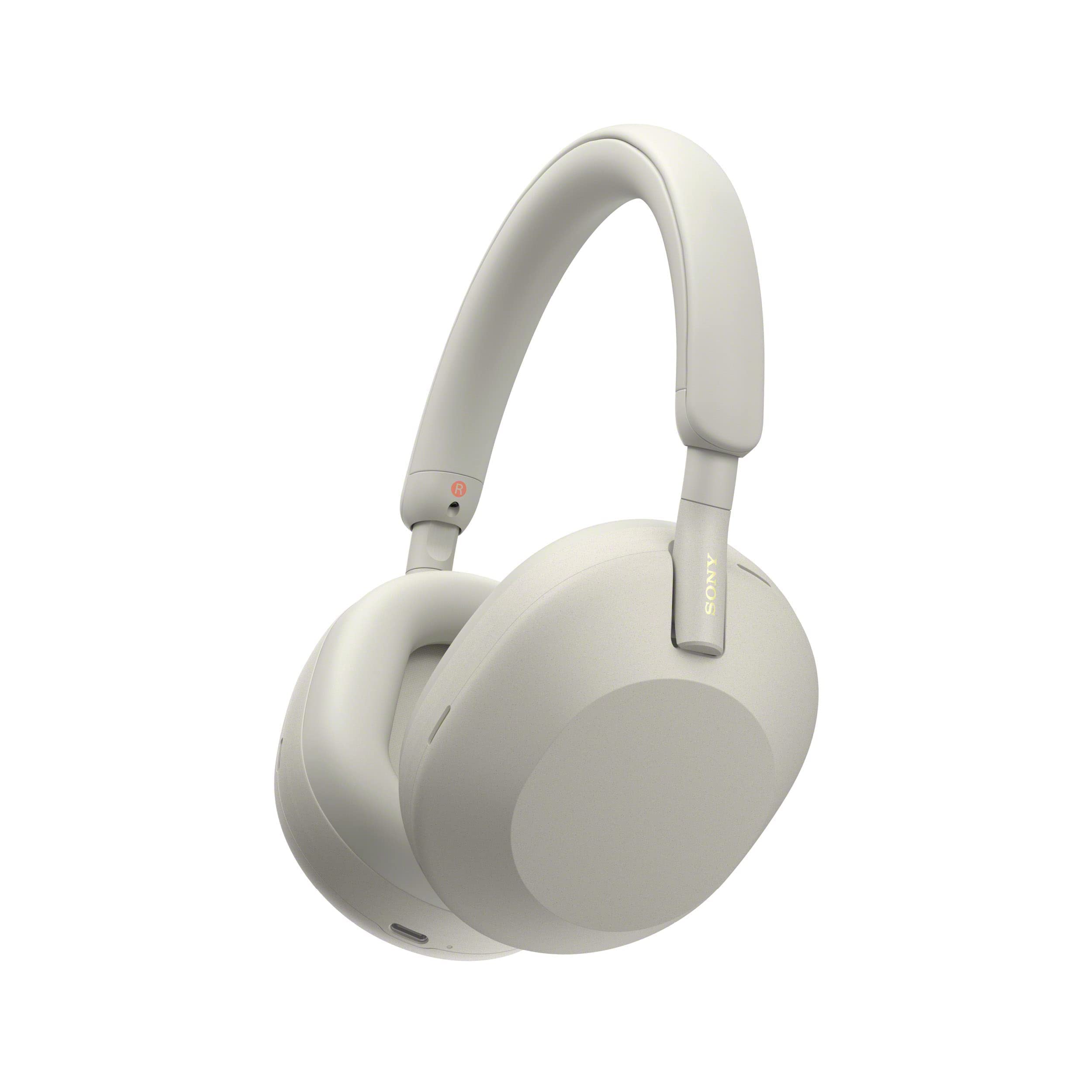
Image: Sony WH-1000XM5 Headphones in Silver, showcasing their sleek design.
What's in the Box
- Headphones (Sony WH-1000XM5)
- Carrying Case
- Connection Cable (3.5mm audio cable)
- USB Cable (USB Type-C for charging)

Image: Sony WH-1000XM5 headphones neatly stored within their compact carrying case, highlighting portability.
Setup
1. Initial Charging
Before first use, fully charge your headphones using the provided USB Type-C cable. Connect the cable to the headphone's USB-C port and a compatible USB power adapter (not included). A full charge provides up to 30 hours of playback.
2. Bluetooth Pairing
- Ensure the headphones are powered off.
- Press and hold the Power button for approximately 7 seconds until the indicator light flashes blue rapidly. This indicates pairing mode.
- On your device (smartphone, tablet, computer), enable Bluetooth and search for available devices.
- Select 'WH-1000XM5' from the list of detected devices.
- Once connected, the indicator light will flash blue slowly.
3. Sony Headphones Connect App
Download the 'Sony Headphones Connect' app from your device's app store. This app allows for advanced customization of sound settings, noise cancellation, and other features.
Operating Instructions
Noise Cancellation
The WH-1000XM5 features advanced noise cancellation, powered by two processors and eight microphones. Use the NC/Ambient button on the left earcup to toggle between Noise Canceling mode and Ambient Sound mode. The headphones automatically optimize noise cancellation based on your environment.

Image: A woman wearing Sony WH-1000XM5 headphones, illustrating the immersive noise-canceling experience.
Hands-Free Calling
Make crystal clear hands-free calls with four beamforming microphones and advanced audio signal processing. Your voice is heard clearly, even in noisy environments.

Image: A woman wearing Sony WH-1000XM5 headphones while participating in a video conference, demonstrating clear hands-free calling.
Touch Controls
Control your music and calls with intuitive touch controls on the right earcup. Swipe up/down for volume, left/right for track skipping, double-tap to play/pause or answer calls, and long-press for voice assistant.

Image: A hand interacting with the touch-sensitive surface of the Sony WH-1000XM5 earcup, illustrating intuitive controls.
Speak-to-Chat
When Speak-to-Chat is enabled (via the app), the headphones automatically pause audio and switch to Ambient Sound mode when you start speaking, allowing you to have a conversation without removing your headphones. Audio resumes automatically after a few seconds of silence.

Image: A woman wearing Sony WH-1000XM5 headphones, engaged in conversation, demonstrating the Speak-to-Chat feature.
Adaptive Sound Control
The headphones detect your actions (e.g., walking, traveling, staying) and locations you frequent, then automatically adjust ambient sound settings for the ideal listening experience.

Image: A screenshot from the Sony Headphones Connect app displaying Adaptive Sound Control options, allowing users to customize sound based on activity.
Multipoint Connection
Connect to two Bluetooth devices simultaneously. The headphones intelligently switch between devices for calls and audio playback.

Image: Sony WH-1000XM5 headphones positioned between a laptop and a smartphone, illustrating seamless multipoint connection.
Battery Life and Charging
The Sony WH-1000XM5 offers up to 30 hours of playback time with noise cancellation enabled. A quick 3-minute charge provides approximately 3 hours of playback, ideal for when you're on the go. The headphones charge via the included USB Type-C cable.

Image: Sony WH-1000XM5 headphones resting on luggage, with an overlay indicating 'Up to 30 hours of battery life' and 'Quick charging'.
Comfort and Design
Designed for extended wear, the WH-1000XM5 features an ultra-comfortable, lightweight design with soft-fit leather earcups and headband. The seamless, stepless slider allows for easy adjustment to fit various head sizes, ensuring minimal pressure and maximum comfort.
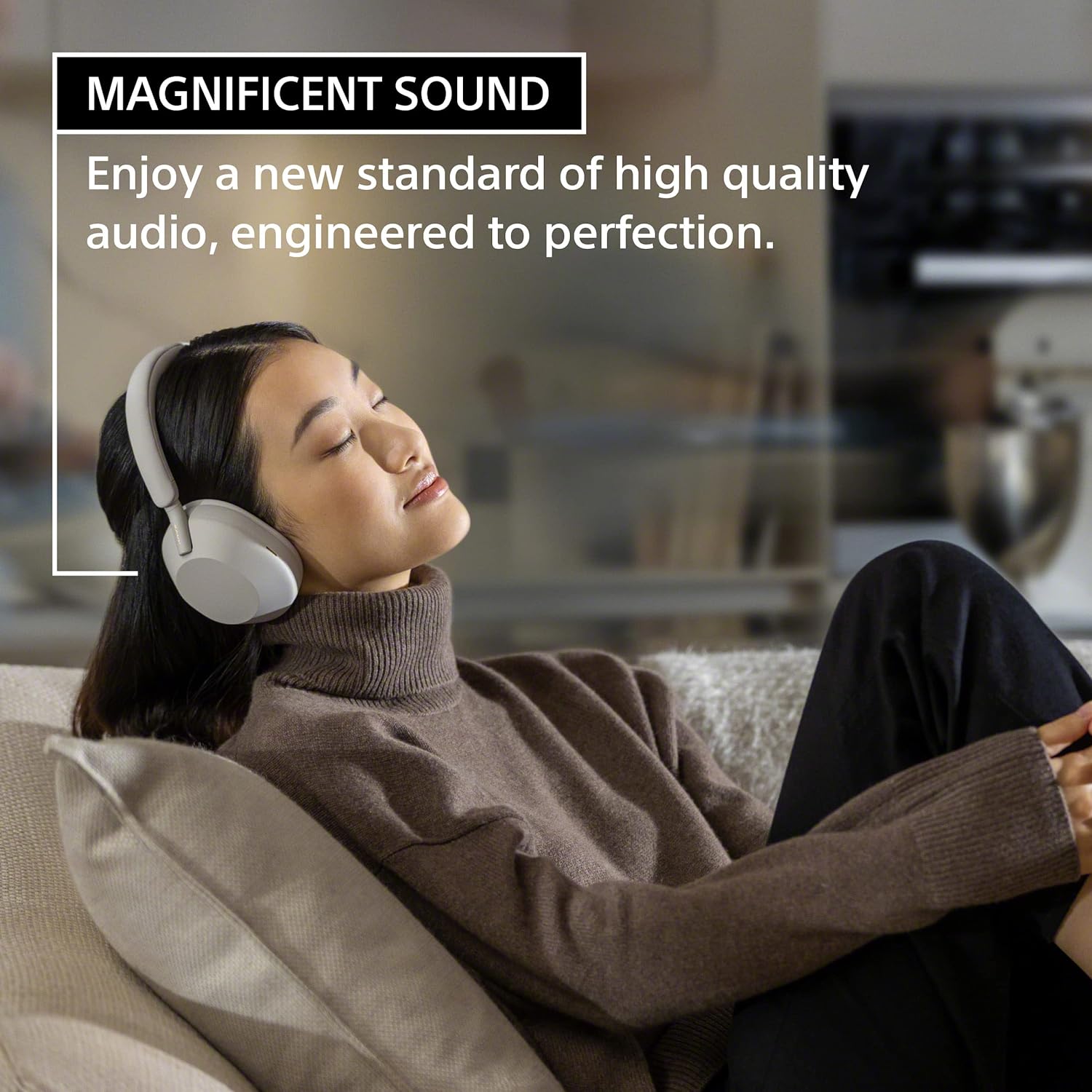
Image: A woman comfortably wearing Sony WH-1000XM5 headphones while relaxing on a couch, emphasizing the comfort and design.
Specifications
| Feature | Detail |
|---|---|
| Brand | Sony |
| Model Number | WH1000XM5/S |
| Ear Placement | Over Ear |
| Noise Control | Active Noise Cancellation |
| Connectivity Technology | Bluetooth 5.2 |
| Battery Life | Up to 30 Hours |
| Quick Charge | 3 min charge for 3 hours playback |
| Control Method | Touch, Voice |
| Item Weight | 8.82 Ounces |
| Material | Carbon Fiber, Leather |
Troubleshooting
No Power
Ensure the headphones are charged. Connect to a power source using the USB-C cable and check the charging indicator light.
Bluetooth Connection Issues
Make sure the headphones are in pairing mode (rapid blue flashing light). Delete the headphones from your device's Bluetooth list and attempt to re-pair. Ensure your device's Bluetooth is enabled and within range.
Noise Cancellation Not Working Effectively
Check that the earcups are properly sealed around your ears. Adjust the fit of the headphones. Ensure Noise Cancellation mode is active via the NC/Ambient button or the Sony Headphones Connect app.
Audio Quality Issues
Check the audio source and ensure it's playing high-quality content. Adjust equalizer settings in the Sony Headphones Connect app. Ensure the connection cable is fully inserted if using a wired connection.
Official Product Videos
Sony WH-1000XM5 Real World Airplane ANC Test
Video: A real-world test of the Sony WH-1000XM5's Active Noise Cancellation (ANC) capabilities in an airplane environment, demonstrating its effectiveness in reducing ambient noise during travel.
Sony WH-1000XM4 vs Sony WH-1000XM5 Comparison
Video: A detailed comparison between the Sony WH-1000XM4 and WH-1000XM5 headphones, highlighting design changes, feature updates, and performance differences to help users make an informed decision.
Warranty and Support
Warranty Information
The Sony WH-1000XM5 headphones come with a 1-year limited warranty from the date of purchase. This warranty covers defects in materials and workmanship under normal use. Please retain your proof of purchase for warranty claims.
Customer Support
For further assistance, technical support, or warranty inquiries, please visit the official Sony support website or contact their customer service. You can find detailed FAQs, troubleshooting guides, and contact information at www.sony.com/support.


