
Fannova B09XMNGTBB
Fannova White 3-Tier Rolling Printer Stand Instruction Manual
Model: B09XMNGTBB
Brand: Fannova
Introduction
This manual provides detailed instructions for the assembly, operation, and maintenance of your Fannova White 3-Tier Rolling Printer Stand. Please read this manual thoroughly before assembly and use to ensure proper function and longevity of the product.
Key Features
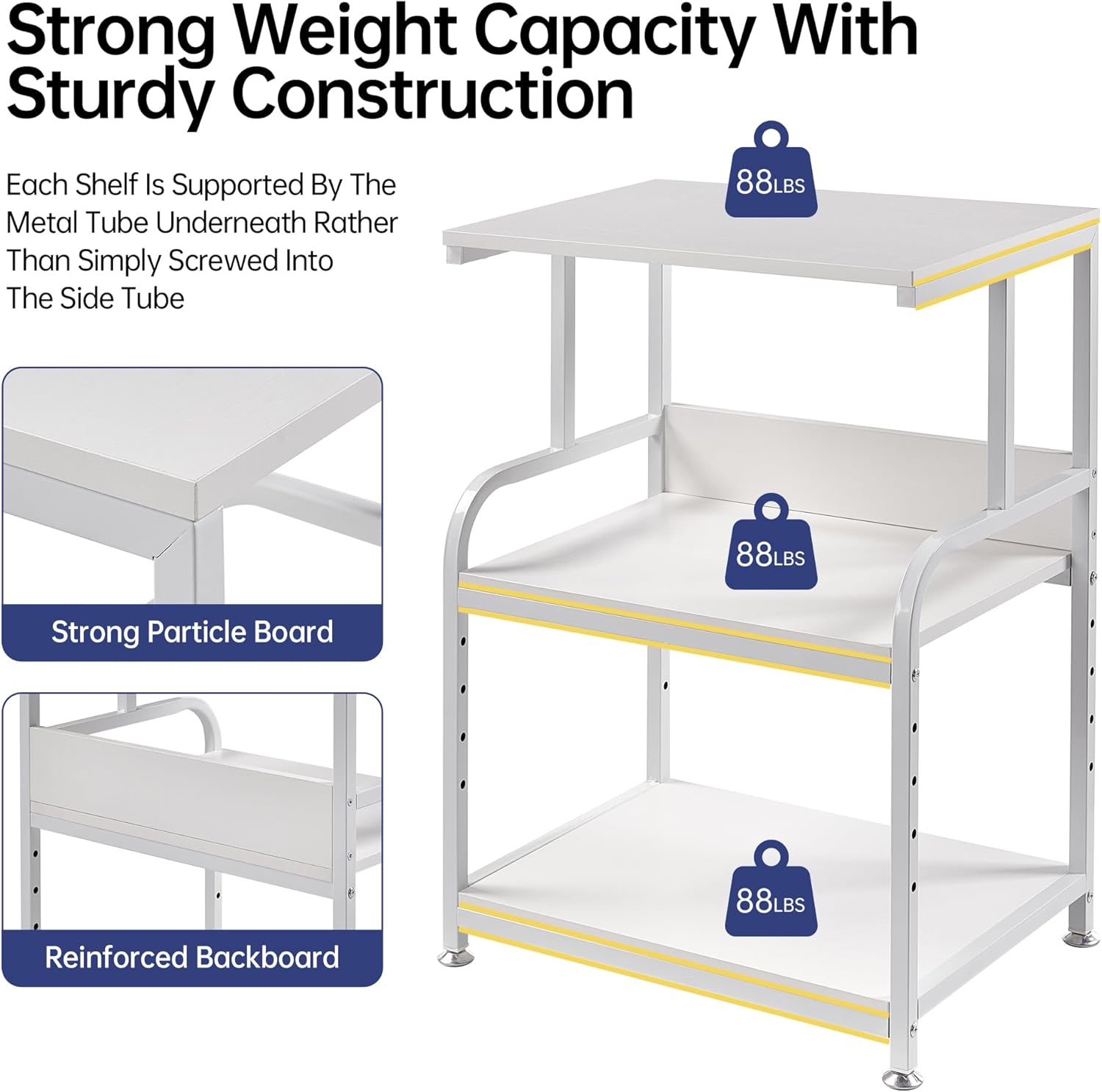
- Sturdy and Heavy Duty Construction: Each strong particle board tier is braced by a robust steel tube frame, supporting up to 88 lbs per tier. Constructed from CARB P2 class manufactured wood for environmental safety.
- Space-Saving 3-Tier Design: Compact dimensions (21.7"L x 15.7"W x 30.2"/31.6"H) provide an efficient solution for organizing printers, scanners, fax machines, and office supplies in small spaces.
- Height Adjustable Middle Shelf: The middle shelf offers 5 levels of height adjustment, allowing customization of space between 13.3", 15.3", 17.2", 19.2", or 21.1" to accommodate various item sizes.
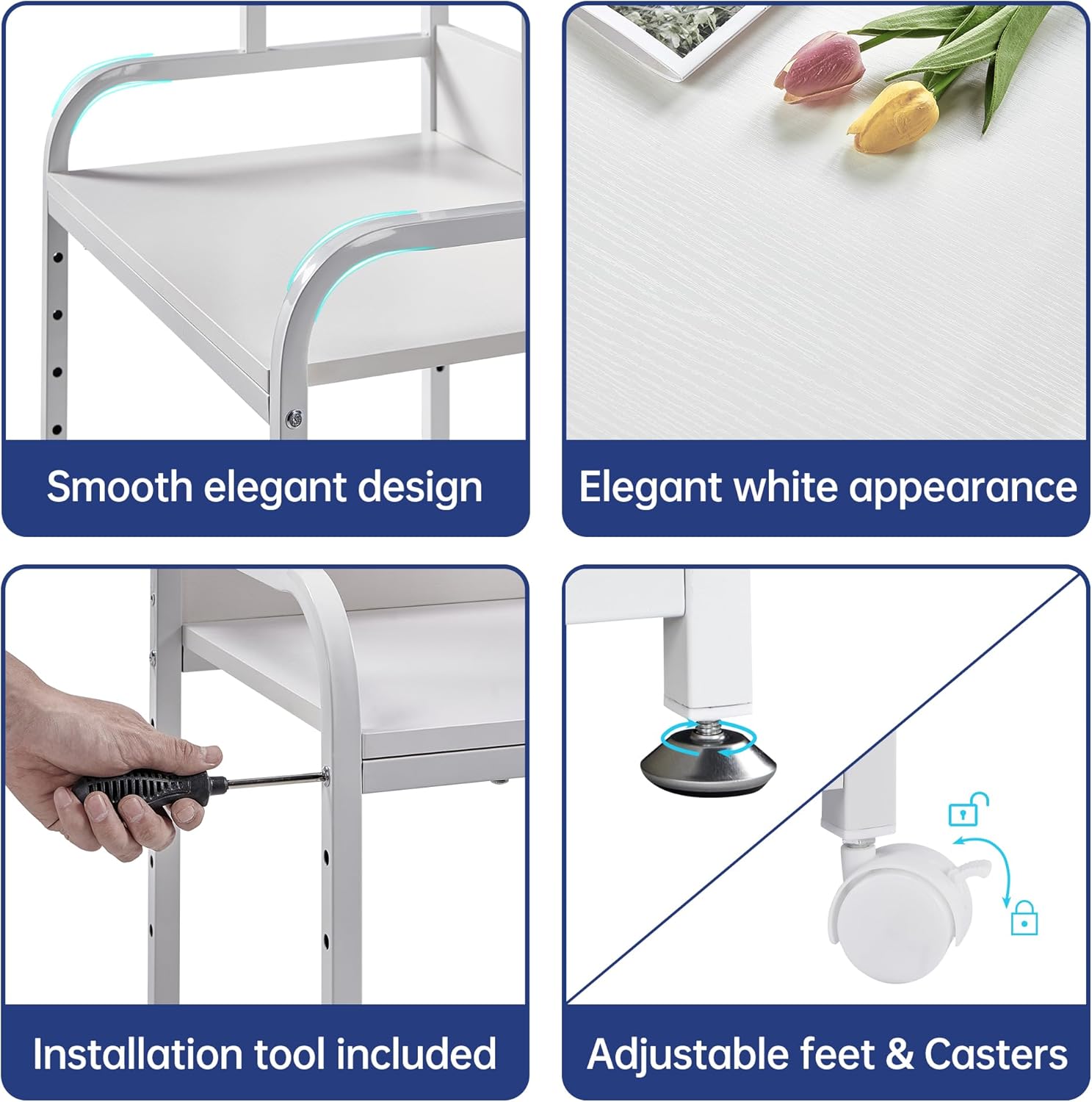
- Versatile Mobility Options: Includes both rolling casters for convenient movement and adjustable foot pads for stationary stability. Two of the four wheels are lockable. Foot pads can be fine-tuned for uneven surfaces.
- Easy Assembly: Features straightforward instructions, clearly numbered parts, well-aligned holes, and includes all necessary installation tools and spare screws.
Setup and Assembly
Before beginning assembly, ensure all parts are present and undamaged. Refer to the included instruction manual for a complete list of components and detailed step-by-step diagrams. A full set of installation tools is provided.


- Unpack Components: Carefully remove all parts from the packaging. Verify against the parts list in your physical manual.
- Assemble Frame: Connect the steel tube frames using the provided screws and tools. Ensure all connections are secure.
- Install Shelves: Attach the particle board shelves to the frame. For the middle shelf, select your desired height setting (refer to Figure 2) and secure it.
- Attach Feet or Casters: Decide between stationary foot pads or rolling casters. Screw the chosen option into the bottom of the frame (refer to Figure 3). If using casters, ensure the two lockable wheels are positioned for easy access.
- Final Check: Confirm all screws are tightened and the stand is stable before placing any items on it.
Operation
The Fannova 3-Tier Rolling Printer Stand is designed for versatile use in your home or office. Its primary function is to provide organized storage and easy access for your printer and other office essentials.
- Placement: Position your printer on the top shelf for optimal accessibility. Utilize the lower shelves for paper, ink cartridges, office supplies, or other devices.
- Adjusting Shelf Height: To adjust the middle shelf, carefully remove items, loosen the securing screws, reposition the shelf to one of the five available height settings, and re-tighten the screws firmly.
- Mobility: If using casters, unlock the wheels to move the stand. Lock the wheels when the stand is in its desired position to prevent accidental movement.
- Weight Capacity: Do not exceed the maximum weight capacity of 88 lbs per tier to ensure stability and prevent damage.

Maintenance
Regular maintenance will help preserve the appearance and functionality of your printer stand.
- Cleaning: Wipe surfaces with a soft, damp cloth. Avoid harsh chemicals or abrasive cleaners, which can damage the finish.
- Tighten Fasteners: Periodically check and tighten all screws and fasteners to ensure the stand remains stable.
- Caster Care: If using casters, keep them free of debris to ensure smooth rolling.
Troubleshooting
- Stand is Wobbly:
- Ensure all screws are securely tightened.
- If using foot pads, adjust them individually to compensate for uneven floor surfaces.
- Casters Not Rolling Smoothly:
- Check for debris (hair, lint, etc.) caught in the wheels and remove it.
- Ensure casters are unlocked if you intend to move the stand.
- Difficulty Adjusting Shelf Height:
- Ensure all items are removed from the shelf before attempting to adjust its height.
- Verify that the screws are fully loosened before attempting to reposition the shelf.
Specifications
| Attribute | Detail |
|---|---|
| Product Dimensions | 20.08 x 15.75 x 30.12 inches |
| Item Weight | 24.8 pounds |
| Brand | Fannova |
| Color | White |
| Form Factor | Tower |
| Compatible Devices | Printers, Speakers |
| Manufacturer | Fannova |
| Material | CARB P2 class manufactured wood, Steel frame |
| Weight Capacity (per tier) | Up to 88 lbs |
Warranty and Support
For warranty information or customer support regarding your Fannova product, please refer to the contact details provided with your purchase documentation or visit the official Fannova website. Keep your purchase receipt as proof of purchase.