
pasapair AMZSAC-OU-IN11V-12
pasapair 12,000 BTU WiFi Mini Split AC/Heating System User Manual
Model: AMZSAC-OU-IN11V-12
Brand: pasapair
1. Introduction
Thank you for choosing the pasapair 12,000 BTU WiFi Mini Split AC/Heating System. This manual provides essential information for the safe and efficient operation, installation, and maintenance of your new air conditioning and heating unit. Please read this manual thoroughly before installation and use, and retain it for future reference.
Safety Information
Always adhere to local and national electrical codes. Installation must be performed by qualified personnel. Disconnect power before servicing. Do not block air inlets or outlets. Use only specified refrigerant (R410A). Keep children away from the unit. If any abnormal operation or sound occurs, immediately turn off the unit and contact a qualified technician.
2. Setup and Installation
The pasapair Mini Split system includes both an indoor and an outdoor unit, along with a comprehensive installation kit. Professional installation is highly recommended to ensure proper function and safety.
Components Overview

Figure 2.1: Complete system components including indoor unit, outdoor unit, remote control, WiFi module, and various installation accessories such as copper tubing, electrical wiring, and drainage hose.
Pre-Installation Checks
- Ensure the installation area can support the weight of both indoor and outdoor units.
- Verify electrical supply matches the unit's requirements (115V).
- Confirm adequate space for airflow around both units.
- The unit comes pre-charged with R410A refrigerant.
WiFi Module Installation
Before finalizing the indoor unit installation, ensure the WiFi module is correctly inserted into its designated port within the indoor unit. This is crucial for enabling smart control features.

Figure 2.2: Illustration showing the proper insertion of the WiFi module into the indoor unit's dedicated slot during installation.
3. Operating Instructions
Your pasapair Mini Split system offers multiple operating modes and convenient control options via remote and a smartphone application.
Control Options: Remote and App
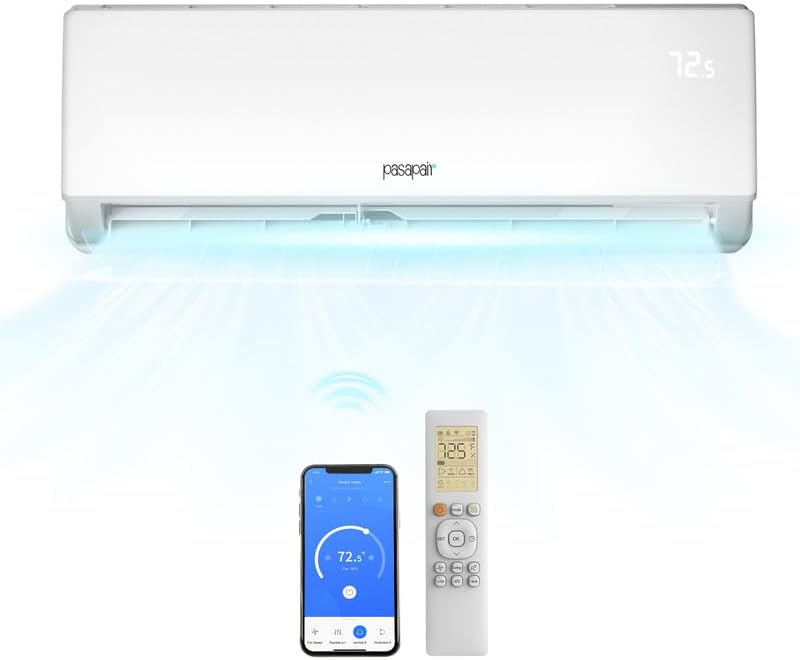
Figure 3.1: The indoor unit, remote control, and smartphone app interface, demonstrating the multiple ways to control your system.

Figure 3.2: A closer look at the remote control's buttons and the smartphone app's interface, highlighting functions like Cooling, Heating, Dehumidification, Ventilation, Active Clean, Sleep mode, Turbo mode, and Wireless Control.
The system can be controlled using the included wireless remote control or via the dedicated smartphone application. The app allows for remote control, scheduling, and monitoring of the unit's status.
Operating Modes
- Cooling: Provides powerful cooling for areas up to 750 square feet.
- Heating: Functions as a heat pump to provide warmth.
- Dehumidification: Reduces humidity levels in the room.
- Fan Only: Circulates air without heating or cooling.
- Sleep Mode: Adjusts temperature and fan speed for comfortable sleep and energy saving.
- Turbo Mode: Provides rapid cooling or heating.
Smart WiFi Control
With the integrated WiFi functionality, you can control your pasapair unit from anywhere using your smartphone. The app allows you to:
- Control Split AC Whenever and Wherever
- Set Temperature
- Set Weekly Schedules for A/C operation
- Perform Smart Diagnosis of A/C State
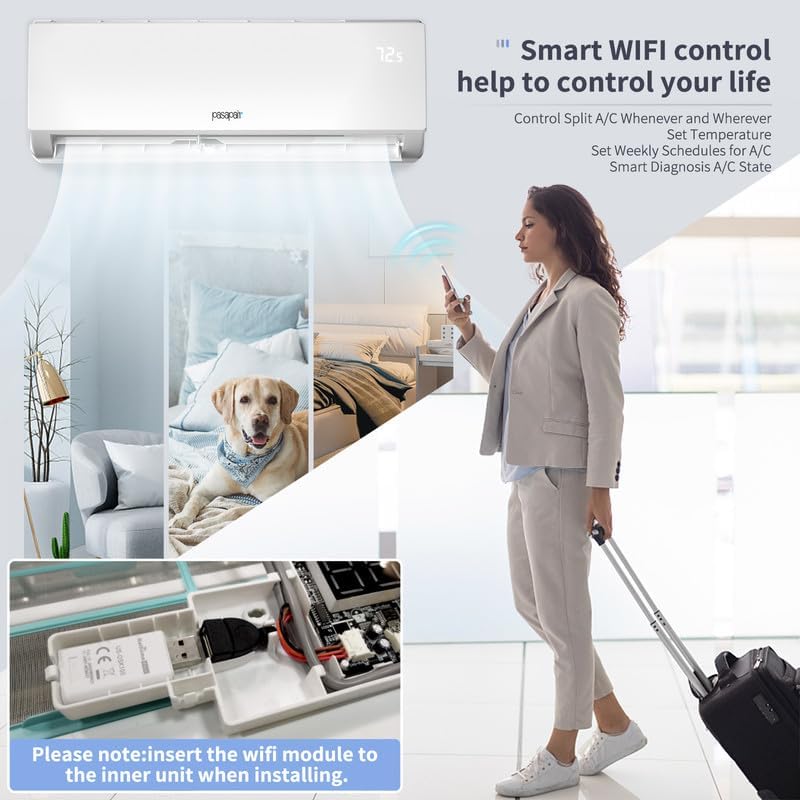
Figure 3.3: The convenience of smart WiFi control, enabling users to manage their AC unit remotely, set schedules, and monitor its status from anywhere.

Figure 3.4: The smart home compatibility of the pasapair unit, allowing integration with voice assistants like Amazon Alexa and Google Home for enhanced control.
4. Maintenance
Regular maintenance ensures optimal performance and longevity of your pasapair Mini Split system.
Filter Cleaning
The unit is equipped with a washable filter. Clean the air filter regularly (e.g., every two weeks or as needed) to maintain air quality and efficiency. Refer to the detailed installation manual for instructions on how to remove and clean the filter.
Active Clean Function
The unit features an "Active Clean" function with advanced i-Clean Technology designed to wash dust away from the evaporator coil. This process involves condensation, freezing, defrosting, blow-drying, and high-temperature sterilization to ensure clean and fresh air output.

Figure 4.1: Visual representation of the Active Clean function's five-step process, ensuring thorough cleaning of the indoor unit's coil.
General Cleaning
- Wipe the exterior of the indoor and outdoor units with a soft, damp cloth.
- Do not use harsh chemicals or abrasive cleaners.
- Ensure the outdoor unit's coils are free from debris.
5. Troubleshooting
This section addresses common issues you might encounter. For problems not listed here, or if solutions do not resolve the issue, contact customer support.
| Problem | Possible Cause | Solution |
|---|---|---|
| Unit does not turn on. | No power, circuit breaker tripped, remote control batteries dead. | Check power supply, reset breaker, replace remote batteries. |
| Insufficient cooling/heating. | Dirty air filter, blocked outdoor unit, incorrect mode setting, room size too large. | Clean filter, clear obstructions, select correct mode, ensure unit matches room size (up to 750 sq ft). |
| Unusual noise. | Loose parts, foreign objects, normal operating sounds (e.g., refrigerant flow). | Inspect for loose parts, remove objects. If noise persists and is abnormal, contact service. Note: Unit operates quietly, around 30 dB. |
| WiFi connection issues. | WiFi module not installed correctly, network issues, app not configured. | Ensure WiFi module is properly inserted, check home network, reconfigure app settings. |
6. Specifications
Key technical specifications for the pasapair 12,000 BTU WiFi Mini Split AC/Heating System.
- Brand: pasapair
- Model Number: AMZSAC-OU-IN11V-12
- Cooling Capacity: 12,000 BTU
- Seasonal Energy Efficiency Ratio (SEER): 20
- Voltage: 115 Volts
- Noise Level: Approximately 30 dB (indoor unit)
- Refrigerant: R 410A (Pre-charged)
- Filter Type: Washable Filter
- Installation Type: Split System
- Special Features: Defrost, WiFi Control
- Recommended Floor Area: Up to 750 Square Feet
- Product Dimensions: 31.57 x 7.87 x 11.61 inches (Indoor Unit)
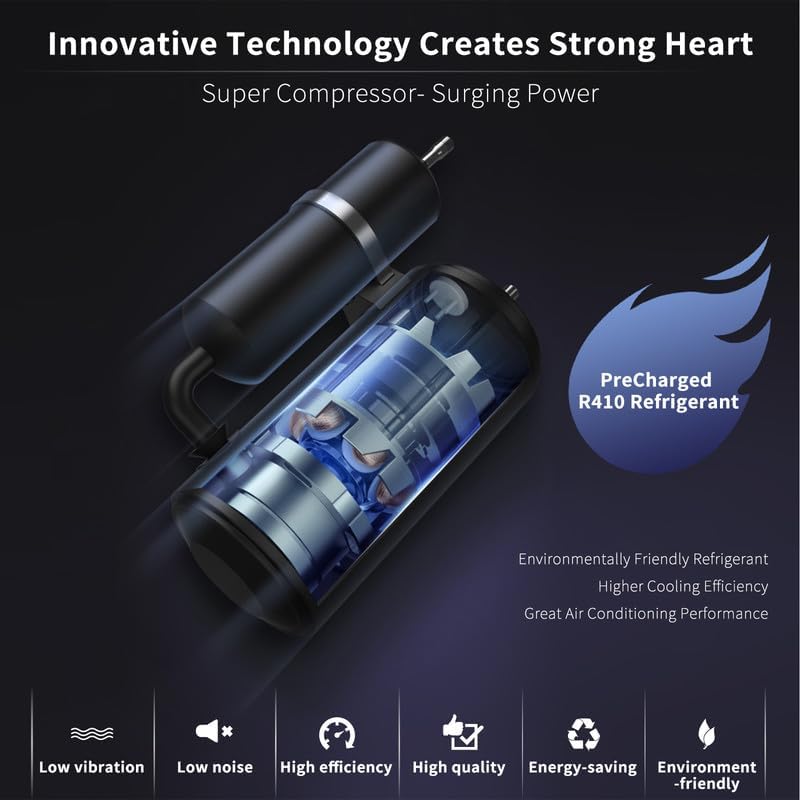
Figure 6.1: Illustration of the unit's super compressor and the environmentally friendly R410A refrigerant, emphasizing its efficient and quiet operation.

Figure 6.2: Depiction of the unit's capacity to cool and heat large spaces, rated at 12,000 BTU with a SEER of 20.

Figure 6.3: Visual representation of the unit's low noise operation, designed to provide a quiet and peaceful environment, with noise levels as low as 30 dB.
7. Warranty and Support
For warranty information, technical support, or service inquiries, please refer to the contact details provided in your product packaging or visit the official pasapair website. It is recommended to keep your purchase receipt for warranty claims.
Pasapair is committed to providing high-quality products and customer satisfaction. If you experience any issues, please reach out to our support team for assistance.
Ask a question about this manual
Ask about setup, troubleshooting, compatibility, parts, safety, or missing instructions. Manuals+ will review the question and use this page’s manual context to help answer it.