
Carry-on DIGWINDBK
Carry-on Digital Wind Instrument 1 User Manual
Model: DIGWINDBK
1. Introduction
The Carry-on Digital Wind Instrument 1 is a versatile and portable digital instrument designed for musicians of all levels. This electronic wind instrument features 10 authentic instrument voices and advanced breath sensitivity, offering unmatched expression and flexibility. With built-in speakers, headphone compatibility, and Bluetooth MIDI connectivity, it allows for practice, performance, or composition anywhere. Its lightweight, rechargeable design and washable mouthpiece ensure ease of maintenance and portability, making it ideal for exploring musical creativity on the go.

Image: The Carry-on Digital Wind Instrument 1, showcasing its sleek black design.
2. What's in the Box
Upon unboxing your Carry-on Digital Wind Instrument 1, please ensure all the following items are present:
- Carry-on Digital Wind Instrument
- Soft Case
- USB Charging Cable
- Mouthpiece
- Note Chart
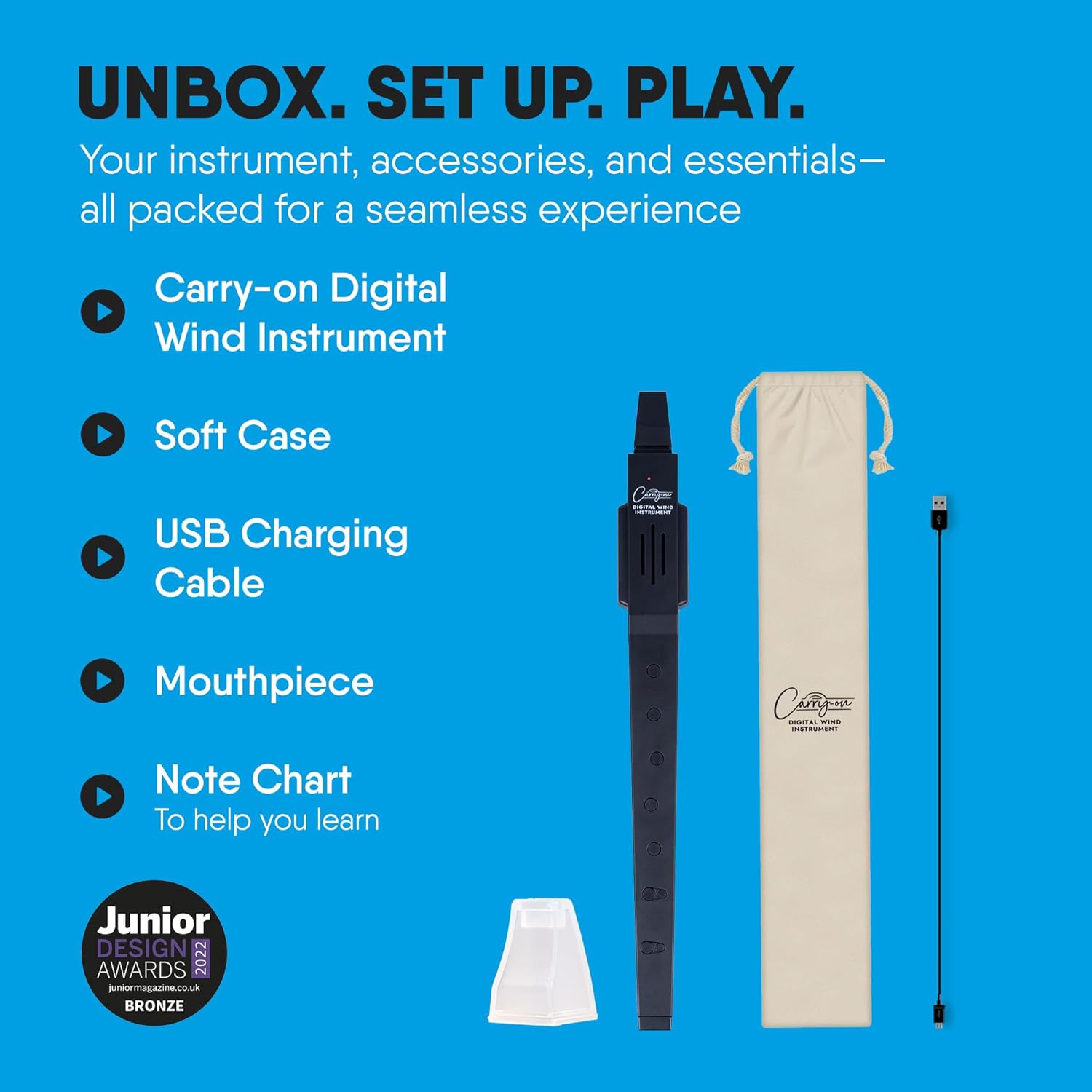
Image: All components included in the Carry-on Digital Wind Instrument 1 package.
3. Product Features
The Carry-on Digital Wind Instrument 1 is equipped with a range of features designed to enhance your musical experience:
- 10 Distinct Instrument Voices: Explore various genres with sounds including Recorder, Soprano Recorder, Tenor Saxophone, Alto Saxophone, Soprano Saxophone, Flute, Bamboo Flute, Clarinet, Trumpet, and Oboe.
- Precision Breath Control: Three adjustable levels of advanced breath sensitivity ensure accurate dynamics.
- Built-in Speaker: For immediate playback and practice without external equipment.
- Headphone Jack: Allows for private practice without disturbing others.
- Bluetooth MIDI Connectivity: Seamlessly connect to music apps, software, and other devices for composing, recording, or performing.
- Portable and Rechargeable: Lightweight and compact design with a built-in rechargeable battery providing up to 3 hours of continuous play.
- Washable Mouthpiece: Ensures hygiene and easy maintenance.
- Two Fingering Options: Choose between two different fingering types for versatile playability.
- Transpose Function: Easily shift the pitch up or down by 12 semitones.
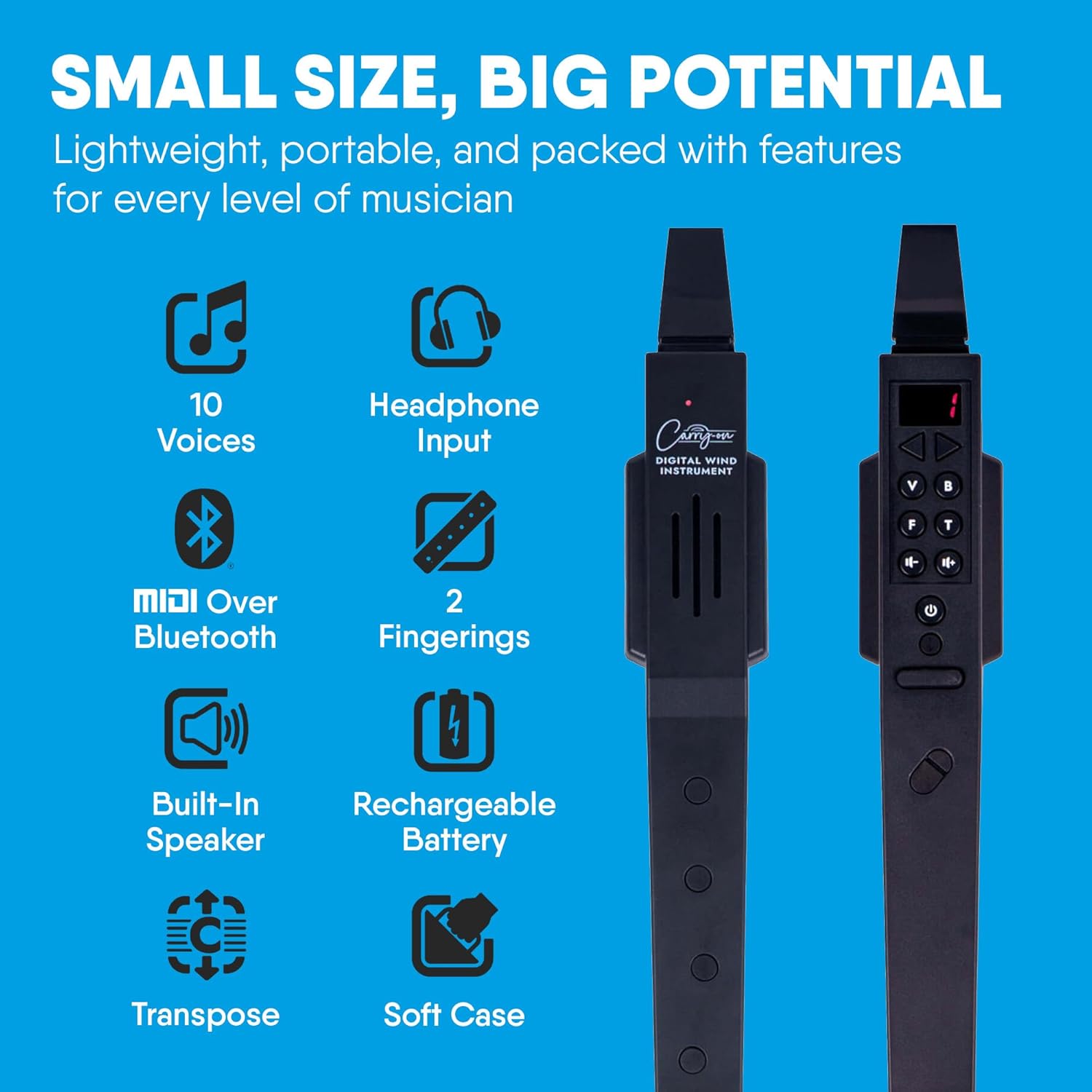
Image: Visual representation of the instrument's core features.
4. Product Overview (Components)
Familiarize yourself with the various parts of your Carry-on Digital Wind Instrument 1:

Image: Labeled diagram of the instrument's main components.
- Mouthpiece: Where you blow into the instrument.
- Screen: Displays current settings and voice selection.
- Function Buttons: Used for navigation, voice selection, and settings adjustment.
- Thumb Hole: Located on the back for proper grip and fingering.
- Finger Holes: Used to produce different notes.
- Built-in Speaker: Emits sound directly from the instrument.
- 3.5mm Input: For connecting headphones or an external AUX cable.
- Micro USB Charging Port: For recharging the instrument's internal battery.
5. Setup
5.1. Charging the Instrument
Before first use, fully charge your instrument. Connect the provided USB charging cable to the Micro USB Charging Port on the instrument and plug the other end into a compatible USB power adapter (not included) or a computer's USB port. The charging indicator light will show the charging status.
5.2. Attaching the Mouthpiece
Gently slide the silicone mouthpiece onto the instrument's top opening until it is securely in place. Ensure it forms a tight seal to prevent air leakage during play.
6. Operating Instructions
6.1. Power On/Off
To power on the instrument, press and hold the Power button until the screen illuminates. To power off, press and hold the Power button again until the screen turns off.
6.2. Voice Selection
Use the 'V' (Voice) button and the Up/Down arrow buttons to cycle through the 10 available instrument voices. The selected voice will be displayed on the screen.
6.3. Breath Sensitivity
The instrument offers three levels of breath sensitivity. Adjust this setting using the 'B' (Breath) button and the Up/Down arrow buttons to match your playing style and desired dynamic response.
6.4. Fingering Options
The instrument supports two different fingering types. Press the 'F' (Fingering) button to switch between the available options. Refer to the included Note Chart for specific fingering patterns for each type.
6.5. Transpose Function
To transpose the instrument's pitch, press the 'T' (Transpose) button. Use the Up/Down arrow buttons to adjust the transposition by semitones, up to 12 semitones in either direction.
7. Connectivity
7.1. Bluetooth MIDI
The instrument supports MIDI over Bluetooth for wireless connection to compatible devices and applications. Activate Bluetooth on the instrument and your device, then pair them. This allows you to control virtual instruments or record MIDI data wirelessly.
7.2. Headphone Use
For private practice, connect standard 3.5mm headphones to the headphone jack. This will mute the built-in speaker, allowing you to hear your playing without external sound.
8. Maintenance
To ensure the longevity and hygiene of your instrument:
- Mouthpiece Cleaning: The silicone mouthpiece is washable. Remove it from the instrument and clean it with mild soap and water. Rinse thoroughly and allow it to air dry completely before reattaching.
- Instrument Body: Wipe the instrument body with a soft, dry cloth. Avoid using abrasive cleaners or solvents.
- Storage: When not in use, store the instrument in its soft case to protect it from dust and scratches.
9. Troubleshooting
If you encounter any issues with your instrument, refer to the following common troubleshooting steps:
- No Sound:
- Ensure the instrument is powered on and charged.
- Check the volume level.
- If headphones are connected, ensure they are fully plugged in and functioning.
- Verify that the mouthpiece is securely attached and there are no air leaks.
- Bluetooth Connectivity Issues:
- Ensure Bluetooth is enabled on both the instrument and your device.
- Move the instrument closer to the device to ensure it's within range.
- Try unpairing and re-pairing the instrument with your device.
- Restart both the instrument and your device.
- Buttons Unresponsive:
- Ensure the instrument is adequately charged.
- Try powering the instrument off and on again.
10. Specifications
| Specification | Detail |
|---|---|
| Model Number | DIGWINDBK |
| Item Weight | 0.882 ounces |
| Product Dimensions | 14.17 x 3.54 x 1.81 inches |
| Batteries | 1 Lithium Ion battery (included) |
| Battery Life | Up to 3 hours continuous play |
| Color Name | Black |
| Material Type | Plastic |
| Instrument Key | C |
| Number of Instrument Voices | 10 |
11. Warranty and Support
For detailed warranty information and customer support, please refer to the official Carry-on website or contact the retailer from whom you purchased the product. Keep your proof of purchase for any warranty claims.
Related documentsDIGWINDBK

Ask a question about this manual
Ask about setup, troubleshooting, compatibility, parts, safety, or missing instructions. Manuals+ will review the question and use this page’s manual context to help answer it.