
1. Introduction
The Sanpyl KX-T777CID is a reliable and easy-to-use corded landline telephone designed for both home and office environments. Featuring an LCD display, Caller ID function, Flash, and Redial capabilities, this phone offers essential communication features in a compact and durable design. Its versatile mounting options allow for desktop placement or wall installation.
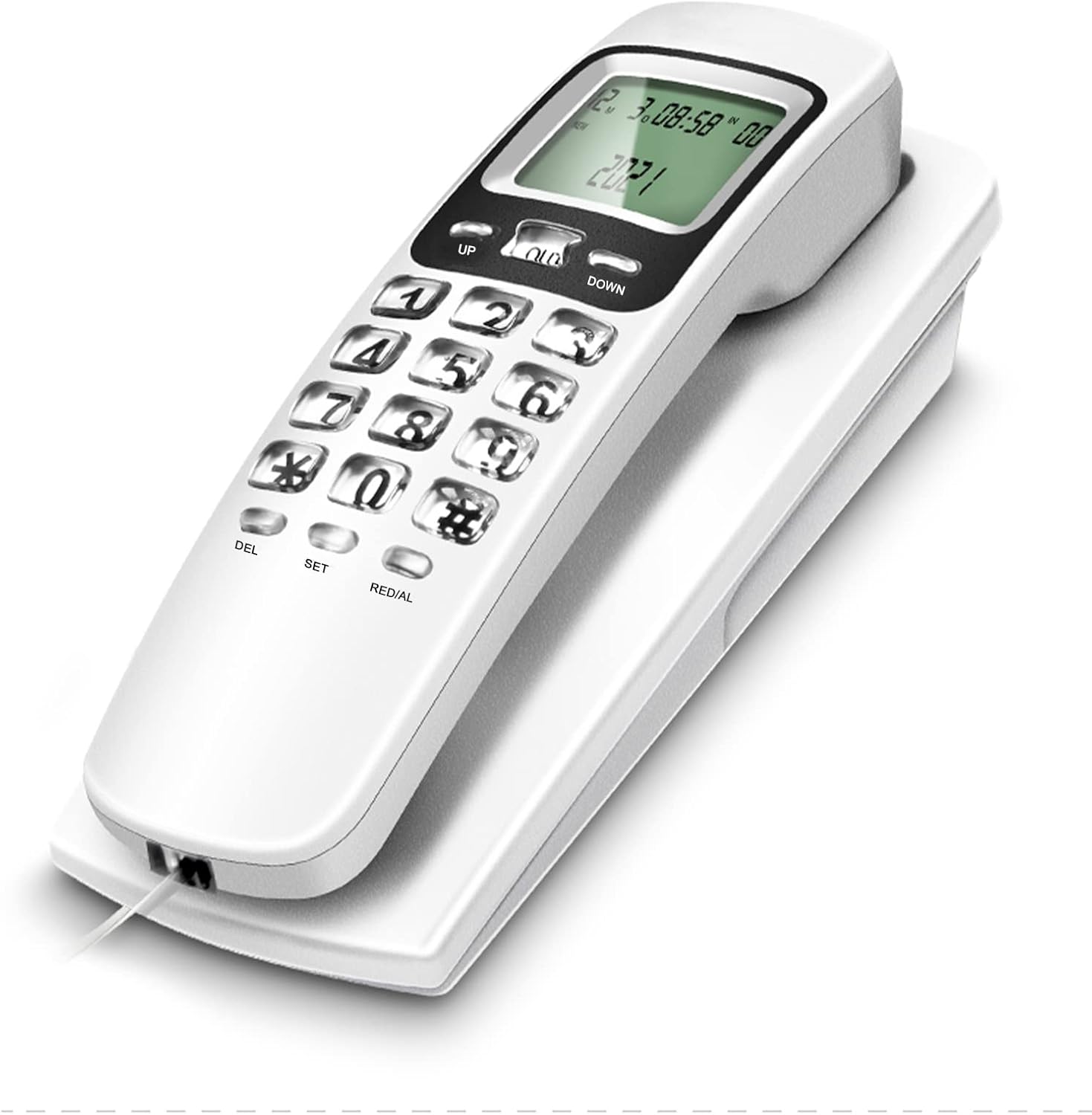
The Sanpyl KX-T777CID landline telephone in white, showcasing its compact design and LCD display.
2. Key Features
- LCD Display: Clear screen for time, date, and Caller ID information.
- Caller ID Function: Displays incoming caller's number and time.
- Flash Function: For call waiting or transferring calls (requires service provider support).
- Redial Function: Quickly redial the last dialed number.
- Selectable Ringer Sound: Customize your phone's ringtone.
- Durable Construction: Made from high-quality Acrylonitrile Butadiene Styrene (ABS) material for longevity.
- Desk or Wall Mountable: Flexible placement options for convenience.
- Battery-Free Operation: Powered directly by the phone line.

A view of two Sanpyl KX-T777CID phones, one with the handset separated from the base, demonstrating its multifunctionality including flash, selectable ringer sound, last number redial, and a calendar LCD display.

A visual representation of the Sanpyl KX-T777CID phone's core functionalities, including backlit keys for visibility, Caller ID, versatile desk or wall mounting, redial function, call inquiry, a single interface for simplicity, battery-free operation, and dual-use capability.
3. Setup
3.1 Package Contents
- Sanpyl KX-T777CID Landline Telephone Unit
- Handset
- Coiled Handset Cord
- Telephone Line Cord
3.2 Connection
- Connect one end of the coiled handset cord to the handset and the other end to the port labeled 'HANDSET' or with a phone icon on the side of the telephone base.
- Connect one end of the telephone line cord to the port labeled 'LINE' or 'OUT' on the back of the telephone base.
- Connect the other end of the telephone line cord to your wall telephone jack.
- Once connected, the LCD display should illuminate and show the current time and date, indicating the phone is ready for use.

The Sanpyl KX-T777CID telephone is displayed with both its coiled cord connecting the handset to the base and the straight line cord for connecting to the wall jack, showing all included cables.

This image showcases the Sanpyl KX-T777CID landline phone available in red, white, and black. It also illustrates the simple setup process: just plug in the phone line, and the screen will display normally, indicating readiness for use.
4. Operating Instructions
4.1 Making a Call
Lift the handset. Wait for a dial tone. Dial the desired phone number using the keypad. The number will appear on the LCD display as you dial.
4.2 Receiving a Call
When the phone rings, lift the handset to answer the call.
4.3 Redial Function
To redial the last number called, lift the handset and press the REDIAL button. The phone will automatically dial the last outgoing number.
4.4 Flash Function
During a call, press the FLASH button to use call waiting or transfer calls. This function requires support from your telephone service provider.
4.5 Caller ID Display
When an incoming call is received, the caller's number (if available) and the time of the call will be displayed on the LCD screen before you answer. Use the UP and DOWN buttons to scroll through recent call records.

A red Sanpyl KX-T777CID phone is depicted, with a close-up of its LCD screen clearly showing the Caller ID function, displaying the time, date, and the incoming caller's number.
5. Wall Mounting
The Sanpyl KX-T777CID telephone can be easily mounted on a wall. Locate the keyhole slots on the back of the phone base. Use two screws (not included) spaced appropriately to align with these slots on your wall. Secure the phone by sliding it down onto the screw heads.

This image demonstrates the flexible placement options for the Sanpyl KX-T777CID phone, showing it securely mounted on a wall and also conveniently placed on a desk surface.

This composite image provides detailed close-up shots of the Sanpyl KX-T777CID telephone, highlighting key features such as the wall-mounting slots on the back, the secure handset cradle, the clear LCD display, and the integrated speaker.
6. Maintenance
- Cleaning: Wipe the phone surface with a soft, damp cloth. Do not use harsh chemicals or abrasive cleaners.
- Avoid Liquids: Keep the phone away from water and other liquids to prevent damage.
- Temperature: Do not expose the phone to extreme temperatures or direct sunlight.
- Storage: If storing the phone for an extended period, disconnect it from the telephone line.
7. Troubleshooting
| Problem | Solution |
|---|---|
| No dial tone | Ensure the telephone line cord is securely connected to both the phone and the wall jack. Check if your telephone service is active. |
| LCD display is blank | Verify the telephone line cord connection. The phone draws power from the line. |
| Cannot hear caller / Caller cannot hear me | Check the handset cord connection. Ensure the handset is properly seated. Test with another phone if possible to rule out line issues. |
| Caller ID not working | Ensure you have Caller ID service activated with your telephone service provider. |
| Buttons unresponsive | Disconnect the phone from the line for a few minutes, then reconnect it. If the issue persists, contact support. |
8. Specifications
| Specification | Value |
|---|---|
| Model | KX-T777CID |
| Dimensions (L x W x H) | 7.48 x 3.15 x 3.15 inches |
| Item Weight | 9.8 ounces |
| Telephone Type | Corded |
| Material | Acrylonitrile Butadiene Styrene (ABS) |
| Power Source | Corded Electric (Line Powered) |
| Dialer Type | Single Keypad |
| Caller Identification | Yes |
9. Usage Scenarios
The Sanpyl KX-T777CID is versatile and suitable for various environments:
- Home Desk: Perfect for personal use in a study or living room.
- Home Wall: Saves desk space in kitchens or hallways.
- Office: Reliable communication for workstations or common areas.
- Hotel Rooms: Provides essential guest communication.
- Elevators: A dependable emergency communication device.

This image illustrates the versatility of the Sanpyl KX-T777CID phone, showing its suitability for different environments such as a home desk, a wall in a home, a hotel room, and even an elevator, emphasizing its adaptability.
10. Warranty and Support
For warranty information and technical support, please refer to the product packaging or contact Sanpyl customer service directly. Contact details can typically be found on the manufacturer's official website or on the product's retail page.


