
1. Introduction
This manual provides instructions for the SymWell N2QAYB000723 replacement remote control. This remote is designed to function as a direct replacement for the original remote controls of various Panasonic DVD and Blu-ray player models. It offers essential functions for controlling your compatible device.
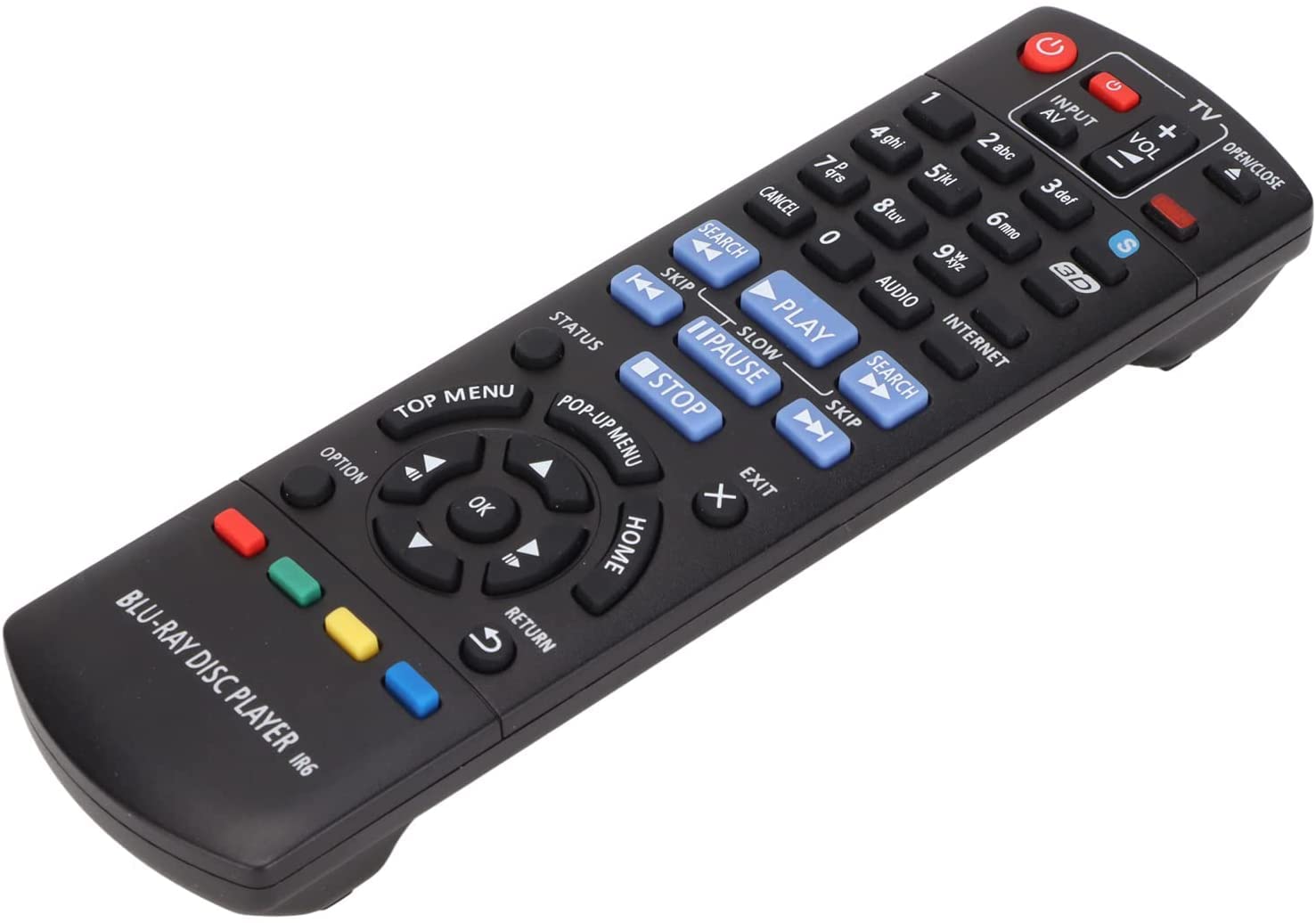
Image 1: The SymWell N2QAYB000723 replacement remote control. This image displays the front view of the black remote, highlighting its ergonomic design and button layout, which is typical for DVD/Blu-ray player controls.
2. Setup
The SymWell N2QAYB000723 replacement remote control is designed for immediate use with compatible Panasonic DVD/Blu-ray players without requiring any programming.
2.1 Battery Installation
- Locate the battery compartment on the back of the remote control.
- Slide the battery compartment cover downwards or in the direction indicated by an arrow to open it.
- Insert two AAA batteries (not included) into the compartment, ensuring the positive (+) and negative (-) terminals align correctly with the markings inside the compartment.
- Slide the battery compartment cover back into place until it clicks securely.
Once batteries are installed, the remote is ready for operation.
3. Operating Instructions
This remote control provides standard functions for navigating and controlling your compatible Panasonic DVD/Blu-ray player.
3.1 Basic Functions
- POWER: Turns the DVD/Blu-ray player on or off.
- PLAY/PAUSE: Starts or pauses playback of a disc.
- STOP: Stops disc playback.
- REWIND/FAST FORWARD: Skips backward or forward through content.
- SKIP: Jumps to the next or previous chapter/track.
- VOLUME +/-: Adjusts the audio volume (if supported by the player and connected audio system).
- MENU: Accesses the disc menu or player's main menu.
- ARROW KEYS (Up, Down, Left, Right): Navigates through menus and options.
- ENTER/OK: Confirms a selection.
- RETURN/BACK: Returns to the previous screen or menu.
Point the remote control directly at the infrared sensor on your DVD/Blu-ray player for optimal performance.
4. Maintenance
4.1 Battery Replacement
Replace batteries when the remote control's response becomes sluggish or stops functioning. Always replace both batteries simultaneously with new AAA batteries. Do not mix old and new batteries, or different types of batteries.
4.2 Cleaning
To clean the remote control, wipe it with a soft, dry cloth. Do not use liquid cleaners, abrasive pads, or chemical solvents, as these can damage the remote's surface or internal components.
4.3 Storage
If the remote control will not be used for an extended period, remove the batteries to prevent leakage and potential damage to the device.
5. Troubleshooting
If you experience issues with your remote control, refer to the following common solutions:
- Remote not responding:
- Ensure batteries are inserted correctly with the correct polarity (+/-).
- Replace old batteries with new ones.
- Check for any obstructions between the remote control and the DVD/Blu-ray player's infrared sensor.
- Ensure you are within the effective range and pointing the remote directly at the player.
- Specific buttons not working:
- This remote is a general replacement and may not support all advanced functions of your original remote. Verify if the function is a basic operation.
- Clean the remote control as described in Section 4.2 to ensure no debris is interfering with button contacts.
6. Specifications
| Model Number | N2QAYB000723 |
| Brand | SymWell |
| Compatible Devices | Panasonic DVD/Blu-ray Players (DMP-BD75, DMP-BD85, DMP-BD83, DMP-BD90, DMP-BD95, BDT230, BDT320) |
| Power Source | 2 x AAA Batteries (not included) |
| Color | Black |
| Item Weight | 0.016 ounces |
| Package Dimensions | 1.97 x 1.18 x 0.39 inches |
7. Warranty Information
As a general replacement remote control, specific warranty details may vary. Please refer to the seller or manufacturer's official website or contact their customer service for information regarding warranty coverage and terms for this product.
8. Support
For further assistance, technical support, or inquiries not covered in this manual, please contact the retailer or the manufacturer, SymWell, directly. Refer to your purchase documentation for contact details.