
Introduction
Thank you for choosing the WEN 10-inch 3.5-Amp Two-Speed Band Saw with Stand, Model BA3962. This manual provides essential information for the safe assembly, operation, maintenance, and troubleshooting of your new band saw. Please read this manual thoroughly before operating the tool to ensure proper use and to prevent injury or damage.
The WEN BA3962 band saw is designed for cutting wood and similar materials, offering two speed settings for versatility. It features a 3.5-amp motor, a 10-inch throat, and a 6-inch cutting depth, making it suitable for various woodworking projects.
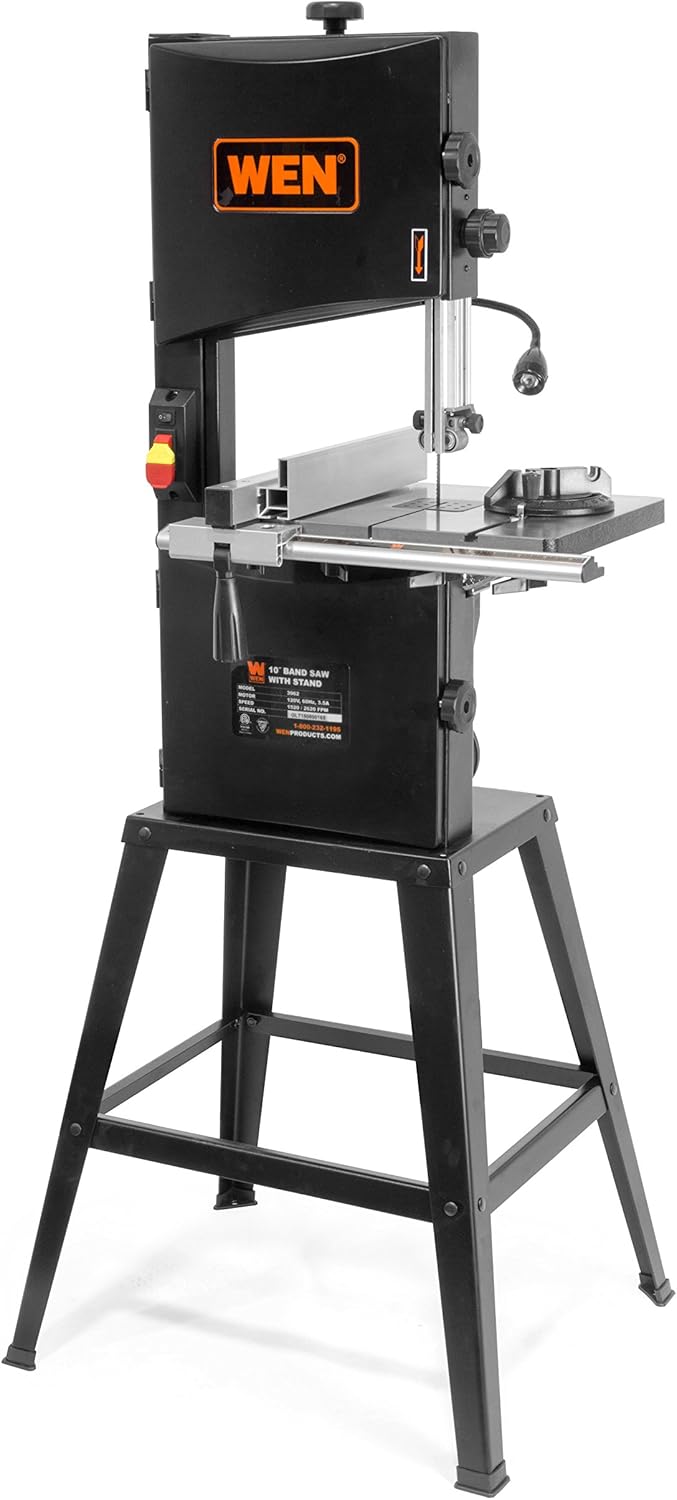
Figure 1: Overview of the WEN 10-inch Band Saw with Stand (Model BA3962).
Important Safety Instructions
WARNING: Read all safety warnings, instructions, illustrations, and specifications provided with this power tool. Failure to follow all instructions listed below may result in electric shock, fire, and/or serious injury.
General Power Tool Safety
- Work Area Safety: Keep work area clean and well-lit. Cluttered or dark areas invite accidents. Do not operate power tools in explosive atmospheres, such as in the presence of flammable liquids, gases, or dust.
- Electrical Safety: Power tool plugs must match the outlet. Never modify the plug in any way. Avoid body contact with grounded surfaces such as pipes, radiators, ranges, and refrigerators.
- Personal Safety: Always wear eye protection. Use hearing protection when operating noisy tools. Wear a dust mask if operation is dusty. Do not overreach. Keep proper footing and balance at all times. Dress properly; avoid loose clothing, jewelry, or long hair that can get caught in moving parts.
- Tool Use and Care: Do not force the power tool. Use the correct power tool for your application. Disconnect the plug from the power source before making any adjustments, changing accessories, or storing power tools.
Band Saw Specific Safety
- Blade Safety: Ensure the blade is properly installed and tensioned before operation. Never touch the blade while it is moving. Always use the correct blade type and size for the material being cut.
- Material Handling: Securely support the workpiece. Never cut freehand. Use the fence or miter gauge to guide the material. Keep hands clear of the blade path.
- Dust Collection: Connect a dust collection system to the dust port to minimize airborne dust and keep the work area clean.
- Adjustments: Make all adjustments with the power tool unplugged. Ensure all locking mechanisms are tightened before operation.
Components Overview
Familiarize yourself with the main components of your WEN band saw:
- Motor: 3.5-amp motor providing power for cutting.
- Blade: 72-inch blade, adjustable for various widths (1/8 to 1/2 inches).
- Table: Cast aluminum work table (14-1/8 x 12-1/2 inches) that can bevel up to 45 degrees.
- Blade Guides: Upper and lower blade guides to support the blade during cutting.
- Fence: Adjustable fence for straight cuts.
- Miter Gauge: For angled cuts.
- Dust Port: 3-in-1 dust port for connecting a dust collection system.
- Work Light: Integrated work light to illuminate the cutting area.
- Stand: Sturdy metal stand for stable operation.

Figure 2: Close-up view of the blade, table, and fence assembly.
Setup and Assembly
Before beginning assembly, ensure all parts are present and undamaged. Refer to the packing list in your separate assembly guide for a complete list of components.
1. Stand Assembly
- Assemble the stand components according to the instructions provided with the stand. Ensure all fasteners are securely tightened.
- Place the assembled stand on a stable, level surface.
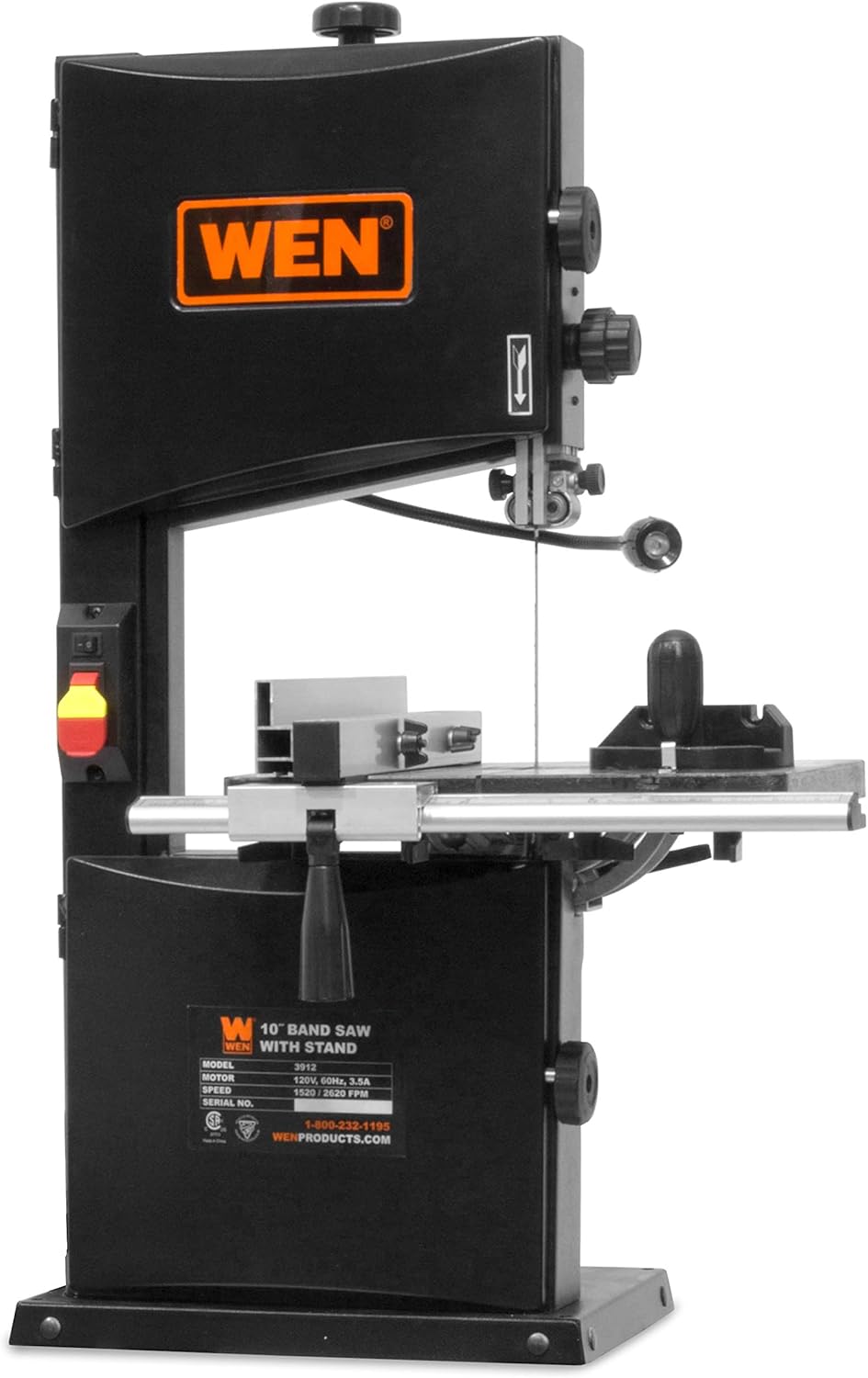
Figure 3: Fully assembled WEN band saw on its stand.
2. Mounting the Band Saw
- Carefully lift the band saw main unit and place it onto the assembled stand.
- Align the mounting holes on the band saw base with those on the stand.
- Secure the band saw to the stand using the provided bolts, washers, and nuts. Tighten all fasteners firmly.
3. Blade Installation and Tensioning
WARNING: Disconnect the power cord before installing or adjusting the blade.
- Open the upper and lower wheel covers.
- Loosen the blade tension knob to release tension.
- Carefully position the blade around the upper and lower wheels, ensuring the teeth point downwards towards the table.
- Guide the blade through the upper and lower blade guides.
- Adjust the blade tension knob until the blade is taut. A properly tensioned blade will deflect slightly when pressed with a finger.
- Close the wheel covers.

Figure 4: Internal view showing blade wheels and path.
4. Blade Guide Adjustment
WARNING: Ensure the power cord is disconnected.
- Adjust the upper blade guide assembly so it is approximately 1/8 to 1/4 inch above the workpiece.
- Adjust the side blade guides so they are just barely touching the sides of the blade, without binding.
- Adjust the rear thrust bearing so it is just behind the blade, allowing the blade to run freely but providing support during cutting.

Figure 5: Detailed view of the blade guide assembly.
5. Table and Fence Adjustment
- Table Squareness: Use a square to ensure the table is 90 degrees to the blade. Adjust the table tilt mechanism if necessary.
- Table Bevel: The table can be tilted up to 45 degrees for angled cuts. Loosen the locking knob, adjust to the desired angle, and retighten.
- Fence Installation: Attach the rip fence to the table. Ensure it is parallel to the blade for straight cuts.

Figure 6: Table tilt adjustment for bevel cuts.
6. Dust Port Connection
Connect a dust collection system to the 3-in-1 dust port to maintain a clean work environment and improve visibility.

Figure 7: Location of the 3-in-1 dust port.
7. Work Light Positioning
Adjust the flexible work light to illuminate your cutting line for better visibility.

Figure 8: Work light positioned to illuminate the cutting area.
Operating Instructions
WARNING: Always wear appropriate safety gear, including eye protection, hearing protection, and a dust mask, during operation.
1. Power Connection and Speed Selection
- Plug the power cord into a suitable electrical outlet.
- Select the desired blade speed:
- 1520 FPM: Lower speed, suitable for thicker materials or intricate cuts.
- 2620 FPM: Higher speed, suitable for general cutting of thinner wood.
- Turn on the band saw using the power switch. Allow the blade to reach full speed before beginning a cut.
2. Making Cuts
- Straight Cuts: Use the rip fence to guide the workpiece. Ensure the fence is parallel to the blade and securely locked. Feed the material slowly and steadily into the blade.
- Curved Cuts: For curved cuts, do not use the fence. Guide the workpiece freehand, keeping your hands clear of the blade. Use a narrower blade for tighter curves.
- Cross-Cuts and Angled Cuts: Use the miter gauge to guide the workpiece. Adjust the miter gauge to the desired angle.
- Resawing: For resawing wider boards, ensure the upper blade guide is set just above the workpiece. Use a wider blade for better stability.
Important: Do not force the material through the blade. Apply steady, even pressure. Forcing the blade can lead to blade deflection, poor cut quality, or motor stalling.
3. After Operation
- Turn off the band saw and wait for the blade to come to a complete stop before leaving the machine.
- Disconnect the power cord.
- Clean the work area and the machine, removing sawdust and debris.
Maintenance
WARNING: Always disconnect the power cord before performing any maintenance or adjustments.
1. Blade Replacement
Replace dull or damaged blades promptly. A dull blade can cause excessive heat, poor cuts, and strain on the motor.
- Disconnect power.
- Open wheel covers and release blade tension.
- Carefully remove the old blade.
- Install the new blade, ensuring teeth are pointing correctly and it is seated on the wheels.
- Tension the new blade and adjust blade guides as described in the Setup section.
- Close wheel covers.
2. Cleaning
- Regularly clean sawdust and debris from the table, blade guides, and inside the wheel housing. Accumulated dust can affect performance and cause the machine to stall.
- Use a vacuum cleaner or compressed air (with caution and eye protection) to remove dust.
- Wipe down exterior surfaces with a clean, damp cloth. Do not use harsh chemicals.
3. Guide Bearing and Thrust Bearing Inspection
Periodically inspect the blade guide bearings and thrust bearings for wear. Replace them if they show signs of damage or excessive play. Ensure they are properly adjusted to support the blade without binding.
Troubleshooting
This section addresses common issues you might encounter with your WEN band saw. For problems not listed here, contact WEN customer support.
| Problem | Possible Cause | Solution |
|---|---|---|
| Motor does not start or stalls during operation. |
|
|
| Poor cut quality (rough, uneven, blade deflection). |
|
|
| Blade breaks frequently. |
|
|
| Work light is ineffective or creates shadows. |
|
|
Specifications
| Feature | Detail |
|---|---|
| Model Number | BA3962 |
| Brand | WEN |
| Motor | 3.5 Amps, 420 Watts |
| Blade Length | 72 inches |
| Blade Width Capacity | 1/8 to 1/2 inches |
| Cutting Depth | Up to 6 inches |
| Cutting Width (Throat) | 9-3/4 inches |
| Speeds | 1520 FPM (Feet Per Minute), 2620 FPM |
| Table Dimensions | 14-1/8 x 12-1/2 inches (Cast Aluminum) |
| Table Bevel Capacity | 0 to 45 degrees |
| Dust Port | 3-in-1 |
| Overall Dimensions (L x W x H) | 67.3 x 53.3 x 148.6 cm (approx. 26.5 x 21 x 58.5 inches) |
| Power Source | Corded Electric |
| Blade Material | High-Speed Steel (standard included blade) |
| Safety Compliance | UL Listed |
Warranty and Support
Warranty Information
The WEN 10-inch 3.5-Amp Two-Speed Band Saw (Model BA3962) includes a 2-year limited warranty from the date of purchase. This warranty covers defects in material and workmanship under normal use. Please retain your proof of purchase for warranty claims.
For full warranty terms and conditions, please refer to the official WEN warranty documentation or visit the WEN website.
Customer Support
If you have any questions, require technical assistance, or need to make a warranty claim, please contact WEN customer service. Have your model number (BA3962) and purchase information ready when contacting support.
For the most current contact information, please visit wenproducts.com.


