
1. Introduction
This manual provides detailed instructions for the installation, operation, and maintenance of your ChangM Smart Recessed Lighting 4-Inch RGBCW LED Downlights. These smart lights offer a range of features including color changing capabilities, adjustable white light, dimming, and control via Amazon Alexa or the BRmesh application. Please read this manual thoroughly before installation and use to ensure proper function and safety.
2. Product Overview and Features
The ChangM Smart Recessed Lighting system is designed to provide versatile and customizable illumination for various indoor and outdoor settings. Key features include:
- Smart Voice Control: Compatible with Amazon Alexa for hands-free operation.
- RGBCW Color Changing: Offers 16 million vibrant colors and adjustable white light from 2700K (warm) to 6000K (cool).
- Dimmable: Smooth 1%-100% brightness adjustment (not compatible with traditional dimmer switches).
- APP Control: Manage lights via the "BRmesh" application on your mobile device, no Wi-Fi required for basic control.
- Bluetooth Mesh Technology: Utilizes Bluetooth 5.0 for stable, fast connections and control of up to 125 lights without occupying router bandwidth.
- DIY Scenes & Music Sync: Customize lighting scenes and synchronize lights with music for dynamic effects.
- Easy Installation: Canless design with junction box for straightforward setup.

Image: Overview of the ChangM Smart Recessed Lights and the BRmesh application interface.
3. Package Contents
Verify that all components are present in your package:
- 6 x 4-inch RGBCW Smart Recessed Lights
- 6 x Junction Boxes
- 1 x Hole Template
- 1 x Instruction Manual (this document)
4. Specifications
| Brand | ChangM |
| Model Name | TD4C001 |
| Light Type | LED |
| Wattage | 12 Watts |
| Incandescent Equivalent | 110 Watts |
| Brightness | 1080 Lumens |
| Color Temperature | 2700K-6000K (Adjustable) |
| Color Options | 16 Million RGBCW Colors |
| Voltage | 110 Volts (Accepted: 100-120V, 50Hz) |
| Control Method | App, Voice (Alexa) |
| Connectivity | Bluetooth 5.0 Mesh |
| Product Dimensions | 4.7"W x 1.57"H (119mm x 40mm) |
| Ceiling Cutout | 3.5-4.5 inches |
| Material | Aluminum, Plastic |
| Average Life | 25,000 Hours |
| Indoor/Outdoor Usage | Indoor, Outdoor |
| Certifications | CSA, ETL, Energy Star, FCC, RoHS |

Image: Downlight Dimensions and Key Features.
5. Installation Instructions (Setup)
Follow these steps for safe and proper installation:
- Prepare the Ceiling: Use the provided hole template to cut a hole of the appropriate size (3.5-4.5 inches) in the ceiling.
- Connect Wiring: Connect the household electrical wires to the junction box. Ensure all connections are secure and comply with local electrical codes.
- Connect Light to Junction Box: Plug the connector from the recessed light into the corresponding connector on the junction box.
- Secure the Light: Push the spring clips on the recessed light upwards and insert the light into the ceiling hole. The clips will secure the light in place.
Important Safety Notes:
- Ensure power is turned off at the circuit breaker before beginning installation.
- Consult a qualified electrician if you are unsure about any part of the installation process.
- Do not connect to a traditional dimmer switch. These lights are dimmable via app or voice control only.

Image: Step-by-step installation guide.
6. Operation
6.1. APP Control (BRmesh)
The BRmesh application allows comprehensive control of your smart recessed lights.
- Download App: Search for and download the "BRmesh" app from your mobile device's app store.
- Enable Bluetooth: Ensure Bluetooth is enabled on your mobile phone.
- Connect Lights: Open the BRmesh app. Click on the home page to add a device. The app will automatically connect to nearby lights. No registration or internet connection is required for initial setup and control.
Through the app, you can:
- Adjust brightness (1%-100%).
- Change color temperature (2700K-6000K).
- Select from 16 million RGB colors.
- Create and manage groups of lights.
- Set DIY scenes and schedules.
- Enable music synchronization.
6.2. Voice Control (Amazon Alexa)
Your ChangM Smart Recessed Lights are compatible with Amazon Alexa for voice commands.
- Enable Alexa Skill: Ensure the BRmesh skill is enabled in your Alexa app.
- Discover Devices: Say "Alexa, find devices" to your Alexa speaker. The lights will be discovered and added to your Alexa device list.
- Voice Commands: Use commands such as "Alexa, turn on the [light name]", "Alexa, set [light name] to blue", or "Alexa, dim [light name] to 50%".
Note: These lights do not work with Google Home, HomeKit, HomePod, or Matter. They are not compatible with any external dimmer switches.
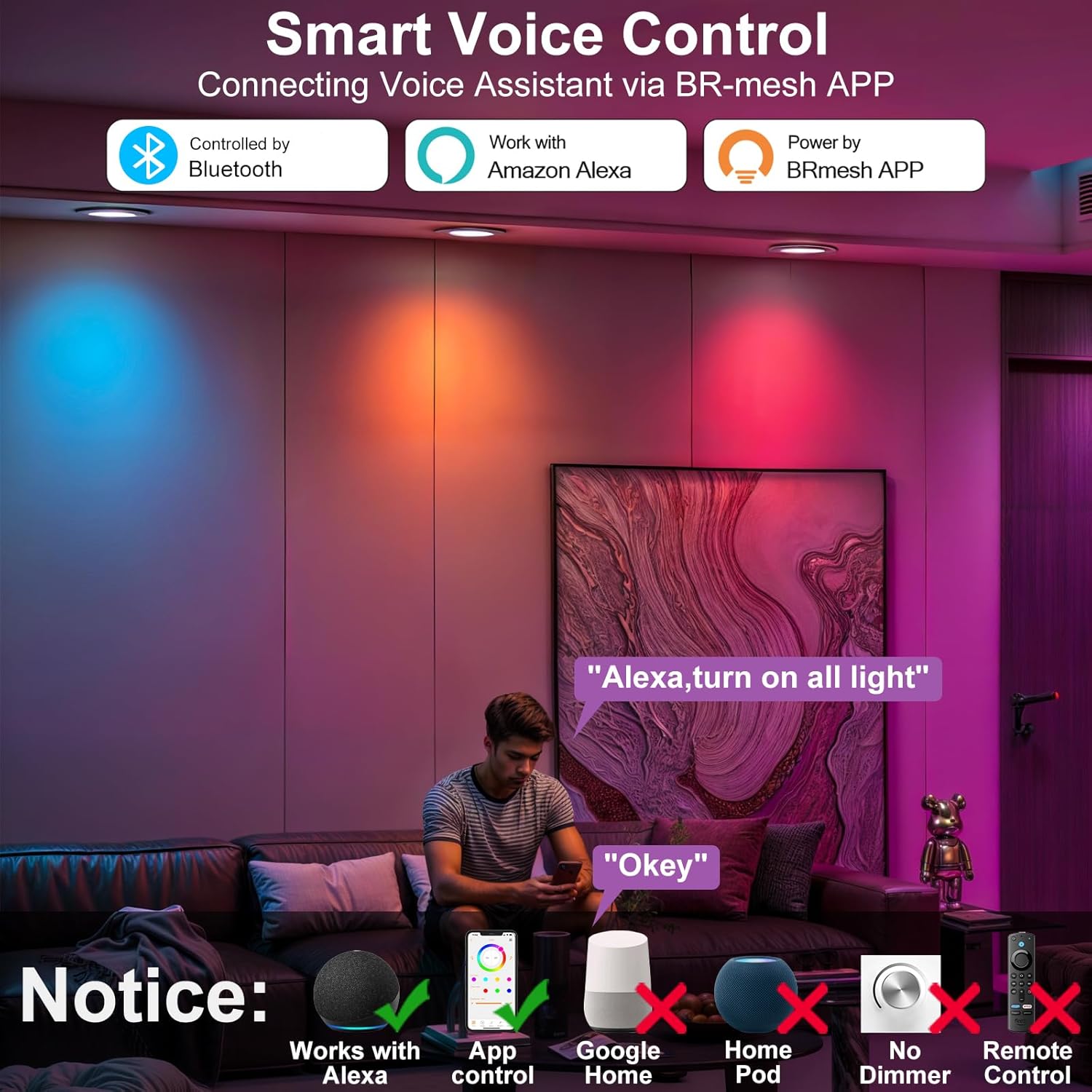
Image: Smart Voice Control and compatibility information.
6.3. Bluetooth Mesh Technology
The integrated Bluetooth 5.0 chip enables mesh functionality, providing a stable and efficient control network.
- Stable Connection: Bluetooth Mesh ensures a reliable connection that is not dependent on Wi-Fi stability or bandwidth.
- Extended Range: Devices can relay signals to each other, extending the effective control range.
- Multi-Lamp Control: Control up to 125 lights simultaneously through the BRmesh app.

Image: Bluetooth Mesh Technology vs. Wi-Fi Connection.
6.4. Color and Brightness Adjustment
Adjust the lighting to suit your preferences:
- Color Selection: Choose from 16 million colors via the BRmesh app or Alexa voice commands.
- White Light Adjustment: Seamlessly transition between warm white (2700K) and cool white (6000K).
- Dimming: Adjust brightness from 1% to 100% using the app or voice control.
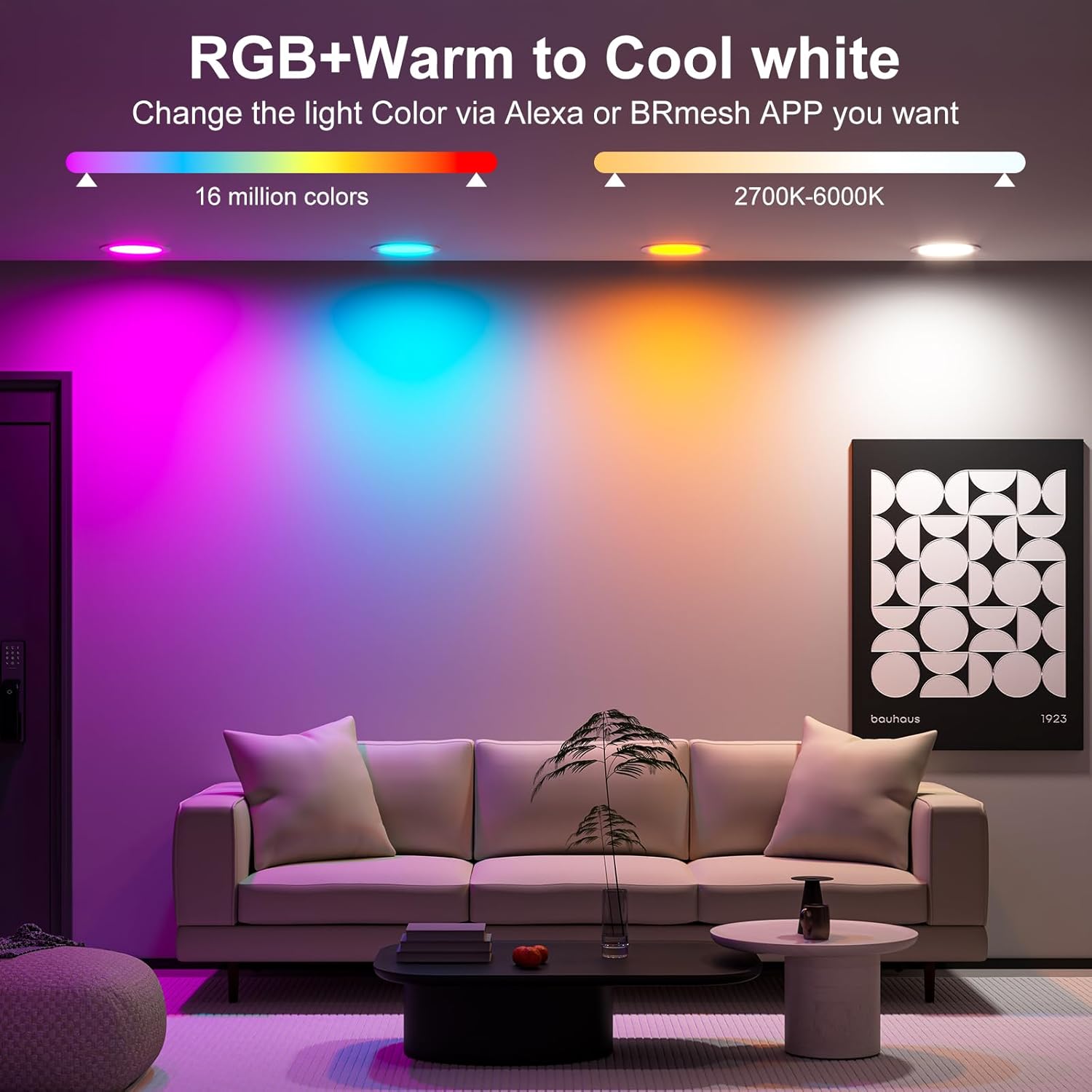
Image: RGB and Warm to Cool White Light Capabilities.
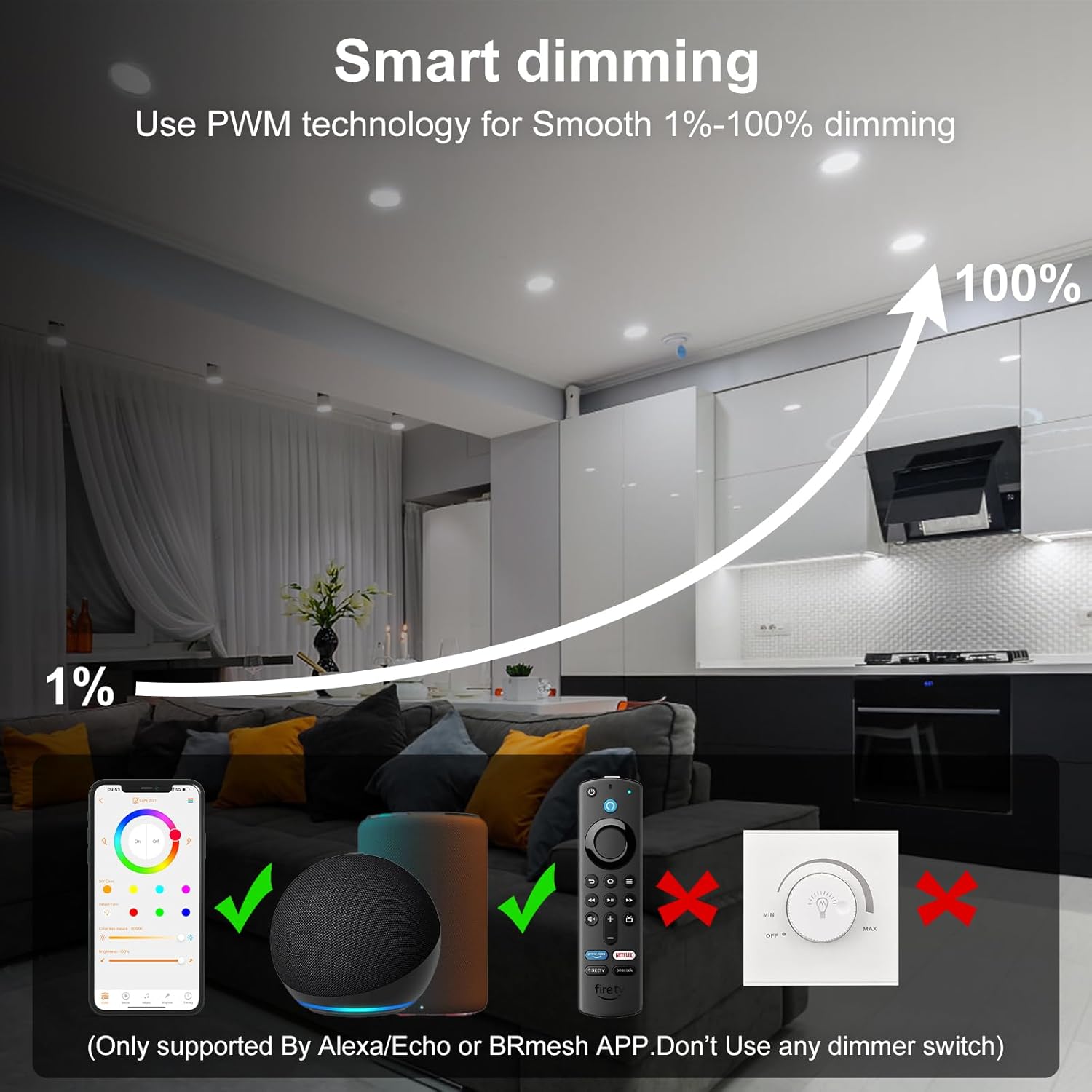
Image: Smart Dimming Functionality.
6.5. DIY Scenes and Music Sync
Personalize your lighting experience with custom scenes and music synchronization.
- DIY Scenes: The BRmesh app offers 23 dynamic modes. You can configure and save custom lighting settings for specific activities or moods, such as "Romantic," "Game Room," or "Home Theater."
- Music Sync: Activate music synchronization through the app to make the lights change in rhythm with your audio.
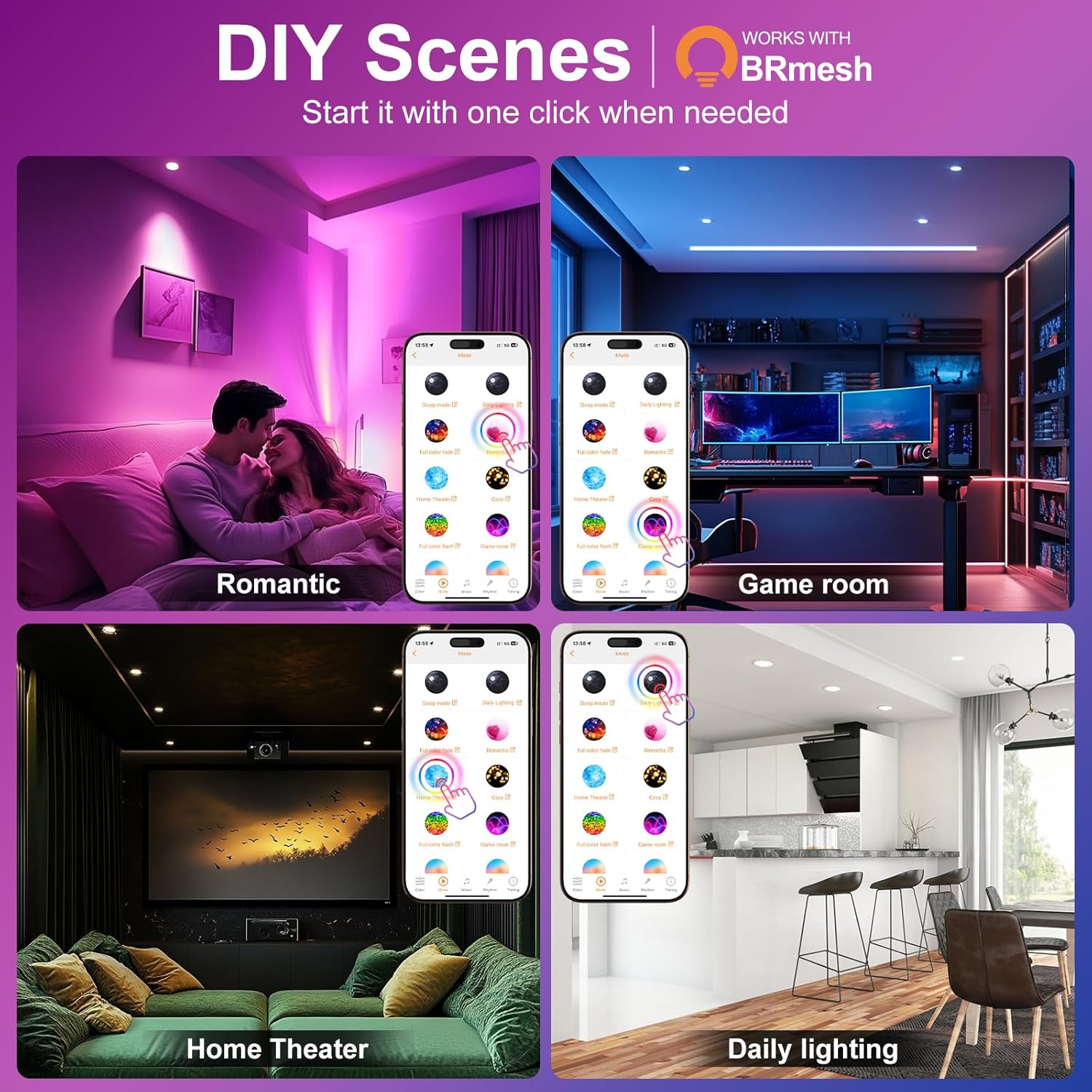
Image: Examples of DIY Scenes.
6.6. Group Control
Organize your lights into groups for simultaneous control.
- Create a Group: In the BRmesh app, click the "+" icon to create a new group.
- Name the Group: Assign a name to your new group (e.g., "Bedroom," "Living Room").
- Add Downlights: Select the specific lights you wish to include in the group.
- Control: Return to the main control interface. You can now control all lights within a group simultaneously or individually.

Image: Group Control functionality.
7. Troubleshooting
If you encounter issues with your ChangM Smart Recessed Lights, refer to the following common solutions:
- Lights Not Responding:
- Ensure the lights are powered on.
- Check your phone's Bluetooth connection and ensure it is enabled.
- Verify the lights are within Bluetooth range of your controlling device.
- Restart the BRmesh app.
- If using Alexa, ensure the BRmesh skill is enabled and devices are discovered.
- Cannot Connect to App:
- Confirm Bluetooth is active on your phone.
- Try moving closer to the lights.
- Ensure no other device is actively connected to the lights.
- Temporarily disable and re-enable Bluetooth on your phone.
- Lights Flicker or Dim Unexpectedly:
- Ensure the lights are not connected to a traditional dimmer switch. This product is not compatible with external dimmers.
- Check for stable power supply.
- Voice Control Not Working:
- Confirm your Alexa device is online and connected to the internet.
- Verify the BRmesh skill is enabled in the Alexa app.
- Ensure the light names in Alexa match the names you are using in your commands.
If issues persist, please refer to the Warranty and Support section for further assistance.
8. Maintenance
To ensure the longevity and optimal performance of your ChangM Smart Recessed Lights, follow these maintenance guidelines:
- Cleaning: Gently wipe the surface of the lights with a soft, dry cloth. Do not use abrasive cleaners or solvents, as these can damage the finish or electronic components.
- Power Off Before Cleaning: Always turn off the power to the lights at the circuit breaker before cleaning.
- No User-Serviceable Parts: The LED components are integrated and not user-replaceable. Do not attempt to disassemble the light fixture.
- Environmental Conditions: While rated for indoor and outdoor use, avoid exposing the lights to extreme temperatures or direct water spray unless specifically designed for such conditions.
9. Warranty and Support
ChangM provides support for its products to ensure customer satisfaction.
- Warranty: This product comes with a 2-year limited manufacturer's support.
- Customer Service: Expect quick responses with 24-hour service for inquiries and support.
- Certifications: The product is certified for safety and reliability (UKCA / CE / ROHS).
For technical assistance, warranty claims, or any other support needs, please contact ChangM customer service through the retailer's platform or the official ChangM website.

Image: Warranty and Support Information.