
1. Product Overview
This manual provides instructions for the safe and efficient use of your Digipartspower USB Charger AC Adapter Cable. This product is designed to provide power to compatible devices, specifically the AUVON TENS Unit 3rd Gen 16 Mode Machine.
Key Features
- Over Temperature Protection (OTP): Safeguards against overheating.
- Over Voltage Protection (OVP): Protects devices from excessive voltage.
- Short Circuit Protection (SCP): Prevents damage from short circuits.
- Over Current Protection (OCP): Shields against excessive current flow.
- Compact and portable design for easy transport.
- Constructed with high-quality materials for durability.
Package Contents
- 1 x Digipartspower USB Charger AC Adapter Cable
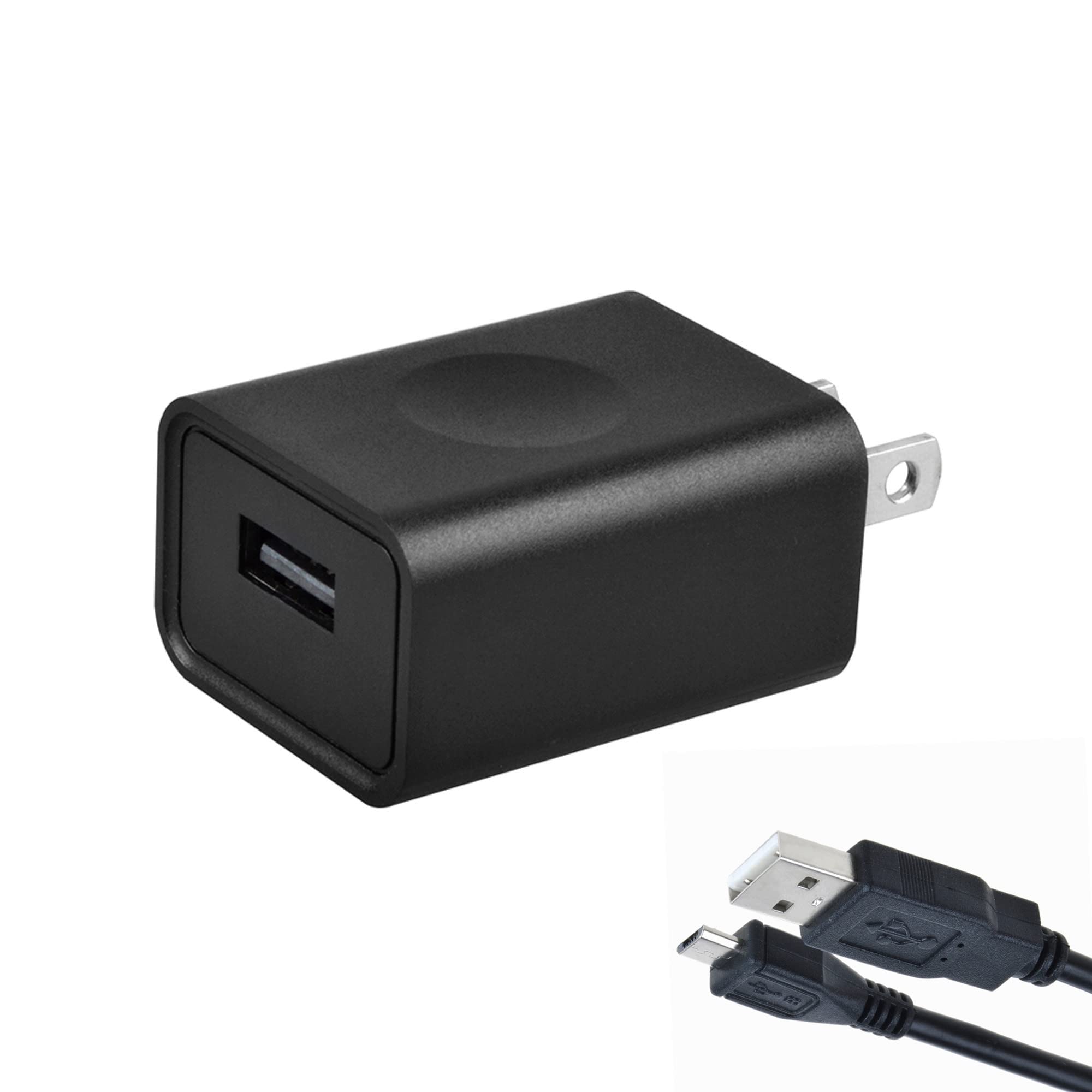
Image 1: Digipartspower USB Charger AC Adapter Cable. This image shows the black USB charger cable with its adapter plug.
2. Setup Instructions
Follow these steps to properly set up your USB Charger AC Adapter Cable:
- Unpack the Cable: Carefully remove the USB Charger AC Adapter Cable from its packaging.
- Identify Components: The package includes one USB cable with an integrated AC adapter plug.
- Connect to Device: Insert the USB end of the cable into the appropriate USB charging port of your AUVON TENS Unit 3rd Gen 16 Mode Machine. Ensure the connection is firm.
- Connect to Power Outlet: Plug the AC adapter end (Type A - 2 pin) into a standard 100-240V AC wall power outlet.
- Verify Connection: Confirm that the TENS unit indicates it is receiving power or charging, typically via an indicator light on the device itself.
Important: This charger is specifically designed for the AUVON TENS Unit 3rd Gen 16 Mode Machine. Using it with incompatible devices may cause damage to the device or the charger.
3. Operating Instructions
Once properly connected, the Digipartspower USB Charger AC Adapter Cable will begin to supply power or charge your AUVON TENS Unit.
- Charging: The charger will automatically regulate the power output to safely charge your TENS unit. Refer to your TENS unit's manual for specific charging indicators and times.
- Power Supply: If your TENS unit can operate directly from an external power source, the charger will provide continuous power.
- Safety Features: The built-in Over Temperature, Over Voltage, Short Circuit, and Over Current Protections ensure safe operation. If an issue is detected, the charger may automatically shut off to prevent damage.
Note: Always ensure the charger and the device are placed in a well-ventilated area during operation to prevent heat buildup.
4. Care and Maintenance
Proper care will extend the life of your Digipartspower USB Charger AC Adapter Cable.
- Cleaning: Disconnect the charger from the power outlet and the device before cleaning. Use a soft, dry cloth to wipe the surface. Do not use liquid cleaners or abrasive materials.
- Storage: Store the charger in a cool, dry place away from direct sunlight and extreme temperatures when not in use. Avoid tightly coiling the cable to prevent damage.
- Handling: Do not drop, disassemble, or attempt to repair the charger yourself. This may void any warranty and could lead to electrical hazards.
- Environmental Conditions: Avoid exposing the charger to water, high humidity, or dusty environments.
5. Troubleshooting
If you encounter issues with your charger, please refer to the following common problems and solutions:
- Device Not Charging/Powering On:
- Ensure the charger is securely plugged into a working wall outlet.
- Verify that the USB cable is firmly connected to both the charger and the TENS unit.
- Test the wall outlet with another device to confirm it has power.
- Check the TENS unit for any damage or issues (refer to its own manual).
- Charger Feels Warm:
- It is normal for chargers to become slightly warm during operation.
- If the charger becomes excessively hot, disconnect it immediately and contact support. Ensure it is in a well-ventilated area.
- Intermittent Charging:
- Check for loose connections at both the wall outlet and the device.
- Inspect the cable for any visible damage (frays, bends). If damaged, discontinue use.
6. Product Specifications
| Attribute | Value |
|---|---|
| Brand | Digipartspower |
| Model | USB Charger AC Adapter Cable |
| Connector Type | USB (output), Type A - 2 pin (input) |
| Compatible Devices | AUVON TENS Unit 3rd Gen 16 Mode Machine |
| Included Components | 1 x USB Cable |
| Special Features | Over Temperature Protection (OTP), Over Voltage Protection (OVP), Short Circuit Protection (SCP), Over Current Protection (OCP), Safe |
| Color | Black |
| Input Voltage | 100-240 Volts (AC) |
| Output Voltage | 12 Volts (DC) |
| Output Current | 0.02 Amps |
| Wattage | 5 Watts |
| Frequency Range | 60 Hertz |
| Item Weight | 4 Ounces |
| Specification Met | CE |
7. Warranty and Support
Digipartspower products are manufactured to high-quality standards. For information regarding warranty coverage, please refer to the documentation provided with your purchase or visit the official Digipartspower website.
If you experience any issues or have questions about your USB Charger AC Adapter Cable, please contact Digipartspower customer support. Have your product model and purchase details ready when contacting support.
Manufacturer: Digipartspower
ASIN: B09WTSHKCC