
Supersonic IQ-2323BT
Supersonic IQ Sound IQ-2323BT Portable Bluetooth Speaker User Manual
Model: IQ-2323BT | Brand: Supersonic
Introduction
This manual provides detailed instructions for the operation and maintenance of your Supersonic IQ Sound IQ-2323BT Portable Bluetooth Fabric Speaker. Please read this manual thoroughly before using the device to ensure proper function and to maximize its lifespan.
Safety Information
WARNING:
This product contains chemicals known to the State of California to cause cancer and birth defects or other reproductive harm.
- Do not expose the speaker to extreme temperatures or direct sunlight for extended periods.
- Do not disassemble, repair, or modify the unit. This will void the warranty.
- Keep the speaker away from water and moisture, despite its water resistance, to prevent damage.
- Use only the specified charging cable and adapter.
Package Contents
Please check the package for the following items:
- Supersonic IQ Sound IQ-2323BT Portable Bluetooth Speaker
- Charging Cable
- Shoulder Strap
- User Manual (this document)
Product Overview

Figure 1: Front view of the Supersonic IQ Sound IQ-2323BT Portable Bluetooth Speaker, showcasing the speaker grille and the illuminated RGB ring on the left side.

Figure 2: Top view of the speaker, highlighting the control panel with various buttons.
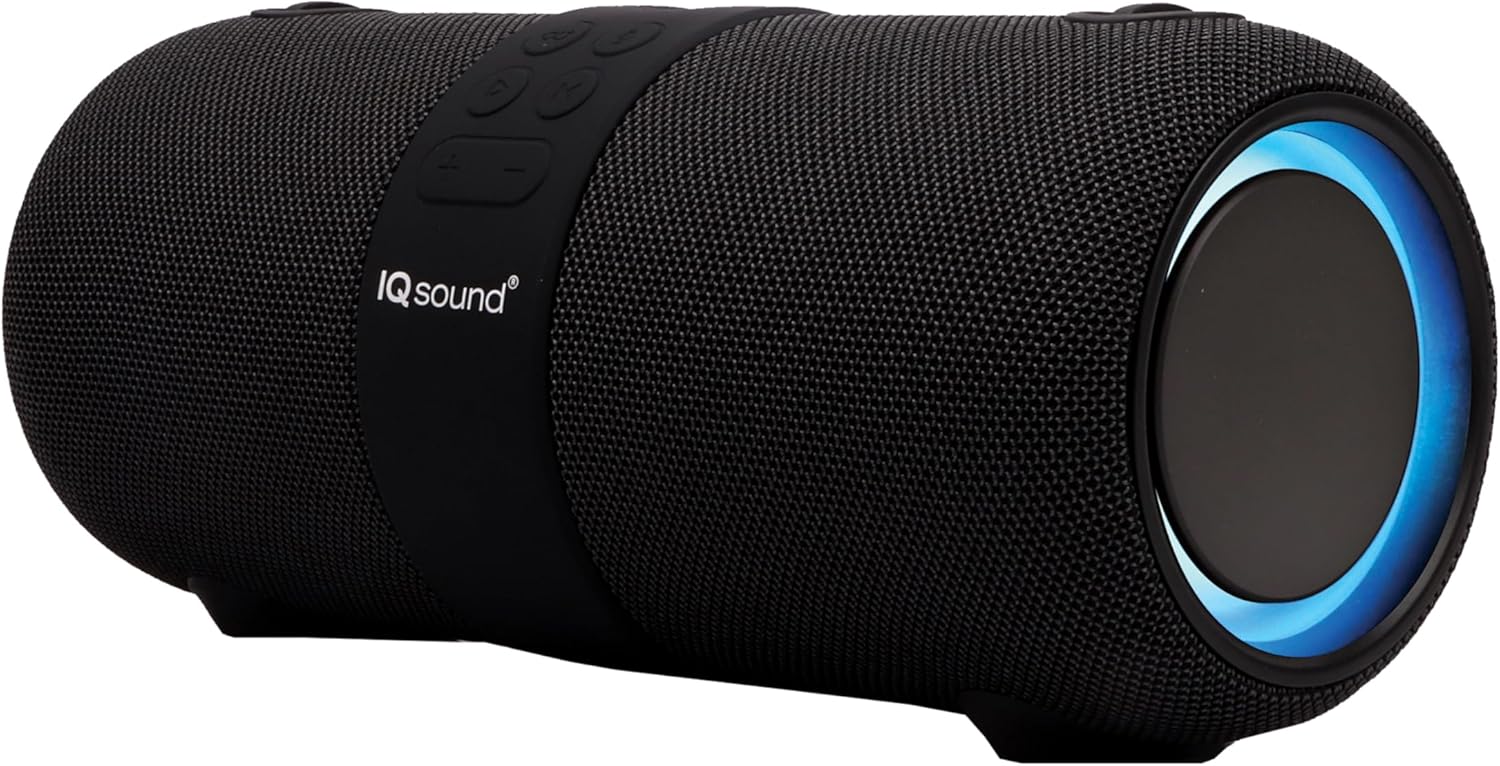
Figure 3: Side view of the speaker, showing its cylindrical design and fabric finish.
The IQ-2323BT speaker features dual 3-inch woofers, RGB lighting, and a robust fabric exterior. It includes a control panel on top for easy access to functions and various input ports on the rear (not explicitly shown in images, but implied by features).
Setup
1. Charging the Speaker
Before first use, fully charge the speaker. Connect the provided charging cable to the speaker's charging port and a suitable USB power source. The charging indicator light will illuminate. A full charge takes approximately 6 hours. The built-in 3600mAh lithium battery provides up to 6 hours of playtime.
2. Powering On/Off
Press and hold the Power button (usually marked with a power symbol) on the control panel to turn the speaker on or off.
3. Bluetooth Pairing
- Turn on the speaker. It will automatically enter Bluetooth pairing mode, indicated by a flashing LED light.
- On your Bluetooth-enabled device (smartphone, tablet, laptop), go to the Bluetooth settings and search for available devices.
- Select "IQ-2323BT" from the list.
- Once paired, the speaker will emit a confirmation sound, and the LED light will stop flashing.
- The speaker supports Bluetooth V4.2+BR with a connection range of up to 10 meters (33 feet).
4. True Wireless Stereo (TWS) Pairing
To achieve a true stereo sound experience, you can pair two IQ-2323BT speakers together (second speaker sold separately).
- Ensure both speakers are turned on and not connected to any other Bluetooth device.
- On one speaker (this will be the primary speaker), press and hold the TWS button (if available, or a designated pairing button) until you hear a prompt.
- The two speakers will automatically connect to each other. A confirmation sound will indicate successful TWS pairing.
- Now, connect your Bluetooth device to the primary speaker as described in the "Bluetooth Pairing" section. Audio will play through both speakers in stereo.
5. Connecting via AUX Input
For devices without Bluetooth, use a 3.5mm audio cable (not included) to connect the speaker's AUX input port to the audio output of your device (e.g., PC, tablet, MP3 player). The speaker will automatically switch to AUX mode.
6. USB and MicroSD Card Playback
Insert a USB flash drive or a microSD card into the respective port on the speaker. The speaker will automatically detect and play compatible audio files (e.g., MP3).
Operating Instructions
1. Music Playback
- Play/Pause: Press the Play/Pause button (usually marked with a play/pause symbol) to start or pause music playback.
- Volume Control: Press the '+' button to increase volume and the '-' button to decrease volume.
- Next/Previous Track: Press and hold the '+' button for the next track, and the '-' button for the previous track.
2. FM Radio Operation
To use the FM radio function:
- Press the Mode button (M) to switch to FM radio mode.
- Press the Play/Pause button once to auto-scan and save available FM stations.
- Use the Next/Previous track buttons to navigate between saved stations.
3. Voice Control (Google Assistant/Siri)
The speaker supports optimized voice control for Google Assistant and Siri. When connected to your smartphone via Bluetooth, press the dedicated Voice Assistant button (if available, or a multi-function button) to activate your phone's voice assistant.
4. RGB Lights Control
The speaker features vibrant RGB lights. Specific controls for the lights may vary, but typically a dedicated light button or a long press of a volume button can cycle through light modes or turn them on/off.
5. Hands-Free Calling
With the built-in microphone, you can make and receive calls when connected via Bluetooth.
- Answer/End Call: Press the Play/Pause button to answer an incoming call or end an ongoing call.
- Reject Call: Press and hold the Play/Pause button to reject an incoming call.
- Redial: Double-press the Play/Pause button to redial the last number.
Maintenance
- Cleaning: Use a soft, dry cloth to wipe the speaker's surface. Do not use abrasive cleaners or solvents.
- Storage: Store the speaker in a cool, dry place away from direct sunlight and extreme temperatures when not in use for extended periods.
- Battery Care: To prolong battery life, avoid fully discharging the battery frequently. Charge the speaker regularly, even if not in use.
- Water Resistance: The speaker has an IPX6 water-resistant design, meaning it can withstand powerful water jets. However, it is not designed for submersion. Ensure all ports are securely closed before exposure to water.
Troubleshooting
| Problem | Possible Cause | Solution |
|---|---|---|
| Speaker does not turn on. | Battery is low or depleted. | Charge the speaker fully. |
| Cannot pair via Bluetooth. | Speaker is not in pairing mode; device Bluetooth is off; too far from speaker. | Ensure speaker is in pairing mode. Turn on Bluetooth on your device. Move device closer to speaker (within 10m). |
| No sound. | Volume is too low; incorrect input mode; device not playing. | Increase speaker and device volume. Check if the correct input mode (Bluetooth, AUX, USB, FM) is selected. Ensure audio is playing on the connected device. |
| Poor FM radio reception. | Weak signal; interference. | Relocate the speaker to an area with better signal. Extend any external antenna if available. |
| Cannot hold a charge. | Faulty charging cable/adapter; battery degradation. | Try a different charging cable and adapter. If the issue persists, the battery may need service. Contact customer support. |
Specifications
| Feature | Detail |
|---|---|
| Model Name | IQ-2323BT |
| Speaker Type | Portable Bluetooth Speaker |
| Connectivity Technology | Bluetooth V4.2+BR, AUX, USB, MicroSD |
| Wireless Range | Up to 10 meters (33 feet) |
| Speaker Size | 2 x 3-inch Woofers |
| Audio Output Mode | Stereo (with TWS) |
| Special Features | RGB Lights, FM Radio, Voice Control (Google Assistant/Siri), TWS Function, Built-in Microphone |
| Water Resistance | IPX6 |
| Battery Type | Built-in Rechargeable Lithium Battery |
| Battery Capacity | 3600mAh |
| Playtime | Up to 6 hours |
| Charging Time | Approximately 6 hours |
| Product Dimensions (L x W x H) | 11.14" x 4.84" x 4.96" |
| Item Weight | 3.84 pounds |
| Manufacturer | Supersonic |
Warranty and Support
This product comes with a limited warranty from Supersonic. For detailed warranty information, please refer to the warranty card included in your package or visit the official Supersonic website.
For technical support, troubleshooting assistance, or service inquiries, please contact Supersonic Customer Service. Contact information can typically be found on the product packaging or the brand's official website.
Note: Product specifications and features are subject to change without prior notice.
Ask a question about this manual
Ask about setup, troubleshooting, compatibility, parts, safety, or missing instructions. Manuals+ will review the question and use this page’s manual context to help answer it.