
Introduction
This manual provides essential instructions for the safe and efficient operation of your Wansa 70-Inch Android Smart TV (Model: WUD70KOA63S). Please read this manual thoroughly before using the television and retain it for future reference.
Important Safety Information
- Do not expose the TV to rain or moisture.
- Ensure proper ventilation around the TV.
- Do not block ventilation openings with items such as newspapers, table-cloths, curtains, etc.
- Protect the power cord from being walked on or pinched.
- Unplug the TV during lightning storms or when unused for long periods.
- Refer all servicing to qualified service personnel.
Setup Guide
1. Unboxing and Inspection
Carefully remove the television from its packaging. Inspect the TV and all accessories for any signs of damage. Keep the original packaging for potential future transport or service.
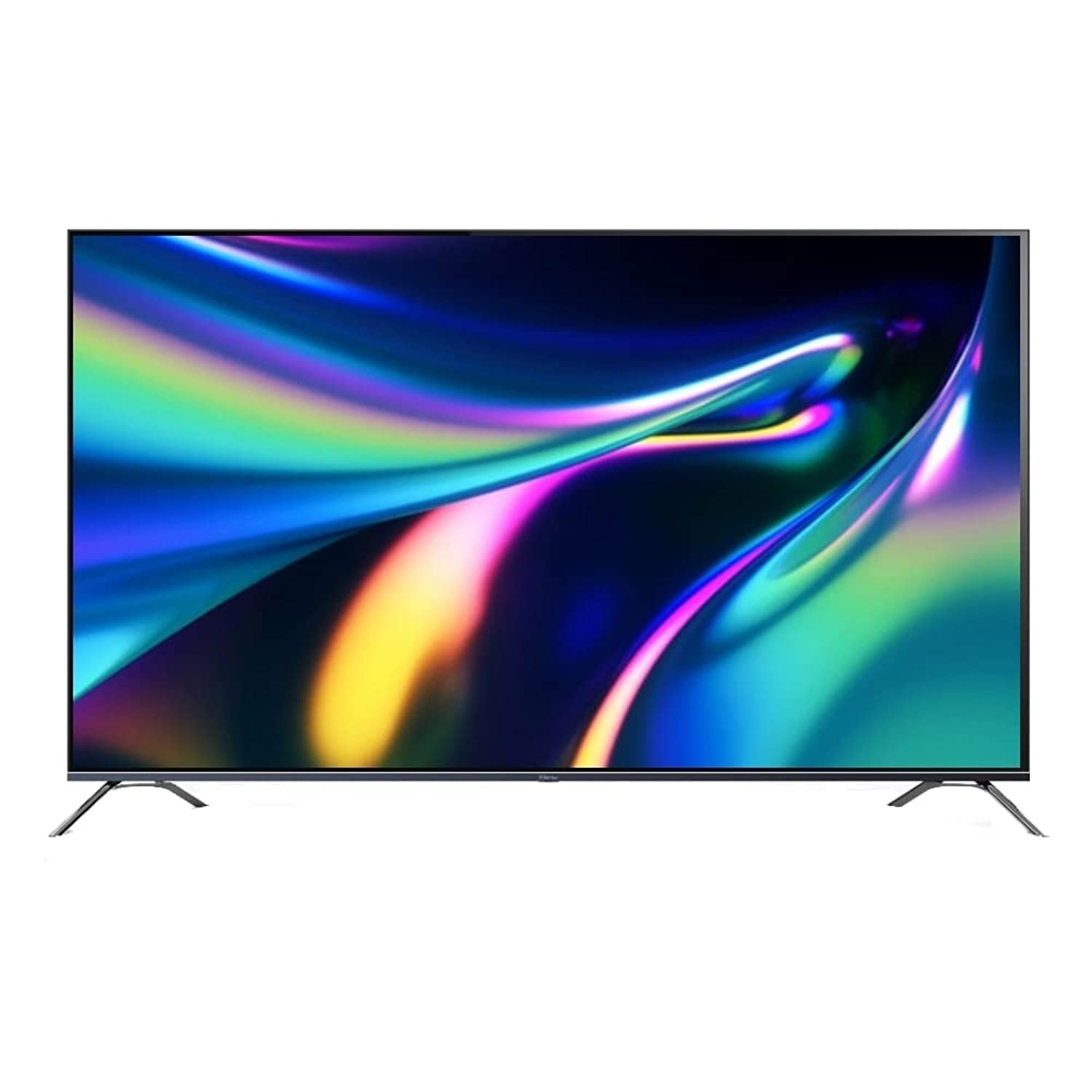
Image: The Wansa 70-Inch Android Smart TV, showing its sleek design and included stand.
2. Stand Assembly (if applicable)
If you are not wall-mounting the TV, attach the included stand according to the instructions provided in the separate stand assembly guide. Ensure all screws are securely fastened.
3. Connecting Peripherals
Connect your external devices to the TV using the appropriate ports:
- HDMI Ports (3 available): For connecting Blu-ray players, gaming consoles, set-top boxes, etc.
- USB Ports (2 available): For connecting USB storage devices to play media or for service.
- Antenna/Cable Input: For connecting an antenna or cable TV signal.
- Ethernet Port (LAN): For a wired internet connection.
4. Power Connection
Plug the power cord securely into the TV's power input, then into a wall outlet. The TV will enter standby mode.
5. Initial Setup Wizard
Press the Power button on the remote control to turn on the TV. Follow the on-screen instructions to complete the initial setup, which includes:
- Language selection.
- Network connection (Wi-Fi or Ethernet).
- Google account sign-in (for Android TV features).
- Channel scanning.
Operating Your TV
1. Remote Control Functions
Familiarize yourself with the remote control. Key functions include:
- Power Button: Turns the TV on or off (standby).
- Input/Source Button: Selects input sources (HDMI 1, HDMI 2, USB, TV).
- Volume Up/Down: Adjusts audio level.
- Channel Up/Down: Changes TV channels.
- Navigation Buttons (Arrow Keys, OK): Navigates menus and selects options.
- Home Button: Accesses the Android TV home screen.
- Back Button: Returns to the previous screen.
- App Buttons: Dedicated buttons for popular apps like Netflix, YouTube, Shahid.
2. Android TV Interface
Your Wansa Smart TV runs on the Android TV operating system, providing access to a wide range of apps and features. From the home screen, you can:
- Browse recommended content.
- Access installed applications (e.g., YouTube, Netflix, Shahid).
- Search for content using Google Assistant (if configured).
- Manage settings for picture, sound, network, and more.
3. Smart Features and Connectivity
- Wi-Fi (5G Support): Connect to your home wireless network for internet access. Go to Settings > Network & Internet.
- Google Cast: Cast content from compatible apps on your smartphone, tablet, or computer directly to your TV.
- AirPlay: Share content from Apple devices (iPhone, iPad, Mac) to your TV.
- Pre-installed Apps: Enjoy instant access to popular streaming services like YouTube, Netflix, and Shahid.
Maintenance and Care
- Screen Cleaning: Gently wipe the screen with a soft, lint-free cloth. For stubborn marks, slightly dampen the cloth with water or a specialized screen cleaner (do not spray directly onto the screen).
- Cabinet Cleaning: Use a soft, dry cloth to clean the TV cabinet. Avoid using abrasive cleaners or solvents.
- Ventilation: Ensure the ventilation openings on the back of the TV are not blocked to prevent overheating.
- Power Cord: Regularly check the power cord for any damage.
Troubleshooting
Before contacting customer support, try the following solutions for common issues:
| Problem | Possible Solution |
|---|---|
| No power | Check if the power cord is securely plugged into the TV and the wall outlet. Try a different outlet. |
| No picture or sound | Ensure the correct input source is selected. Check all cable connections (HDMI, antenna). Adjust volume. |
| Remote control not working | Replace batteries. Ensure no obstructions between the remote and the TV's IR sensor. |
| Cannot connect to Wi-Fi | Check your router. Restart the TV and router. Ensure the Wi-Fi password is correct. |
| Smart features unresponsive | Restart the TV. Check internet connection. Clear app cache in settings. |
Specifications
| Brand | Wansa |
| Model Name | WUD70KOA63S |
| Screen Size | 70 Inches |
| Display Technology | LED |
| Resolution | 4K UHD |
| Operating System | Android TV |
| Connectivity | 3 HDMI, 2 USB, Wi-Fi (5G), Ethernet |
| Supported Internet Services | Youtube, Netflix, AirPlay, Google Cast, Shahid |
| Special Features | Flat Screen, Smart TV |
| Included Components | TV, Stand |
| Package Dimensions | 180.4 x 180.4 x 19.9 cm |
| Weight | 33 kg |
Warranty and Support
Your Wansa TV comes with a limited manufacturer's warranty. Please refer to the warranty card included in your product packaging for specific terms and conditions. For technical support, service, or warranty claims, please contact Wansa customer service.
Contact information (e.g., phone number, website) can typically be found on the warranty card or the official Wansa website.