
1. Introduction
This manual provides instructions for the safe and effective use of the Aicevoos G600B Infrared Thermometer Gun. This device is designed for non-contact surface temperature measurement of inanimate objects. It is suitable for various applications including cooking, grilling, automotive repairs, and home maintenance.
The G600B features a laser pointer for precise targeting, adjustable emissivity for improved accuracy, and a backlit LCD for clear readings.

Image 1.1: The Aicevoos G600B Infrared Thermometer in use, demonstrating non-contact temperature measurement of food. The device features a digital display and a laser pointer.
2. Safety Information
WARNING: This infrared thermometer is NOT designed for measuring human or animal body temperature. Temperature readings from this device are for inanimate objects only.
- Laser Safety: The built-in laser is a Class 2 laser product with a maximum output of less than 1mW. Do not stare directly into the laser beam or point it at people or animals. Avoid direct eye exposure.
- Operating Environment: Do not use the thermometer in environments with explosive gas, vapor, or dust.
- Maintenance: Do not attempt to disassemble or repair the device yourself. Refer all servicing to qualified personnel.
- Battery Safety: Ensure correct battery polarity when installing. Do not mix old and new batteries or different types of batteries. Remove batteries if the device will not be used for an extended period.

Image 2.1: A visual warning indicating that the infrared thermometer is not suitable for measuring the temperature of humans or animals.
3. Product Features
- Non-Contact Measurement: Safely measure surface temperatures without physical contact.
- Wide Temperature Range: Measures from -58°F to 1112°F (-50°C to 600°C).
- Adjustable Emissivity: Emissivity range of 0.1 to 1.0 for accurate readings on various surfaces.
- Laser Targeting: Built-in laser for precise aiming at the measurement spot.
- Backlit LCD Display: Clear digital display for easy reading in various lighting conditions.
- Unit Selection: Switch between Celsius (°C) and Fahrenheit (°F).
- Auto-Off Function: Automatically powers off to conserve battery life.
- Low Battery Indicator: Alerts when batteries need replacement.
- High Accuracy: Provides reliable temperature measurements with an accuracy of ±1.5°C.

Image 3.1: The Aicevoos G600B Infrared Thermometer showcasing its accuracy of ±1.5°C, with a visual representation of its high-precision sensor.

Image 3.2: The HD color screen of the Aicevoos G600B Infrared Thermometer, demonstrating its readability even in low-light conditions due to its backlight function.
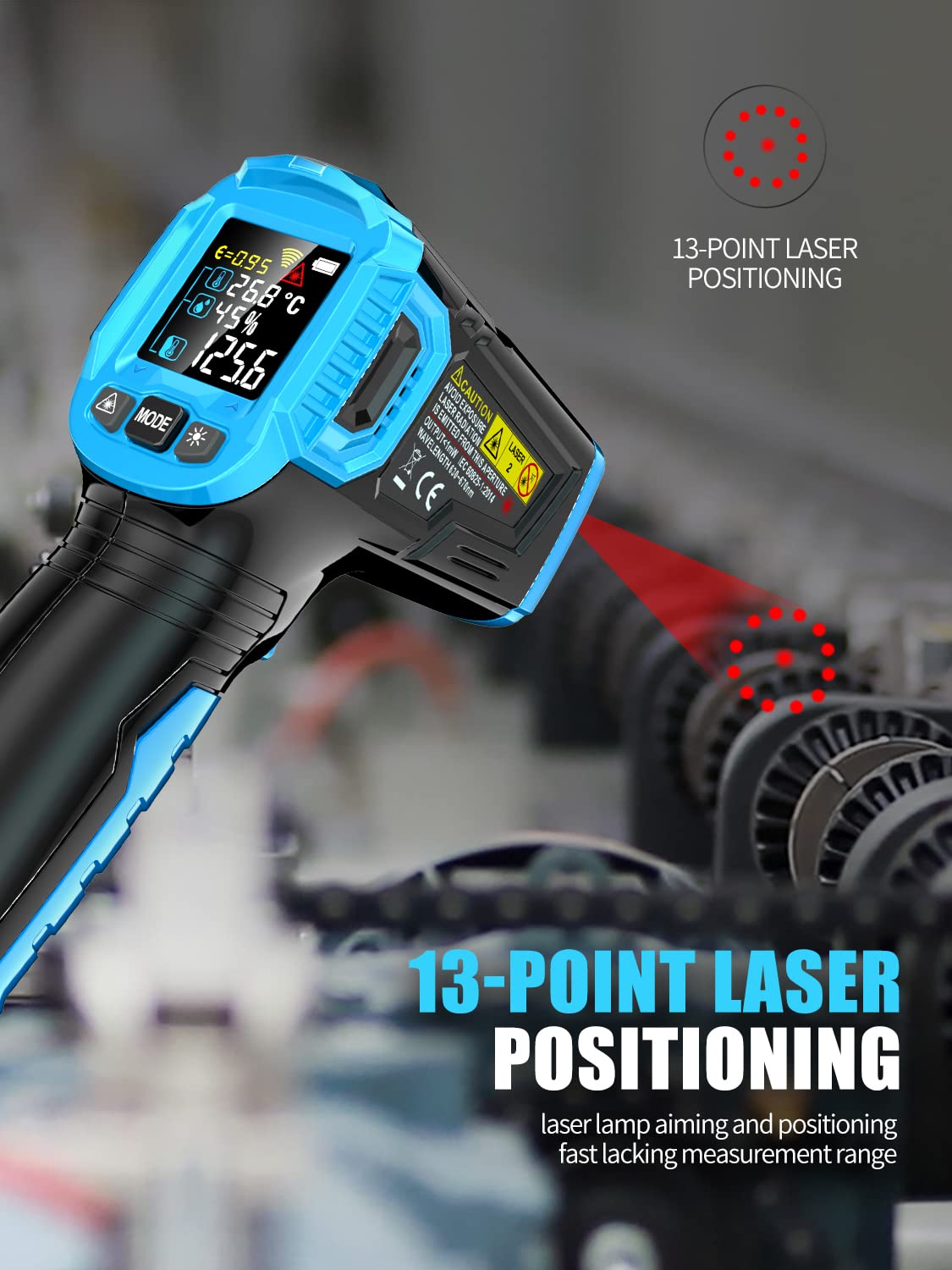
Image 3.3: The Aicevoos G600B Infrared Thermometer illustrating its 13-point laser positioning system for accurate targeting of the measurement area.
4. Setup
4.1 Battery Installation
- Locate the battery compartment cover at the bottom of the handle.
- Gently slide or open the cover to access the battery compartment.
- Insert two (2) 1.5V AAA batteries, ensuring correct polarity (+/-) as indicated inside the compartment.
- Close the battery compartment cover securely.
Note: Batteries are not included with the product and must be purchased separately.

Image 4.1: A diagram illustrating the process of opening the battery compartment and inserting two AAA batteries into the Aicevoos G600B Infrared Thermometer.
5. Operating Instructions
5.1 Taking a Measurement
- Point the thermometer at the object you wish to measure.
- Press and hold the trigger. The laser pointer will activate, indicating the measurement area.
- The measured temperature will be displayed on the LCD screen.
- For best accuracy, maintain a distance of approximately 14.17 inches (36 cm) from the object.
- Release the trigger to hold the reading on the display. The device will automatically turn off after a period of inactivity to save battery.
5.2 Adjusting Emissivity
Emissivity (ε) is a measure of an object's ability to emit infrared energy. Different materials have different emissivity values. Adjusting the emissivity setting on your thermometer ensures more accurate readings.
- Press the 'MODE' button to enter emissivity adjustment mode.
- Use the up/down arrow buttons (if available, or repeated 'MODE' presses) to adjust the emissivity value between 0.1 and 1.0.
- Refer to a standard emissivity table for common materials to set the appropriate value. For example, most organic materials and painted surfaces have an emissivity of 0.95.
- Press the trigger to confirm the setting and return to measurement mode.
5.3 Changing Temperature Units (°C/°F)
To switch between Celsius and Fahrenheit, locate the unit selection button (often integrated with the 'MODE' button or a dedicated button) and press it. The display will change accordingly.
6. Maintenance
- Cleaning: Wipe the device clean with a soft, damp cloth. Do not use abrasive cleaners or solvents.
- Lens Care: The infrared lens is a delicate part. Clean it gently with a soft cloth or cotton swab, using only water or rubbing alcohol if necessary. Avoid touching the lens with bare fingers.
- Storage: Store the thermometer in a cool, dry place away from direct sunlight and extreme temperatures.
- Battery Replacement: Replace batteries when the low battery indicator appears on the display.
7. Troubleshooting
- No Power: Check if batteries are installed correctly and have sufficient charge. Replace batteries if necessary.
- Inaccurate Readings: Ensure the emissivity setting is appropriate for the material being measured. Verify the distance to spot ratio is within recommended range. Clean the infrared lens if it appears dirty.
- Laser Not Working: Check battery level. If the laser is still not functioning, contact customer support.
- Display Issues: If the display is dim or flickering, replace the batteries. If the issue persists, contact customer support.
8. Specifications
| Feature | Specification |
|---|---|
| Model | G600B |
| Temperature Range | -58°F to 1112°F (-50°C to 600°C) |
| Accuracy | ±1.5°C |
| Emissivity | Adjustable 0.1 - 1.0 |
| Response Time | 500 Milliseconds |
| Power Source | 2 x AAA Batteries (not included) |
| Display Type | LCD with Backlight |
| Laser Class | Class 2, <1mW |
| Material | Plastic |
| Item Weight | 200 g |
9. Warranty and Support
For warranty information or technical support, please refer to the contact details provided with your purchase or visit the official Aicevoos website. Please have your model number (G600B) and purchase date available when contacting support.