
ertoory SYNC 3 APIM Module
ertoory SYNC 3 APIM Module User Manual
Model: SYNC 3 APIM Module (NA 221 Map Version)
1. Introduction
This manual provides comprehensive instructions for the installation, operation, and maintenance of your ertoory SYNC 3 APIM Module. This upgraded GPS navigation system is designed to enhance your vehicle's infotainment capabilities with the latest mapping data and smartphone integration.
The upgraded GPS navigation APIM module comes with the latest 2022 NA221 maps covering the United States and Canada, supports English, French & Spanish languages. It comes with the OEM 2020 Explorer non-navigation SYNC 3 APIM module. Apple CarPlay and Android Auto are also supported.

Figure 1.1: ertoory SYNC 3 APIM Module and USB cable.
2. Setup and Installation
The installation process involves replacing your old SYNC 3 APIM module and programming the new unit. It is crucial to provide your vehicle's VIN after purchase for proper pre-programming.
2.1 Compatibility
This module is compatible with various Ford vehicles. Please verify your vehicle's compatibility before purchase. Applicable vehicles include:
- 2018-2022 F150
- 2018-2022 Transit
- 2018-2021 Ranger
- 2018-2022 Escape
- 2018-2022 Explorer
- 2018-2022 Maverick
- 2018-2022 EcoSport
- 2018-2022 Bronco Sport
- 2018-2022 Super DutyRetail
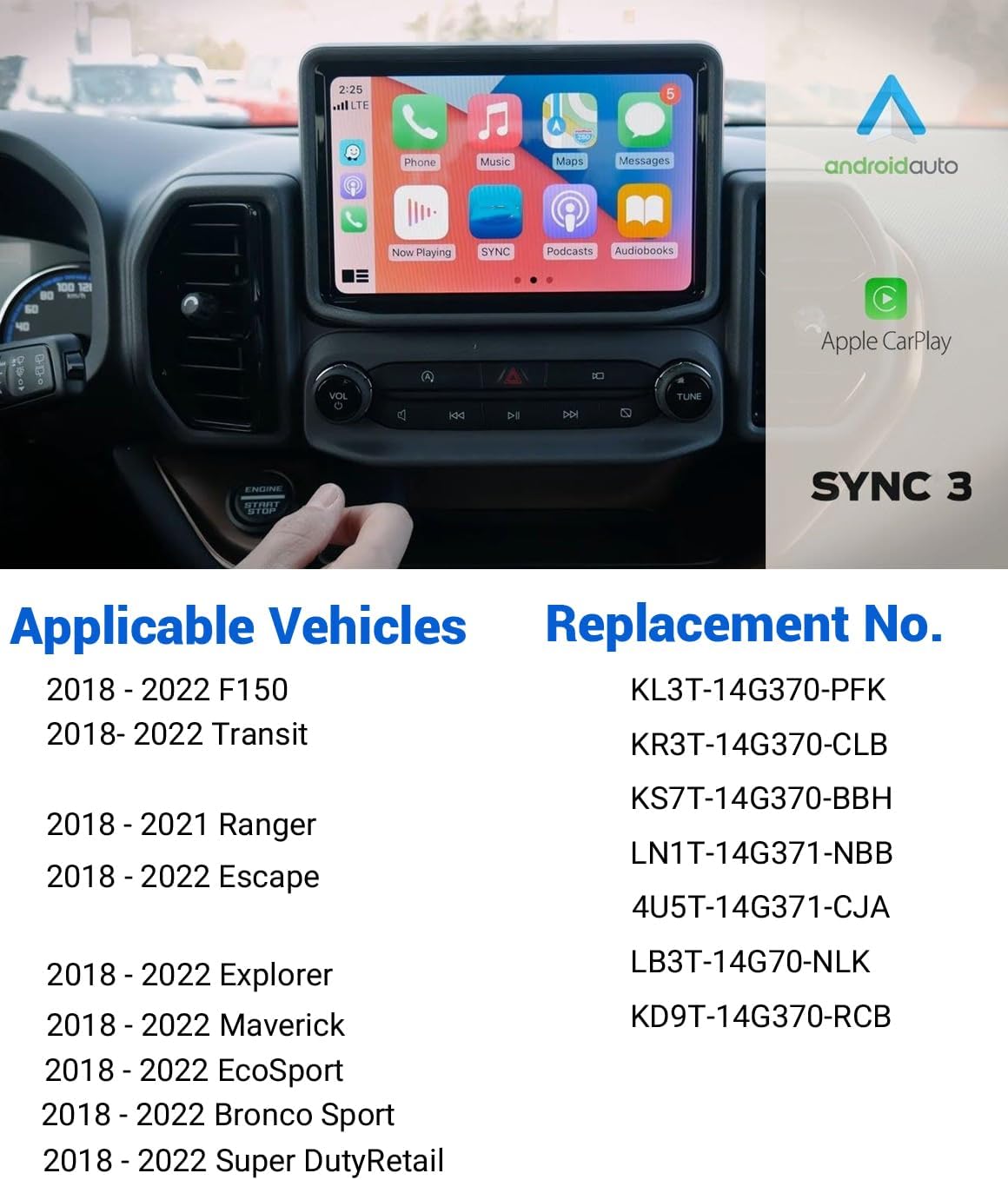
Figure 2.1: List of compatible Ford vehicles and corresponding replacement part numbers.
2.2 Installation Steps
- Purchase & VIN Provision: Please check if the SYNC 3 APIM is compatible with your vehicle before purchase. Contact us to send the VIN of your vehicle after purchase for pre-programming.
- Install: Replace the old SYNC 3 APIM module with the new one.
- Programming: The module requires programming. You have two options:
- Self-Programming: Contact us to get the correct APIM code.
- Remote Assistance: Install the remote software in the U disk (included in package) and contact us for remote programming assistance.
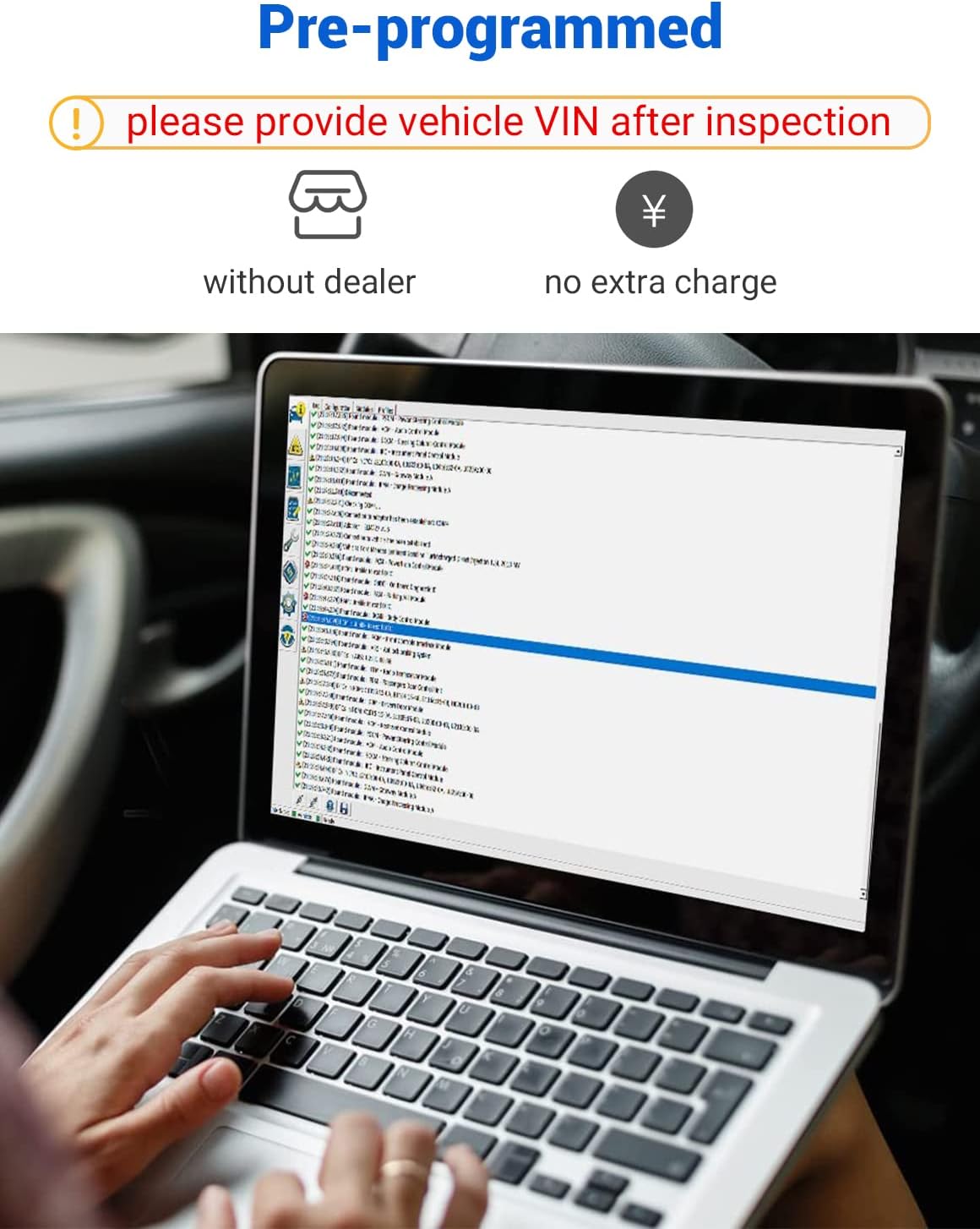
Figure 2.2: The module is pre-programmed, but may require additional programming via a laptop.

Figure 2.3: Overview of the installation and support process.
2.3 Module Anatomy
Understanding the ports and connectors on the SYNC 3 module is essential for proper installation.

Figure 2.4: Anatomy of a SYNC 3 Module, highlighting FAKRA GPS Connector, Identification Label, LVDS Cable Port, 54-Pin APIM Connector, and Mini USB Port.
3. Operating Instructions
The SYNC 3 APIM module provides enhanced navigation, smartphone integration, and other smart features.
3.1 Navigation System
The module comes with the latest NA221 maps for the United States and Canada, providing accurate and up-to-date navigation.

Figure 3.1: Visual comparison of a non-navigation display upgraded to a navigation display.
3.2 Apple CarPlay & Android Auto
Seamlessly integrate your smartphone with the SYNC 3 system for access to navigation, music, messages, and more.

Figure 3.2: Smart features enabled by the SYNC 3 module, including connected navigation and wireless phone connection.

Figure 3.3: Ford+Alexa integration with SYNC3 AppLink, offering various voice-controlled features.
The various features of the in-home Alexa are available with Ford+Alexa connected to SYNC AppLink, including:
- Request news and play music
- Search and transfer local points-of-interest (POI) to navigation
- Voice control smart home devices such as garage doors, thermostats, lighting, outlets, door locks and more.
- Add items to Amazon shopping lists and purchase for Prime members
- Update and check calendar (Google, Microsoft, Apple)
- Listen to Amazon music by artist, song, genre and even shuffle play
- Listen to the news or TuneIn radio, access broadcasts or podcasts and customize news thousands of different ways
- Access jokes and trivia
4. Maintenance
To ensure the longevity and optimal performance of your SYNC 3 APIM Module, follow these general maintenance guidelines:
- Keep the module and surrounding area clean and free from dust and debris.
- Avoid exposing the module to extreme temperatures or moisture.
- Ensure all connections are secure and free from corrosion.
- Regularly update your system software if updates become available through official channels.
5. Troubleshooting
If you encounter any issues with your SYNC 3 APIM Module, please refer to the following common solutions or contact support.
5.1 Common Issues & Solutions
- System Malfunction: If the system is creating problems, ensure all connections are secure. Re-programming may be required.
- Quality Concerns: If there are quality problems, professional service groups are available to assist.
5.2 Technical Support
Feel free to tell us if you have any questions. We will reply within 24 hours and assist customers to solve the problem. You can contact us via text or call for technical problems.
6. Specifications
Detailed specifications for the ertoory SYNC 3 APIM Module:
| Feature | Specification |
|---|---|
| Item Weight | 1.74 pounds |
| Product Dimensions | 7.1 x 4.5 x 1.4 inches |
| Display Size | 8 Inches |
| Voice Command | Microphone |
| Special Feature | Apple CarPlay, Android Auto |
| Connectivity Technology | USB |
| Map Type | Canada, United States (NA221) |
| Included Components | Upgraded GPS navigation APIM module, support for Apple CarPlay and Android Auto |
| Audio Output Mode | Stereo |
| Mounting Type | Dashboard Mount |
| Operating System | Android |
| Country of Origin | China |
7. Warranty and Support
We are committed to providing high-quality products and excellent customer service.
7.1 Warranty
We promise to return and exchange the product within one year after the purchase.
7.2 Customer Support
For any technical problems or inquiries, please do not hesitate to contact us. Our support team is dedicated to assisting customers and will respond within 24 hours to help resolve any issues you may encounter.
Ask a question about this manual
Ask about setup, troubleshooting, compatibility, parts, safety, or missing instructions. Manuals+ will review the question and use this page’s manual context to help answer it.