
1. Product Overview
The L8star Smartwatch is a versatile fitness tracker designed for both men and women, compatible with iOS and Android devices. It features a touch screen, IP67 water resistance, and a range of health and fitness monitoring functions.
Key Features:
- Continuous Heart Rate Monitor
- Pedometer, Calorie Counter, Distance Tracker
- Sleep Quality Measurement
- Call and Message Notifications (SMS, SNS including Facebook, Twitter, WhatsApp, Instagram)
- Alarm Clock
- Sedentary Reminder
- Remote Camera Control
- Anti-loss Function
- IP67 Water Resistance
- 6 Sport Modes
- Direct USB Charging

Image: Overview of L8star Smartwatch features, including heart rate monitoring, message reminders, sleep tracking, and multiple sport modes.
2. Setup
2.1 Initial Charging
Before first use, fully charge your L8star Smartwatch. The device features direct USB charging. Simply plug the bracelet into a USB port (e.g., computer, USB wall adapter) without needing a separate cable. A full charge typically takes about 1 hour.

Image: The L8star Smartwatch being charged directly via a USB port, illustrating its battery capacity and charging time.
2.2 App Download and Pairing
- Download the App: Search for and download the Flagfit 2.0 application from your smartphone's app store (Google Play Store for Android, Apple App Store for iOS).
- Enable Bluetooth: Ensure Bluetooth is enabled on your smartphone.
- Open Flagfit 2.0: Launch the Flagfit 2.0 app and follow the on-screen instructions to create an account or log in.
- Pair Device: Within the app, navigate to the device pairing section. The app will search for available devices. Select "L8star" or the corresponding device ID to connect.
- Confirm Connection: Once connected, the smartwatch will synchronize data with the app.
Compatibility: The app supports Android 4.4 and above, and iOS 8.0 and above, with Bluetooth 4.0.
3. Operating Instructions
3.1 Basic Navigation (Touch Screen)
The L8star Smartwatch features a 1.3-inch IPS HD color touch screen for easy navigation. Swipe left/right or up/down to browse through different functions and tap to select.

Image: A user interacting with the L8star Smartwatch's color touch screen, demonstrating navigation between different display modes.
3.2 Heart Rate Monitoring
The smartwatch can automatically measure your heart rate at set intervals (1/2/6/12 hours) once configured in the Flagfit 2.0 app. You can also initiate a real-time heart rate measurement manually:
- Navigate to the heart rate interface on the watch.
- The watch will automatically start monitoring your heart rate within 30 seconds.
Note: Measurement results are for reference only and should not be used for medical purposes.
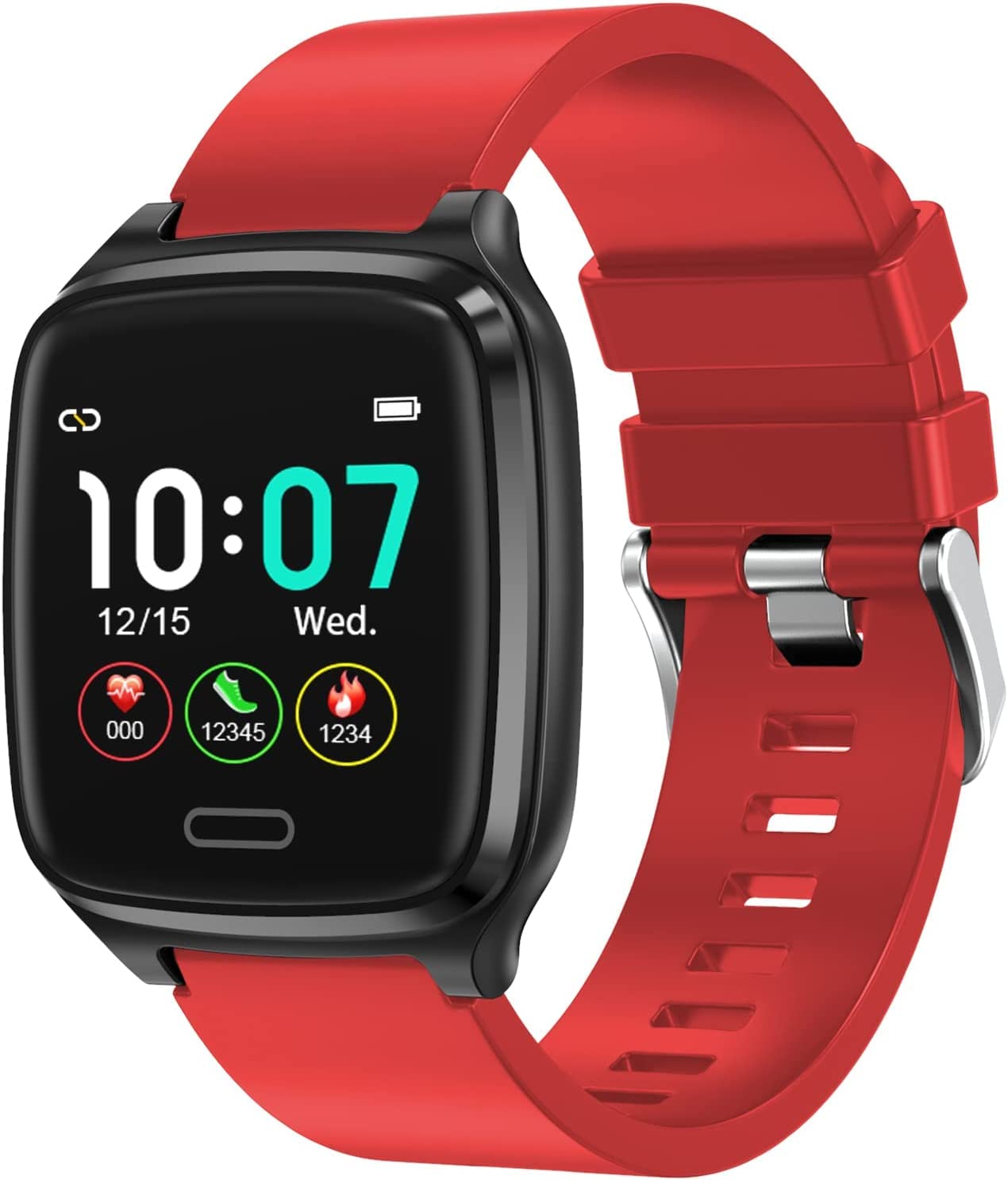
Image: The L8star Smartwatch showing a heart rate reading, alongside a smartphone displaying the corresponding heart rate data in the companion app.
3.3 Sleep Monitoring
Wear the smartwatch during sleep to automatically track your sleep patterns, including deep sleep, light sleep, and wake times. View detailed sleep analysis in the Flagfit 2.0 app.

Image: The L8star Smartwatch tracking sleep, with a smartphone displaying detailed sleep analysis including deep, light, and wake sleep stages.
3.4 Activity Tracking (6 Sport Modes)
The built-in 3D sensor accurately counts your steps, calories burned, and distance. The smartwatch supports 6 different sport modes:
- Navigate to the sport modes interface on the watch.
- Long-press to select your desired sport mode.
- A 3-2-1 countdown will begin, after which you can start your workout.
3.5 Notifications
Receive call alerts, SMS messages, and SNS notifications (Facebook, Twitter, WhatsApp, Instagram) directly on your wrist. Ensure notification permissions are enabled in the Flagfit 2.0 app and your phone settings.
3.6 Sedentary Reminder
Set a sedentary reminder in the app to prompt you to move after periods of inactivity, promoting a healthier lifestyle.
3.7 Remote Camera Control
Use your smartwatch as a remote shutter for your smartphone camera. Open the camera function in the Flagfit 2.0 app, then shake your wrist or tap the watch screen to take a photo.
4. Maintenance
4.1 Water Resistance (IP67)
The L8star Smartwatch is IP67 water-resistant, meaning it is protected against dust and can withstand immersion in water up to 1 meter for 30 minutes. It is suitable for daily use such as hand washing, sweating, and light rain.
Important: The device is not suitable for diving, showering with hot water, or prolonged immersion. Avoid exposure to hot water or steam, as this can damage the device.
4.2 Cleaning
Clean the smartwatch regularly with a soft, dry cloth. If necessary, use a slightly damp cloth and then dry thoroughly. Avoid using harsh chemicals or abrasive materials.
4.3 Battery Care
The 80mAh battery provides approximately 7-10 days of standby time and 5 days of typical use. To prolong battery life:
- Charge the device fully before first use.
- Avoid extreme temperatures.
- Do not allow the battery to fully discharge frequently.
5. Troubleshooting
| Problem | Possible Cause | Solution |
|---|---|---|
| Watch does not turn on | Low battery. | Charge the watch for at least 1 hour. |
| Cannot pair with phone | Bluetooth is off; App not running; Watch too far from phone; Watch already paired with another device. | Ensure Bluetooth is on. Restart the Flagfit 2.0 app. Keep watch and phone close. Unpair from other devices if applicable. Restart both watch and phone. |
| No notifications | Notification permissions not granted; App not running in background; Do Not Disturb mode active. | Check app and phone settings for notification permissions. Ensure Flagfit 2.0 is running in the background. Disable Do Not Disturb mode. |
| Inaccurate heart rate/activity data | Watch not worn correctly; Sensor dirty. | Ensure the watch is snug on your wrist (not too tight or loose). Clean the sensor on the back of the watch. |
| Short battery life | Frequent use of power-intensive features; Background app usage. | Reduce screen brightness. Limit continuous heart rate monitoring frequency. Close unnecessary background apps on your phone. |
6. Specifications
| Model Number | L8star |
| Brand | L8star |
| Screen Size | 1.59 Inches (1.3-inch IPS HD color touch screen mentioned in feature bullets) |
| Display Type | Digital |
| Connectivity Technology | Bluetooth 4.0 |
| Battery Capacity | 80 mAh (from feature bullets, 2600 mAh in specs seems incorrect for a smartwatch) |
| Average Battery Life | 10 days (standby) |
| Charging Time | 1 hour |
| Water Resistance Rating | IP67 (1 Meter depth) |
| Band Material Type | Rubber |
| Compatible Devices | Smartphones (Android 4.4+, iOS 8.0+) |
| Special Features | Time Display, Pedometer, Sedentary Reminder, Heart Rate Monitor, Sleep Monitor, Message Notifications, Fitness Tracker |
| GPS | No GPS |
| UPC | 784154270488 |
Note on Battery Capacity: The feature bullets state an 80mAh battery, while the specifications list 2600mAh. Given the typical size and usage of smartwatches, 80mAh is a more realistic capacity for a device with 7-10 days standby. Please refer to the product packaging or manufacturer's official website for the most accurate battery specification.
7. Warranty and Support
Information regarding specific warranty terms, availability of spare parts, and guaranteed software updates for the L8star Smartwatch is not provided in the product details.
For warranty claims, technical support, or inquiries about spare parts and software updates, please contact the manufacturer, L8star, or your point of purchase directly.
