
1. Introduction
This manual provides detailed instructions for the proper installation, operation, and maintenance of your Astibym RC Drone Camera. This camera is designed for model aircraft, offering enhanced visibility and recording capabilities in various lighting conditions.
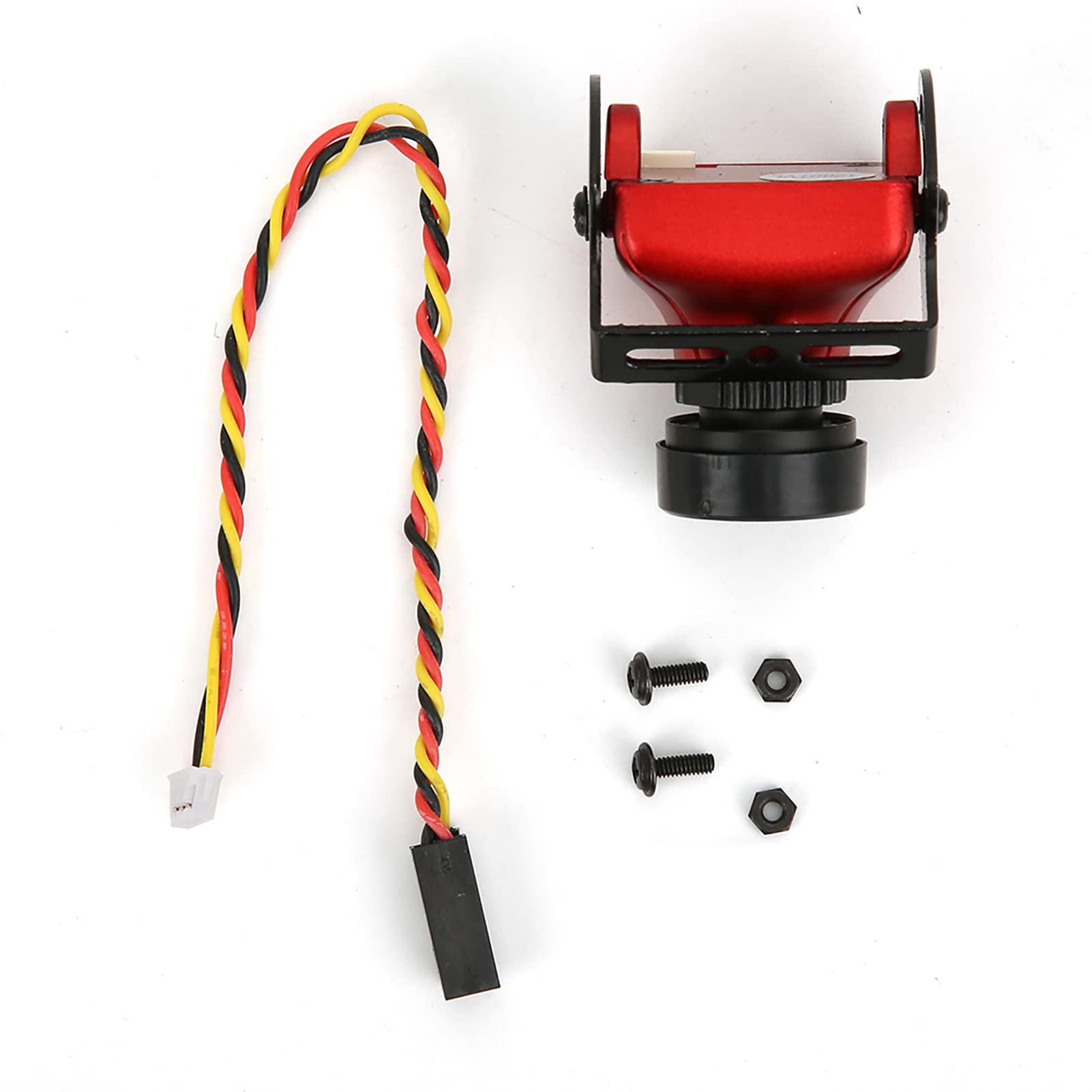
Figure 1: Astibym RC Drone Camera, front view.
2. Key Features
- Wide Dynamic Range (WDR): The camera features WDR technology with a 4:3 aspect ratio, enabling clear image capture even in challenging low-light environments.
- Night Vision Capability: Integrated LED lights facilitate clear visibility and operation in dark conditions, enhancing night flight experiences.
- High Definition Output: Provides high-definition pictures and video with a wide field of view.
- All-Weather Adaptation: Automatic environment adjustment ensures excellent color images across diverse weather conditions.
- Professional Design: Engineered with fine workmanship for optimal performance in RC drone applications.

Figure 2: Camera view demonstrating 4:3 aspect ratio for clear imaging.

Figure 3: Environmental adaptation examples for the camera.
3. Setup
Follow these steps to properly set up your Astibym RC Drone Camera:
- Mounting: Securely attach the camera to your RC drone using appropriate mounting hardware (not included). Ensure the camera is firmly fixed to prevent vibration during flight, which can affect image quality.
- Power Connection: Connect the camera's power input to a compatible power source on your drone. The camera operates on DC 4.7-15V. Verify correct polarity before connecting.
- Video Output Connection: Connect the video output cable from the camera to your drone's video transmitter or recording device. The camera supports PAL/NTSC signal systems.
- OSD (On-Screen Display) Connection (Optional): If your setup utilizes OSD, connect the OSD harness as required. The camera's video and OSD signals are separated for flexible integration.

Figure 4: Rear view of the camera showing connection points.
4. Operating Instructions
Once the camera is installed and powered, it will automatically begin operation. No manual configuration is typically required for basic functionality.
- Power On: Ensure your drone's power system is activated. The camera will power on simultaneously.
- Video Feed: The video feed will be transmitted to your FPV goggles or monitor via the connected video transmitter.
- Automatic Adjustment: The camera automatically adjusts to environmental lighting conditions, providing optimal image quality whether in bright daylight or low-light scenarios.
- Night Operation: The integrated LED lights activate automatically or can be controlled via your drone's flight controller (if supported) to illuminate the area for night flying.

Figure 5: Camera features for LED environments and separated video/OSD harness.
5. Maintenance
Proper maintenance ensures the longevity and optimal performance of your camera:
- Lens Cleaning: Gently clean the camera lens with a soft, lint-free cloth. Avoid abrasive materials or harsh chemicals.
- Housing Cleaning: Wipe the camera housing with a dry or slightly damp cloth to remove dust and debris.
- Storage: When not in use, store the camera in a dry, cool place away from direct sunlight and extreme temperatures.
- Inspection: Periodically inspect cables and connectors for any signs of wear or damage.
6. Troubleshooting
| Problem | Possible Cause | Solution |
|---|---|---|
| No video signal |
|
|
| Poor image quality (blurry/grainy) |
|
|
| LED lights not working |
|
|
7. Specifications
| Feature | Detail |
|---|---|
| Brand | Astibym |
| Item Type | RC Accessory |
| Material | Plastic, Metal |
| Size | Approx. 25x25mm (1x1in) |
| Image Sensor | 1/3 CMOS SUPER HAD II |
| Horizontal Resolution | 1200TVL |
| Lens | 2.1mm |
| Signal System | PAL/NTSC |
| SNR | >60Db (AGC OFF) |
| Electronic Shutter Speed | PAL: 1/50-100,000, NTSC: 1/60-100,000 |
| Auto Gain Control (AGC) | YES |
| Back Light Compensation (BLC) | YES |
| Minimum Illumination | 0.01Lux/1.2F |
| WDR | D WDR |
| DNR | 2DNR |
| Day/Night Mode | Auto/Color/B&W |
| Power | DC 4.7-15V |
| Photo Sensor Technology | CMOS |
| Video Capture Format | MPEG 4 |
| Connectivity Technology | Wireless |
| Special Feature | Night Vision |
| Lens Type | Zoom (Note: 2.1mm fixed lens) |
| Image Stabilization | Electronic |
| Form Factor | Compact |
| Shooting Modes | Night |
| Focus Type | Auto Focus |
| File Format | JPEG |
| Exposure Control Type | Automatic |

Figure 6: Close-up of the camera lens (2.1mm).
8. Warranty and Support
For warranty information, please refer to the documentation provided at the time of purchase or contact your retailer. For technical support or further assistance, please reach out to Astibym customer service through their official website or the platform where the product was purchased.
Always ensure you are using genuine Astibym parts and accessories for optimal performance and to maintain warranty validity.