
Introduction
The Garmin BC™ 50 with Night Vision wireless backup camera is designed to enhance your visibility and confidence when reversing, especially with longer vehicles or trailers. Featuring NightGlo™ technology for exceptional visibility in dark settings and HD resolution with a wide 160-degree field of view, this camera provides a clear picture of what's behind your vehicle. It offers a 50-foot wireless transmission range and is built with a rugged, weather-resistant design to withstand various road conditions.
Product Overview
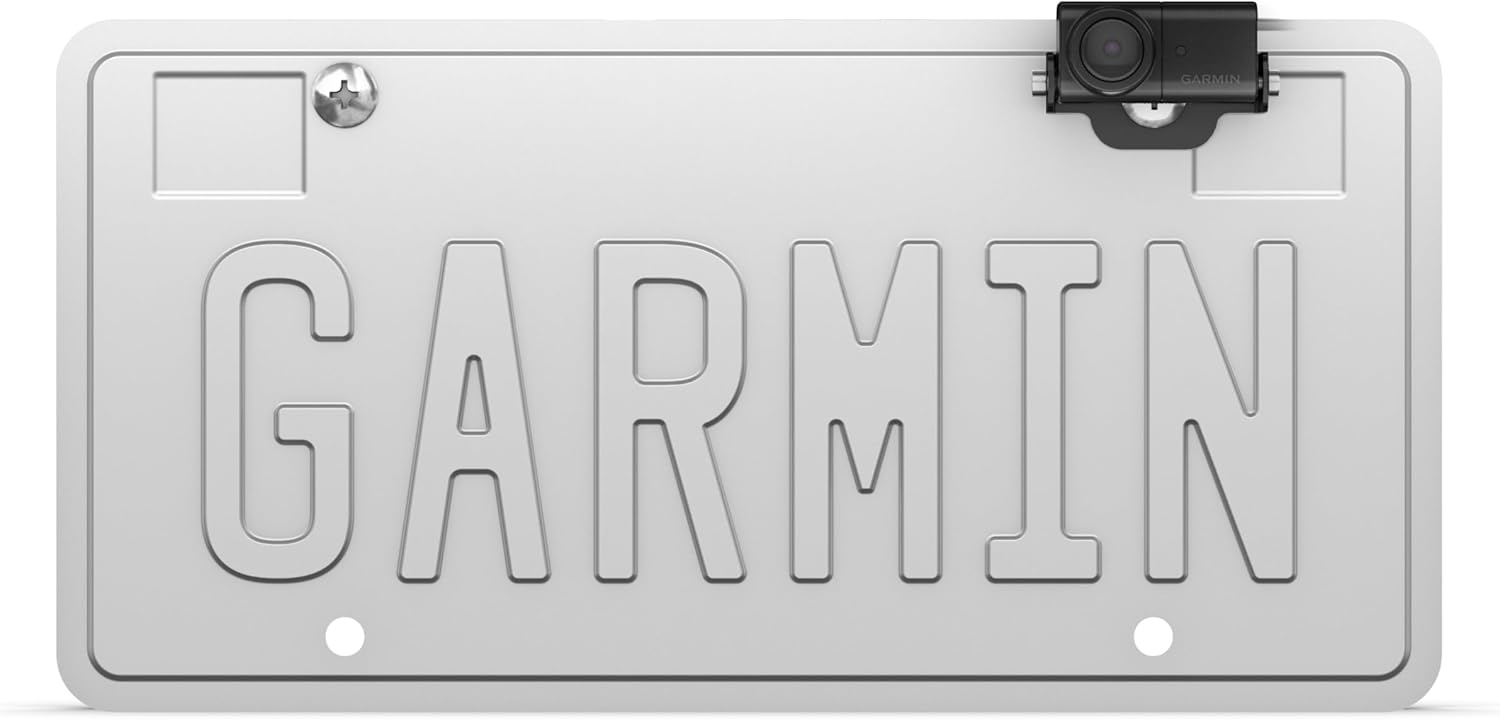
Figure 1: Garmin BC 50 with Night Vision camera mounted on a vehicle's license plate.
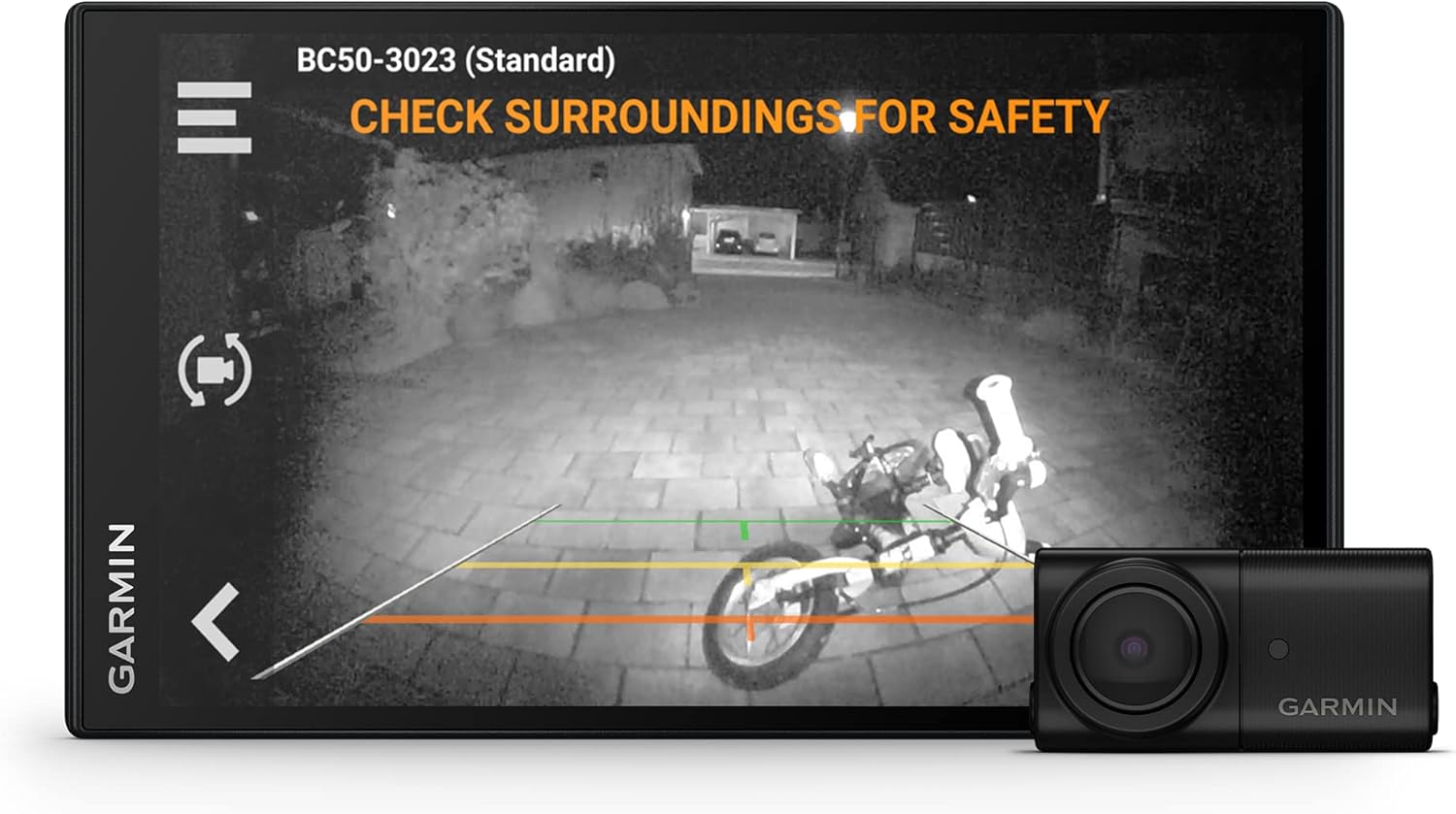
Figure 2: Night vision view from the BC 50 camera displayed on a compatible Garmin navigator.

Figure 3: Key components including the camera, wireless transmitter, and power cables.

Figure 4: Illustrates the seamless integration of the camera view with a Garmin navigator.
What's in the Box
- BC 50 with Night Vision wireless backup camera
- License plate mount
- Bracket mount
- Wireless transmitter and power cable
- Hardware
- Documentation
Features
- Sharp 720p HD resolution: Provides a clear view behind your vehicle when in reverse.
- NightGlo™ technology: Illuminates up to 20 feet behind your vehicle for exceptional visibility at night.
- Long 50’ transmission range: Ideal for longer vehicles, including semi-trucks, RVs, and trailers.
- Wide 160-degree field of view: Gives you a full picture of what’s behind your vehicle.
- Rugged, compact design: IPX7 weather-resistant housing (withstands incidental exposure to water of up to 1 meter for up to 30 minutes) ensures durability in rain, snow, and harsh road conditions.
- Optional 50’ extension cable (sold separately): Adds to the transmission range to provide a range up to 100’ for extended rigs and vehicle-trailer configurations.
- Power Source: Requires connection to a switched 12-volt power source, such as your vehicle’s reverse lights.

Figure 5: Visual summary of key features of the BC 50 with Night Vision.

Figure 6: NightGlo technology provides enhanced visibility in low-light conditions.

Figure 7: The camera's signal reaches up to a 50-foot working range.

Figure 8: The rugged, weather-resistant design ensures durability.
Specifications
| Attribute | Value |
|---|---|
| Product Dimensions | 1.7 x 0.9 x 0.7 inches (1.7"L x 0.9"W x 0.7"H) |
| Item Weight | 1.8 ounces |
| Model Number | 010-02610-00 |
| Color | Black |
| Lux Rating | 0.1 Lux |
| Compatible Devices | Monitor (Garmin Navigators) |
| Installation Type | Surface Mount |
| Video Capture Resolution | 720p HD |
| Optical Sensor Technology | CMOS |
| Lens Type | Wide Angle |
| Real Angle of View | 160 Degrees |
| Weather Resistance | IPX7 (withstands incidental exposure to water of up to 1 meter for up to 30 minutes) |
| Transmission Range | 50 feet (up to 100 feet with optional extension cable) |
Setup
1. Power Connection
The BC 50 wireless backup camera requires connection to a switched 12-volt power source. This is typically achieved by wiring it to your vehicle's reverse lights, which ensures the camera activates automatically when you shift into reverse. Professional installation is recommended for proper wiring and to avoid damage to your vehicle's electrical system.

Figure 9: The camera requires connection to a switched 12-volt power source.
2. Mounting the Camera
The BC 50 comes with both a license plate mount and a bracket mount for flexible installation. Choose the mount that best suits your vehicle and desired camera placement. Ensure the camera has a clear line of sight for optimal performance.

Figure 10: Side view of the BC 50 camera on its bracket mount.
3. Pairing with Garmin Navigator
To wirelessly pair the BC 50 camera with your compatible Garmin navigator, ensure your vehicle is in reverse while configuring the GPS unit. Refer to your Garmin navigator's user manual for specific pairing instructions.
4. Optional Extension Cable
For extended rigs and vehicle-trailer configurations requiring a longer transmission range, an optional 50-foot extension cable (sold separately) can be used to achieve a total range of up to 100 feet.

Figure 11: An optional extension cable can extend the transmission range for longer vehicles.
Operating Instructions
Automatic Activation
Once properly installed and paired, the BC 50 camera will automatically activate and display the rear view on your compatible Garmin navigator screen when your vehicle is shifted into reverse. The camera provides a sharp 720p HD resolution image.
Night Vision (NightGlo™ Technology)
The integrated NightGlo™ technology enhances visibility in dark environments by illuminating the area up to 20 feet behind your vehicle. This feature ensures a clear view even in low-light conditions, such as at night or in dimly lit areas.
Field of View
The camera offers a wide 160-degree field of view, allowing you to see a comprehensive picture of the area behind your vehicle, aiding in safer maneuvering and parking.

Figure 12: The camera provides up to 720p HD resolution for a clear view.

Figure 13: A 160-degree field of view provides a comprehensive rear view.
Maintenance
The Garmin BC 50 with Night Vision is designed for durability and minimal maintenance. Its IPX7 weather-resistant housing protects it from rain, snow, and harsh road conditions.
- Cleaning: Periodically clean the camera lens with a soft, damp cloth to ensure a clear image. Avoid abrasive cleaners that could scratch the lens.
- Inspection: Regularly check the camera and its mounts for any signs of damage or loose connections. Ensure the power cable is securely attached.
- Storage: If storing the vehicle for an extended period, ensure the camera is clean and protected from extreme temperatures.
Troubleshooting
No Image on Navigator Screen
- Check Power Connection: Ensure the camera is properly connected to a switched 12-volt power source, such as the reverse lights. Verify that the reverse lights are functioning.
- Verify Pairing: Confirm that the camera is correctly paired with your compatible Garmin navigator. Remember to have the vehicle in reverse during the pairing process.
- Compatibility: Ensure your Garmin navigator model is compatible with the BC 50 camera. Not all Garmin navigators support wireless backup cameras, or may require specific models (e.g., BC 40 vs. BC 50).
Poor Image Quality or Signal Loss
- Obstructions: Ensure there are no physical obstructions between the camera's wireless transmitter and your Garmin navigator that could interfere with the signal.
- Range: While the camera has a 50-foot range, environmental factors or vehicle structure can affect signal strength. For longer vehicles or trailers, consider using the optional 50-foot extension cable to improve signal reliability.
- Lens Cleanliness: Clean the camera lens to remove any dirt, dust, or moisture that might be obscuring the view.
Adjusting Camera Image
The camera image can often be adjusted either physically via screws on the camera unit itself or digitally through settings on your compatible Garmin GPS navigator. Consult your navigator's manual for specific instructions on image adjustments.
Warranty and Support
For warranty information, technical support, or to purchase accessories like the optional extension cable, please visit the official Garmin website or contact Garmin customer service. You can also find additional resources and product information on the Garmin Store on Amazon.


