
AMTIFO A18
AMTIFO A18 Wireless Backup Camera System User Manual
Brand: AMTIFO | Model: A18 (4.3 Inch Monitor)
Introduction
This manual provides comprehensive instructions for the installation, operation, and maintenance of your AMTIFO A18 Wireless Backup Camera System. Designed for enhanced vehicle safety, this system offers a clear, stable, and wide-angle view to assist with reversing, parking, and monitoring your surroundings. Its wireless design ensures easy installation and reliable performance.

Image: The AMTIFO A18 Wireless Backup Camera System, showing the 4.3-inch monitor and the camera unit, highlighting its HD 1080P resolution and easy installation.
Setup and Installation
The AMTIFO A18 system is designed for simple installation, requiring no complex wiring. Follow these steps for a quick setup:
1. Monitor Installation
The 4.3-inch monitor can be mounted on your dashboard or windshield using the provided suction cup bracket.
- Attach the suction cup mount to the monitor. Ensure the monitor's antenna is securely connected.
- Clean the desired mounting surface (dashboard or windshield) to ensure a strong suction.
- Press the suction cup firmly onto the surface and engage the locking lever to secure it.
- Adjust the monitor angle for optimal viewing.
- Power the monitor using the cigarette lighter adapter. Plug the adapter into your vehicle's 12V power outlet.

Image: The 4.3-inch monitor displaying options for full screen or split screen view, and illustrating the possibility of adding a second camera (not included).

Image: Visual guide showing the monitor installed in a car, van, and pickup truck, emphasizing the simple plug-and-play cigarette lighter power connection.
2. Camera Installation
The camera is typically mounted near the license plate. It connects to your vehicle's tail lights for power, activating automatically when reversing.
- Mount the camera securely near your vehicle's license plate.
- Connect the camera's power cable to your vehicle's reverse light wiring. This allows the camera to power on automatically when the vehicle is put into reverse.
- Ensure all connections are secure and weatherproof. The camera is IP67-rated for durability in various weather conditions.

Image: Diagram illustrating the easy installation process by connecting the camera to the car light, highlighting the 150-degree wide view and stable wireless signal transmission.
Installation Video Guide
For a visual guide on installation and setup, please refer to the official product video below:
Video: Official installation and operation guide for the AMTIFO A18 Wireless Backup Camera System, demonstrating monitor setup, camera connection, and in-use features.
Operating Instructions
Once installed, the AMTIFO A18 system provides a clear view of your vehicle's rear surroundings.
1. Powering On/Off
The monitor powers on automatically when the vehicle is put into reverse (if wired to reverse lights) or when the cigarette lighter adapter is activated. To manually turn the monitor on/off, use the button on the cigarette lighter adapter.
2. Viewing the Display
The 4.3-inch LCD monitor provides a live video feed from the camera. The HD 1080P resolution ensures a sharp and detailed view.

Image: The monitor displaying a parking scenario with guide lines, illustrating the system's ability to provide a clear rear view for safe parking and stable digital wireless signal transmission up to 33 feet.
3. Guide Lines
The monitor displays adjustable guide lines to assist with parking and reversing. These lines indicate approximate distances and vehicle trajectory.
- To turn the guide lines on or off, press and hold the 'M' button on the monitor for 3 seconds.
- The system supports DIY guide line settings for customization.

Image: An overhead view demonstrating safe parking with the 150-degree wide-angle view, showing how the camera helps in navigating tight spaces.
4. Image Adjustment and Features
The monitor allows for various image adjustments and offers advanced features:
- Image Flip: The display is capable of flipping images (normal or mirror view) to suit your preference or specific vehicle setup.
- Adjustable Contrast & Brightness: Optimize the display for different lighting conditions.
- Super Night Vision: Provides clear, precise, and sharp video even in complete darkness.
- Wide-Angle Lens: The 170-degree wide-angle camera lens minimizes blind spots, offering maximum coverage.

Image: The monitor demonstrating image flip functionality (Normal vs. Mirror view) and highlighting adjustable contrast and brightness settings.
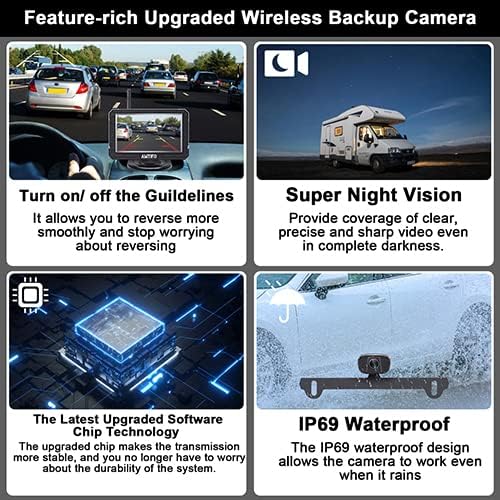
Image: A collage showcasing key features: turning on/off guidelines, super night vision, the latest upgraded software chip for stable transmission, and IP69 waterproof rating.
Maintenance
To ensure the longevity and optimal performance of your AMTIFO A18 system, follow these simple maintenance guidelines:
- Cleaning: Regularly clean the camera lens and monitor screen with a soft, damp cloth. Avoid abrasive cleaners that could scratch surfaces.
- Connections: Periodically check all cable connections (power, antenna) to ensure they are secure and free from corrosion.
- Weather Protection: While the camera is IP67-rated waterproof and designed for various weather conditions (from -22°F to 149°F), extreme conditions can still impact performance. Ensure the camera is free from excessive dirt, ice, or snow buildup.
- Storage: If storing the vehicle for an extended period, consider disconnecting the monitor from the power source.

Image: Close-up of the camera unit, highlighting its IP69 waterproof rating, indicating its durability against water and dust.

Image: An illustration of the camera's 6-glass lens, indicating high-quality optics for clear image capture.
Troubleshooting
If you encounter issues with your AMTIFO A18 system, refer to the following common problems and solutions:
| Problem | Possible Cause | Solution |
|---|---|---|
| No image on monitor |
|
|
| Flickering or unstable image |
|
|
| Image is reversed or upside down | Incorrect image flip setting. | Adjust the image flip setting on the monitor (refer to Operating Instructions). |
| Guide lines not visible or incorrect | Guide lines turned off or misconfigured. | Press and hold the 'M' button for 3 seconds to toggle guide lines. Adjust DIY settings if needed. |
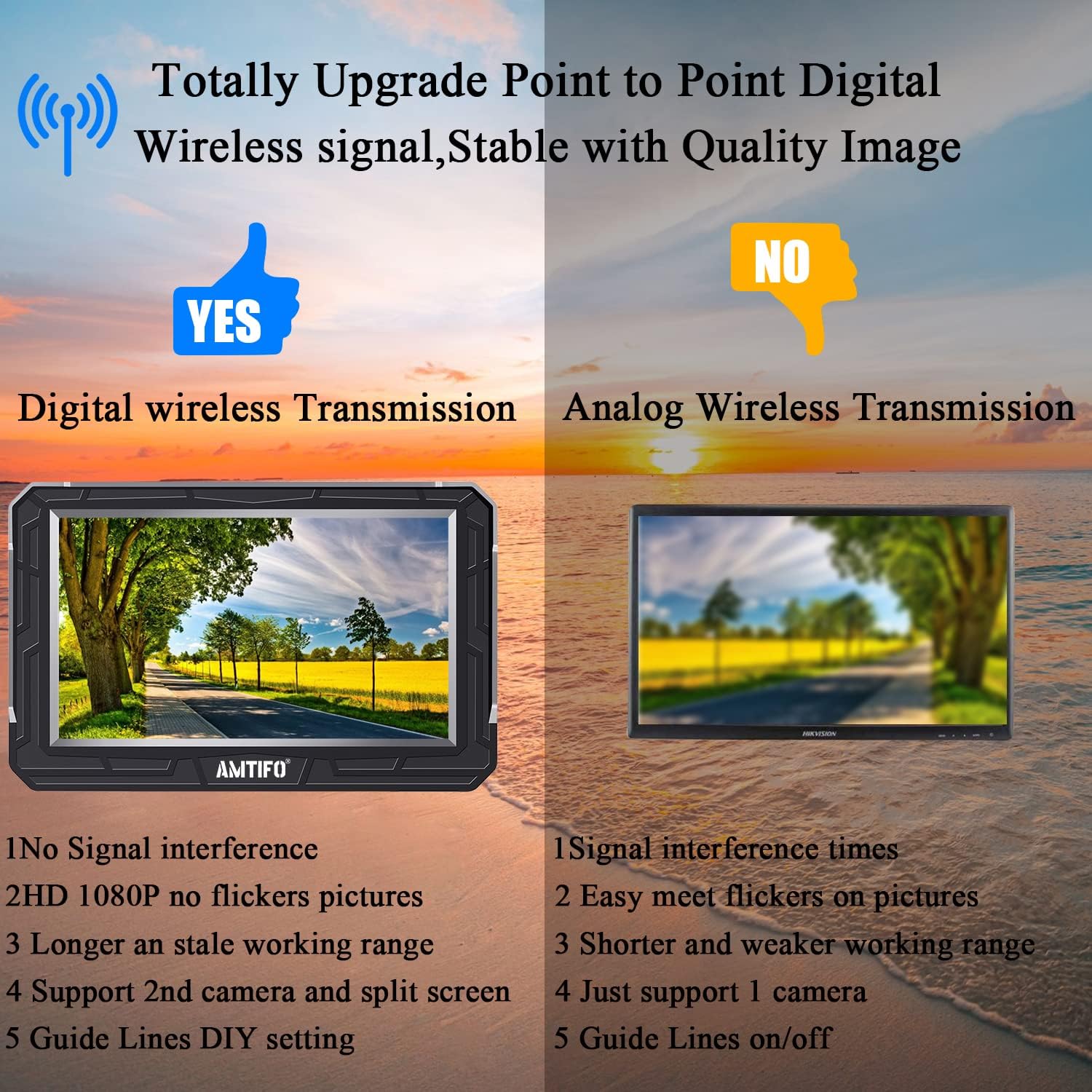
Image: A comparison highlighting the benefits of digital wireless transmission (no signal interference, HD 1080P, stable working range, support for 2nd camera) over analog wireless transmission.
Specifications
- Brand: AMTIFO
- Model: A18
- Screen Size: 4.3 Inches
- Display Technology: LCD
- Video Capture Resolution: 1080p
- Lens Type: Fixed Wide Angle
- Real Angle of View: 150 Degrees
- Installation Type: Dash Mount and Windshield Mount Monitor
- Voltage: 12 Volts (DC)
- Item Weight: 1.26 pounds
- Product Dimensions: 7.5 x 7.5 x 3 inches
- Weatherproof Rating: IP67 (Camera)
- Operating Temperature: -22°F to 149°F (Camera)
Warranty and Support
AMTIFO products are designed for reliability and performance. For any questions, technical assistance, or warranty claims, please contact AMTIFO customer service. We offer 24-hour online customer service to assist you.
Please refer to your product packaging or the official AMTIFO website for the most up-to-date warranty information and contact details.

Image: The AMTIFO brand logo.
Ask a question about this manual
Ask about setup, troubleshooting, compatibility, parts, safety, or missing instructions. Manuals+ will review the question and use this page’s manual context to help answer it.