
1. Introduction
The YHW Smart RGB LED Floor Lamp is a modern, versatile lighting solution designed to enhance your living space. It features smart control capabilities, allowing operation via voice commands through Alexa and Google Assistant, a dedicated remote control, or the Surplife mobile application. This lamp offers a wide spectrum of 16 million colors, adjustable white light from 2700K to 6500K, and dimmable brightness, providing customizable illumination for various moods and activities. Its robust design ensures stability and durability.

Figure 1: YHW Smart RGB LED Floor Lamp with control options.
2. Safety Information
Please read all safety instructions before using the product. Failure to follow these instructions may result in electric shock, fire, or serious injury.
- Ensure the power supply voltage matches the lamp's requirements (120V DC).
- Do not disassemble or modify the lamp.
- Keep the lamp away from water and high humidity environments.
- Avoid placing the lamp near heat sources or in direct sunlight.
- Always unplug the lamp from the power outlet before cleaning or performing any maintenance.
- This lamp is designed for indoor use only.
- Ensure the base is stable on a flat surface to prevent tipping.
3. Package Contents
Verify that all components are present in the package:
- YHW Smart RGB LED Floor Lamp (unassembled sections)
- 2.4G Remote Control
- User Manual (this document)
- 24V DC Adapter (ETL certified)
4. Setup
4.1 Assembly
The YHW Smart RGB LED Floor Lamp is designed for quick and easy assembly, typically within 5 minutes, without requiring additional tools.
- Carefully unpack all components from the box.
- Screw the lamp pole sections together clockwise until secure. Ensure the internal wiring is not pinched.
- Attach the assembled pole to the weighted base by screwing it clockwise until firm.
- Connect the 24V DC adapter to the lamp's power input located near the base.
- Plug the adapter into a standard wall outlet.

Figure 2: Lamp dimensions, touch control, and head adjustability.
4.2 Adjusting the Lamp Head
The lamp head can be adjusted to direct light as needed. It offers a wide range of motion for optimal illumination.

Figure 3: Adjustable angle of the lamp head.
5. Operating the Lamp
5.1 Touch Control
A discreet touch control is located on the lamp pole for basic functions:
- Short Press: Turns the lamp On or Off.
- Long Press: Dims the light.
5.2 Remote Control
The included 2.4G remote control provides comprehensive control over the lamp's functions.

Figure 4: 2.4G Remote Controller and its functions.
- Turn ON/OFF: Power button.
- Brightness/Speed Control: Adjusts brightness in static mode or speed in dynamic mode.
- Static Color Selection: Direct access to various colors (R, G, B, W, C, Y, P, O).
- Color Temperature (CCT): Adjusts white light from warm (2700K) to cool (6500K). Only works under 2700K-6500K settings.
- Built-in Modes (M+/M-): Cycles through dynamic lighting modes.
- Scene Buttons (S1-S4): Hold for 5 seconds to save current scene settings. Short press to recall saved scenes.
- 60s Timer: Turns off the light after 60 seconds.
- Night Lamp: Activates a low-brightness, warm light setting.
5.3 App Control (Surplife App)
For advanced features and customization, download the Surplife app from your smartphone's app store. The lamp connects via 2.4Ghz WiFi only.
5.3.1 Color Changing and Scenes
Explore 16 million DIY colors and numerous dynamic and static scene modes.

Figure 5: App interface for color selection.
5.3.2 Adjustable Color Temperature
Adjust the white light from warm (2700K) to cool (6500K) to suit different activities.

Figure 6: Color temperature settings for various activities.
5.3.3 Music Sync Lighting
Synchronize the lamp's lighting effects with your music for an immersive experience.

Figure 7: Music sync lighting in action.
5.3.4 Timer Preset Function
Set schedules for the lamp to turn on or off automatically, aligning with your daily routine.

Figure 8: Timer function for automated lighting.
5.4 Voice Control (Alexa & Google Assistant)
Integrate your lamp with Amazon Alexa or Google Assistant for convenient hands-free control.
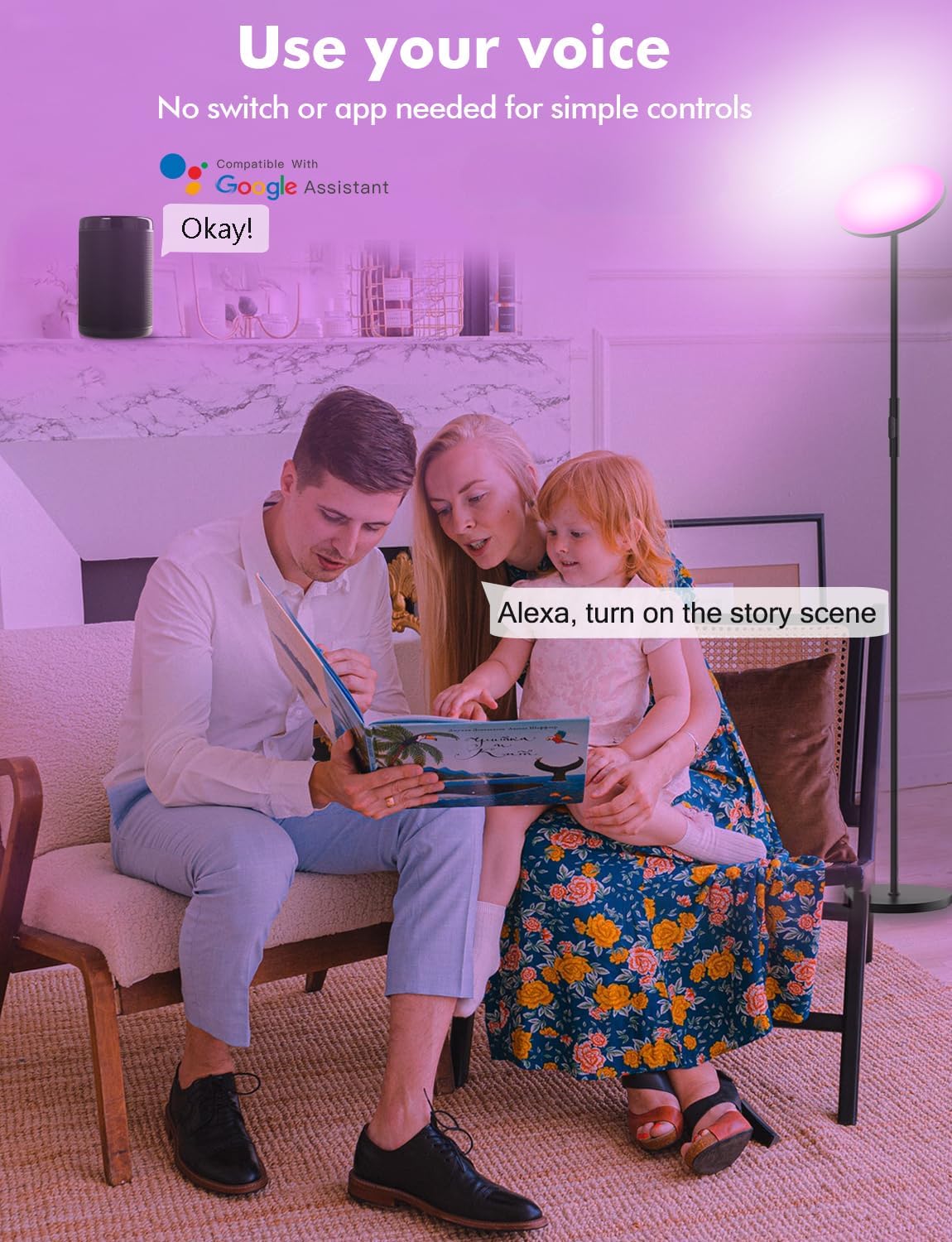
Figure 9: Voice control for simple commands.
After connecting the lamp to the Surplife app, link the app to your Alexa or Google Home account. You can then use voice commands such as:
- "Alexa, turn on the floor lamp."
- "Hey Google, set the floor lamp to blue."
- "Alexa, dim the floor lamp to 50%."
- "Hey Google, turn on the Christmas scene."

Figure 10: Voice control for scene activation.
6. Maintenance
To ensure the longevity and optimal performance of your YHW Smart RGB LED Floor Lamp, follow these maintenance guidelines:
- Cleaning: Disconnect the power before cleaning. Use a soft, dry cloth to wipe the lamp's surface. Do not use abrasive cleaners, solvents, or harsh chemicals, as these can damage the finish.
- Storage: If storing the lamp for an extended period, disassemble it and store it in its original packaging in a dry, cool place.
- LED Lifespan: The integrated LED light source has an average lifespan of 20,000 hours and is not user-replaceable.
7. Troubleshooting
If you encounter issues with your YHW Smart RGB LED Floor Lamp, refer to the following common problems and solutions:
| Problem | Possible Cause | Solution |
|---|---|---|
| Lamp does not turn on. | No power, loose connection, faulty adapter. | Check if the power adapter is securely plugged into the lamp and the wall outlet. Try a different outlet. Ensure the adapter is functional. |
| Remote control not working. | Remote battery low/dead, remote not paired, obstruction. | Replace remote batteries. Ensure no obstructions between remote and lamp. Re-pair the remote if necessary (refer to app instructions). |
| Cannot connect to Wi-Fi/App. | Incorrect Wi-Fi band, weak signal, incorrect password. | Ensure your Wi-Fi network is 2.4Ghz (5Ghz is not supported). Move the lamp closer to the router. Double-check Wi-Fi password. Reset the lamp and try pairing again. |
| Voice control not responding. | Lamp not linked to voice assistant, Wi-Fi issue, incorrect commands. | Verify the lamp is successfully linked in the Alexa/Google Home app. Check Wi-Fi connection. Use precise commands as listed in the app. |
| Light flickers or changes unexpectedly. | Unstable power, interference, software glitch. | Ensure stable power supply. Check for nearby devices causing interference. Restart the lamp by unplugging and re-plugging. Update Surplife app. |
8. Specifications
| Feature | Detail |
|---|---|
| Model Name | Living room bedroom led floor lamp |
| Item Model Number | 24W-WFFL-BLACK |
| Brand | YHW |
| Dimensions | 15.15"D x 12"W x 4.33"H (Product); 10 x 10 x 70 inches (Overall) |
| Item Weight | 6.3 Pounds |
| Material | Iron (Base, Finish Type) |
| Shade Material | Plastic |
| Light Source Type | LED |
| Wattage | 24 watts |
| Brightness | 2000 Lumen |
| Color Temperature | 2700-6500 Kelvin (Adjustable) |
| Control Method | Voice, Remote, App (WiFi Bluetooth Surplife App) |
| Special Features | Corded, Dimmable, Adjustable Color Temperature, Timer, WiFi Bluetooth Surplife App Control, Alexa Voice Control |
| Power Source | Corded Electric |
| Voltage | 120 Volts (DC) |
| Average Life | 20000 Hours |
| Indoor/Outdoor Usage | Indoor |
| Assembly Required | Yes |
9. Warranty and Support
YHW products are designed for quality and reliability. For any issues or inquiries regarding your Smart RGB LED Floor Lamp, please refer to the following:
- Warranty: Please consult your purchase documentation or retailer for specific warranty terms and conditions.
- Customer Support: If you encounter any problems with the lamp or require assistance, please contact YHW customer support through the retailer's platform or the contact information provided with your purchase.