
1. Product Overview
The DIGITMON 6-foot 3-prong AC power cord is a UL Listed replacement cable designed for various ION portable speakers and other compatible electronic devices. This cable provides a reliable and safe power connection, ensuring optimal performance for your equipment.
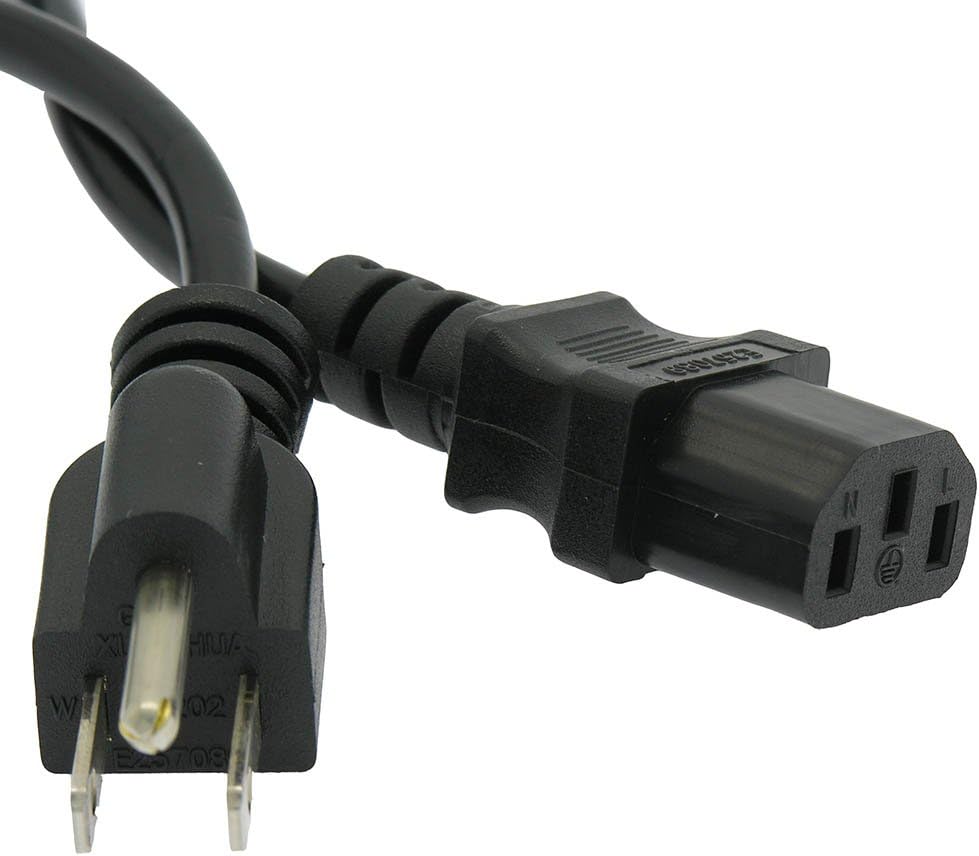
Image 1: The DIGITMON 6-foot 3-prong AC power cord, coiled, displaying both the male plug and the female connector.
2. Compatibility
This power cord is compatible with a wide range of devices requiring a 3-prong AC power connection. Specifically, it is suitable for the following ION speaker models:
- ION Tailgater: iPA57, iPA76C, iPA76A, iPA77, iPA76S, IPA23, IPA22p, IPA88, IPA77, IPA79s, IPA19b, iPA76C2
- ION Explorer Outback Wireless Speaker
- ION Block Rocker Max Wireless Rechargeable Speaker
- ION Block Rocker Plus
- ION Block Party & Live
- ION Job Rocker
- ION Pathfinder
Note: Please verify the connector type on your device matches the C13 female connector of this cable before purchase. Refer to Image 2 for connector details.

Image 2: Detailed view of the 3-prong male plug (Type B) and the C13 female connector, highlighting the connection points.
3. Specifications
- Cable Type: 3-Prong AC Power Cord
- Length: 6 Feet
- Wire Gauge: 18 AWG
- Voltage Rating: 125 Volts
- Current Rating: 10A / 7A
- Certifications: UL Listed
- Connector Type (Male): NEMA 5-15P (Type B)
- Connector Type (Female): IEC C13
- Color: Black

Image 3: A close-up view of the IEC C13 female connector, which plugs into the device.
4. Setup and Installation
- Identify Power Port: Locate the 3-prong power input port on your compatible device (e.g., ION speaker).
- Connect Cable to Device: Insert the female (C13) end of the DIGITMON power cord firmly into the device's power input port.
- Connect Cable to Power Outlet: Insert the male (NEMA 5-15P) end of the power cord into a standard 3-prong AC wall outlet.
- Verify Connection: Ensure both ends of the cable are securely connected.
The cable is designed for easy plug-and-play functionality. No additional tools or software are required for installation.
5. Operation
Once the power cord is correctly connected to both your device and a power outlet, your device should receive power. Refer to your device's specific instruction manual for details on powering it on and operating its functions.
6. Maintenance
- Cleaning: Wipe the cable with a dry, soft cloth if it becomes dusty. Do not use liquid cleaners directly on the cable or connectors.
- Storage: When not in use, coil the cable loosely to prevent kinks and damage. Store in a cool, dry place away from direct sunlight and extreme temperatures.
- Inspection: Periodically inspect the cable for any signs of wear, cuts, fraying, or damage to the connectors. Discontinue use if any damage is observed.

Image 4: Internal construction of the power cable, illustrating its multi-layered design for safety and reliability, including AI foil shielding, braided shielding, and a tinned copper wire core.
7. Troubleshooting
If your device is not receiving power after connecting the DIGITMON power cord, consider the following:
- Check Connections: Ensure both ends of the power cord are fully and securely inserted into the device and the wall outlet.
- Test Outlet: Plug another working appliance into the same wall outlet to confirm the outlet is functional.
- Inspect Cable: Visually inspect the entire length of the power cord for any visible damage (cuts, kinks, exposed wires). If damaged, replace the cable immediately.
- Device Power: Confirm that your device's power switch is in the "ON" position.
If the issue persists after these steps, consult your device's manual or contact the device manufacturer for further assistance.
8. Safety Information
- This power cord is for indoor use only.
- Do not expose the cable to water or excessive moisture.
- Avoid placing heavy objects on the cable or running it under carpets, which can cause damage and overheating.
- Do not attempt to modify or repair the cable.
- Always grasp the plug when disconnecting from an outlet; do not pull by the cord.
- Ensure the voltage and current ratings of the cable match or exceed the requirements of your device.
- The UL Listing ensures the product meets recognized safety standards.

Image 5: This power cord is UL Certified and durable, suitable for various electronics including printers, scanners, fax machines, TVs, power supplies, all-in-one printers, and desktop computers.
9. Official Product Videos
C13 Power Cable Overview
Video 1: A brief overview demonstrating the features and application of a C13 power cable. This video is provided by Trospow.
Power Cord Overview
Video 2: An informational video providing a general overview of the power cord, its design, and safety features. This video is provided by UNIMOSON.
10. Warranty and Support
For warranty information and customer support regarding your DIGITMON power cord, please refer to the product packaging or contact DIGITMON customer service directly. Details can often be found on the manufacturer's official website or through your purchase platform.
Manufacturer: DIGITMON
Date First Available: March 22, 2022