
Brewista BX-GS002
Brewista 700ml/23.7oz X Series Glass Coffee Carafe Instruction Manual
Model: BX-GS002
Product Overview
This manual provides instructions for the proper use and care of your Brewista 700ml/23.7oz X Series Glass Coffee Carafe. Designed for pour-over coffee, this heat-resistant, odorless glass server features a polygonal design for enhanced flavor and a non-drip spout for clean pouring.
Setup and First Use
- Unpacking: Carefully remove all components from the packaging. Inspect the glass carafe for any damage.
- Initial Cleaning: Before first use, wash the carafe thoroughly with warm, soapy water. Rinse completely and dry.
- Placement: Place the carafe on a stable, heat-resistant surface when in use.

Image: Brewista X Series Glass Coffee Carafe with a pour-over dripper, ready for brewing.
Operating Instructions
Brewing Pour-Over Coffee
- Prepare Your Dripper: Place your preferred coffee dripper (93mm wide mouth fits most standard drippers) onto the top of the Brewista X Series Glass Coffee Carafe.
- Insert Filter and Coffee: Insert a paper filter into the dripper and add your desired amount of ground coffee.
- Pre-wetting (Bloom): Slowly pour a small amount of hot water over the coffee grounds to pre-wet them. Allow 30 seconds for the coffee to "bloom."
- Pouring: Continue pouring hot water slowly and evenly over the coffee grounds in a circular motion, ensuring even extraction. The polygonal design of the carafe is intended to balance oxygenation and eliminate swirling, contributing to a smoother, richer taste.
- Serving: Once brewing is complete, remove the dripper. The non-drip spout ensures a clean pour into your cup.
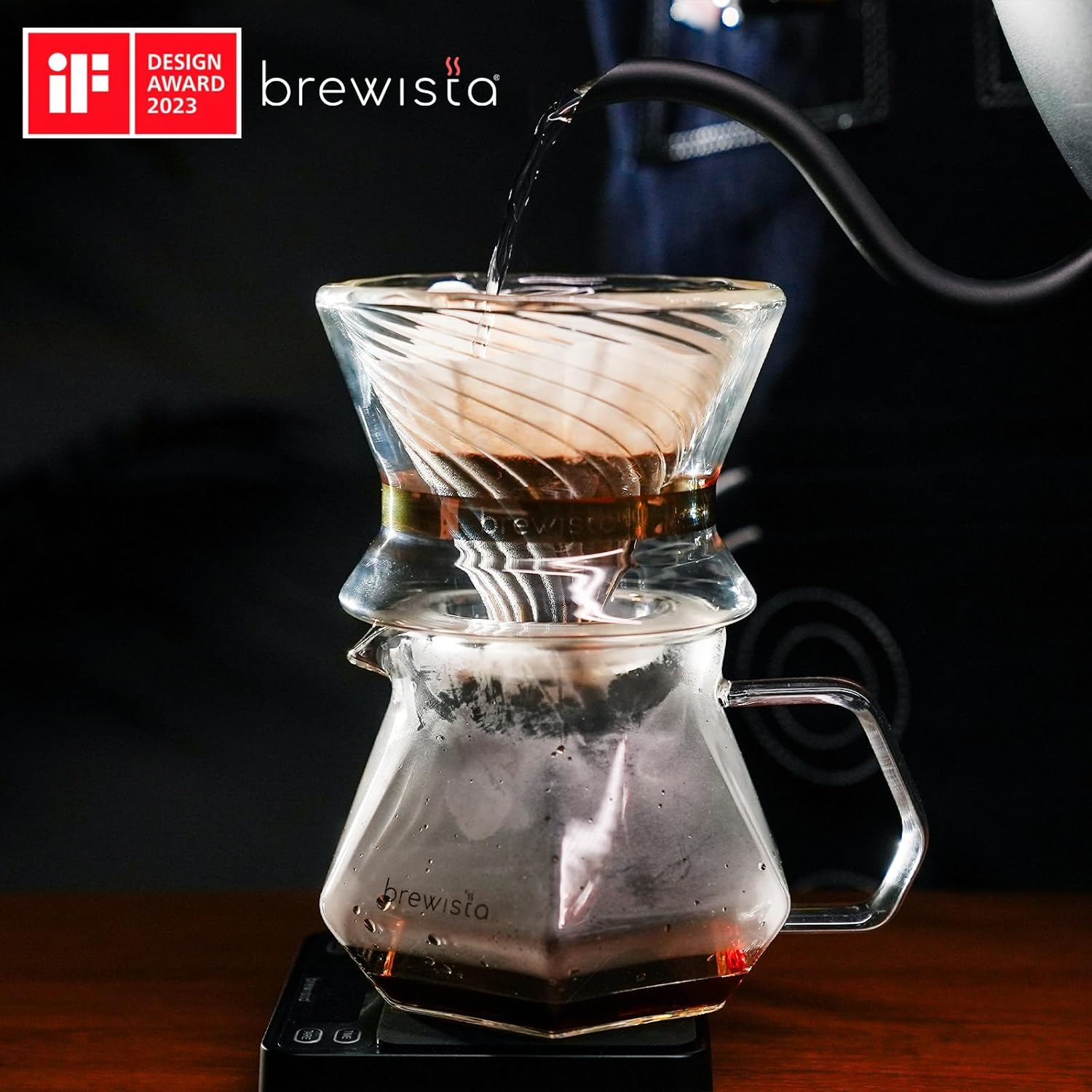
Image: Brewista X Series Glass Coffee Carafe with a pour-over dripper and filter, demonstrating the brewing process.

Image: Top-down view of the Brewista X Series Glass Coffee Carafe filled with brewed coffee, highlighting the polygonal interior.
Official Product Video: Brewista X Series Glass Server
Video: A demonstration of the Brewista X Series Glass Server in use for pour-over coffee preparation, showcasing its design and functionality.
Care and Maintenance
Cleaning
The Brewista X Series Glass Coffee Carafe is designed for easy cleaning due to its wide mouth and odorless glass.
- Hand Washing Recommended: Hand wash the carafe with warm, soapy water. Use a soft sponge or brush to clean the interior and exterior.
- Rinsing: Rinse thoroughly with clean water to remove all soap residue.
- Drying: Allow the carafe to air dry or dry with a soft cloth.
- Detachable Lid: The lid is detachable for easier cleaning.
- Avoid Microwaves: Do not use the carafe in a microwave, especially if it has gold foil details, to preserve its aesthetic integrity.
Storage
- Store the carafe in a safe place to prevent accidental breakage.
Troubleshooting
Common Issues
- Slow Drip/Clogging: Ensure your coffee grounds are not too fine, which can impede water flow. Check that the filter is properly seated.
- Unstable Dripper: Verify that your pour-over dripper has a 93mm wide mouth for optimal compatibility and stability on the carafe.
- Carafe Feels Delicate: The carafe is made of heat-resistant glass capable of withstanding temperatures from -20°C to 150°C. Handle with care to prevent breakage.
Product Specifications
| Feature | Detail |
|---|---|
| Brand | Brewista |
| Model Name | BX-GS002 |
| Material | Glass |
| Color | Clear |
| Capacity | 0.7 Liters (23.7 Ounces) |
| Product Dimensions | 6.7"W x 4.4"H |
| Included Components | Coffee Pitcher, Sealed Rim |
| Temperature Resistance | -20°C to 150°C |
| UPC | 810060500620 |

Image: Brewista X Series Glass Coffee Carafe with dimensions labeled: 17cm/6.69in width and 11.2cm/4.41in height.
Warranty and Support
For warranty information or technical support, please refer to the official Brewista website or contact their customer service directly. Keep your purchase receipt for warranty claims.
Ask a question about this manual
Ask about setup, troubleshooting, compatibility, parts, safety, or missing instructions. Manuals+ will review the question and use this page’s manual context to help answer it.